- Expertise
Expertise That Drives Results
Explore our specialized services, tailored solutions, and industry expertise to elevate your digital presence. From custom WordPress development to seamless integrations, we build high-performing websites that deliver impact.
Solutions- Booking System Integrations
- Headless & REST API WordPress
- Hubspot Integration
- Enterprise WordPress
- Website Migration
- Internal Collaboration Platforms
- External Communications Hubs
- Work
- About
- Proof
- Contact
Learn more


How to Clear the WordPress Cache with WP-CLI

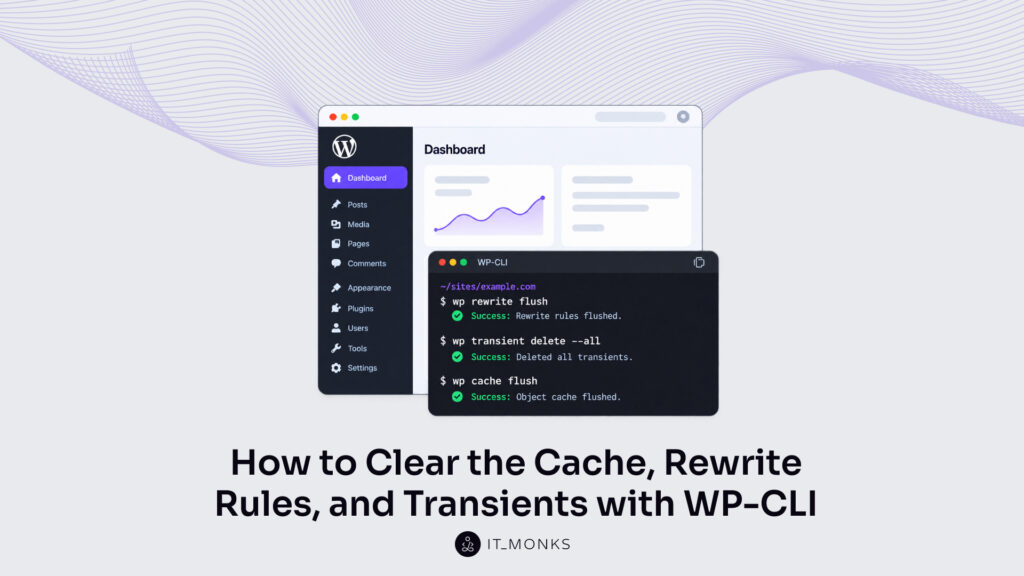
The WordPress cache is the data WordPress stores so that it does not regenerate that data on each request, and WP-CLI commands clear the WordPress cache from the command line. Each store is cleared by a command of its own: wp rewrite flush flushes WordPress rewrite rules, wp transient delete deletes WordPress transients, and wp cache flush flushes the WordPress object cache.
Each of the three commands prints a result line when it is run, and each store has a check command: wp rewrite list lists the current rewrite rules, wp transient type reports whether transients are saved to the database or to the object cache, and wp cache type attempts to determine which object cache is in use. Plugin cache commands clear what the three commands do not: the cache files a plugin keeps outside the object cache. wp transient delete takes a network form and a per-site form on a multisite installation.
The three commands have no required run order. One condition changes what a command clears: a persistent object cache holds the transients of a site in place of the database, and wp transient delete, run for all transients or for the expired ones, deletes only the transients in the database, so wp cache flush is the command that deletes the ones held in the object cache. Transients and the object cache are caches. Rewrite rules are a store, not a cache, flushed from the same shell.
How to Flush WordPress Rewrite Rules
WordPress rewrite rules are the URL patterns WordPress generates from registered post types, among other sources, and stores in the rewrite_rules option, and wp rewrite flush is the command that flushes WordPress rewrite rules by regenerating them. It is a subcommand of wp rewrite, the WP-CLI command that lists or flushes the rewrite rules of a site.
A new post type is the case for the plain flush: its URL patterns are not in the stored rules until the rules are regenerated. The WP-CLI rewrite flush command is run in its plain form with no argument and no option:
wp rewrite flush
Success: Rewrite rules flushed.
The Success line prints when the rewrite_rules option holds rules after the flush. wp rewrite flush prints a Warning in place of the Success line when the option is empty. The Warning opens with Warning: Rewrite rules are empty, possibly because of a missing permalink_structure option. and names wp rewrite list as the command to verify with.
--hard is the one option of wp rewrite flush. A hard flush updates the .htaccess rules as well as the rewrite rules in the database, and it works only on a single site installation:
wp rewrite flush --hardTo regenerate a .htaccess file, WP-CLI needs mod_rewrite listed under apache_modules in wp-cli.yml or config.yml. apache_modules is the list of Apache modules WP-CLI reports as loaded, and it is not available as a flag, so the entry is added to a config file, either wp-cli.yml inside the current working directory or a directory above it, or ~/.wp-cli/config.yml:
apache_modules:
  - mod_rewrite
wp rewrite flush --hard prints Warning: Regenerating a .htaccess file requires special configuration. See usage docs. when that entry is missing. The command still runs after the Warning. The rewrite rules in the database are flushed and the result line prints, but the .htaccess rules are not updated.
A flushed cache is empty until WordPress rebuilds its entries; flushed rewrite rules are regenerated in the same call, and wp rewrite list shows the regenerated rules.
wp rewrite list Command
wp rewrite list is the WP-CLI command that gets a list of the current rewrite rules, and it is the check to run after wp rewrite flush. With --format=csv, the list prints as comma-separated lines:
wp rewrite list --format=csv
match,query,source
^wp-json/?$,index.php?rest_route=/,other
^wp-json/(.*)?,index.php?rest_route=/$matches[1],other
The csv output opens with the header match,query,source, and each row under it is one rule. In a row, match is the URL pattern, query is the index.php query string stored for that pattern, and source is the origin of the rule, other for both wp-json rows. Those two rows are sample output: a site prints one row for every rule in the rewrite_rules option.
--match=<url> shows only the rewrite rules that match one URL, so wp rewrite list --match=<url> is the check for a single address of the site. The URL is passed as a full URL or as a path.
wp rewrite list prints Warning: No rewrite rules. in place of rows when the rewrite_rules option is empty. WordPress transients are a separate store, deleted by a command of their own.
How to Delete WordPress Transients
WordPress transients are cached values with an expiration time, stored in the database by default, and the WP-CLI command wp transient delete removes them, with wp transient delete --all as the form that deletes the regular transients of a site in one call. WordPress core, plugins and themes rebuild a deleted transient on next use.
A regular transient is local to one site, and --all deletes every regular transient that site stores in the database, expired or not. On a single site installation those transients are stored in the wp_options table, and the Success line prints the number the command deleted.
wp transient delete --all
Success: 14 transients deleted from the database.
The count in a Success line differs per site: 14, 2, 12 and 1 are sample values. wp transient delete --all prints Success: No transients found. when the database holds no regular transient.
Site transients are a second set, and --all leaves them. A site transient is network-wide: one value shared by the sites of a multisite network instead of local to one site. A single site installation stores site transients in the same wp_options table under key names of their own. --network is the option for site transients: wp transient delete --all --network deletes the site transients and only them.
wp transient delete --all --network
Success: 2 transients deleted from the database.
Each call leaves the other set. Both sets of a single site installation are deleted when both calls run.
--expired deletes expired transients only, the ones whose expiration time has passed, and leaves every transient that has not expired. The split between the two sets is the same: run without --network, the option deletes expired regular transients; run with --network, expired site transients.
wp transient delete --expired
Success: 12 expired transients deleted from the database.

wp transient delete --expired --network
Success: 1 expired transient deleted from the database.
Success: No expired transients found. is the line either call prints when no transient of its set has expired.
wp transient delete run with no key, no --all and no --expired deletes nothing and prints Error: Please specify transient key, or use --all or --expired. --network passed on its own prints the same Error.
wp transient delete --expired can run as a scheduled cleanup job. A site admin schedules the call in system cron, the scheduler that repeats it unattended, through WP-CLI and system cron automation, and each scheduled run deletes the transients that have expired by then. A cache flush is also a standard last step of a CI/CD pipeline, run after each deployment.
The limit of the command is printed beside every count: “from the database”. wp transient delete with --all or --expired deletes only the database transients on a site with a persistent object cache, and leaves the transients held in the object cache. wp transient type tells whether that limit applies to a site.
wp transient type Command
wp transient type is the WP-CLI command that indicates whether the Transients API is using the database or an object cache. The command prints one of two result lines: one for the database, one for an object cache.
wp transient type
Transients are saved to the database.
Transients are saved to the database. is the default result. The database result places the transient values in the wp_options table on a single site installation, the table of the WordPress options. A WordPress option is a named value stored there with no expiration time, and a developer reads the wp_options table with the wp option commands to manage WordPress options and site settings with WP-CLI.
The other result is Transients are saved to the object cache. That line means a persistent object cache drop-in is installed: the transient cache skips the database and wraps the WP Object Cache. wp transient delete --all under a persistent object cache deletes only the transients left in the database, then prints a Warning after its Success line: Warning: Transients are stored in an external object cache, and this command only deletes those stored in the database. You must flush the cache to delete all transients.
wp transient type, run before the transients are deleted, is the check for a persistent object cache. Flushing the WordPress object cache with wp cache flush deletes the transients held there, together with every other item in that cache.
How to Clear the WordPress Object Cache
The WordPress object cache is the store for data that is expensive to regenerate, such as the results of complex database queries, and the WP-CLI command wp cache flush clears it. By default the object cache is held in PHP memory and lasts one request: it is emptied at the end of that request. A persistent object cache drop-in persists it between requests, and that persisted cache is what a flush empties.
wp cache type is the check command for the object cache. It attempts to determine which object cache is being used and prints one line.
wp cache type
Default
Default is the line wp cache type prints when no external object cache is in use. The object cache is then the default one, which lasts one request, and wp transient type prints Transients are saved to the database. under the same condition. Any other line means an external object cache is in use, the case of a persistent object cache drop-in. The name in that line is a guess: wp cache type determines it from the classes of the third-party object cache extension, and a change to those classes can stop the command from determining the name.
The wp cache flush command empties the whole object cache in one call.
wp cache flush
Success: The cache was flushed.
Success: The cache was flushed. is the result line of a completed flush. The command ends in Error: The object cache could not be flushed. when the object cache can’t be flushed. The Success line is no sign of a persistent object cache: wp cache flush prints the same line on a site with no drop-in, where it empties only the in-memory cache of its own wp process and changes nothing for the site.
A site admin flushes the object cache after a change that can leave cached data out of date, on a site where a persistent object cache drop-in holds that data between requests. A plugin or theme change is one such change: the site admin runs the commands that manage WordPress plugins and themes with WP-CLI, then wp cache flush, and the object cache holds no entry from before the change.
On a multisite installation with a persistent object cache, wp cache flush typically flushes the cache for all sites, not for one. With --url=<url> set on multisite, the command warns before it flushes: Warning: Flushing the cache may affect all sites in a multisite installation, depending on the implementation of the object cache.
A flush of the object cache in production has a performance cost: the cache it empties holds data that is expensive to regenerate. The WP-CLI documentation for wp cache flush words it as a warning: “Beware of the performance impact when flushing the object cache in production.”
wp cache flush flushes the object cache and no other store: the page cache a caching plugin adds stays as it was. wp cache flush-group flushes one cache group alone and leaves the rest of the object cache, where the object cache implementation supports group flushing.
wp cache flush-group Command
wp cache flush-group is the WP-CLI command that clears one cache group: it removes all cache items in the group, if the object cache implementation supports it, in place of flushing the whole cache. wp cache supports flush_group checks whether the object cache implementation supports group flushing. That check prints no line. It answers through its exit status, which echo $? prints: 0 when group flushing is supported, 1 when it is not. The feature check needs WordPress 6.1 or higher, and on an earlier version it ends in an Error line that names the version.
wp cache supports flush_group
echo $?
0

wp cache flush-group my_group
Success: Cache group 'my_group' was flushed.
wp cache flush-group <group> takes one argument, and <group> names the cache group key. A cache group is the name that caching code passes next to a cache key to group data within the cache, which allows the same key to be used across groups. my_group is a sample key that stands for that name, and the Success line prints the key between quotes.
The command ends in Error: Group flushing is not supported. and removes nothing when the object cache implementation does not support group flushing. wp cache flush remains for that case, the flush of the whole cache.
After a group flush the rest of the object cache stays in place: the command removes the items of one group and no others. Plugin caches sit outside the object cache and take their own commands.
How to Clear a WordPress Plugin Cache
A WordPress plugin cache is the set of cache files a plugin keeps outside the object cache, so wp cache flush does not touch it; a separate WP-CLI command clears it. W3 Total Cache and Elementor each provide one, and wp package install wp-media/wp-rocket-cli adds wp rocket, a command that comes from that package. Each command clears its own cache files and takes its own options:
| Plugin | Command | What it clears | Options |
|---|---|---|---|
| WP Rocket | wp rocket clean --confirm | Cache files, no prompt | --post_id=<post_id>, --permalink=<permalink>, --lang=<lang>, --blog_id=<blog_id> |
| W3 Total Cache | wp w3-total-cache flush all | All caches | flush posts; flush post with --post_id=<id> or --permalink=<post-permalink> |
| Elementor | wp elementor flush-css | CSS files in /wp-content/uploads/elementor/css/ | --regenerate, --network |
wp w3-total-cache flush all prints Success: Everything flushed successfully. The narrower flush posts flushes posts from the page cache and reverse proxies, and flush post flushes a specific post, by ID or by permalink. wp elementor flush-css deletes the cached CSS files, and the next page visit recreates them; with --regenerate the command recreates them itself. --network flushes the CSS files for all the sites in the network. On a multisite installation, WordPress transients take two forms, one for the network and one per site.
How to Clear the WordPress Cache on a Multisite Installation
A multisite installation is one WordPress install that serves a network of sites, and clearing the WordPress cache of transients on it takes a network form and a per-site form. The network form is wp transient delete --all --network. A single site installation stores transient values in the wp_options table by default. On multisite, --network deletes the site transients, a global cache kept in the wp_sitemeta table instead of local to one site:
wp transient delete --all --networkThat call does not delete regular transients. Each site keeps its regular transients in its own options table, so the per-site form is wp transient delete --all with --url, the parameter that specifies the target site. Both forms run together as a single shell command:
wp transient delete --all --network && wp site list --field=url | xargs -n1 -I % wp --url=% transient delete --allThe command deletes the site transients first. wp site list --field=url then lists the URL of every site, and xargs passes each URL to --url, so wp transient delete --all deletes the regular transients of one site per call. --url specifies the target site for wp rewrite flush as well. Each of the three stores takes one WP-CLI command, with its own result line and check command: wp rewrite flush for rewrite rules, wp transient delete for transients and wp cache flush for the object cache.
More Articles by Topic

In late August, 2026, Jess Cook, VP of Marketing at Vector, posted a meme about her late nights since her…
Learn more 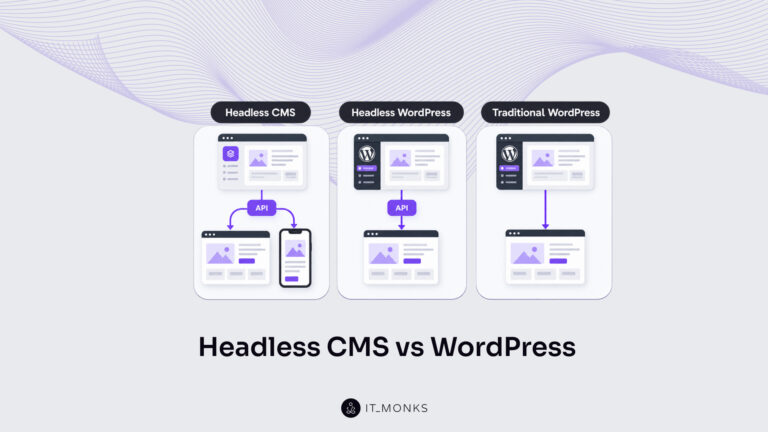
Headless CMS vs WordPress is a comparison of two choices made at once: an architecture choice between a coupled site…
Learn more 
The new campaign copy is approved. The ads go live on Monday, and the landing page they point to still…
Learn more Contact
Feel free to reach out! We are excited to begin our collaboration!
Don't like forms?
Shoot us an email at info@itmonks.com
Don't like forms?
Shoot us an email at info@itmonks.com
CEO, Strategic Advisor
Reviewed on Clutch
 ChatGPT
  Claude
  Grok
Grok  Gemini
 Send a Project Brief
Fill out and send a form. Our Advisor Team will contact you promptly!