- Expertise
Expertise That Drives Results
Explore our specialized services, tailored solutions, and industry expertise to elevate your digital presence. From custom WordPress development to seamless integrations, we build high-performing websites that deliver impact.
Solutions- Booking System Integrations
- Headless & REST API WordPress
- Hubspot Integration
- Enterprise WordPress
- Website Migration
- Internal Collaboration Platforms
- External Communications Hubs
- Work
- About
- Proof
- Contact
Learn more


How to Run WP-Cron Events with WP-CLI and System Cron

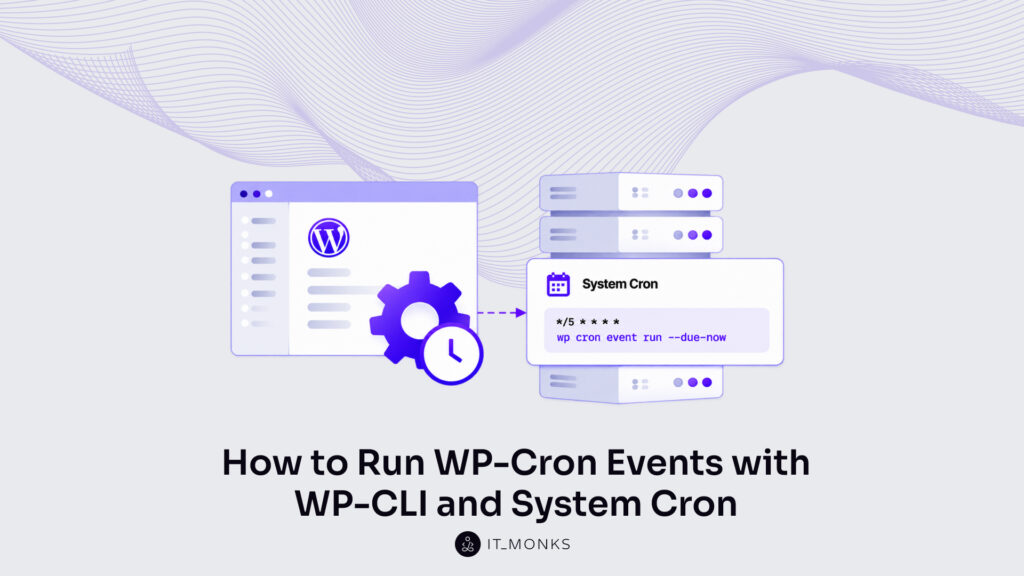
A WP-Cron event is a hook queued in WordPress with a next run time and a recurrence, and WP-CLI runs WP-Cron events from the command line with wp cron event run. The command runs one hook by name or, with --due-now, every event that is due, and a system cron entry repeats the --due-now call on a fixed schedule.
The command-line procedure is a set of wp cron calls. For the due events, a loop script calls wp cron event run once per due hook, one after another. The system cron entry is a crontab line on the server, and the --due-now call is what it repeats. After WP-Cron events are run, the scheduled event list shows what the queue holds. WP-CLI also tests WP-Cron spawning, schedules a new event and deletes events from the queue.
Every wp cron command runs in a shell, so the commands are for developers and site admins with shell access to the server that runs the WordPress site. The same commands run as a step of a CI/CD pipeline after each deploy. The queue holds each event by the name of its hook, and a hook name is what the run of one WP-Cron event takes.
How to Run a WP-Cron Event by Hook Name
wp cron event run <hook> is the command that runs a WP-Cron event by hook name: every event scheduled on the named hook runs at once, due or not. The hook name is the argument, and the wp cron event run documentation on developer.wordpress.org lists it as <hook>…, one or more hooks to run. wp cron event list prints the hook name of every scheduled event.
wp cron event run runs only where wp is installed on the server that hosts the WordPress site. With wp in place (install WP-CLI on that server if it is missing), pass one hook name to the command:
wp cron event run wp_version_check
Executed the cron event 'wp_version_check' in <N>s.
Success: Executed a total of 1 cron event.
The Executed line prints the hook and the run time in seconds, and the Success line prints the event count. Because WP-CLI runs the event in the foreground of the shell, both lines print only once the event has run.
Before any callback fires, wp cron event run reschedules a recurring event to its next run time and unschedules a single event. Only then do the callbacks on the hook fire. A recurring event is still in the queue after the run, with a later next run time; a single event is gone. The total counts events, not hooks: for a hook that holds two scheduled events, the command prints two Executed lines and a total of 2.
wp cron event run takes several hook names in one call. Without a name, --all runs all hooks, due or not, and --exclude beside it takes the hooks to leave out. On a live site, --all runs a single event queued for a later time early, and that event is then gone from the queue. A name that is not a hook in the queue ends in an Error line:
wp cron event run wp_version_check wp_update_plugins
wp cron event run --all --exclude=wp_update_themes
wp cron event run not_a_hook
Error: Invalid cron event 'not_a_hook'
The first two calls print one Executed line per event and one Success total. The last call prints the Error line alone, because wp cron event run reads every name before it runs anything: one invalid name among several ends the whole call with no event run. --all with a hook name beside it ends in an Error line too.
wp cron event run selects the WP-Cron events it runs by hook name or with --all, and --exclude takes hooks out of that selection.
| Option | Selects |
|---|---|
<hook>… | One or more hooks to run |
--all | All hooks |
--exclude=<hooks> | Comma-separated list of hooks to exclude |
A named hook runs whether its next run time has come or not. Due events take a separate option of the same command: --due-now.
How to Run Due WP-Cron Events
A due WP-Cron event is an event whose next run time has passed, and wp cron event run --due-now is the WP-CLI command that runs all due WP-Cron events in one call. --due-now is the option to “Run all hooks due right now”, in the wording of the WP-CLI documentation for wp cron event run. In the output of wp cron event list, a due event is the row that prints now under next_run_relative, where an event that is not yet due shows the time left until its next run.
The due run prints one line per event, then one total.
wp cron event run --due-now
Executed the cron event '<hook>' in <N>s.
Executed the cron event '<hook>' in <N>s.
Success: Executed a total of 2 cron events.

wp cron event run --due-now --exclude=<hooks>
Each Executed the cron event line names a hook the command triggered and that event’s run time in seconds, so the due run prints two lines for a hook with two due events. With nothing due, the command still ends in a Success line: Success: Executed a total of 0 cron events.
Two selectors narrow the due set. Hook names passed with the flag narrow the run to the due events of those hooks, on the condition that each named hook holds a due event. --exclude=<hooks> takes a comma-separated list and excludes the listed hooks from the run. --all is the other selector of wp cron event run, and the two do not combine: --due-now with --all ends in an Error line.
One wp cron event run --due-now call runs every due event in one wp process. A loop script gives each due hook a process of its own.
Loop Script
A loop script is a shell loop that runs the due WP-Cron events of each hook in a separate wp process. The single --due-now call is one wp process for all hooks; the script runs one wp process per hook. Its first call lists the hooks: wp cron event list with --next_run_relative=now, --fields=hook and --format=ids prints one hook name per due event, all on one line and separated by spaces.
#!/bin/bash
for hook in $(wp cron event list --next_run_relative=now --fields=hook --format=ids | tr ' ' 'n' | sort -u); do
  wp cron event run "$hook" --due-now
done
A hook with two due events is named twice in that line. tr ' ' 'n' prints each name on a line of its own and sort -u drops the repeated names, which leaves one name per hook. The loop passes each name to wp cron event run with --due-now, and that call runs only the due events of the named hook. --due-now is not optional in that call: a named run without it takes every scheduled event of the hook, due or not.
The separate process is the reason for the script. A fatal error under one hook stops that hook’s wp process and no other, and the loop calls the next name. A long task runs inside its own call, and the hooks listed after it still run once that call returns, one wp process after another. The cost is load time: WordPress loads once per call, once for the list and once for each hook, where the single --due-now call loads it once.
As written, the script runs from the WordPress directory in a shell, where a bare wp finds the site. Under cron, both wp calls in the script are written with the full binary path and --path, in the form /usr/local/bin/wp --path=/var/www/html with those two example values. A system cron entry repeats either form: the single wp cron event run --due-now call, or this script, saved as an executable file and named by its full path as the command to execute.
System Cron Entry for WP-Cron Events
A system cron entry for WP-Cron events is one crontab line that repeats wp cron event run --due-now on a fixed schedule, so due events run on the server clock and not on a page load. Two commands and one line add the entry; a third command reads it back.
which wp prints the full path to the wp binary. Cron runs each command with a minimal environment, and a bare wp runs there only when the directory that holds the binary is on that environment’s PATH; the full binary path replaces the bare name. crontab -e opens the crontab of the current system user, and the entry runs as that user.
Edit the crontab as the system user that owns the WordPress files, never as root: under root, WP-CLI stops with Error: YIKES! It looks like you're running this as root. The line itself holds five schedule fields, the full path to wp, --path with the path to the WordPress files, and the call.
which wp
crontab -e
*/15 * * * * /usr/local/bin/wp --path=/var/www/html cron event run --due-now
crontab -l
/usr/local/bin/wp and /var/www/html are example paths. The entry is written with the path which wp printed and the directory that holds the WordPress files. crontab -l prints the saved crontab, the new line included, which shows that the entry is saved, not that it has run. Run by hand in a shell as the same system user, the call of the entry ends in its Success line in the terminal, and that tests the binary path and --path before cron repeats the call.
The entry is a second trigger, not the only one. Page loads still trigger WP-Cron next to it, and a site admin stops that page-load trigger by disabling WP-Cron and using real server cron.
The five schedule fields of the example entry hold one value each, and an asterisk stands for any value of its field; the command to execute comes after the fifth field.
| Field | Value | Meaning |
|---|---|---|
| Minute | */15 | Every 15 minutes |
| Hour | * | Any hour |
| Day of month | * | Any day of the month |
| Month | * | Any month |
| Day of week | * | Any day of the week |
| Command to execute | /usr/local/bin/wp --path=/var/www/html cron event run --due-now | The full path to wp, --path and the call |
Read left to right, the fields set a run every 15 minutes of every hour on every day. */15 is an example value, the one in the cron syntax example of “Hooking WP-Cron Into the System Task Scheduler” in the WordPress Plugin Handbook; the minute field holds whatever interval the site admin sets.
A system cron entry repeats other jobs in the same form. Transient cleanup is one of them: a crontab line with its own schedule fields, the full path to wp, --path and, as the call, one of the commands that clear the cache, rewrite rules, and transients with WP-CLI. After a pass of the due-run entry, wp cron event list shows the queue that pass left; while page loads still trigger WP-Cron, the list does not tell the entry’s runs from theirs.
How to List Scheduled WP-Cron Events
wp cron event list is the WP-CLI command that lists scheduled WP-Cron events, one row for each event in the queue. Every row holds four fields by default, hook, next_run_gmt, next_run_relative and recurrence, the same four that the WP-CLI cron event list documentation on developer.wordpress.org lists as the default display.
wp cron event list
+-------------------+--------------+-----------------------+------------+
| hook              | next_run_gmt | next_run_relative     | recurrence |
+-------------------+--------------+-----------------------+------------+
| wp_version_check  | <datetime>   | <N> hours <N> minutes | 12 hours   |
| wp_update_plugins | <datetime>   | <N> hours <N> minutes | 12 hours   |
| wp_update_themes  | <datetime>   | <N> hours <N> minutes | 12 hours   |
+-------------------+--------------+-----------------------+------------+

wp cron event list --fields=hook,next_run --format=json
wp cron event list --next_run_relative=now
The first call prints the event list as a bordered table. Its three rows are update-check events that WordPress core schedules, each with a recurrence of 12 hours; <datetime> and <N> are placeholders for the date, time and numbers WP-CLI prints.
The event list shows the state of the queue after a wp cron event run call or after a pass of the system cron entry. A recurring event shows a new next run time. A single event is gone from the list.
Each of the four default fields holds one value of a scheduled event.
| Field | What it shows |
|---|---|
hook | The hook name of the event. |
next_run_gmt | The date and time of the next run, in GMT. |
next_run_relative | The time left until the next run, or now when the event is due. |
recurrence | The interval between runs, or Non-repeating for a single event. |
Two options, --fields and --format, are passed in the second call. --fields limits the output to the fields named after it, and --format renders it as table, csv, ids, json, count or yaml, where table is the default. The second call therefore prints a WP-CLI cron list of two fields, hook and next_run, in JSON. next_run is an optional field, as are time, sig, args, schedule and interval, and it holds the next run in site time, while next_run_gmt holds the same moment in GMT.
A --<field>=<value> pair filters the rows by the value of a field. next_run_relative shows now for a due event and the time left for an event scheduled ahead, so the third call, wp cron event list --next_run_relative=now, filters the event list to the due events only.
Each hook the event list shows is registered in PHP code by WordPress core, a plugin or a theme, and scheduling a custom WP-Cron event is the PHP procedure behind a custom hook in this queue.
Outside the list and the run, wp cron test tests the WP-Cron spawning system, wp cron event schedule schedules a new event in the queue and wp cron event delete deletes scheduled events from it.
WP-Cron Spawn Test
The WP-Cron spawn test is wp cron test, the WP-CLI command that tests the WP-Cron spawning system and reports back its status. Two constants are checked first, then WP-Cron is spawned once. The spawn test checks DISABLE_WP_CRON first and, with that constant set, ends in an error because WP-Cron is disabled. wp cron test checks ALTERNATE_WP_CRON second and, with it set, returns a warning.
After both checks wp cron test spawns WP-Cron over HTTP. It reports a failed spawn request with the error message of that request; for a request that returns, the HTTP response code decides the result: 200 means the spawn works, and any other response code is reported as the returned HTTP status code.
wp cron test
Success: WP-Cron spawning is working as expected.
Success: WP-Cron spawning is working as expected. is the line printed for a 200 response.
The spawn test covers the page-load spawn, not the command-line run. wp cron event run and the system cron entry run events with no spawn over HTTP, so on a site with WP-Cron disabled the error of wp cron test is the expected result. A command-line run still needs an event in the queue, and wp cron event schedule schedules a new one.
New WP-Cron Event
A new WP-Cron event is one that wp cron event schedule <hook> queues on the named hook. With the hook alone, next-run defaults to now and recurrence to none, so the event is due at once and does not repeat. Two positional arguments after the hook set both values, and --0 and --1 pass arguments to the hook:
wp cron event schedule cron_test
Success: Scheduled event with hook 'cron_test' for <datetime> GMT.

wp cron event schedule cron_test now hourly
Success: Scheduled event with hook 'cron_test' for <datetime> GMT.

wp cron event schedule cron_test '+1 hour' --0=first-argument --1=second-argument
Success: Scheduled event with hook 'cron_test' for <datetime> GMT.
Each call queues one event, and its Success line prints the hook and the scheduled time in GMT, written as <datetime>. Next-run takes a Unix timestamp or a text that strtotime() reads, now and '+1 hour' among them; recurrence takes a schedule name, never a number of seconds. hourly is one such name, and wp cron schedule list prints every schedule name the site holds. Arguments for the hook take numeric keys: --0 for the first, --1 for the second.
wp cron event schedule only queues the event. The callback on that hook is PHP code outside the command, and a run of cron_test calls whatever callback the site’s code holds for it. The new WP-Cron event shows in wp cron event list, runs with wp cron event run cron_test, and is deleted with wp cron event delete.
WP-Cron Event Deletion
WP-Cron event deletion removes a hook’s scheduled events from the queue. wp cron event delete <hook> deletes “all scheduled cron events for the given hook”, as the WP-CLI documentation for the command on developer.wordpress.org states, and prints how many it deleted:
wp cron event delete cron_test
Success: Deleted a total of 2 cron events.
The total is the number of cron_test events in the queue when the command runs: 2 in this output, and a different integer for a queue that holds more or fewer. wp cron event unschedule <hook> unschedules all cron events for exactly one hook and prints the same count next to the hook name:
wp cron event unschedule cron_test
Success: Unscheduled 2 events for hook 'cron_test'.
Either command empties cron_test, so the two are alternatives, not a sequence. wp cron event delete takes more than a single hook: several hooks in one call, --due-now for the hooks due right now, --all for all hooks, and --exclude=<hooks> to exclude a comma-separated list of them. One caution: wp cron event delete --all removes every scheduled event from the queue, WordPress’s own core events included.
Deletion removes events, not code. The scheduling code stays and can queue the hook again. The wp cron event command covers a WP-Cron event from the command line with run, list and delete.
More Articles by Topic

In late August, 2026, Jess Cook, VP of Marketing at Vector, posted a meme about her late nights since her…
Learn more 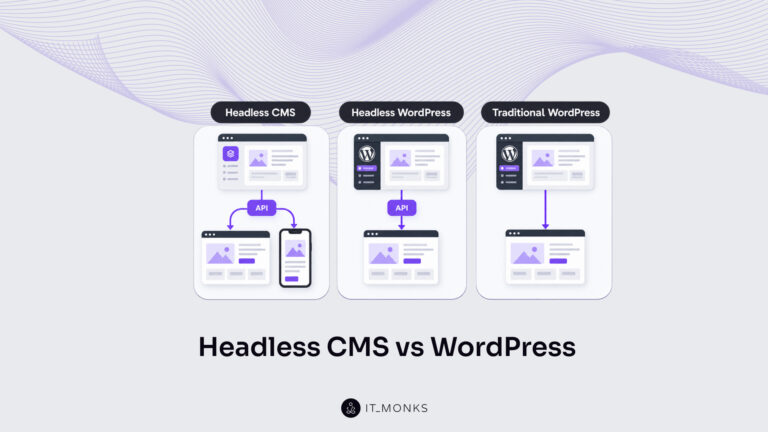
Headless CMS vs WordPress is a comparison of two choices made at once: an architecture choice between a coupled site…
Learn more 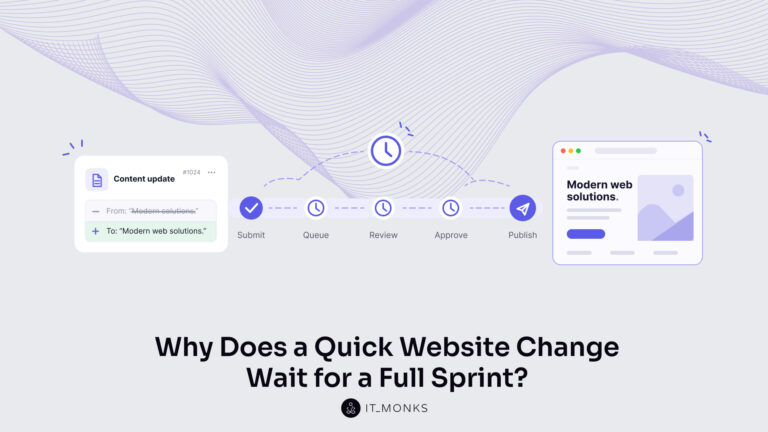
The new campaign copy is approved. The ads go live on Monday, and the landing page they point to still…
Learn more Contact
Feel free to reach out! We are excited to begin our collaboration!
Don't like forms?
Shoot us an email at info@itmonks.com
Don't like forms?
Shoot us an email at info@itmonks.com
CEO, Strategic Advisor
Reviewed on Clutch
 ChatGPT
  Claude
  Grok
Grok  Gemini
 Send a Project Brief
Fill out and send a form. Our Advisor Team will contact you promptly!