Resources

Guides

Step-by-step guides to building, running and maintaining WordPress sites.

How to Change a WordPress Domain Name

A WordPress site changes its domain name end-to-end on the same hosting infrastructure when the current domain is replaced with a new one, and every reference to the old hostname (including the admin URL, public site address, database site-URL fields, internal links, redirects, search-engine listings) is updated to match. The files, database, theme, and host […]

How to Migrate a WordPress Site

WordPress migration is the process of moving an existing live WordPress.org site to a new host, server, or domain without losing content, breaking permalinks, or dropping search rankings.  Four moving parts have to migrate together: Migration preserves posts, media, users, settings, theme customizations, and plugin data. Teams that want to wipe the slate follow the […]

How to List All Databases on a MySQL Server

MySQL database enumeration is the operation of listing every database an account can see on a MySQL server, forming the complete MySQL database list available to that connection. For an administrator, developer, or WordPress site owner, this enumeration provides a clear view of accessible databases associated with the current account before any further action is […]

How to Add a MySQL User

A MySQL user account is created as a named security principal expressed as 'user'@'host', establishing the identity that connects to the MySQL server. It exists within the mysql.user system table that maintains authentication metadata. A MySQL user account requires a lifecycle that includes CREATE USER, GRANT, SHOW, ALTER, and DROP operations. For a WordPress developer, […]

How to Migrate a WordPress Database

A WordPress database migration moves a MySQL or MariaDB database from one environment to another, between localhost and a production server, from one host to another, or across domain names. Whether the task is called a WordPress database migration or a WordPress data migration, the operation is the same: relocate the database that holds every […]

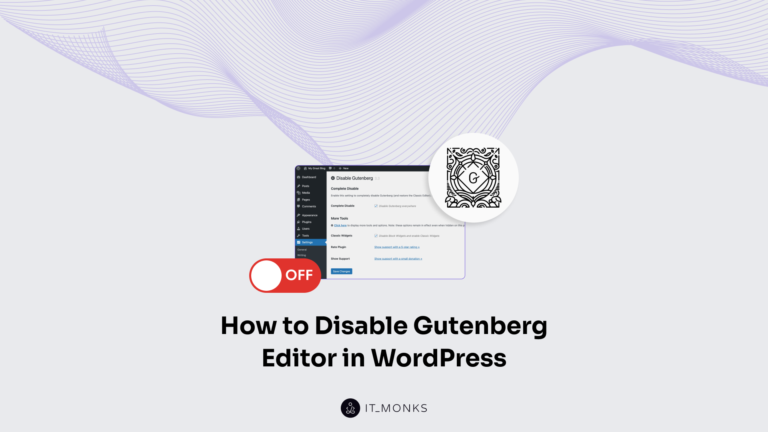
How to Disable Gutenberg Editor in WordPress

Gutenberg replaced the Classic Editor as WordPress's default editor in version 5.0, released in December 2018. Every WordPress installation since then opens posts and pages in the block editor automatically. But not every WordPress site benefits from that switch; plugin conflicts, theme incompatibilities, and established workflows create real reasons to disable Gutenberg and revert to […]

How to Install WordPress?

WordPress website development begins with installation, which deploys the content management system into a local or hosted environment. This process transitions the website from an inactive state without CMS, database connection, or file structure into a configured instance with administrative access, routing, and extensibility. WordPress installation is the first step in WordPress website development, setting […]

How to Customize the WordPress Dashboard?

The WordPress website operates through an administrative interface, its dashboard, which centralizes access to core site functionalities, content oversight, and backend configuration. As the operational backbone of site management, the dashboard comprises modifiable interface elements whose arrangement and visibility directly influence usability, clarity, and brand cohesion. Customizing the WordPress dashboard allows the website to align […]

How to Optimize WordPress Database?

A WordPress database is the MySQL or MariaDB store that holds every post, page, comment, setting, and plugin option a site owns, and to optimize a WordPress database means shrinking that store and speeding up the queries that read it. Content accumulates in predictable ways. Every saved edit spawns a revision, every plugin writes its […]