Explore our specialized services, tailored solutions, and industry expertise to elevate your digital presence. From custom WordPress development to seamless integrations, we build high-performing websites that deliver impact.
In late August, 2026, Jess Cook, VP of Marketing at Vector, posted a meme about her late nights since her team decided to hard-code its website with Claude. The thread filled with marketers asking the same practical questions: what gets easier, what gets harder, and who keeps the site running afterwards.
A marketing team can build a page with AI and still depend on one person to change it next week. The useful test comes after launch: can a colleague update the offer, publish the page, and confirm that leads reach the CRM while the original builder is away? That is where website maintenance becomes a marketing operations question. This guide shows how to run that test and what to do with the result.
Why Marketers Turn to Vibe Coding
Jess’s post was a joke, not a confession of failure. In the replies she called the move “actually a great idea… just came with a learning curve,” and confirmed that her team uses Claude Code together with Sanity, a content platform where colleagues edit text in a form instead of in code.
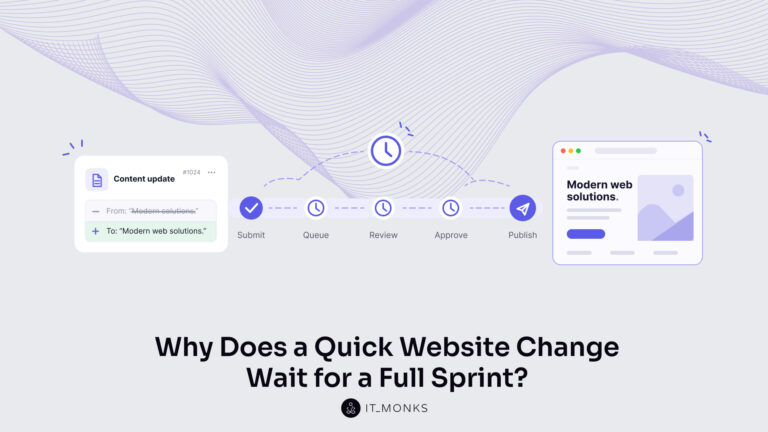
The frustration behind the thread is older than AI. Approved copy waits in a development queue. A new campaign needs a layout the site does not have. A small change passes through several people before anyone can publish it.
Madhav Bhandari, who leads marketing at Storylane, called his team’s CMS “a toll we pay to publish anything at all,” and one commenter summed up the same problem: “Small copy change, three people, one dev sprint, and everyone waits.” His post compares two routes for the same kind of work.
Two growth engineers inside his marketing team built a full landing page and took it live in a day. Through the usual process, with its handoffs, testing, and checks, he estimated the same page would take a week or more. Skipping handoffs for routine copy edits was his next experiment, which he planned to measure.
AI tools promise to close this gap. Vibe coding means building or changing software by describing what you want to an AI tool in plain language and accepting the code it writes with little or no review. It is different from AI-assisted development, where engineers use AI to write code and still review and test it, although people sometimes use one name for both.
Neither practice rules out a content management system (CMS). A team can use AI with WordPress, Sanity, or another CMS, and several people in Jess’s thread described that mix.
When AI Creates New Dependencies
Building with AI moves effort rather than removing it. The effort lands with whoever knows which prompts produced the site, how the project is set up, which accounts hold the code and the domain, and how a change goes live. If that knowledge sits with one marketer, the bottleneck has moved from the development team to that marketer, and requests wait whenever that person is on holiday. A shared, documented process prevents this, so the first job is to find out whether one exists.
That is easier once website work is split into three types of change, since each needs a different level of skill and review:
Type of change
Campaign example
Who can usually do it
Review it needs
Edit approved content
Change the offer headline, button text, or event date on an existing page
A trained marketer, through an editing screen
Content approval and a preview
Build a page from existing sections
Create a webinar page from approved hero, speaker, and form sections
A trained marketer, if the sections are built for reuse
Content approval and a mobile layout check
Add a new feature or integration
Add a pricing calculator or connect a new form to the CRM
A developer, or a marketer with a technical reviewer
Code review, testing, and a way to undo the release
The first two types should be routine marketing work. The third is development work even when AI writes the code, because a mistake can break lead capture or tracking on pages that already work. The split applies to WordPress too: if every headline change needs a developer, the site’s setup is the bottleneck, not the tool.
Four questions show where a team stands. What can a marketer change alone? Who reviews and publishes? Who restores a failed change, and how? Who covers each task when its usual owner is away?
Test the Full Publishing Process
Answers on paper are easy to give, so the reliable way to answer those four questions is to watch someone do the work. Ask a marketer who did not build the site to complete a real campaign task with the existing system: change the offer and call to action on an existing page, create a related campaign page from existing sections, and connect it to the approved form. In this first run, the marketer may ask the builder questions.
Follow the full path and write down what happens at each step:
Access. Which account does the marketer use, and who owns it? Does a routine text edit require access to the code?
Edit. Can they find the right fields, assemble the page, and preview it?
Review. Who approves the page, and how long does it wait for them?
Publish. Who presses publish, and does publishing need a technical release?
Measure. Submit a test lead. Does the agreed analytics event fire, and does the lead reach the intended CRM record with its campaign details?
Recover. Restore the previous version of the edited content, then ask who would fix a broken technical release, and how.
Record two kinds of time for every step: hands-on time, which people spend working, and waiting time, which the task spends sitting between people. Measuring only how fast the page was built hides where the rest of the week goes. Also note who did each step and who would do it if that person were away. A step that only one person can complete is the bottleneck to fix.
Every answer the builder gives during the first run belongs in the handover notes. Then run the test a second time with a different marketer, using only those notes and with no access to the builder. Each question this person cannot answer from the notes, and each step where they get stuck, shows a gap in the documentation or the setup.
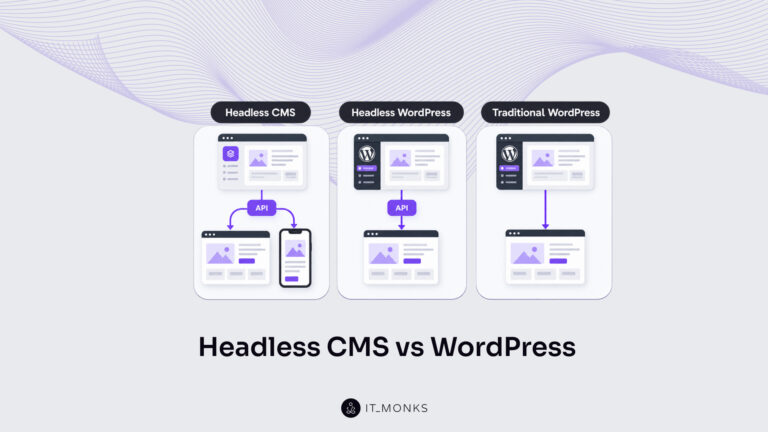
When comparing two setups, use the same task, approval steps, and tracking requirements, and count reviewer time and training on both sides. Some headless CMS setups, where the editing tool is separate from the code that displays the site, give marketers simple editing screens; some traditional CMS sites still send every change to a developer. An unmanaged AI prototype against a well-run WordPress site compares two setups, not AI against WordPress.
Measure the Work After Launch
The test shows one task on one day. The cost of running the site appears over the following weeks, in work that rarely gets counted: writing prompts, inspecting what the AI changed, correcting errors, retrying failed releases, training colleagues, applying updates, and monitoring the site.
Jess’s thread shows how differently this plays out. One software founder said the bottleneck “went from writing the code to reading it,” and a copywriter moved his site to Squarespace because debugging errors the AI had not noticed it made took too much of his time. A RevOps director, by contrast, launched an event site quickly and passed the registration goal. The same approach produced opposite results, so the cost depends on the site and the team, and it has to be measured.
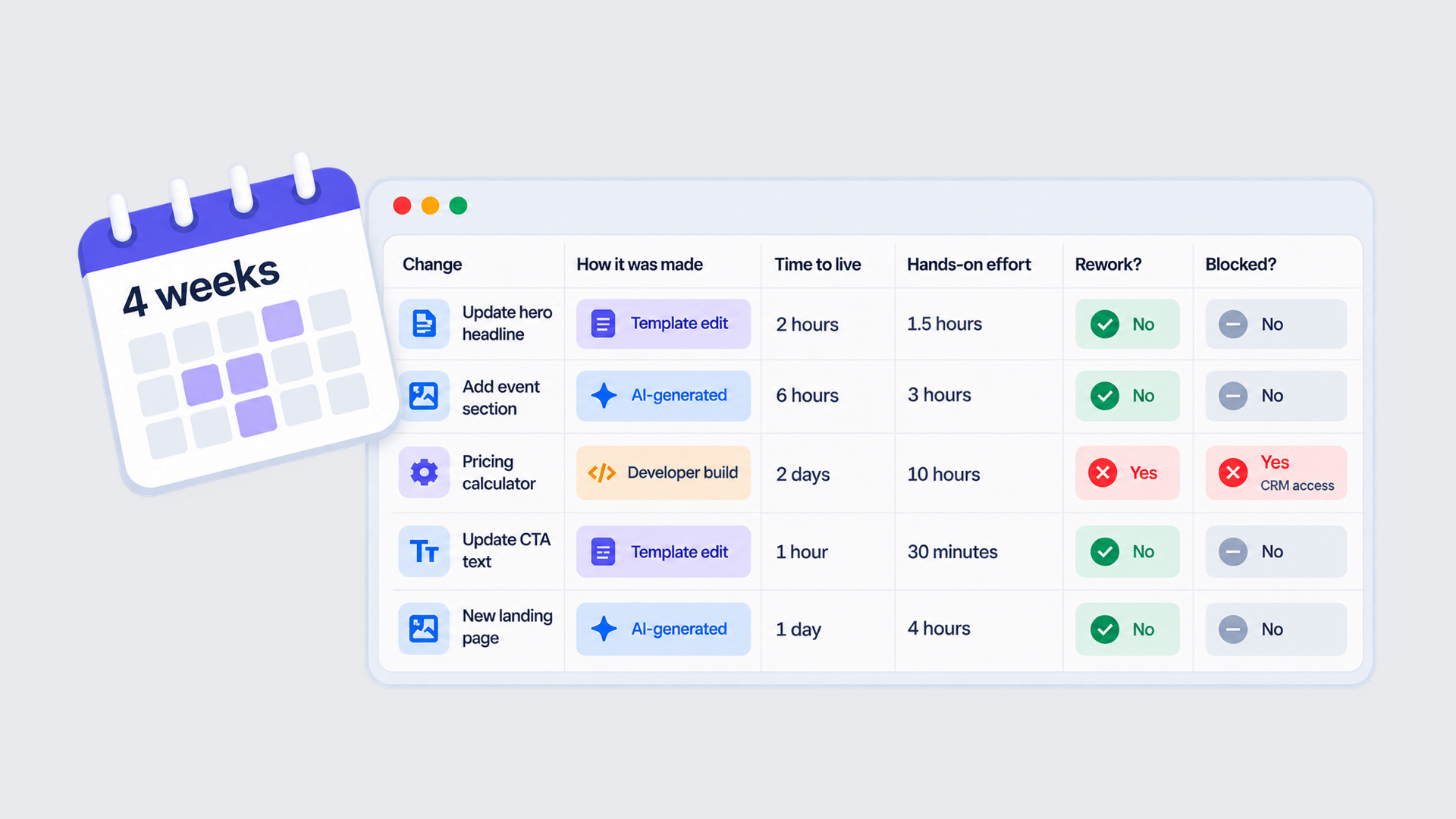
A four-week log of ordinary changes is enough to start. For each change, record:
how it was made: an edit in an existing template, an AI-generated change, or a developer build,
the time from request to live,
the hands-on effort of everyone involved, including reviewers,
whether it needed rework after going live,
whether it was blocked, and by what.
Add software and support costs separately. Use the median request-to-live time rather than the average, so one stuck change does not distort the picture, and note how many changes the log covers. Comparing the rows by how each change was made shows where AI saves effort and where technical support is still doing the work. Avoid converting delays into lost revenue unless business data links the two.
Check What Still Works
Each change also needs a check that the site still does its job, because a page can look finished and still miss part of that job. One commenter on Jess’s post, who had a design and development background, rebuilt their site with Claude and later asked: “Why wasn’t GA4 installed?!?” Analytics was missing from their launch checklist, so the gap surfaced only after the site went live.
After every change that touches a form, a page layout, or a URL, run the same checks:
Lead path. Follow a test lead to its intended CRM destination, confirm the agreed conversion event appears in analytics, and check that campaign details such as source and campaign name travel with the lead where tracking and consent settings allow. Test an error and a duplicate submission, not only the thank-you screen.
Usability. Check the layout on a phone, complete the form using only a keyboard, and confirm every field has a visible label.
Search settings. Confirm the page is open to search engines or hidden from them as intended, its title and description are set, and any changed URL redirects to the new address.
Speed. Compare loading time with the previous version.
A marketer can submit the test lead and check the phone layout, while redirects, loading speed, and the tracking setup belong to a technical owner. Write down who owns each check; they apply to every kind of site.
A/B tests need extra care: agree who owns each variant, define which events count as a conversion, and check whether editing a page will change a live experiment halfway through. WordPress needs an experimentation tool and an analytics setup for this, like any other site.
Make Repeated Work Reusable
Checks protect each change after it is made. Standardizing repeated work reduces how many changes need anything new in the first place. One product and digital marketing leader in Jess’s thread described how his team does it: they turned page sections into templates, told Claude to reuse existing components, and created a new template only when nothing existing fit. Another participant advised setting up design patterns before building anything.
In practice, that means a maintained library of sections, such as a hero, a customer proof block, a pricing table, and a form, each with a fixed design and defined fields that marketers can edit. New pages go through preview and approval, and there is a clear route for requesting a new section when the library cannot cover a campaign. Shared facts such as product names, pricing claims, and compliance statements live in one owned source, so the team knows which edits should update every page and which should stay on one campaign page.
Routine content should be editable in an interface the team can use, not in code files. A Sanity tutorial on making a Claude Code prototype editable puts the problem plainly: when product names and descriptions live in code, “every content change requires you,” meaning the person who built it. The tutorial adds a content backend, so those names and descriptions become fields that colleagues fill in on an editing screen.
Someone still has to maintain that structure. As requirements grow, a named technical owner looks after the content model, the fields, and the integrations, whatever the site runs on, and marketing asks for new fields or sections through the same request route as new components. New markets test this arrangement: a new region may reuse a layout but still need translation, local review, search settings, and changes to form and CRM routing.
Where WordPress Fits
For teams on WordPress, the block editor offers this kind of section library. For a webinar page, a marketer inserts approved patterns, which are saved groups of blocks such as a hero, a speaker list, and a call to action, then adds the form from the site’s form plugin.
A synced pattern is shared, so one edit updates every page that uses it, which suits a standard call to action. An unsynced pattern inserts an independent copy that can be edited on one page only. Since WordPress 6.6, synced patterns support overrides: whoever maintains the pattern turns on overrides for chosen headings, paragraphs, buttons, or images, and the marketer changes that content on one page while the layout and styles stay locked. Other blocks, including forms, cannot be overridden this way, so check the behavior on your WordPress version.
Trained marketers change agreed content, while technical specialists maintain the patterns and integrations through custom WordPress development. Permissions, training, hosting, updates, backups, and recovery still need owners through WordPress maintenance. Page revisions restore content, not code, settings, or connected systems.
An AI-assisted front end with a supported CMS can also work, and prototypes and short campaign tools suit AI well, though lead capture still needs testing. WordPress fits where its editing workflow and plugins match the requirements, not as an automatic migration.
Test the Handover
The four questions now become a handover check, with one outcome check added at the end. Ask for a demonstration of each answer, not an opinion, and mark each one “demonstrated,” “requires help,” or “not yet tested”:
What can a marketer change alone? A second marketer has edited content and built a page from existing sections without developer help.
Who reviews and publishes? Named people do both, and each has a backup.
Who restores a failed change, and how? A content edit has been restored, and the process for a broken technical release is written down.
Who covers absence? Every task has a second person who has completed it at least once.
Outcome check: does a campaign enquiry reach the right system? A test lead has reached the right CRM record and the analytics event has been confirmed. If not, the connection between the form and the CRM is the first thing to fix.
The marks point to one of three next steps. If every answer is demonstrated, document the working setup so it survives staff changes. If one step fails, such as a form that skips the CRM or a page only one person can publish, fix that workflow or integration. If the site still cannot support routine campaign needs after those fixes, investigate whether the platform fits the way the team works. An unclear answer on its own does not justify a rebuild; it justifies running the test.
If routine campaign changes still depend on one person, talk to IT Monks about your publishing workflow and WordPress development or maintenance needs.





 ChatGPT
  Claude
  Grok
Grok  Gemini