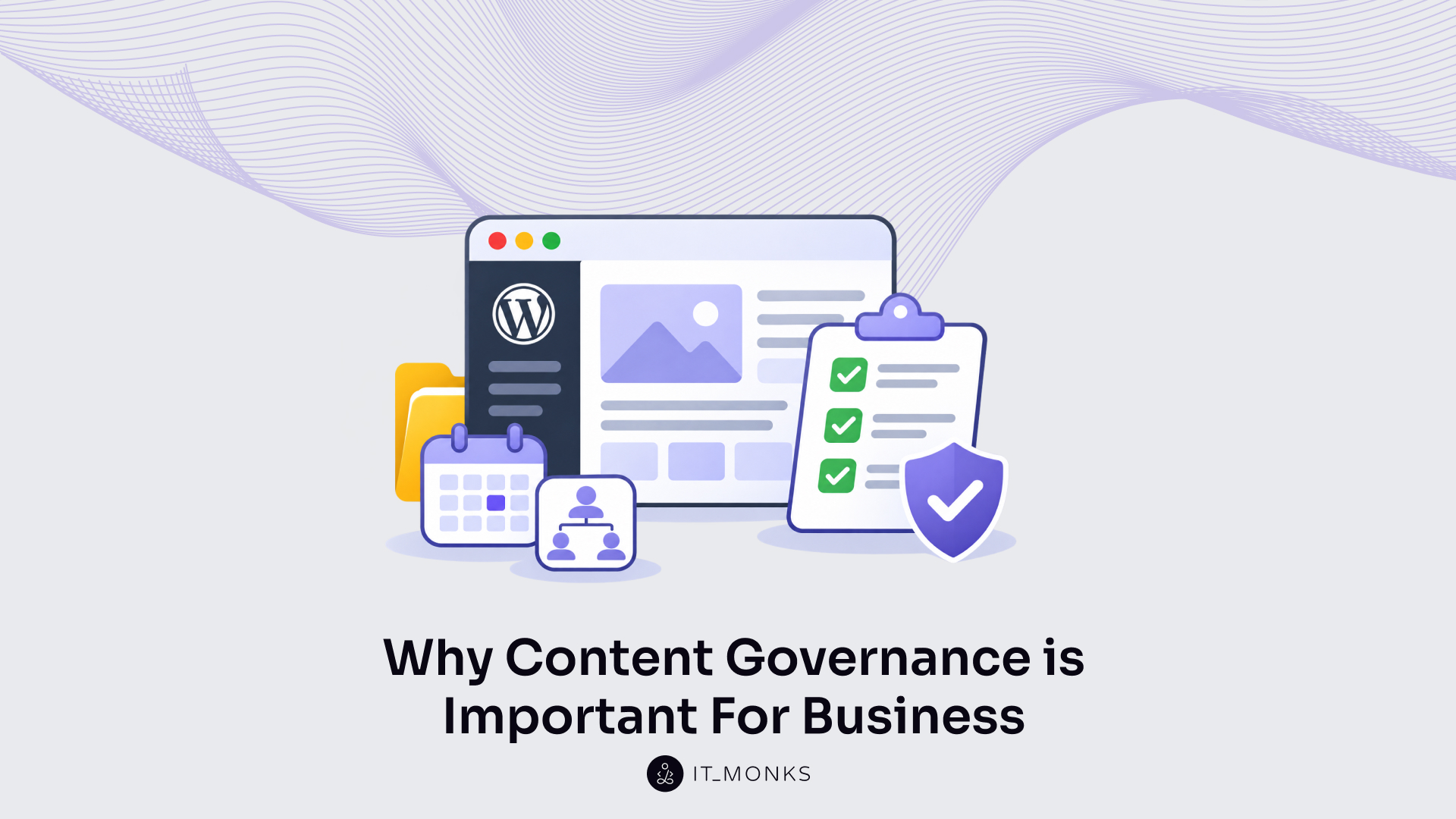
Website content governance defines the roles, processes, and rules for how a business website’s content is created, published, maintained, and removed. It matters because every page on the website represents the business. An unchecked page might show an outdated price, a discontinued service, or terms that no longer apply. Customers can take that information as the business’s official word. Content governance establishes who is responsible for reviewing and updating pages so that errors like these are caught before they mislead customers.
Website content governance includes five parts:
- Content lifecycle: when each page is reviewed, updated or removed.
- Ownership: who is responsible for each page.
- Roles: who writes, edits, publishes and decides.
- Standards: which shared rules every page follows.
- Approval workflow: which check a page passes before it goes live.
Governance of this kind covers the website alone: its pages and what each one says. A site missing these parts has unmanaged content. On WordPress, the parts are supported by how the site is built and handed over, through a custom block library, user roles and approval steps, and editor training.
A business website with all five parts in place has three benefits.
Who owns your website content
Benefits of Website Content Governance for Business
The benefits of website content governance for business are what a business gets when governance applies to every page of its website. There are three: lower legal and regulatory risk, content production efficiency and brand consistency.
All three have one source. Every page has the agreed people, processes and rules behind it instead of being left to whoever edits it, so governance lowers risk, reduces rework and builds a consistent brand through one and the same setup.
The first benefit is the one with consequences outside the marketing team: lower legal and regulatory risk.
Lower Legal and Regulatory Risk
Legal and regulatory risk on a business website is the exposure a business carries from what its pages state or fail to meet: a wrong offer, price or term, an outdated claim, or a page some visitors cannot use. Wrong or outdated content causes that risk without anyone noticing, because a live page keeps saying the same thing until somebody changes it.
Website content governance lowers it with two checks. An owner reviews each page before it goes live. The same owner reviews it again when the facts behind it change, for example after a price update or when a service is dropped, and the review step can catch the mistake while fixing it is still a small edit.
Accessibility shows how common unchecked gaps are. WCAG, the Web Content Accessibility Guidelines, is the standard published by the World Wide Web Consortium that sets testable criteria for keeping pages usable by people with disabilities. In February 2026, 95.9% of the top 1,000,000 home pages had detected WCAG 2 failures, according to the WebAIM Million study, which covers home pages only and counts failures found by automated detection.
Governance turns accessibility into a standard every page is reviewed against, instead of leaving it to chance. Written into the site’s shared standards, accessibility becomes one item each review covers. Those same checks reduce something else too: how much fixing a page needs after publication.
Content Production Efficiency
Content production efficiency on a business website means less rework and fewer stalls in the content workflow between a draft and a live page.
Pages stall because of open questions: who writes the page, who approves it and which format it follows. Website content governance decides those questions once for the whole site. Fewer of them reopen each time a new page starts, which reduces rework and the stalls that come with it.
Content operations maturity describes how structured an organization’s content work is, and levels 1 and 2 are the lowest on its scale. In 2023, 58% of surveyed organizations sat at those two levels, and maturity was strongly correlated with content success, according to a study of more than 125 content leaders by Content Science Review. The study measures content operations as a whole, of which governance is one part, and a correlation alone does not show cause.
We see pages held up on sites where nobody has decided who approves. A small change, a corrected price or one new paragraph, waits for whoever feels able to approve it, and marketing teams experience the wait as delays in publishing website changes.
A format decided once for the whole site also builds brand consistency, because every new page starts from the same agreed structure.
Brand Consistency
Brand consistency on a business website is the same tone, structure, and quality on every page, whoever wrote it.
Brand consistency weakens because a business website is written by many people over many years. Without shared standards and a set group who publish, each page follows its author’s habits. The result is inconsistent pages, and the site stops reading as one business.
Consistent content formats become more likely when fewer people publish, as Nielsen Norman Group notes in its guidance on managing intranet content. Website content governance strengthens brand consistency by deciding exactly that: who publishes, and to which standard.
A page published to standard still ages, though. Keeping it consistent and current long after launch day is the work of the first of the five parts, the content lifecycle.
Struggling with content approval workflows?
Content Lifecycle in Website Content Governance
The content lifecycle is the first of the five parts of website content governance: the path each page on a business website runs from creation and publishing, through regular review, to removal. Going live is one stage on that path. It is not the end of it.
The path exists because business facts change while a page stays as written. A service is added or dropped, prices move, people join and leave the team, an offer closes, and the page describing any of them still says what it said on the day it was published. Content governance sets a review point for every page for exactly this reason: a set review is the one step that catches the gap between what the page says and what the business now does.
The content lifecycle repeats the same four steps for every page:
- Create. The page is written.
- Publish. The page goes live on the site.
- Review. The page is checked against current facts on a set cycle.
- Decide. The review ends in one decision: keep, update or remove.
Those steps form a loop rather than a straight line. An updated page goes back into the review cycle and meets the same check next time; a kept page waits for its next review; only removal takes a page out. A page nobody removes keeps speaking for the business, so governance treats retiring a page as a deliberate decision, not a default.
None of the four steps runs by itself. Each one needs a single person responsible for the page, and naming that person is ownership.
Ownership in Website Content Governance
Ownership is the second of the five parts of website content governance: each page or section of a business website has a designated content owner, one named person who answers for it. That content owner is responsible for keeping the page correct and decides when it is published, updated or removed.
A team can look like a safer owner than one person. In practice, the opposite holds. When the whole marketing team shares a page, each person assumes a colleague has checked it, and the review date the content lifecycle sets goes by with nobody opening the page. One owner is what turns those lifecycle steps into work that gets done: the review has a person to run it, and the keep, update or remove decision has a person to make it.
Ownership spans the whole life of a page, from launch to removal. It also outlasts any one person in the job. When the owner leaves the business or changes job, content governance passes the page to a new owner, so responsibility moves with the page instead of leaving with the person.
On business sites we take over, the stale sections we find are usually the ones nobody owns. Pages someone answers for stay close to the facts; pages that belong to everyone fall out of date. The same holds for the code behind the content: when no one is responsible for it, the site ends up running outdated WordPress plugins.
One owner answers for the page, though, not for every job done on it. Content governance assigns those jobs separately, as roles.
Roles in Website Content Governance
Roles in website content governance are the third of the five parts: who writes each page, who edits it, who publishes it and who decides what the business website publishes at all. Ownership names the content owner of a page; roles separate the jobs done on it.
Content governance separates writing from editing for a plain reason: when one person writes and edits the same page, nobody reads it fresh. A writer rereading a draft sees what was meant, which is not always what the page says. A separate editor has only the page to go on, so that person can catch the wrong date, the unfinished sentence or the claim nobody checked. Publishing then becomes a known step, because whoever puts the page live knows it has already passed review. And decision-making authority, set in advance by content governance, cuts the repeated debate over each new page: the question of who decides is answered before the page exists.
On a business website, content governance separates four roles:
| Role | What it covers |
|---|---|
| Writing | Drafts the page |
| Final editing | Checks the draft; not the writer |
| Publishing | Puts the page live after approval |
| Decision-making authority | Decides what the site publishes |
Publishing after approval is the step that delivers digital content to the site; under content governance, a draft without approval stays a draft, however finished it looks.
A governance framework specifies all of this in writing: final editing kept separate from writing, publishing only after approval, and who has the authority to decide. It also specifies what every role shares, namely the same rules for what a finished page should look like.
Standards in Website Content Governance
Standards in website content governance are the fourth of the five parts: the shared rules every page is written and built to. They cover tone, structure, metadata and accessibility, and they apply to a new blog post as much as to the home page.
A business website is rarely written by one person. Over the years, marketers, subject experts, agency writers and new hires all add pages, and each of them follows personal habits unless something written says otherwise. Written standards, set through content governance, let all of those pages read as one site. They also give the reviewer a written basis for checking each page instead of personal taste, so “this heading breaks the style guide” replaces “it doesn’t feel right”, and the writer knows exactly what to fix.
Content governance sets standards in four written forms:
- Style guide: sets the tone and terms every page uses.
- Templates: set the structure of each page type.
- Metadata rules: set how each page’s title and description are written.
- Accessibility rules: set the accessibility requirements every page meets so visitors with disabilities can use it.
Under content governance, templates apply the structure rules to each new page: a page started from a pre-approved template already follows the agreed layout before the first line of copy goes in. One agreed structure reused across many pages is also the idea behind design systems for marketing.
Standards make pages consistent only where governance has someone who owns each page and someone who reviews it against the rules. A style guide that no owner follows and no editor checks against changes nothing on the live site, and the pages left in that state are unmanaged content.
Unmanaged Website Content
Unmanaged website content is any page on a business website that has no owner, gets no review and has nobody assigned to remove it when it is no longer needed. It is what a site has when the five parts of website content governance are missing. Governed content is the opposite: every page has a person who answers for it.
We have a live example of unmanaged website content from Jeff Lyall, a content strategist with 15 years in content and marketing and one of the experts we are in touch with:
Even basic WordPress installs now support rich, flexible formats, but most businesses don’t use them. … Publish a quarterly news update. Swap a team member on the team page. Change a single link. Everyday website jobs and I’ve watched them fail time and again. Why? Often, nobody owns these tasks. Content is forgotten when a site is planned and remembered only as an afterthought. Nobody has decided who writes it, who designs how it reads, or, most often forgotten, who actually uploads it. … Questions I’d pose to businesses: who owns content uploading? Management? Design? Is this a process written down somewhere? Is this person aware it’s their responsibility?
Jeff Lyall, founder of Spearmint Copy, Newcastle upon Tyne
Small gaps like these pile up. Over time, unmanaged content causes four results on a business website: confused customers, incorrect information, out-of-date content, and content debt. The first one reaches customers directly, because pages that contradict each other confuse them.
Confused Customers
Confused customers are visitors who find conflicting or stale pages on a business website and cannot tell which one is right. Unmanaged website content confuses them through pages nobody retires: when nobody owns an old page or removes it, the old page stays live beside the new one, and both look current.
Faced with two answers, the customer either asks the business which one holds, or leaves. On other pages, the problem is not two versions of a fact but one fact that is wrong.
Incorrect Information
Incorrect information is a fact on a website page that is wrong: a price, a service description, a contact name, a link that points to the wrong page.
Its cost goes beyond the one fact. Visitors judge a business by its site and rely on what each page tells them, so one visible mistake makes the rest of the page doubtful, and the business behind it along with the page. Typos, broken links and other mistakes quickly degrade credibility; at the same time comprehensive, correct and current content as one of four factors that make a site credible.
Many wrong facts started out correct and turned wrong when the business changed them but not the page.
Out-of-Date Content
Out-of-date content is a page that was correct when it was published and stays live after the facts behind it change. With no review point, nothing prompts anyone to open it again; with no owner, nobody has the job of updating or removing it. Those are the two gaps that the content lifecycle and ownership in website content governance close.
A page with no sign of recent review looks unattended, and a business that leaves its pages unattended looks less reliable. People assign more credibility to sites that show they have been recently updated or reviewed, the Stanford Web Credibility Project found in 2002, in research with more than 4,500 participants.
Updating one out-of-date page is a small job; out-of-date pages left live year after year add up to a backlog.
Content Debt
Content debt is the backlog of duplicated, outdated and inconsistent pages that builds up when a business website publishes without website content governance. Every unowned page adds to the clean-up a later governance effort has to do, so the longer a site waits, the larger that job grows. Introducing governance after years of ad hoc publishing often reveals massive content debt, with duplicates, outdated pages and inconsistent structures, as Content Science Review notes.
Cleaning up the backlog deals with old pages. What stops new debt is a check every page passes before it is published.
Is outdated content hurting credibility?
Approval Workflow in Website Content Governance
An approval workflow in website content governance is the fifth of the five parts: a documented process that defines who approves each step on the written path a page moves along, from draft through review and approval to publishing. It is the last check before a page goes live. At that point the page is held against the other four parts of governance, so errors can be caught while it is still a draft rather than after customers have read it.
Content governance documents the approval workflow as four steps:
- Draft: the writer prepares the page.
- Review against the standards: an editor checks the page against the shared rules.
- Approve: the person with decision-making authority signs the page off.
- Publish: the publisher puts the approved page live.
Approval adds lead time; the team plans that time into the publishing schedule rather than skipping the approval step.
On a business website, the content management system (CMS), the software where the team writes, edits and publishes pages, carries these steps. WordPress is one such CMS.
How WordPress Supports Website Content Governance
WordPress supports website content governance through three things: a custom block library; user roles and approval steps; editor training and short how-to guides. Each of them sets one or more governance parts inside the content management system (CMS) itself. The rules then apply at the point where a page is made, not in a separate document that someone has to remember to open.
The block library is set up in the block editor, also called the Gutenberg editor, which is the WordPress screen for building a page out of separate content units called blocks: a heading, a paragraph, an image, a button.
Each governance part has its own WordPress setup:
| Governance part | WordPress setup |
|---|---|
| Standards | Custom block library |
| Roles | User roles |
| Approval workflow | Approval steps |
| Content lifecycle and ownership | Editor training and short how-to guides |
When we build a site for a marketing team, we set up all three together. The reason is practical. A block library sets the standards for how a page looks but has no say in who publishes it; a user role sets who publishes but trains nobody to lay out a page or to notice that it is out of date. Only the three together cover all five parts.
Standards come first, through the custom block library.
Custom Block Library
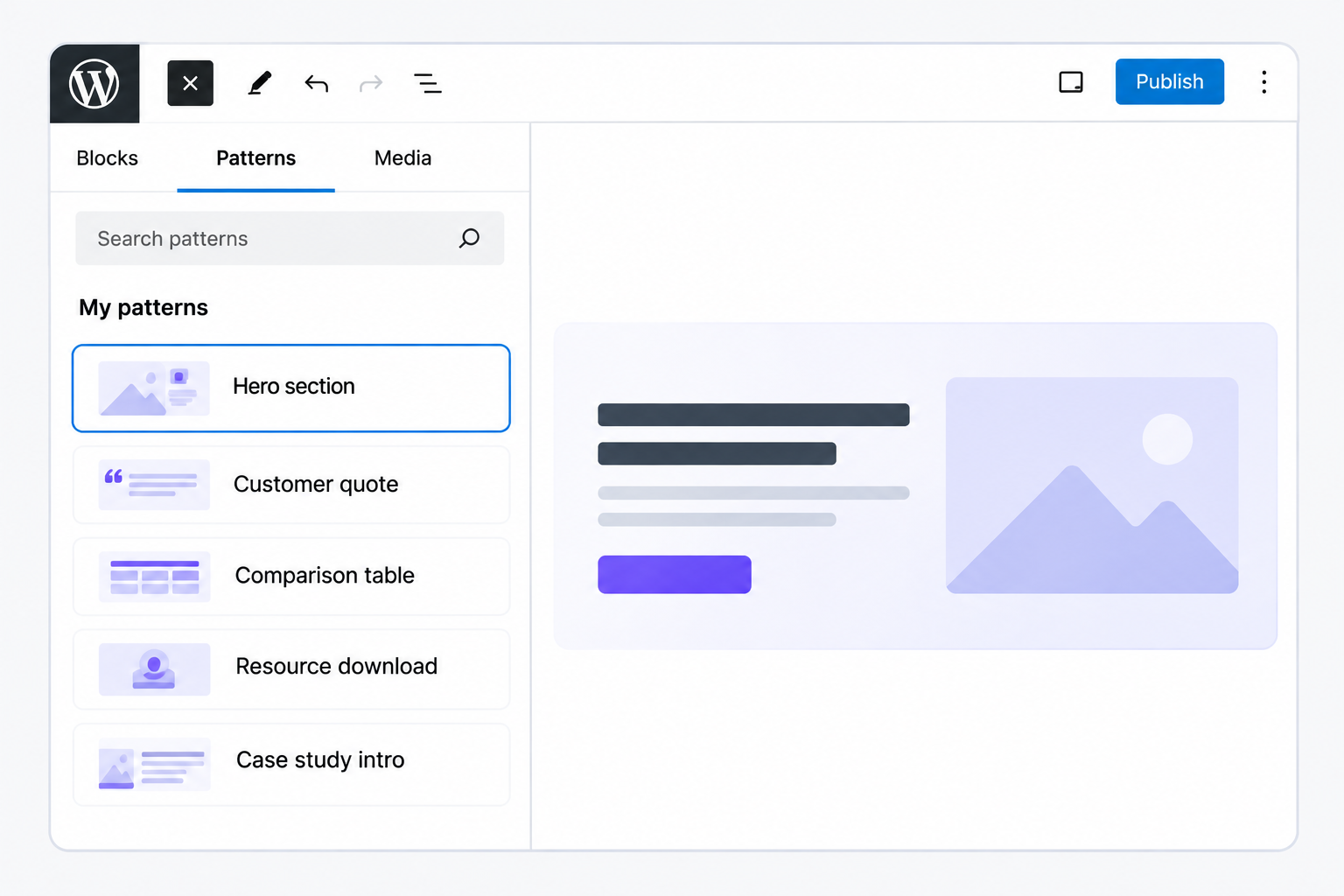
A custom block library is a set of blocks built for one site, so the site supports flexible formats: one page can combine a customer quote, a comparison table and a downloadable resource, each already designed to match the brand. Every Gutenberg block in the library includes its own fields, such as a title, an image or a link, and the person writing the page fills them in instead of styling anything by hand.
Block patterns are predefined layouts built from those blocks and inserted into a page as one piece, for example a case-study opening with its headline, summary and key-fact callout already in order. A synced pattern is a block pattern shared across pages: an edit to it updates it everywhere it is used, so an office address repeated on every service page changes in a single edit.
Locked layouts keep the structure of a pattern fixed. The team edits the text and images inside the blocks, but cannot add, move or delete the blocks themselves, so each page stays in line with the style and branding rules. This is the standards part of website content governance, built into the editor rather than kept in a style guide.
On marketing sites, we build the library from the formats the team already publishes repeatedly: customer quotes, comparison tables, author boxes, event details, and patterns for case studies and service pages.
Blocks settle what a page can look like. Who may change it is a separate setting.
User Roles
WordPress user roles are sets of permissions given to each account, and a role sets what that person can do on the site: write, edit, publish or delete content. Two roles that come with WordPress, plus custom roles added to the site, carry most of the website content governance work on a marketing team’s site:
- Contributor: writes own posts, cannot publish them.
- Editor: creates, edits, publishes and deletes all posts and pages.
- Custom roles: set specific responsibilities and permissions.
The other default roles and the permissions behind each one are described in WordPress user management.
User roles are where the roles part of content governance stops being an agreement and becomes a permission. Writing and publishing are separate permissions in WordPress, so a Contributor can finish a post and still have no way to put it live. Administrator access, which covers plugins, themes and every user account, is kept for the people responsible for running the site and is not handed to everyone who writes for it.
Before we set up roles on a site we build, we list who on the marketing team writes, who reviews and who publishes, then give each person the matching role. Where the defaults fall short, we add a custom role, for example one that can edit service pages but not publish them. The Lumine Group site was set up this way, with permissions per role so each person works only in the areas the job requires.
A draft that its author cannot publish still needs a next step, and WordPress has one built in.
Approval Steps
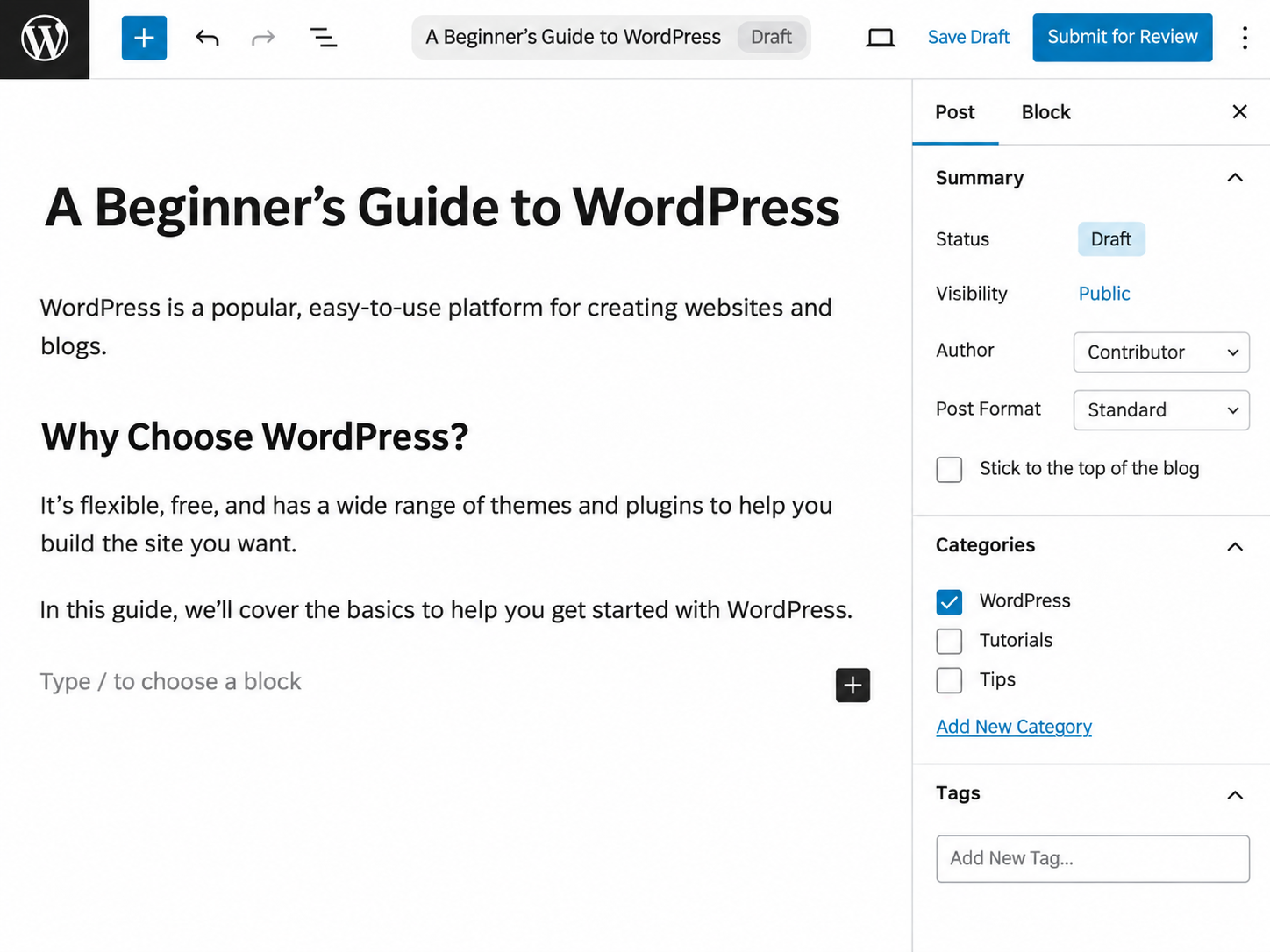
Approval steps in WordPress are the built-in review that submitted content goes through before it is published. For a Contributor, WordPress shows a “Submit for Review” button instead of “Publish”. The submitted post gets the Pending Review status, and an Editor or Administrator then reviews it and publishes it; the WordPress.org documentation on post status describes Pending Review and the other statuses a post can have.
The Editor’s review is the approval workflow part of website content governance, carried by the CMS itself. Between submitted and published, the post waits for a person with publishing permission. That wait is where the Editor can catch an outdated price or a wrong phone number before a customer reads it. Built in, this review covers posts only, because a Contributor cannot edit pages at all. A service page goes through the same step when the person editing it has a custom role that can edit pages but not publish them. The same control can go further inside a page, down to the block fields each person may edit, as shown in publishing content in Gutenberg.
WordPress also keeps revisions, a record of each saved draft or update of a post or page, with the time and the author of every change. An Editor can compare two revisions side by side and restore the earlier one when an approved page was later changed by mistake.
Every approval step assumes the people on both sides of it know the CMS.
Editor Training
Editor training is teaching the people who write or publish on a business website, Contributors as well as Editors, to work in the CMS. It covers three skills: operating the CMS, writing clear copy, and laying out pages with the blocks the site has.
Ownership depends on it. In website content governance, training is how each page owner learns to carry out the content lifecycle in the CMS: review the page, update it when the facts change, remove it once it no longer applies. On the sites we build, a person gets a role on the site once they know how to use it.
We also provide short how-to guides for the team with each site, written for those same everyday tasks: checking when a page was last updated, adding a case study from its pattern, submitting a post for review, unpublishing a page. Each guide is short enough for an owner to look up at the moment the task comes up, months after the training.
With the team trained, all five parts of website content governance are carried out inside WordPress: content lifecycle, ownership, roles, standards and approval workflow. For the business, that can mean lower legal and regulatory risk, content production efficiency and brand consistency: the three reasons content governance is important. A WordPress website for marketing teams supports all five parts.