- Expertise
Expertise That Drives Results
Explore our specialized services, tailored solutions, and industry expertise to elevate your digital presence. From custom WordPress development to seamless integrations, we build high-performing websites that deliver impact.
Solutions- Booking System Integrations
- Headless & REST API WordPress
- Hubspot Integration
- Enterprise WordPress
- Website Migration
- Internal Collaboration Platforms
- External Communications Hubs
- Work
- About
- Proof
- Contact
Learn more


Benefit of Headless WordPress for Marketers

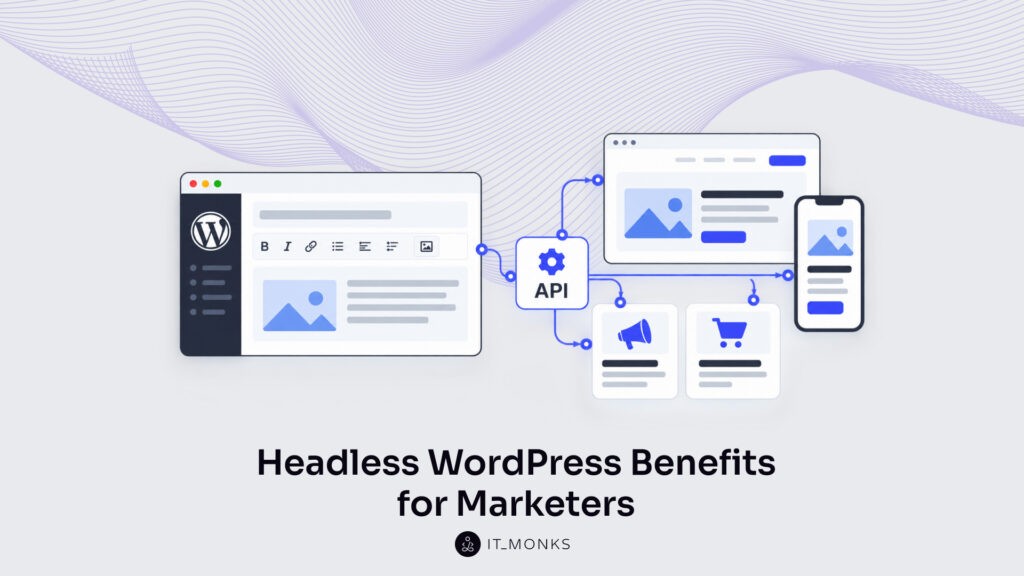
Headless WordPress is a website setup in which WordPress stays the back end, where marketers write, edit and manage content, while a separate front end shows that content to visitors and an API passes it between the two. For a marketing team, the WordPress dashboard is still the editing screen. The visible site is built outside it, by a development team.
For marketers, the benefits of headless WordPress mean a change in some of the website tasks marketing teams run, not a new way of working across the whole site. The three benefits are landing-page publishing, lead-generation tools and content reuse across channels. Each one depends on development work behind the site.
Landing-page publishing shows that change on a single campaign page.
Landing Page Publishing with Headless WordPress
Landing-page publishing with hybrid headless WordPress benefits marketers by keeping the campaign-page routine in WordPress, while only the page’s interactive part runs on a separate front end. Landing-page publishing is the work of building a campaign page and launching it. For that task, the benefits of headless WordPress come down to where each part of the page runs.
On traditional WordPress, a marketer builds the campaign page from blocks and templates, adds copy and images, then publishes it from the dashboard. Any interactive part, such as a sign-up form or a product quiz, is a plugin, or a custom block the development team builds in the theme. IT Monks describes that traditional setup in its guide to a WordPress website for marketing teams.
Hybrid headless WordPress keeps the same routine. The marketer opens the same editor, picks the same templates and publishes the campaign page as before. What changes is the sign-up form or quiz: it runs on the separate front end and gets its content through the API. A plugin switched on in the dashboard does not show up there, so the development team builds that part as custom work, the same way it builds a custom block on a traditional site. The routine depends on hybrid headless templates, the WordPress page layouts the development team builds for a hybrid site.
Against fully headless WordPress, where page layouts belong to the front end, hybrid headless is credited with “faster time-to-market for content creators” in Human Made’s article “4 Benefits of a Hybrid Headless CMS with WordPress,” a claim the WordPress agency makes without a source, figures or any comparison to traditional WordPress.
On a campaign page, traditional WordPress and hybrid headless WordPress match on two of three points:
| Task | Traditional WordPress | Hybrid headless WordPress |
|---|---|---|
| Page built with | Blocks, templates | Blocks, templates |
| Interactive part runs | In the theme: plugin or custom block | On the separate front end, via the API |
| Custom part built by | Development team | Development team |
A product quiz, which asks a prospect what they plan to buy, is a lead-generation tool, and lead-generation tools on headless WordPress carry a benefit of their own for marketers.
Lead-Generation Tools on Headless WordPress
Lead-generation tools are the parts of a website where prospects answer purchase questions online: a quote form, a price calculator, a product quiz. The one change behind the benefits of headless WordPress, for these tools, is where a tool runs for prospects.
On traditional WordPress, a lead-generation tool is a plugin configured in its settings, or a custom tool the development team builds in the theme. Forms are the usual case. IT Monks builds the form-to-CRM connection on a traditional WordPress site as a HubSpot integration, so the form sends each prospect’s answers to the CRM, the sales team’s contact system.
Headless WordPress runs the tool on the separate front end instead, and there the tool draws on the business’s own systems, such as a pricing system, through the APIs those systems provide. The driveaway-price calculator on the Volvo Car Australia site is an example of such a tool on headless WordPress: it adds the applicable taxes and fees to a car’s price for prospects, on the build described in the WP Engine case study “Building a Headless WordPress Solution for the Enterprise.”
For marketers, the change is one of place, with one consequence for plugins. The tool runs on the separate front end rather than inside the WordPress theme, so a tool configured in a plugin’s settings does not appear there on its own; the development team builds it for the front end. A custom calculator or quiz is development-team work on either setup, and prospects answer the same purchase questions in it.
Prospects’ answers still go to the CRM, provided the tool has a CRM integration. On any headless lead-generation tool IT Monks builds, that integration connects the separate front end to the CRM and sends the answers into it, as the HubSpot connection does for a WordPress form.
For a prospect and a sales team, a lead-generation tool on each setup means three things:
| Task | Traditional WordPress | Headless WordPress |
|---|---|---|
| Prospect uses | Plugin or custom theme tool | Separate front-end tool |
| Draws on | Plugin settings or company systems | Company systems via APIs |
| Answers go to | CRM via integration | CRM via integration |
The separate front end that runs a headless tool depends on WordPress for everything else on the page. It gets headings, text and images from WordPress through an API, and channels beyond the website can get that WordPress content through the API as well.
Content Reuse Across Channels with Headless WordPress
Headless WordPress benefits marketers through content reuse across channels: one campaign message is entered once and delivered to every channel the brand publishes on. With content reuse, the benefits of headless WordPress change work beyond the website, because the API that feeds a lead-generation tool on the separate front end delivers the same entry to an app just as readily.
Content reuse means a piece of content, such as a campaign message, a seasonal offer or an event announcement, keeps one approved wording wherever it appears. Each of those places is a channel: the website, a mobile app, or an internet-connected device such as an in-store screen.
On traditional WordPress, content is entered into pages that the theme displays on the website, so a paragraph is written for one web page. When the same offer has to run in an app, someone usually copies the text and enters it again there, and every copy turns into a separate version of the message that has to be kept consistent by hand.
Headless WordPress changes that task. Content is entered once, apart from any design, and WordPress delivers that entry through the API to the website, the app and every other channel. IT Monks plans and builds this delivery for each channel through its headless WordPress and REST API services, so a marketing team approves one wording and reuses it as entered rather than re-entering it per channel.
Respondents to a July 2024 Censuswide survey about headless platforms in general, not WordPress alone, pointed to the same benefit: 80% of the 1,015 IT and marketing professionals who took part said headless enables more efficient content reuse, and 82% said it makes a consistent content experience easier to deliver. As vendor-commissioned research for WP Engine’s “State of Headless 2024” report, the survey records respondents’ opinions, not a measured result for headless WordPress.
For a marketer reusing one campaign message, traditional and headless WordPress differ at three points:
| Task | Traditional WordPress | Headless WordPress |
|---|---|---|
| Content entered | In page templates | Once, apart from design |
| Where it appears | The website | Website, apps, other channels |
| Redone per channel | Re-entered | Reused as entered |
Content reuse depends on the separate front end built for each channel. A website, an app or an in-store screen shows the shared entry only through a front end designed for it, and connecting each of those front ends to headless WordPress is the development work behind the benefit. Marketers should put that work into the channel plan before the first campaign message is reused.
Development Work Behind Headless WordPress
The benefits of headless WordPress for marketers depend on the development work headless WordPress requires: a development team builds the parts behind each of the marketing benefits before marketers use them. Development work is the build work tied to one website task, such as publishing a landing page, collecting answers through a lead form or reusing a campaign message in an app. A team such as IT Monks does this work through custom WordPress development, and how much of it a site needs depends on which benefits the marketing team wants.
Headless WordPress development work includes three parts, each connected to one marketing benefit:
- Building the separate front end for content reuse across channels
- CRM integration for lead-generation tools
- Building hybrid headless templates for landing-page publishing
Lead-generation tools and the interactive parts of hybrid headless pages are built on the separate front end, so every headless WordPress project depends on that build first.
What Is a Separate Front End?
A separate front end is the part of a website visitors see, built apart from WordPress and fed its content by the API. The API is the connection that passes content from WordPress to that front end. The split between the WordPress back end and the front end is the subject of IT Monks’ guide to what headless WordPress is.
Content reuse across channels is the part of the benefits of headless WordPress that the separate front end serves: a website, a mobile app and other digital touchpoints can each have a front end of their own, and the API feeds every one of them the same WordPress content.
The separate front end also adds a second codebase, which the development team maintains next to WordPress. In IT Monks’ practice, that means ongoing front-end maintenance and developer cost for the site owner.
That front end feeds content out to visitors. The answers visitors send back, through forms and other lead-generation tools, need a different connection.
What Is CRM Integration?
CRM integration is the connection that sends answers from lead-generation tools and other website tools into the sales team’s CRM. CRM means customer relationship management system: the database where sales keeps its contacts. When a prospect fills in a form or answers questions in a product finder, the integration sends those answers to the CRM with the prospect’s contact details attached.
CRM integration connects a WordPress website to HubSpot, Salesforce or Zoho, the CRMs named among IT Monks’ API integration services. The integration connects forms on traditional WordPress the same way; on headless WordPress, it connects the tools on the separate front end to the CRM.
CRM integration serves the lead-generation side of the benefits of headless WordPress: the answers a prospect gives in a tool reach the sales team instead of stopping at the website.
Not every page holds a tool like that. Most pages carry text, images and a call to action, and putting them on the separate front end is more build work than those pages need.
What Are Hybrid Headless Templates?
Hybrid headless templates are WordPress page layouts that a hybrid headless site keeps for most pages, with only the interactive parts running on a separate front end; the development team builds both. A fully headless site, by contrast, puts every page on the separate front end.
A team such as IT Monks chooses per page what stays on WordPress templates and which interactive parts, such as a product finder, go to the separate front end. Whether a whole site moves to a headless CMS or stays on traditional WordPress is a wider choice, covered in IT Monks’ comparison of headless CMS vs WordPress.
Landing pages stay on WordPress templates that marketers publish from, so hybrid headless templates serve landing-page publishing among the benefits of headless WordPress for marketers.
More Articles by Topic
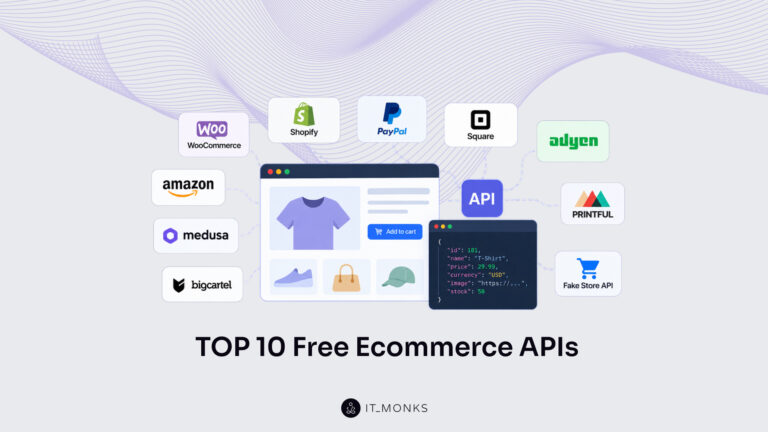
The 10 free ecommerce API options for 2026 are WooCommerce, Shopify, PayPal, Square, Adyen Checkout, Amazon Selling Partner API, Medusa,…
Learn more 
In late August, 2026, Jess Cook, VP of Marketing at Vector, posted a meme about her late nights since her…
Learn more 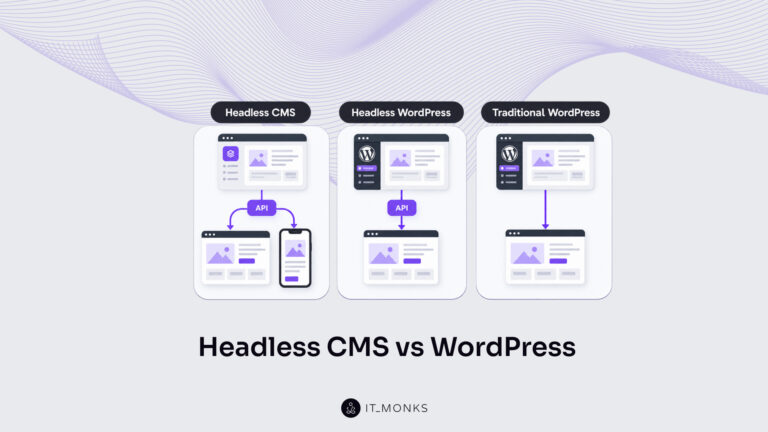
Headless CMS vs WordPress is a comparison of two choices made at once: an architecture choice between a coupled site…
Learn more Contact
Feel free to reach out! We are excited to begin our collaboration!
Don't like forms?
Shoot us an email at info@itmonks.com
Don't like forms?
Shoot us an email at info@itmonks.com

CEO, Strategic Advisor
Reviewed on Clutch
 ChatGPT
 Claude
 Grok
 Gemini
Send a Project Brief
Fill out and send a form. Our Advisor Team will contact you promptly!