Conversion Rate Optimization Guide for Marketers

Table of Contents
Conversion Rate Optimization (CRO) is the process of increasing the completion rate of targeted user actions by modifying website interface elements, measuring behavioral responses, and refining interaction flows based on event-driven evidence. User actions (such as clicks, scrolls, submissions, and exits) generate measurable interaction events that indicate whether visitors progress toward or away from defined conversion goals.
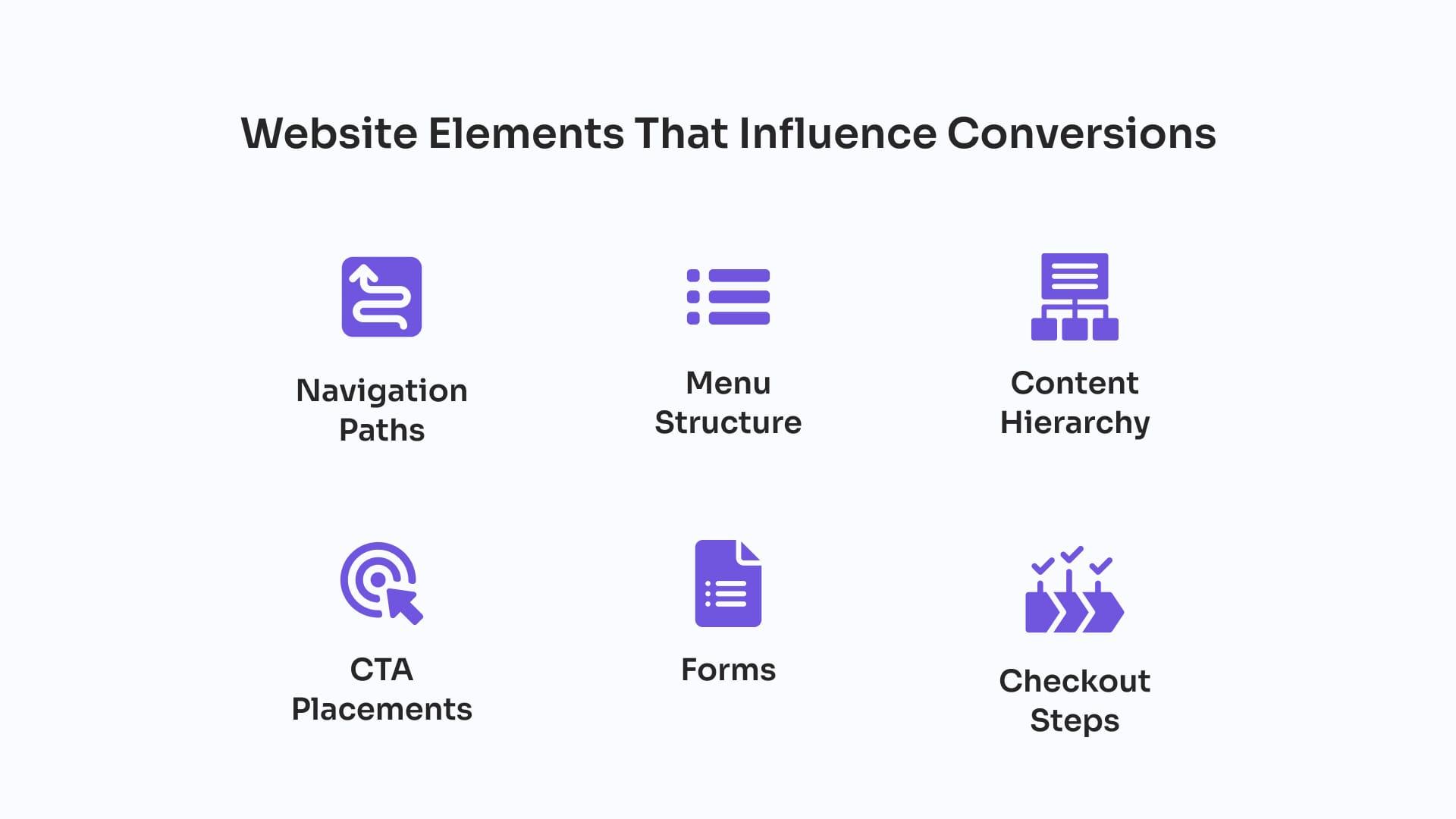
WordPress structures these actions through elements such as navigation paths, menu structure, content hierarchy, CTA placements, checkout steps, and forms. Each component influences a specific conversion trigger, and analytics systems record these interactions as metrics, including conversion rate, events per session, bounce rate, cart abandonment, and repeated-click patterns. These metrics serve as indicators of engagement strength or friction within the user journey.
CRO analyzes this behavioral data through event tracking, funnel analytics, session recordings, and heatmaps, converting raw session activity into evidence of how layout decisions, CTA visibility, and form behavior affect conversion flow. Diagnostic findings then guide optimization cycles in which issues are resolved, variant performance is compared, and interface adjustments are validated through structured A/B testing across control and variant pages.
What Is Conversion Rate Optimization (CRO)?
Conversion Rate Optimization (CRO) is a measurement-driven process that analyzes how users interact with a website’s interface elements, identifies friction within the journey, and implements controlled changes to improve the rate of desired actions – conversions.
Within WordPress, CRO is supported by plugins, theme configurations, and custom tracking elements that record how users interact with navigation menus, content structures, forms, and other conversion-related components.
CRO relies on event-tracking systems that measure where interactions succeed, fail, or encounter friction. These data points reveal how session behavior changes when structural or interface updates are applied, allowing marketers to validate which adjustments improve completion rates. The optimization process depends on continuous monitoring because each change generates new performance signals that must be evaluated for impact.
What User Actions CRO Focuses On?
CRO focuses on conversion actions such as purchases, sign-ups, and form submissions, as well as supporting actions like clicks, scrolls, and navigation choices that indicate user intent and progression on a WordPress website. These discrete interaction events represent the core behavioral units CRO evaluates when determining how effectively the site drives goal completion. WordPress provides structured points where these actions occur, allowing CRO tools to capture patterns of engagement, friction, or hesitation.
Within this framework, conversion actions form the primary category of user action because they directly fulfill site goals. Supporting actions serve as secondary behavioral indicators of engagement level, session progression, and intent signals that precede or influence conversion outcomes. CRO measures the frequency and distribution of these actions, interprets which behaviors correlate with conversion potential, and adjusts interface elements to increase completion rates.
In a WordPress environment, CRO classifies user actions as either conversion events or supporting events to distinguish which interactions produce outcomes and which supply contextual data for optimization decisions. Each action reflects how users interact with site elements, and every recorded event contributes to the behavioral dataset that guides CRO-driven improvements in completion rate and action efficiency.
Key Conversion Actions
Key conversion actions are the primary user behaviors that fulfill a WordPress website’s core objectives and generate verifiable completion events. Each action triggers a measurable state change in a checkout flow, a form submission system, a registration module, or a booking process. WordPress supports these events through dedicated plugins and structured interaction points where the system records each completed action as a confirmed conversion.
- A purchase completed through a WooCommerce checkout page produces a transaction event.
- A lead-generation form submission creates a stored entry tied to a signup or download.
- An account registration through a membership or user-management plugin confirms a new user profile.
- A booking submitted through a scheduling module finalizes a reserved time slot.
Secondary Actions
Secondary actions represent supporting user behaviors that indicate interest, hesitation, or partial engagement before a key conversion. These microinteractions do not complete a goal but provide contextual signals about how users move through session flow. WordPress tracking tools record these behaviors across navigation patterns, scroll activity, hover events, partial form interactions, and intermediate CTA clicks.
- Hovering over a CTA, focusing on a form field, or scrolling through a landing page section signals intent.
- Hovering or pausing over a checkout button may indicate uncertainty.
- A CTA click without submission shows incomplete progression, while scroll-depth patterns reveal where users disengage.
- Repeatedly clicking an unresponsive element indicates interface friction.
Which Website Elements Influence Conversions?
The website elements that influence conversions are navigation paths, menu structure, content hierarchy, CTA placements, checkout steps, and forms, because these interface components determine how users locate information, interpret prompts, and complete actions on a WordPress website.
Each element functions as an interaction point that can reduce friction or introduce barriers, directly affecting conversion rate and the efficiency of user movement through the site. WordPress themes, templates, and plugin components define these elements and structure the pathways through which user behavior progresses.
Navigation Paths
Navigation paths control how users move between entry points and conversion-related pages in a WordPress site. A navigation path is the ordered sequence of links created through header menus, sidebar modules, internal links, post grids, pagination, and breadcrumb trails. These routes determine how efficiently users reach key actions and where they encounter detours or excessive click depth.
Menu Structure
The menu structure determines which destinations users can access quickly and how visible conversion-oriented pages are in the WordPress interface. WordPress menus (built through header navigation systems, dropdown logic, and plugin-based components) prioritize or de-prioritize categories, forms, and transactional flows based on hierarchy. Hidden items, ambiguous labels, or deep nesting reduce exposure to high-intent pages and slow progression toward conversion points.
Content Hierarchy
Content hierarchy organizes the order in which users encounter information and action prompts within a WordPress layout. This hierarchy includes headlines, subheadings, product or service descriptions, benefit statements, and CTA modules. WordPress themes and page builders determine block order, above-the-fold placement, and the prominence of conversion elements. When CTAs or key messages appear too low, are surrounded by low-value content, or compete with unrelated elements, conversion focus weakens.
CTA Placements
CTA placement defines where action prompts (such as buttons, banners, and action links) appear within a WordPress layout. Their location inside templates, Gutenberg blocks, widget areas, or page-builder modules affects visibility, timing, and relevance to surrounding content. CTAs placed too low, outside the active scroll range, or repeated without hierarchy reduce click-through rates.
Checkout Steps
Checkout steps structure the sequence of actions required to complete a transaction in a WordPress checkout flow, typically via WooCommerce templates. Each step (such as customer details, address selection, payment confirmation, or order review) adds interaction requirements that influence completion probability. Unnecessary fields, forced account creation, or unclear confirmation logic introduce friction and increase abandonment.
Forms
Forms act as high-friction conversion interfaces that require data entry before completion. Built through WordPress form plugins, shortcodes, or block-based modules, they collect user information through structured field sequences. Lengthy forms, excessive required fields, unclear validation messages, or strict formatting rules increase the risk of abandonment.
Key CRO Metrics to Monitor
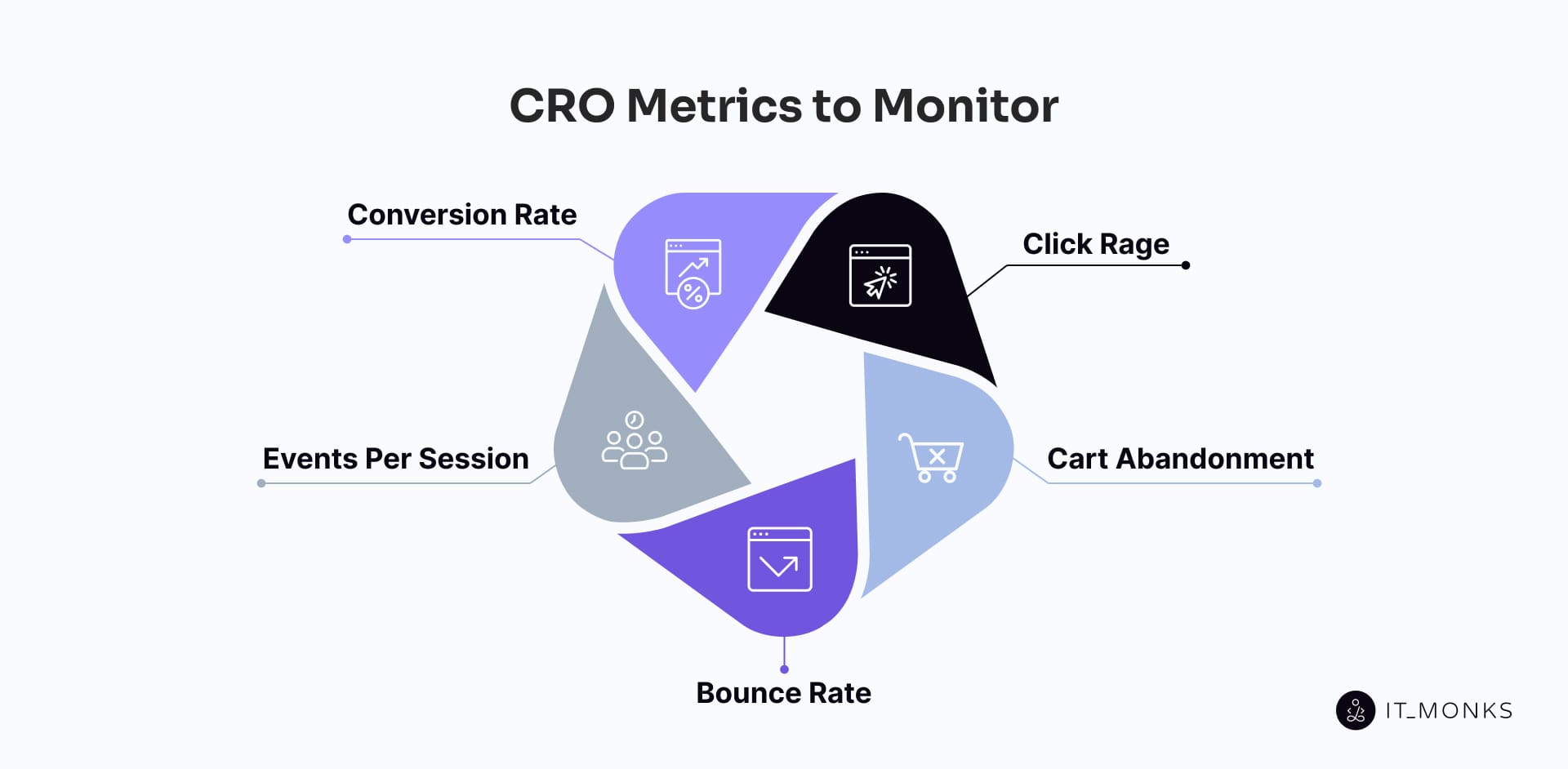
The key CRO metrics to monitor are conversion rate, events per session, bounce rate, cart abandonment, and repeat-click patterns, because these indicators measure how users interact with a WordPress website and how efficiently those interactions lead to completed actions. Each metric provides structured behavioral data that informs optimization decisions, identifies friction, and tracks changes in conversion performance across analytics tools and CRO plugins. WordPress records these metrics through event data, tagged conversions, and reporting views that consolidate performance results for ongoing experimentation.
Conversion Rate
Conversion rate is the primary CRO metric that measures the ratio of completed user goals to total sessions on a WordPress website. It quantifies how effectively visits result in actions such as purchases, sign-ups, or form submissions. In WordPress analytics setups, conversion rate is calculated from tracked events and configured goals recorded by analytics tools and plugin-based reporting. The metric reflects the influence of page structure, funnel sequence, and interaction design on the completion of outcomes.
Events Per Session
Events per session measures the average number of tracked interactions per WordPress session. An event includes CTA clicks, form starts, scroll-depth milestones, menu interactions, or product-engagement actions. The metric captures interaction frequency by dividing the total event count by the number of sessions. Low values indicate minimal engagement, while higher values reflect more active movement along conversion pathways.
Bounce Rate
Bounce rate measures the percentage of sessions that end without any recorded interaction on a WordPress page. Defined as the ratio of one-page, eventless visits to total sessions, it indicates that the user did not engage with CTAs, scroll-depth triggers, form starts, or other tracked events. High bounce rates often signal misalignment between user intent and page content, or structural issues such as slow loading or weak engagement cues.
Cart Abandonment
Cart abandonment measures how often users add items to a WooCommerce cart but leave before completing the transaction. It reflects incomplete conversions at the funnel’s final stage. Common causes include multi-step friction, excessive required fields, forced account creation, unclear pricing, or payment-step interruptions. CRO monitors cart abandonment to identify where the checkout sequence loses users. Optimization actions include simplifying form fields, reducing steps, clarifying costs, and strengthening the clarity of payment and confirmation flows. Lower abandonment rates indicate improved cart-to-confirmation continuity.
Click Rage (Repeated-Click Patterns)
Repeated-click patterns measure rapid or repeated clicking on the same interface element. This metric indicates that the component did not respond as expected, that feedback was delayed, or that the visual design implied interactivity where none existed. WordPress event tracking and session recordings capture these patterns on buttons, links, or interactive blocks. CRO uses repeated-click data to identify interface elements that introduce friction and interrupt progression. Corrective adjustments include improving responsiveness, clarifying affordances, or correcting element behavior. Reducing repeated-click occurrences removes micro-level barriers that can disrupt conversion pathways.
How to Analyze Website Conversion
Website conversion is analyzed by evaluating event tracking, funnel analytics, session recordings, and heatmap data within a unified user behaviour analytics layer that converts user interactions into measurable performance insights.
Using Event Tracking
Event tracking is the primary CRO mechanism for capturing user interactions on a WordPress website as structured data points. It records actions such as CTA clicks, form starts, scroll-depth completions, menu interactions, and modal opens, converting each action into an event aligned with conversion triggers and engagement checkpoints. Events are generated by plugin components, theme elements, and custom blocks, and logged through analytics integrations that define a clear event taxonomy.
Event tracking supports conversion diagnostics by showing which actions occur before, during, or instead of key conversions. Logged events identify friction patterns, such as repeated starts without completion or critical elements receiving no interaction. CRO workflows rely on this empirical layer to validate hypotheses, segment audiences, benchmark performance shifts, and support event-driven analysis in funnels, session views, and reports.
Funnel Analytics
Funnel analytics measures how users progress through a defined sequence of conversion steps on a WordPress website. A funnel represents an ordered interaction path: viewing a page, engaging with an element, initiating a process, and completing a goal. Funnel analytics maps these stages using event data and path tracking, calculating progression and drop-off rates at each step.
In WordPress environments, funnel stages may include plugin-generated pages, multi-step forms, dynamic modules, or WooCommerce checkout templates. Stage-level metrics reveal where users exit or stall, exposing abandonment points and transitions that leak conversion potential. CRO uses funnel analytics to prioritize optimization work: high-leakage stages become structural or content-level intervention points, while well-performing stages establish baselines for comparison.
Watching Session Recordings
Session recordings capture and replay full user sessions to show how individuals interact with conversion paths in real time. Each recording displays cursor movement, clicks, scroll depth, field focus, and navigation loops across WordPress templates, plugin elements, and form interfaces.
These recordings help CRO teams identify conversion failures that quantitative metrics only suggest, such as abandoned form attempts, repeat interactions with non-responsive elements, or hesitations around key decision points. Session recordings explain how and why specific metrics occur (such as high bounce rates or unexpected funnel drop-offs). Within optimization cycles, recordings validate friction hypotheses, inform prioritization, and confirm whether interface adjustments remove observed barriers in later sessions.
Reading Heatmaps
Heatmaps visualize user interaction intensity across a WordPress page, highlighting where engagement is concentrated or absent. They map click patterns, scroll depth, and cursor movement through color-coded gradients, creating a visual layer of engagement density. In WordPress, heatmaps overlay user behavior onto theme, block, and plugin-based structures. This is where a dedicated heatmap guide provides additional reference for interpreting these patterns.
Heatmaps reveal hotspots and dead zones, indicating whether CTAs, form triggers, key messages, or navigation links fall within active interaction zones or are placed in low-visibility regions. Scroll-depth heatmaps reveal where users commonly stop, highlighting abandonment tied to layout friction or misplaced content weight. CRO uses heatmaps to validate visual hierarchy, confirm attention-flow assumptions, and identify layout elements that strengthen or weaken the conversion focus. These insights guide adjustments to block positioning, content hierarchy, and element placement to align pages with observed behavior better.
How to Fix CRO Issues?
CRO issue resolution is the process of converting behavioral signals, metric anomalies, and diagnostic findings into structural, layout, or interface corrections within a WordPress website. A CRO issue arises when conversion behavior is disrupted (for example, elevated bounce rates in low-engagement sections, cart abandonment in a high-friction checkout sequence, repeated-click patterns on non-responsive elements, or drop-offs caused by weak content hierarchy or misaligned CTA placement). Each issue corresponds to a specific failure within the site’s interaction logic and requires an evidence-based response.
Correcting CRO issues requires intervention at the layer where friction originates: theme templates, plugin configurations, navigation logic, form structures, checkout workflows, or tracking integrations. WordPress exposes these components through editable templates and modular plugin elements. Resolution involves updating layout structure, refining form flows, correcting UI response behavior, simplifying navigation routes, or revising checkout steps to reduce procedural resistance. Because every conversion anomaly is tied to a structural cause, developer alignment is essential; developers must interpret diagnostic outputs and implement code-level or configuration-level adjustments that restore consistent progression through the conversion path.
Testing CRO Changes
CRO testing is the validation phase that confirms whether a proposed modification improves conversion behavior on a WordPress website. By comparing interaction patterns before and after a change, testing verifies that optimizations generate measurable gains rather than unexamined shifts. Any adjustment (layout updates, CTA repositioning, copy changes, or checkout refinements) must be evaluated against conversion metrics to determine whether it increases performance or introduces new friction.
Testing uses controlled comparisons to attribute behavioral differences to the specific alteration under review. A/B testing compares the performance of two page versions, while control–variant testing evaluates changes against a stable baseline. These methods follow diagnostic findings from funnels, session recordings, heatmaps, and event tracking, ensuring tests address demonstrated issues rather than assumptions.
In WordPress environments, testing must account for template logic, caching layers, plugin behavior, and conditional rendering to avoid data contamination. Proper segmentation and consistent version delivery ensure that observed differences reflect accurate user responses. CRO relies on testing to validate hypotheses, quantify impact, and prevent regressions in the conversion flow.
Running A/B Tests
A/B testing compares a control version and a test variant to measure how a single change influences conversion metrics such as click-through rate, form completion, or purchase actions. Traffic is split into two groups, each exposed to a different version, enabling precise measurement of behavioral differences.
The variant isolates one modification (such as element placement, copy wording, or structural adjustment) while the control maintains the original configuration to preserve a valid baseline. Statistical rigor, sufficient traffic allocation, and consistent duration ensure that results are reliable and not driven by random variation.
Within WordPress, A/B tests must deliver both versions consistently across themes, plugins, and caching systems to avoid rendering irregularities that could distort outcomes. When appropriately executed, A/B testing converts a CRO hypothesis into a measurable decision supported by controlled behavioral data.
Setting Up Control and Variant Pages
Control and variant pages establish the structural basis for CRO testing by creating two versions that differ only in the specific element being evaluated. The control page replicates the current layout and tracking logic, while the variant introduces a defined change tied to a CRO hypothesis.
Both versions must maintain identical rendering behavior, event tagging, funnel steps, and visual hierarchy so that resulting differences reflect only the tested modification. Any deviation beyond the intentional change reduces test validity.
In WordPress, a control–variant setup must account for template inheritance, plugin interactions, dynamic content blocks, and caching behavior to ensure consistent performance across devices and user roles. A properly aligned control–variant pair isolates the effect of the tested element and provides statistically sound data for optimization decisions.
Contact
Don't like forms?
Shoot us an email at [email protected]
