What User Behavior Analytics Shows About Your WordPress Site

Table of Contents
User behavior analytics reveals how a WordPress website’s UX performs by tracking visitor interaction patterns, engagement metrics, and navigation paths across its pages.
User behavior analytics highlights key page engagement metrics, such as scroll behavior, session duration, percentage-based bounce rate, and clicks. It maps these signals to layout responsiveness and content consumption patterns for behavioral pattern analysis.
While navigation elements on a WordPress website indicate menu path clarity, user behavior analytics reveal session depth, multi-click detours, and navigation loops that reflect structural friction.
A WordPress website’s user behavior analytics exposes content flow issues by showing where readers pause, skip, or exit sections, indicating hierarchy gaps or ineffective information sequencing. These behavioral patterns help evaluate the UX structure and guide the sections on layout integrity indicators, navigation clarity indicators, and content engagement behavior.
Because optimization depends on measurable signals, a WordPress website supports tracking, from event logging to heatmaps and session replay, to build structural feedback loops that map behavioral patterns to WordPress optimization directives.
What is User Behavior Analytics (UBA)?
User behavior analytics (UBA) is a behavior-tracking system that analyzes how visitors interact with a website by collecting measurable behavioral signals during visitor sessions. It records on-site interactions with page elements and converts them into structured insights about layout, navigation, and content usage.
During visitor sessions, user behavior analytics collects clickstream data, scroll behavior, content dwell time in seconds, click paths, bounce rate, and navigation sequences. On WordPress websites, UBA measures engagement with menus, buttons, forms, links, and interaction zones across themes and page templates.
At the monitoring layer, user behavior analytics uses tracking tools or plugins to log page entries, exits, interaction counts, and scroll depth. These events are aggregated into heatmaps, scroll-depth distributions, and interaction frequency metrics inside WordPress admin dashboards.
UBA maps behavioral signals to WordPress layout sections, page elements, and navigation components. This mapping reveals how theme responsiveness, content hierarchy, and internal linking influence user movement and attention.
Based on these patterns, user behavior analytics interprets session data into WordPress performance insights and UX optimization metrics. By segmenting visitor sessions, UBA identifies navigation friction and underperforming content using real interaction data rather than subjective feedback.
User Behavior Signals in WordPress Sites
User behavior signals on a WordPress site reflect observable visitor actions across interface components and generate visitor interaction data used as UX feedback.
A user behavior signal is generated by a visitor action, such as clicks, taps, scrolls, or hover behavior. It corresponds to specific WordPress interface elements, including post layouts, blocks, buttons, widgets, and interaction zones.
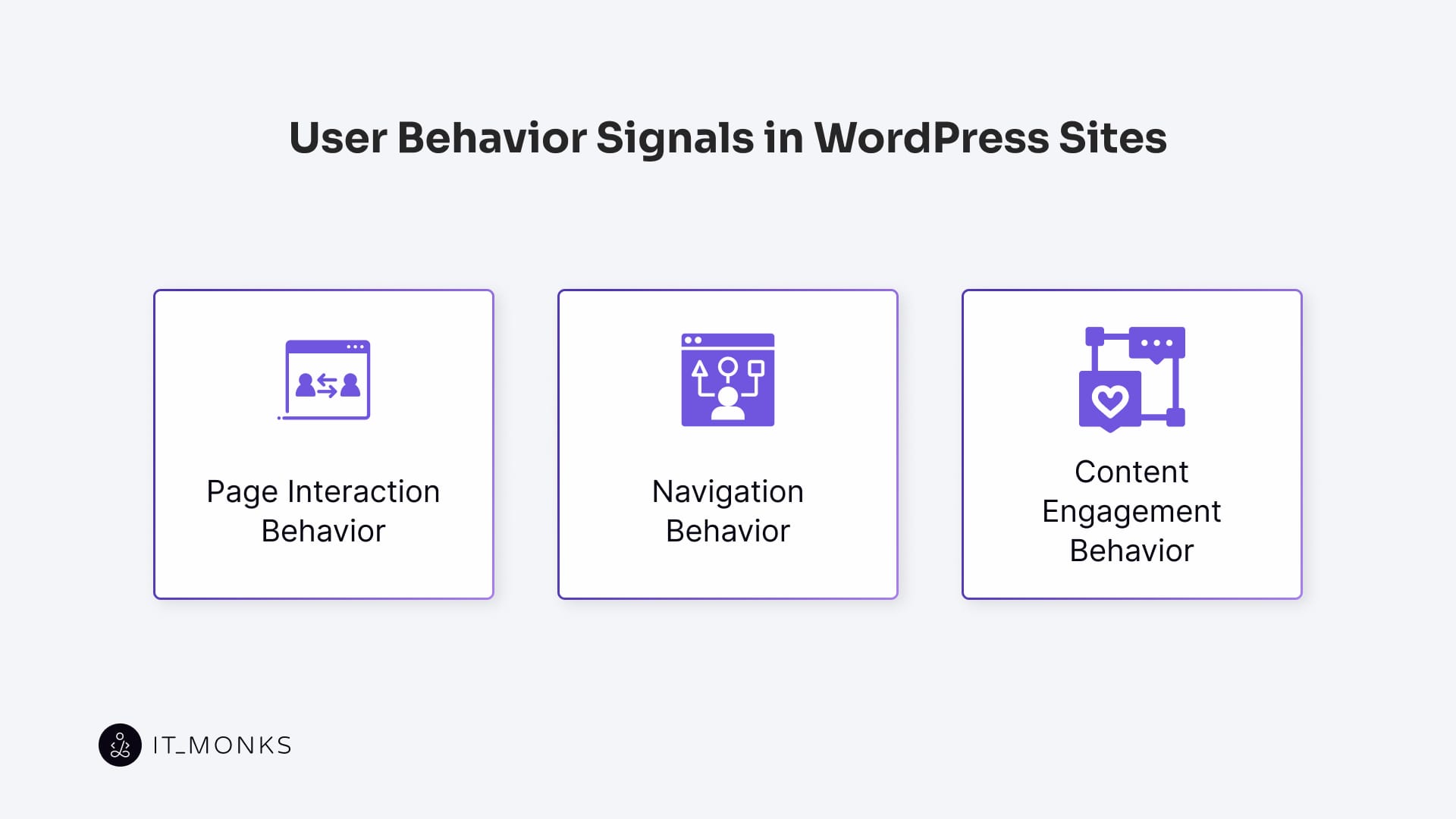
Within a WordPress site, user behavior signals map to three core dimensions. Interaction signals reflect how visitors interact with interface components such as buttons, forms, and block-level interaction zones.
Navigation signals indicate how visitor actions follow menu paths, internal links, headers, and sidebars, revealing navigation flow through the site’s architecture.
Content engagement signals reflect how users interact with content sections within posts and pages, indicating attention distribution across layouts and content hierarchies.
Because WordPress sites differ in layout, block composition, and content ordering, user behavior signals are context-bound. The same visitor action occurs on different structural surfaces, depending on the site structure.
Page Interaction Behavior
Page interaction behavior refers to user-initiated actions on a WordPress page, triggered directly by on-page elements such as call-to-action buttons, form fields, button rows, image blocks, sliders, and collapsible sections.
On a webpage, user interactions trigger click behavior, hover states, scroll-triggered events, and form submissions tied to specific page layout blocks and clickable components.
These interactions reflect how users engage with interactive containers and actionable zones. User interaction initiates CTA engagement when a visitor selects a call-to-action button, interacts with form fields, or activates collapsible sections, while scroll-triggered events indicate content progression within the WordPress page layout.
Tracking page interaction behavior on a WordPress page reveals how users respond to structural hierarchy, content layout, and conversion prompts. Interaction frequency, measured as clicks per visit, % engagement rate, or time to action in seconds, indicates whether CTA placement, UI responsiveness, and page layout blocks support clear intent and efficient interaction paths.
Navigation Behavior
Navigation behavior reflects how users move through a WordPress website via menus, links, and structural elements, forming measurable navigation flow from entry to exit along a content path.
A WordPress navigation element, such as a nav menu, breadcrumb, category page, or in-content link, guides how a user journey transitions between pages within the site’s hierarchical structure. Clear navigation produces stable session paths and predictable page depth, while unclear structure causes fragmented paths and early exits.
Navigation behavior is captured as path sequences that show how a WordPress site navigates to pages, clicks through nav menu items, loops back to prior pages, or exits navigation blocks. Metrics such as page depth, path length, nav click-through rate, and bounce exit % quantify these patterns.
Consistent internal linking patterns indicate effective WordPress hierarchy traversal, while repeated drop-offs after menu interaction signal labeling or structure issues. Entry-to-exit mapping of navigation behavior indicates whether site architecture supports orientation or requires refinement of hierarchy.
Content Engagement Behavior
Content engagement behavior describes how users read, consume, and interact with WordPress content blocks within a session flow. It reflects how attention and relevance are formed through direct interaction with posts, sections, and embedded elements.
Engagement is identified through scroll behavior, dwell time, and time-on-text as users scroll through paragraph blocks, linger on headings, or drop off after sections. For example, a paragraph block may indicate engagement depth with a 68% scroll percentage and an average reading duration of 1 minute 22 seconds.
Early exits from text blocks signal content block abandonment and paragraph-level bounce, indicating where session flow is interrupted.
Text interaction, content block interaction, and media play further refine engagement signals. Actions such as text selection, expandable FAQ interactions, or video playback directly link user behavior to specific WordPress content containers and reveal comprehension and fatigue points.
Interpreting User Behavior for UX and Structure Analysis
Interpreting user behavior converts tracked interaction patterns into actionable insight about a WordPress website’s UX and structural performance. User behavior signals such as scroll depth, click paths, and dwell time inform UX evaluation by translating behavioral indicators into site structure feedback across layout, content, and navigation.
Behavioral indicators reveal whether layout integrity supports visual consistency, whether content flow sustains reading continuity, and whether navigation clarity enables efficient movement between site elements. It reveals section abandonment, navigation loopbacks, and UI fatigue points associated with structural friction.
These insights are analyzed through three diagnostic clusters used in WordPress UX auditing: layout integrity, content flow, and navigation clarity.
Each cluster maps user behavior to a WordPress structural layer to identify friction points and guide metric-informed optimization, forming the foundation for subsequent UX and structure improvements.
Layout Integrity Indicators
Layout integrity is the degree to which the visual and structural components of a WordPress page layout support intuitive interaction and content delivery. It reflects whether sections, rows, widgets, headers, and content containers align into a coherent layout structure that guides user behavior without friction.
User behavior signals, such as scroll hesitation, early exits, and repeated navigation, indicate failures in visual hierarchy, component alignment, or engagement zone clarity. A scroll plateau before key sections indicates an unmet engagement threshold, often caused by a misaligned hierarchy within a Gutenberg grid or block row.
A misaligned column or grid collapse within a content container correlates with erratic click clustering and fragmented interaction heat zones, indicating that the layout structure misleads users through false affordances. Scroll drop-offs near CTA blocks signal CTA visibility issues tied to visual breakpoints or placement that interrupts content flow.
Underutilized widget areas and footer dead zones indicate weak structural integration into the primary content path. These patterns correlate with template integrity issues across headers, sidebars, block rows, and responsive containers, where scroll skips, click misfires, and loopbacks reveal layout breakdowns.
Content Flow Indicators
Content flow indicators reflect how users consume sequential information within a WordPress page. It is defined by how block sequencing and modular content flow guide reading behavior across post bodies, templates, and content modules.
Skipped blocks, abrupt scroll reversals, and engagement drop-offs reflect breakdowns in information sequencing and reading continuity, often correlating with block transitions that misalign with content pacing. Scroll rhythm, reading velocity, paragraph abandonment, and transition drop-off expose where content modules obstruct comprehension and cause engagement fatigue.
Tracking dwell time per block and skipped sections links user interaction patterns to specific WordPress content structures, enabling precise identification of flow blockers and informing restructuring decisions to restore engagement continuity.
Navigation Clarity Indicators
Navigation clarity is a behavioral outcome defined by how consistently user movement behavior follows intended directional flow across menus, links, and navigation hubs. Its indicators reflect how users interact with WordPress site structures that guide movement between pages and content zones.
Menu interaction hesitation, repeated homepage returns, and abandoned category hubs reveal confusion in clickstream paths. A WordPress header menu with nested items often fails to guide, signaling link comprehension breakdown and a directional miscue that increases path complexity.
Backtracking from category pages indicates backflow, creating a bounce-back loop that prevents onward movement and disrupts navigation flow, commonly caused by ambiguous taxonomy labels or weak hierarchy visibility.
A sidebar link cluster or widget navigation reveals confusion when ignored. Link avoidance in these areas signals a navigation dead zone and interaction stall, functioning as a click or path signal of failed guidance.
Breadcrumb trails expose dead-end paths when users repeatedly navigate backward, reflecting path interruption caused by unclear page roles within the WordPress navigation hierarchy. Footer navigation causes re-entry when users rely on it to regain orientation, exposing a directional miscue in primary navigation and exit-before-engagement earlier in the journey.
These click or path signals connect WordPress navigational components to observable user movement, allowing navigation clarity to be evaluated with behavior-driven evidence and used to realign structure and restore directional flow.
Implementing User Behavior Tracking on a Website
Implementing behavior tracking on a WordPress website means embedding tracking tools that collect user interaction data from various site elements. Analytics platforms like GA4 handle the quantitative side (sessions, clicks, time on page, and exit points), revealing how users navigate your site’s structure.
To go beyond raw numbers, heatmap and session recording tools visualize engagement through scroll maps, click hotspots, and cursor activity. These data visualizations are thoroughly unpacked in our dedicated heatmap guide, which actually explains how to use this data for real UX decisions, not just pretty colors.
Event-based trackers offer even greater granularity, capturing user actions such as button clicks, form submissions, and scroll thresholds via event tagging. The tracking code setup usually runs through plugins, script injections in the theme, or via tag managers. Verification with browser tools or preview modes ensures your data isn’t lying to your face. Done right, it creates a solid foundation for analyzing user behavior and optimizing your site structure.
Behavior-Driven WordPress Improvements
Behavioral analysis on a WordPress website reveals which UX, structural, content, and interaction elements obstruct or support the user journey. User behavior patterns, such as scroll abandonment, stalled user progression, and reduced engagement depth, produce user behavior insights derived from layout integrity, content flow, and navigation clarity signals.
User behavior insights guide WordPress optimization toward behavior-based improvements. Pattern friction informs UX improvements, progression breaks drive structural realignment, attention loss shapes content adjustment, and repeated hesitation triggers interaction refinement across WordPress layout, content blocks, and interactive elements.
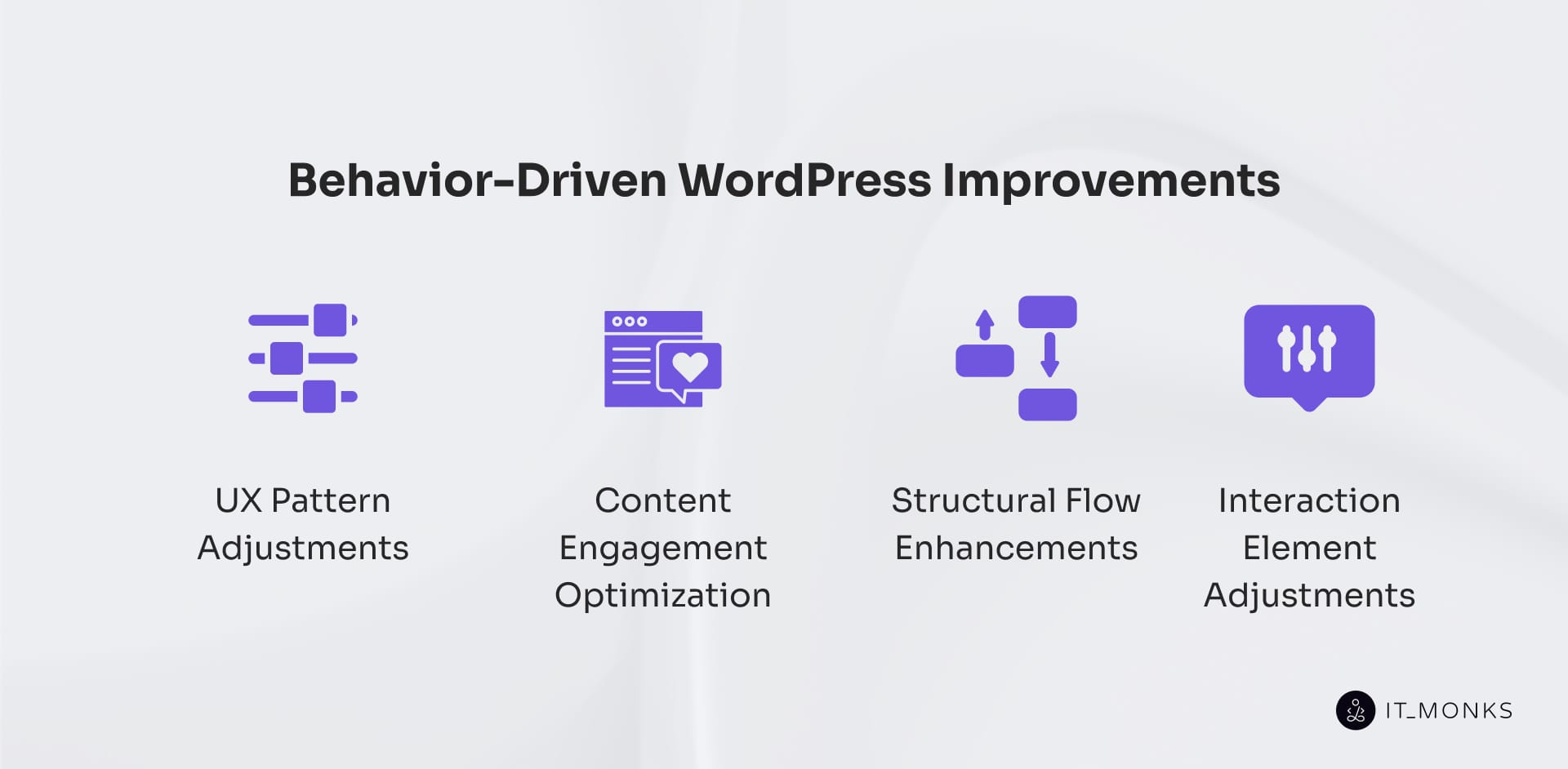
Behavior-based improvements fall into four optimization categories: UX pattern adjustments, structural flow enhancements, content engagement optimization, and interaction element adjustments, each defined by observed user behavior patterns rather than assumed best practices.
UX Pattern Adjustments
UX pattern adjustments are behavior-led changes to recurring interface structures in a WordPress site. A WordPress UX pattern, such as a hero with CTAs, a card grid, or a form block, defines expected user movement and interaction flow, establishing interface predictability.
User behavior signals reveal pattern breakdowns: repeated mis-clicks indicate grid misalignment; delayed first actions signal CTA confusion; rage clicks expose mobile layout drift caused by compressed spacing or unclear tap targets; skipped sections indicate friction points where visual hierarchy fails to align with user intent.
Behavior-driven redesign corrects these breakdowns through targeted adjustments. Congested dual-CTA layouts that disrupt clarity are fixed by re-sequencing actions or redistributing visual weight.
Card grids that indicate scanning failures are simplified by decluttering and refining spacing. Misplaced forms are repositioned to reduce friction and restore interaction flow.
In WordPress, these adjustments occur at the pattern level. Gutenberg blocks, reusable components, and theme templates allow behavior data to realign layouts without rebuilding pages, reinforcing clarity and restoring predictable interaction flow.
Structural Flow Enhancements
Structural flow enhancements modify how content and navigation elements are sequenced within a WordPress site to govern user movement through the content hierarchy. Structural flow defines transition logic across templates, blocks, menus, and sidebars through connected navigation paths rather than visual design.
Repeated re-entry into the same section reveals content path loops and hierarchy confusion, while excessive backtracking and skipped sections indicate structural choke points and flow misalignment, as reflected in a higher loop entry rate, fewer pages per session, and more steps to conversion. These patterns break expected navigation paths and disrupt progression.
Enhancements realign structure by reordering sections, flattening unnecessary depth, merging overlapping blocks to reduce section overlap, or segmenting content into clearer linear vs non-linear content delivery paths. Navigational dead ends are resolved by rebuilding menu clusters and simplifying transitions between related templates and blocks.
WordPress enables these adjustments through template hierarchy control, block realignment, menu restructuring, and conditional content delivery, which guide users through clearer navigation paths and improve flow by reducing behavioral friction.
Content Engagement Optimization
Content engagement optimization involves refining the structure and placement of content on a WordPress site to align with user attention patterns. Engagement is defined by user interaction depth, measured through time per section, scroll completion %, skip frequency, and pause behavior across WordPress content blocks.
For example, a content block with under 25% scroll completion reveals attention decay, while short dwell time correlates with content fatigue and reduced value-point visibility.
Scroll drop-offs, high mid-article skip rates, early tab switch-outs, and click-through drop-offs indicate a decline in engagement caused by misaligned or overcompressed content delivery. A multi-paragraph text block exhibits information retention loss when skip frequency exceeds 30-40% of the scroll depth.
Optimization responds to these signals by restructuring content rather than rewriting it. A WordPress content block with low interaction depth supports reordering high-value sections earlier, breaking dense sections into modular content delivery units, improving information zoning, repositioning CTAs to boost CTA visibility, and embedding media support placement to interrupt attention decay.
These adjustments are implemented through WordPress mechanisms such as rearranging Gutenberg blocks, using collapsible elements, adjusting widget placement, and modifying template logic to improve above-the-fold visibility.
Engagement behavior correlates with structural visibility choices, and targeted restructuring improves engagement continuity by reducing attention fatigue and ensuring key information is consumed before exit, based on observed user behavior.
Interaction Element Adjustments
Interaction element adjustments correct behaviorally exposed inefficiencies in WordPress buttons, forms, toggles, and CTA blocks. These elements act as user-triggered control points within templates and Gutenberg blocks, where click behavior and input interaction directly affect task completion.
Behavioral signals reveal micro-interaction failures and behavioral mismatches. Rage clicks indicate unclear label clarity or misleading affordances. Hover stalls signal trigger alignment failure, often measured as a 2.6s hover-to-click delay. Form abandonment reflects input friction, commonly shown as a 34% drop-off after the first field. Scroll-past behavior indicates failure to trigger relevance within the content flow.
Each signal requires a targeted UI correction. Repeated clicks require relabeling or resizing to improve CTA response rate. Form abandonment often results from input simplification or repositioning to reduce user intent conflicts. Hesitation when toggling interrupts the flow and requires timing or feedback adjustments to restore UI responsiveness.
These adjustments operate within WordPress layout structures. A repositioned CTA redirects user intent only when it aligns with the content flow. A resized button improves click-through rate only when its placement matches the navigation path. User behavior reveals where interactions fail, making micro-level corrections essential for maintaining flow continuity and completing actions.
Contact
Don't like forms?
Shoot us an email at [email protected]
