What is WordPress Integration?

Table of Contents
WordPress integration is the process of connecting WordPress with external tools and systems so that data and actions remain consistent, reliable, and secure.
Integration starts by defining system boundaries and ownership, which determine whether it runs inside WordPress as a plugin-based integration or outside WordPress as a third-party integration. That decision establishes the source of truth and the processes for creating, updating, and maintaining data.
What gets integrated depends on the scope and layer:
• Instance layer – a single WordPress site or a multisite network;
• Application layer – plugins and themes that extend functionality;
• Data layer – content, metadata, taxonomies, media assets, and settings;
• Identity layer – users, roles, and permissions.
WordPress integration uses defined connection paths and data-matching rules to control how systems communicate and stay consistent over time.
APIs handle structured, request–response communication when an external system needs to retrieve, create, or update WordPress data in real time. Hooks run custom logic inside WordPress when specific events happen, such as when a post is published or a user is created. They allow integration behavior to be triggered automatically within WordPress.
Webhooks send notifications to external systems when changes occur in WordPress. This enables automatic synchronization without having to repeatedly check for updates.
WP-CLI runs WordPress tasks from the command line, making it useful for bulk operations, migrations, and automated scripts during deployment or maintenance.
Scheduled jobs automatically run tasks at set intervals, handling recurring synchronization when real-time updates are not necessary.
Integration requires a clear data structure and mapping. Schemas describe the format of the data, identifiers connect equivalent records between systems, and transformations ensure the data fits correctly in the target system while maintaining consistency.
Only defined data can be transmitted and processed, and all data movement must be secured, controlled, and monitored to ensure WordPress integration remains manageable and auditable over time.
How WordPress Integration Works?
WordPress integration works by coordinating how a WordPress site and an external system interact, aligning responsibilities, execution location, and data ownership to keep changes manageable over time.
Web development agencies provide this coordination as a dedicated WordPress integration service. In this model, the agency designs, builds, and maintains the integration layer, ensuring systems communicate correctly, data ownership is respected, and long-term stability is preserved. In some projects, this integration logic is built directly into custom plugins or external systems, but responsibility for managing the interaction remains clearly assigned.
The integration succeeds when boundaries and ownership are defined, responsibilities are executed within the system that owns them, and data rules ensure consistency.
System Boundaries and Ownership
System boundaries and ownership define which components of the integrated system are managed within WordPress, which are managed by external systems, and which party is responsible for data creation, modification, and storage in an integration.
When system boundaries are explicit, only one system is allowed to write to a given data domain, synchronization flows follow a defined direction, and failure points can be traced to a specific owner.
For example, if a WordPress site collects leads through a contact form while Salesforce serves as the CRM, the boundary must define ownership of lead records.
WordPress stores the content and form configuration required to collect submissions, such as field definitions and validation logic. Salesforce owns the lead record and sales status, serving as the source of truth.
If data changes in Salesforce, WordPress does not update it unless the rules allow it. WordPress issues are handled by the WordPress team; CRM issues are handled by the Salesforce team.
The implementation model depends on how ownership and data flow are defined. If most of the integration logic must run within WordPress and be maintained by the WordPress team, a plugin-based integration is appropriate.
If lifecycle management, transformations, and orchestration are outside WordPress, a third-party integration layer is the appropriate architectural choice.
Plugin Integration and Third-Party Integration Approach
For WordPress integration, there are 2 main approaches: plugin-based and third-party.
A plugin integration approach runs the integration directly inside the WordPress site. The integration logic is executed in a plugin or MU-plugin (must-use plugin), which handles data movement and rules locally.
Decisions about processing and updates are made within WordPress, and ownership remains with the site team that maintains the plugins and handles updates and failures. This approach is appropriate when system boundaries are narrow, and the rate of change and operational risk of the integration are low.
A third-party integration approach places the main integration logic outside WordPress. An external service manages data syncing, reliability, and failure handling, while WordPress focuses on content and presentation.
Data is pushed to or pulled from WordPress by the service, and ownership shifts to a service or platform team. This model supports higher change rates or higher operational risk, where updates and failures must be managed independently of the WordPress site.
Source of Truth and Data Lifecycle
The source of truth defines which system owns the final value for each data type in a WordPress integration. Each record has one authority, either the WordPress site or an external system, so updates don’t overwrite each other and ownership stays clear.
Data lifecycle defines how a record changes over time: it is created, updated, synced, checked for conflicts based on ownership rules, and eventually retired or deleted. Lifecycle rules decide when updates move between systems, which system overwrites the other when values differ, how conflicts are resolved, and what is logged when a change fails.
What Gets Integrated in WordPress?
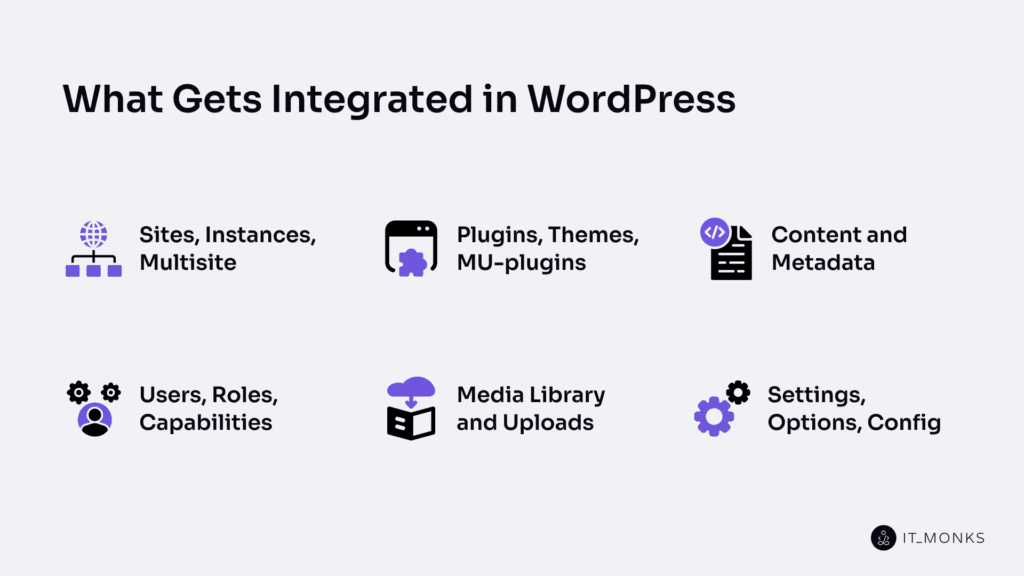
Sites, Instances, Multisite
A WordPress site is a single website with its own content, users, and settings. A WordPress instance is one installed copy of WordPress running in a specific environment, such as staging or production. A WordPress multisite is a single WordPress instance that hosts multiple sites within a shared network.
WordPress integration must account for whether it operates on a single site, across an entire instance, or within a multisite network, because this determines where integration logic executes and where data changes apply.
This boundary prevents sending updates to the wrong site, mixing data across sites, or applying changes in the wrong environment, helping ensure WordPress is managed reliably and consistently.
Plugins, Themes, MU-plugins
A plugin adds or changes features on a WordPress site. It controls appearance and front-end behavior. A plugin adds functionality such as forms, e-commerce, or API connections. In WordPress, integration behavior is often added and managed via a plugin. Its scope is limited to the WordPress site where it is activated, and its behavior depends on activation, updates, and compatibility.
A theme controls the site’s look and also affects front-end behavior. It manages layout and templates, but can also change how integration behavior appears or runs. In WordPress integration, a theme applies to one WordPress site, and its updates can change behavior and affect compatibility across environments.
An MU-plugin (must-use plugin) loads automatically because it is placed in the mu-plugins directory. It runs for the entire WordPress installation, including all sites in a WordPress multisite network, keeping integration behavior consistent.
The plugins, themes, and MU-plugins also create, change, and manage content and metadata as part of WordPress integration.
Content and Metadata
Content is the primary information WordPress stores and delivers, typically as a WordPress post or page with its body text. It can be created, updated, and exchanged when WordPress connects to an external system. A content item has body text, metadata attributes, and a publishing status (draft or published).
Metadata is structured information attached to content. It includes titles, excerpts, taxonomies (categories and tags), custom fields, author, date, and status. Metadata describes what the content is, its state, and how it should be handled.
In WordPress integration, content and metadata must both be matched. When another system, such as a CRM, an e-commerce platform, or a mobile app, connects to WordPress, it uses a mapping rule. The body text maps to the content field, and metadata maps to identifiers, taxonomy, custom fields, status, author, and date. WordPress integration syncs content correctly only when metadata is clearly defined and matched across systems.
Content is the data exchanged between systems, and metadata determines how that data is identified and updated. Control over this data is determined by users, roles, and capabilities.
Users, Roles, Capabilities
A WordPress user is an account that can perform actions such as editing content, changing settings, or initiating integration processes. In WordPress integration, every action must be tied to a specific user so access is clear and traceable.
A WordPress role is a named set of permissions assigned to a user. A role defines what the user can manage inside WordPress.
A capability is a specific permission that allows or blocks a precise action, such as reading, editing, publishing, or deleting data. Capabilities are what WordPress checks before allowing any action, and users receive capabilities through their assigned roles.
In WordPress integration, roles and capabilities provide access control. They limit who can change integrated data and who can trigger or approve an integration action. Integrations should use only the permissions they need, not default to full administrator access.
Media Library and Uploads
The Media Library is where WordPress stores all the files used on a site, such as images, PDFs, and videos. Each file has a file URL, metadata (name, type, size), and defined permissions/access rules. Every file is stored as an attachment record, allowing WordPress to link to and manage it within content.
Uploads are the process of adding a file to WordPress. When a file is uploaded, WordPress stores it in the Media Library, creates an attachment, assigns a URL, saves metadata, and applies permissions. Uploads connect the file to WordPress content.
In WordPress integration, files and their attachment data are synced or copied between WordPress and an external system. WordPress integration syncs, copies, or updates the file location, file URL, metadata, and attachment links between systems.
Content depends on correct file links and file details. If WordPress and the external system are misaligned, WordPress may serve broken images, duplicate files, incorrect URLs, or incorrect permissions.
To control how media is stored, served, and restricted, WordPress uses settings, options, and configurations, which define the rules WordPress integration must follow.
Settings, Options, Config
Settings are the visible controls on a WordPress site that determine how it behaves. A setting controls features, enables or disables functionality, and directly affects integration behavior. Plugin settings are included in this layer.
Options are the values WordPress stores to preserve those settings. Each setting is stored as an option, and that value defines how the WordPress site operates. WordPress Integration reads options to identify what is enabled, where data is directed, and which rules apply before performing updates or connections.
Config defines the broader rules that govern how WordPress runs in a specific environment. It includes environment-level values that affect connections, performance, and overall behavior. Site behavior depends on config, and WordPress Integration depends on it across development, staging, and production environments.
In WordPress integration, settings, options, and config serve as shared rules that govern integration behavior. Integration logic reads enabled states, follows stored values, updates options carefully, and protect config to keep behavior consistent across environments.
Managing these dependencies prevents unexpected behavior, avoids breakage after updates or changes, and reduces the number of cases where something works in staging but fails in production.
How WordPress Connects to Other Systems?
WordPress connects to an external system by sending and receiving data and by triggering actions through a defined connection method. A WordPress connection runs when WordPress accepts a request at an endpoint, reacts to an event through a hook or webhook, or runs a scheduled job that updates data in another system.
WordPress exposes different connection methods because integration needs change depending on timing, direction, and risk. Some requests run in real time, while others run later via a scheduled job or a queued transport. Some connections send data outward, others receive updates. Higher-risk actions require stronger security, logging, and control.
Choosing the correct connection method determines how reliably WordPress can send and receive data, trigger actions, secure transport, handle failures, and manage WordPress securely, reliably, and consistently over time.
REST API Endpoints
A WordPress REST API endpoint is a URL that WordPress exposes so an external system can send an HTTP request and receive a structured JSON response. Each endpoint supports defined actions, such as retrieving or modifying data, and access is handled by WordPress permissions and capabilities.
REST API endpoints provide a controlled way to access WordPress data like content, users, or settings without direct database access. Responses follow a predictable structure, ensuring consistent communication between systems.
Authentication mechanisms, such as access tokens or keys, determine who is authorized to perform actions via these endpoints.
REST API endpoints are used for direct request–response interactions. Other mechanisms, such as hooks, webhooks, or scheduled jobs, handle automatic or event-based changes.
Hooks: Actions and Filters
WordPress hooks are built-in connection points in WordPress code where integration behavior runs or where WordPress can change a value. They allow plugins, themes, and MU-plugins to extend functionality without changing WordPress core, keeping updates safe and predictable.
An action runs when a specific event occurs, such as publishing a post or logging in. It allows additional tasks to execute at that moment, such as sending data to another system.
A filter modifies data before WordPress saves or displays it, allowing values like titles, content, or settings to be adjusted.
WordPress integration relies on hooks to maintain consistent timing and data handling. When communication must occur between systems, webhooks are used; hooks operate only within WordPress.
Webhooks: Outbound and Inbound
WordPress integration uses a webhook to connect a WordPress site and an external system through automatic event messages. A webhook is a message sent when an event or change happens. It immediately notifies the other system so WordPress can be managed reliably.
An outbound webhook means the WordPress site sends a payload to an external system when an event triggers it. The external system receives, verifies, and processes the message.
An inbound webhook means the WordPress site receives a payload from an external system after a change. WordPress accepts or rejects it, then triggers the related action and logs the result.
Webhooks carry a small payload to keep systems in sync. Reliable management depends on sending the right message, verifying it, and handling retries or failures so updates are not lost.
When work should run on a schedule or in batches instead of on an event, WordPress Integration uses WP-CLI and scheduled jobs rather than webhooks.
WP-CLI and Scheduled Jobs
WP-CLI runs WordPress Integration tasks from the command line on demand, such as imports, exports, sync checks, cleanups, and retries, and records logs for monitoring and handling failures.
A scheduled job runs these tasks automatically at set times or intervals. It supports batch sync operations, regular checks, cleanup work, and retry attempts when failures occur.
WordPress Integration uses WP-CLI and scheduled jobs when work must run reliably over time. WP-CLI handles controlled, on-demand execution, while a scheduled job manages recurring automation.
Once these tasks are complete, transport choices determine how data flows between systems.
Transport Choices: HTTP, Queue, DB, Files
In WordPress integration, a transport is the method used to move data or messages between a WordPress site and an external system. Transport affects speed, reliability, and failure handling, which directly impact how safely WordPress is managed.
HTTP sends data through direct web requests, such as APIs or webhooks. It supports real-time updates but requires retry handling to prevent missed changes.
A queue stores messages for later processing. It improves reliability by enabling retries and recovery when systems are unavailable.
A database (DB) transport shares or copies data through a controlled database setup. It supports large volumes and batch updates but requires clear ownership to avoid conflicts.
Files move data through exports and imports, such as CSV or JSON. This method is suitable for bulk or scheduled transfers, but it adds delays and requires validation.
Different transport options are used because timing, data size, and reliability needs vary. The right choice helps keep WordPress consistent and easier to manage when failures occur.
How Data is Defined and Matched?
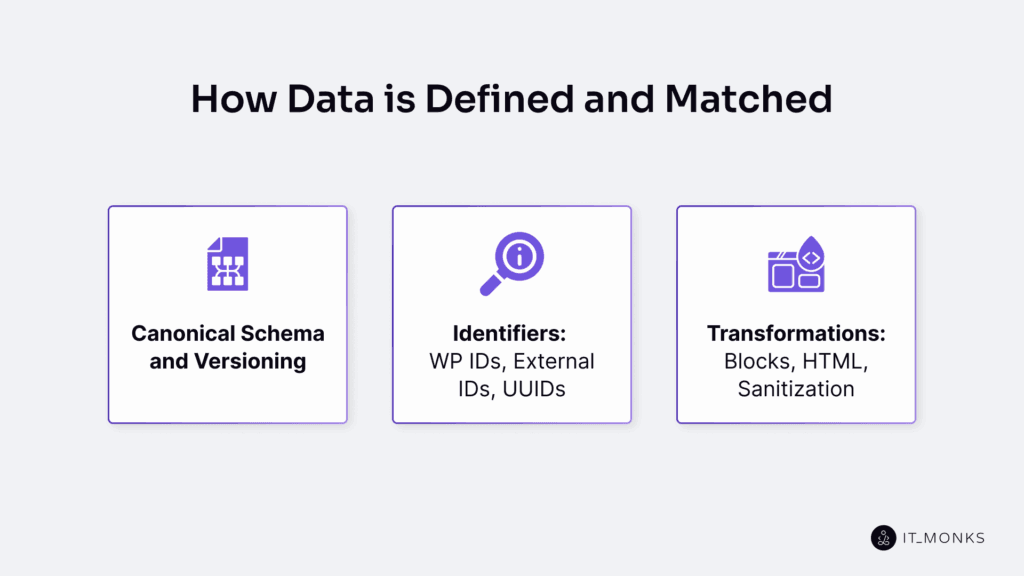
In WordPress integration, data is defined and matched by rules agreed upon by the WordPress service and the connected external system, covering data semantics, structure, and identification across systems.
WordPress content, settings, and records change over time. Without shared rules, integrations can create duplicates, overwrite incorrect values, or lose sync when updates occur, breaking consistency and reliability.
Different systems store data in different formats, and WordPress content may exist as block content, stored values, or rendered HTML.
To manage this variation, WordPress integration relies on 3 connected elements. A canonical schema with versioning defines a shared structure that can evolve safely over time. Identifiers, such as WP IDs, external IDs, or UUIDs, ensure the same record is recognized across systems. Transformations handle blocks, HTML, and sanitization so values are converted, cleaned, and validated without changing their meaning.
Canonical Schema and Versioning
A canonical schema in WordPress integration is the shared description that standardizes how WordPress data and external system data are structured during exchange. It defines which fields exist, names each field, and specifies what each field represents within a mapping rule.
A schema version is the labeled state of that canonical schema at a specific point in time. When fields are added, renamed, removed, or updated, the version changes. Versioning makes those changes explicit and preserves compatibility between systems operating on different schema states.
The canonical schema defines the data structure and meaning. The schema version records structural changes so integrations continue to interpret fields correctly as systems evolve. Together, they reduce the risk of broken sync, incorrect mappings, or data loss.
To apply this structure safely, each record must be linked to a stable identifier so the correct WordPress and external system entries are matched during synchronization.
Identifiers: WP IDs, External IDs, UUIDs
An identifier is a value that enables WordPress integration to recognize the same record across systems, so that sync updates the correct item instead of creating duplicates.
A WP ID is WordPress’s internal ID for a WordPress record. An external ID is the ID used by the connected external system for the same record. A UUID is a globally unique identifier that remains stable across systems when internal IDs vary.
WordPress integration matches records by storing a link between these identifiers. During a sync, the system uses this link to find the correct record and update it safely. Without a stable identifier link, updates can target the wrong item.
This mapping is essential for reliably and consistently managing WordPress. It prevents duplicate records, avoids overwriting errors, and keeps data in sync as systems change.
Once identities are matched, transformations are required, as content formats may still differ between WordPress and the external system.
Transformations: Blocks, HTML, Sanitization
In WordPress integration, a transformation converts content between formats without changing its meaning, allowing the same value to be stored or rendered correctly in both WordPress and an external system.
WordPress structures pages using blocks, while many external systems rely on HTML. Transformation converts content between these representations so it remains usable across systems.
Sanitization is the required safety step. It validates and cleans content before storage or transmission, removing unsafe or invalid elements to prevent layout errors, corrupted values, or security risks.
How Data Moves in the Integration?
Data movement in WordPress integration starts when a change is created, then sends a message, receives it on the other side, identifies the correct record using an identifier, transforms and cleans the values, and finally writes or updates WordPress with confirmation.
WordPress only accepts data after identity and format are resolved. Data movement relies on identifiers to target the correct record and applies transformations and sanitization to ensure values are stored safely.
Sync in WordPress Integration follows the same full process. It can push when WordPress sends changes out or pull when WordPress receives changes in. Sync can be one-way or two-way. It can run in real-time for immediate updates or through a scheduled job that processes changes at set intervals.
WordPress Integration chooses push or pull, real-time or scheduled, based on timing needs, data size, and required reliability.
Integration Access and Security
Integration access and security define who can connect to a WordPress integration, what actions are permitted, and how credentials and traffic are protected during setup and ongoing management.
Authentication verifies identity using App Passwords, API keys, OAuth2, or JWT so only approved connectors can interact with WordPress services.
Authorization controls what an authenticated connector can do. RBAC mapping assigns each connector a specific WordPress role and capability set, enforces least-privilege access, and blocks actions outside the defined permission scope.
Credential handling protects authentication secrets. Credentials are stored securely, rotated regularly, and revoked when no longer valid to prevent misuse across environments.
Environment separation isolates staging and production systems so testing and configuration changes cannot affect live WordPress operations.
WAF (Web Application Firewall) and edge protections filter harmful traffic before it reaches WordPress. These network controls reduce exposure but do not replace authentication and authorization.
Logs and audit trails record access events and configuration changes, ensuring every action can be traced, reviewed, and supported during incident response or troubleshooting.
How to Operate a WordPress Integration?
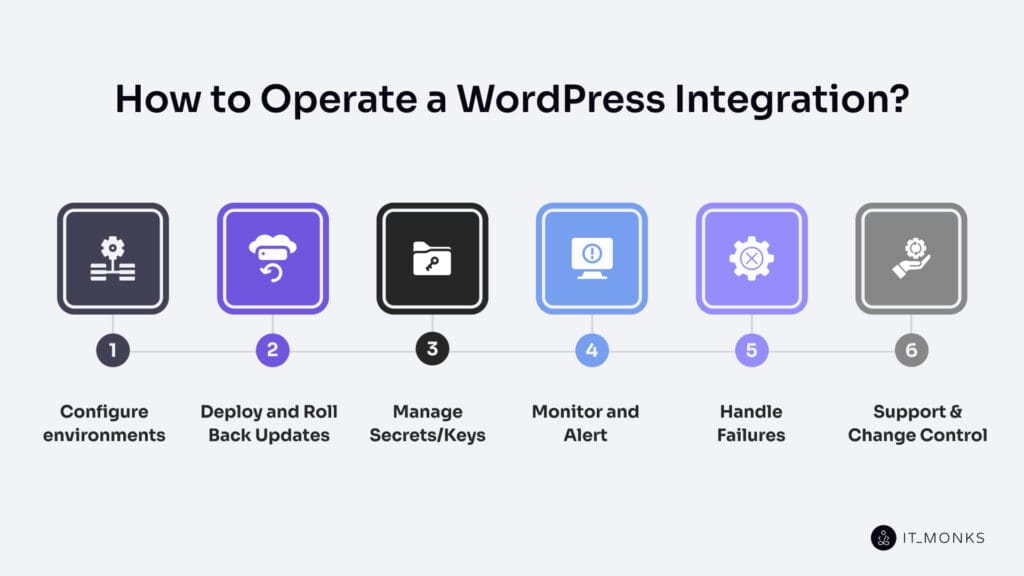
Configure Environments
The environment defines where a WordPress Integration runs. Each environment (development, staging, production) has its own WordPress instance and its own dedicated configuration. It includes a specific endpoint/URL, credentials/keys, permission set, data source (source of truth), identifier mapping rules, and logging settings. This separation creates a clear boundary for integration actions.
WordPress instance separation is the main rule. Staging supports safe testing in a non-production setup, while production supports live operation. Each instance connects to its own target system and applies its own access limits, which prevents cross-environment writes.
Integration configuration points every WordPress instance to the correct external system. Staging connects to test systems, and production connects to live systems that act as the source of truth. Logging levels also differ: staging logs are more for traceability, while production logs are for stable audit records.
Configuration keeps the same integration behavior and identifier mapping across environments, but uses different endpoints/URLs, credentials/keys, data sources, and logging levels. This structure protects data boundaries, verifies changes safely, and helps teams manage WordPress reliably through a controlled release path.
Deploy and Roll Back Updates
Deploying a WordPress integration applies a specific version of the integration change to a defined environment, such as staging or production. A deploy updates selected components, such as plugins, themes, MU plugins, services, or integration configurations..
Rolling back a WordPress integration restores the last working version of the WordPress instance when a release fails, breaks compatibility, or incorrectly moves data. Rollback restores the previously verified release version. Every release is tied to a known version and a safe revert path.
After a deployment, the integration verifies that key connections remain functional, permissions remain valid, data mapping rules continue to match correctly, and logs or audit records show normal behavior.
This approach protects WordPress data, stabilizes integrations, and enables teams to manage WordPress reliably when updates fail.
Manage Secrets/Keys
Secret and key management defines how WordPress integration handles sensitive credentials that grant or restrict entry to WordPress services. Secrets and keys include an API key, token, app password, OAuth2 client secret, JWT signing key, or webhook secret, each used to verify identity and control permissions.
These credentials are stored privately, protected, and restricted to the minimum necessary level, so only approved services or users can use them. Each credential has a clear owner and defined permissions, and is never published or reused outside its intended scope.
Staging and production environments always use separate credentials. This separation prevents test activity from affecting live WordPress data and limits the impact of a leaked key.
Credentials follow a simple lifecycle: create, use, rotate, revoke or expire, replace. All usage and changes are logged and audited to ensure traceability and ongoing control.
Monitor and Alert
Monitoring is the practice of continuously checking whether a WordPress integration is working as expected. It tracks integration runs through signals like success or failure, error rate, retry count, latency, queue backlog, webhook delivery status, API responses, authentication failures, and scheduled job results.
These signals are captured in log entries and audit records, so each data movement can be traced and diagnosed.
Alerting is the process of notifying the responsible owner when signals cross a defined threshold. An alert is triggered by a specific failure, delay, retry spike, or permission error and clearly states where the issue occurred, what changed, and the severity. Actionable alerts remove guesswork by pointing directly to the WordPress side, the external system, or the transport layer involved.
Without monitoring and alerting, missing updates, duplicate records, or incorrect WordPress data may go unnoticed. Early detection and clear alerts reduce time to fix issues and help manage WordPress reliably as changes occur.
Handle Failures
Handling failures defines how a WordPress integration stays controlled when data flow breaks. A break occurs when the system cannot send or receive data, match the correct record, transform or sanitize a value, or write an update. Proper handling detects the issue, stops unsafe repetition, applies limited retries where appropriate, and records evidence so problems cannot go unnoticed.
Issues are classified before action is taken. Temporary problems include timeouts, transport delays, or short outages. Permanent problems include permission or authentication blocks, identifier mismatches (WP ID, external ID, or UUID), schema conflicts, and transformation or sanitization errors.
The response strategy preserves data consistency. Temporary conditions may trigger controlled retries with strict limits, while structural conflicts pause or quarantine the affected record to prevent duplicate or incorrect updates. If instability occurs, the integration restores the last known-good state.
Each failure creates a log and audit record capturing the identifier, cause, and corrective action. This traceability allows teams to resolve root causes and manage WordPress reliably without data loss.
Support and Change Control
Support in a WordPress integration assigns responsibility for every incident and request after launch. A designated owner responds, investigates the issue, and relies on logs and audit records to diagnose impact and determine corrective action.
When responsibility crosses a boundary, the incident is escalated to the appropriate party, whether the WordPress team, an external system provider, or the service owner. Defined accountability and documented evidence make resolutions consistent and prevent ad-hoc fixes.
Change control governs how planned updates are introduced safely as part of structured WordPress maintenance. Each change requires approval, is linked to a release version, moves from staging to production, and includes a rollback path. All approved changes are recorded within the audit trail for traceability.
Together, structured support and controlled change management prevent untracked modifications, reduce recurring failures, and keep WordPress integration stable as plugins, services, schemas, and access rules evolve.
How to Monitor and Audit the Integration?
Monitor the integration by tracking a small set of clear signals to detect problems early during ongoing WordPress development. Audit it by keeping structured records that show what happened, when it happened, and who or what initiated the change. Monitoring detects issues; auditing explains them.
- Set monitoring goals. Focus on uptime (does it run), correctness (does data match the source of truth), and timeliness (does it complete as expected). Assign responsibility for each goal.
- Track priority signals. Monitor errors, retries, delays, authentication failures, webhook delivery, API responses, and scheduled job results. Define thresholds and response ownership.
- Log each integration run. Create searchable run logs that capture source, severity, identifiers, and technical details. These logs support operational diagnosis.
- Add alerts. Trigger alerts when thresholds are exceeded and notify the responsible party. Alerts should clearly state what failed and where to investigate.
- Verify real records. Sample records using identifiers (WP ID, external ID, UUID) and compare data across systems to confirm consistency.
- Maintain an audit trail. Record deploys, configuration changes, permission updates, and key rotation. Each entry must document who or what made the change, what changed, where, and when.
- Investigate using structured evidence. Trace alerts to logs, review retry patterns, check authentication events, and follow affected identifiers to identify root causes.
- Review regularly. Refine signals, thresholds, and documentation after incidents to strengthen operational control over time.
Contact
Don't like forms?
Shoot us an email at [email protected]
