WordPress Action Hooks

Table of Contents
WordPress action hooks connect themes, plugins, and custom functions to specific execution points, allowing custom functionality to run during site customization and maintenance.t
Action hooks work alongside filter hooks and use structures such as callbacks, priority, and arguments to organize code execution. This mechanism helps organize site functionality, control behavior, and keep WordPress implementation structured, maintainable, and easier to extend.
Because action hooks influence code execution and site behavior, their implementation, placement, and usage affect the stability and maintainability of a WordPress project. Well-structured callback functions, clear priorities, and structured hook usage help keep customization organized and consistent within WordPress.
What are Action Hooks?
WordPress action hooks are events in the WordPress hooks system that allow custom functions to run at specific points in the WordPress execution flow.
When a hook is triggered, the system executes the attached callback function, which executes tasks such as outputting content, triggering processes, or running custom logic at that point at that moment.
What Action Hooks are Used For?
WordPress action hooks extend WordPress’s functionality by adding custom logic, such as inserting content, running background tasks, sending data to external services, or triggering processes during events like page load, post publishing, or user actions. They allow developers to attach custom code that runs when WordPress triggers a hook, enabling controlled execution during the WordPress process.
When a defined event occurs in WordPress, the hook triggers a callback function that triggers the attached custom functionality and influences site behavior at that moment.
Action Hooks vs Filter Hooks
Action hooks and filter hooks in WordPress serve different purposes: action hooks trigger functionality, while filter hooks modify data or output before it is used or displayed.
Action hooks run tasks when an event occurs. When WordPress triggers an action hook, attached functions can execute tasks such as sending an email, logging an event, inserting HTML output, or registering a custom post type.
Filter hooks allow developers to modify data before WordPress processes or displays it. When WordPress applies a filter hook, the attached function can change a value or content, such as altering a post title, adjusting an excerpt, or modifying post content before display.
Basic Syntax of Action Hooks
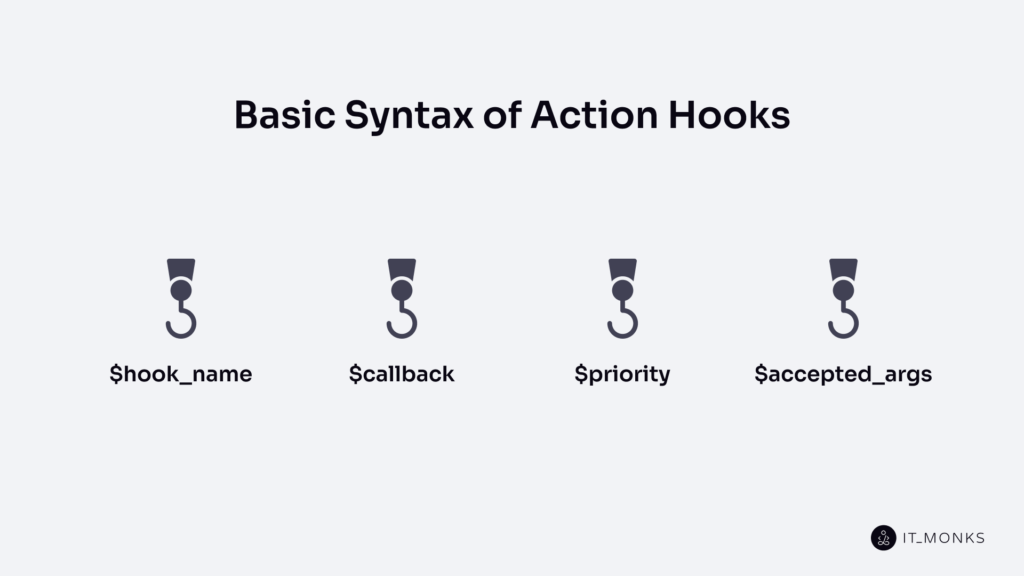
The basic syntax of WordPress action hooks shows how a custom function is attached to a specific hook so it runs when that hook is triggered. Through this structure, WordPress controls when the function is executed within the hook system.
The syntax shows how action hooks are written, how custom functionality is attached, and how execution is controlled in WordPress. This structure allows developers to extend WordPress behavior without modifying the core system.
$hook_name
$hook_name is the name of the action hook that identifies where WordPress attaches a custom function.
$hook_name points to a specific event or execution point in the WordPress process. When that event occurs, WordPress executes the function that is attached to that hook.
In the following example, wp_footer is the $hook_name. It identifies the wp_footer action hook and causes WordPress to run my_custom_function when the footer event occurs.
add_action('wp_footer', 'my_custom_function');$callback
$callback is the function that WordPress processes when an action hook is triggered.
$callback contains the custom code or logic that runs when the hook executes. In most cases, $callback is a custom function created by the developer.
In this example, my_custom_function is the $callback. WordPress executes this function when the wp_footer action hook is triggered.
add_action('wp_footer', 'my_custom_function');

function my_custom_function() {
    echo '<p>Custom footer content</p>';
}
$priority
$priority is the value that determines the execution order of callback functions in WordPress action hooks.
Multiple callback functions can be attached to the same hook. $priority controls the sequence in which those callbacks are executed. A lower priority number is processed earlier, while a higher priority number is processed later in the hook sequence.
Example:
add_action('wp_footer', 'my_custom_function', 20);Here, 20 is the $priority value, which determines when my_custom_function runs among callbacks attached to the wp_footer action hook.
$accepted_args
$accepted_args is the value that defines how many arguments a callback function can receive from a WordPress action hook.
Some WordPress action hooks pass arguments when they run. $accepted_args specifies how many of those values WordPress sends to the callback function. If the hook provides multiple arguments, the callback function must declare the same number of parameters to receive them.
This value is used when an action hook passes data that the callback function needs to process.
In the following example, 2 is the $accepted_args value, which means the callback function can receive 2 arguments passed by the save_post action hook.
add_action('save_post', 'my_custom_function', 10, 2);Common WordPress Action Hooks
Common WordPress action hooks are built-in hook points that developers attach custom code to at specific execution points. They run during key moments in WordPress, such as the frontend, admin area, post actions, template flow, REST API setup, or widget registration.
Below are some frequently used WordPress action hooks and their typical roles.
- init – executes early in WordPress and is used to initialize features or register custom post types.
- wp_enqueue_scripts – loads and enqueues frontend assets.
- admin_enqueue_scripts – loads scripts and styles for the WordPress admin area.
- wp_head – runs in the frontend page head section and allows adding meta tags or scripts.
- wp_footer – executes before the footer section of the frontend page and is used to load scripts or analytics.
- admin_init – triggers when the WordPress admin area initializes and is used for admin setup tasks.
- admin_notices – displays notices in the admin dashboard.
- save_post – executes when a post is saved or updated.
- before_delete_post – triggers before WordPress deletes a post.
- template_redirect – triggers before WordPress loads a frontend template and is used for redirects.
- rest_api_init – fires when the WordPress REST API initializes and is used to register routes.
- widgets_init – runs when WordPress registers widgets and allows widget setup.
Custom WordPress Action Hooks
Custom WordPress action hooks are hooks created by the developer. They create execution points inside a theme, plugin, or custom functionality where other functions can attach.
Developers use custom action hooks to define a specific moment in a workflow so additional functionality can run without changing the original code. This helps extend themes or plugins while keeping the structure organized.
A common use case is triggering extra functionality after a custom process, such as a checkout step, form submission, or plugin action. When the custom hook runs, attached functions execute the required logic.
Custom WordPress action hooks are used when built-in WordPress hooks do not exist at the required point in a workflow.
Example of creating and using a custom action hook:
do_action('my_custom_order_step', $order_id);

add_action('my_custom_order_step', 'my_order_step_note');

function my_order_step_note($order_id) {
  error_log('Custom action ran for order: ' . $order_id);
}
Where to Place the Action Hook?
WordPress action hooks are typically placed in a custom plugin, a site-specific plugin, or the theme’s functions.php file, depending on what the code controls. The location depends on whether the functionality should remain active after a theme change or belong only to the current theme.
A custom plugin is a common place to add WordPress action hooks because it keeps logic separated from the theme and ensures the functionality remains active if the theme changes.
A site-specific plugin is suitable when the action hook should remain active for one WordPress website regardless of theme changes. It helps organize site logic and maintain persistent functionality.
The functions.php file in the active theme is appropriate when the action hook controls theme-specific behavior, such as layout changes or theme features. In this case, the code belongs to the theme and typically changes when the theme changes.
Best Practices of Using Action Hooks
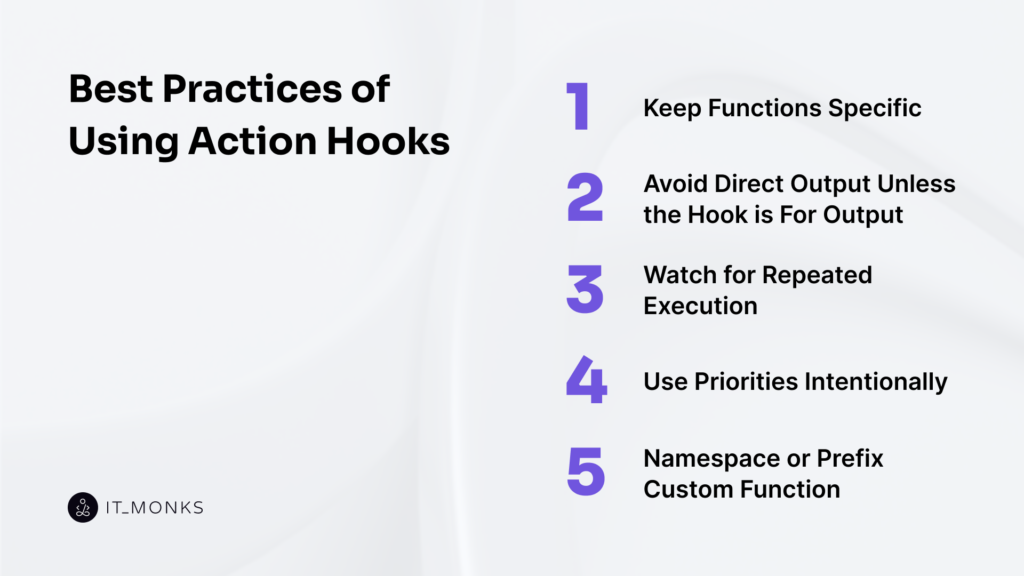
Keep Functions Specific
Keep callback functions focused when using WordPress action hooks so each function performs a clearly defined task within the hook.
A callback attached to an action hook should not combine unrelated actions. Keeping the function focused makes the code easier to maintain and reduces unexpected behavior.
Focused functions improve readability, maintainability, and debugging. When each callback handles a single task, the custom functionality stays organized and the code is easier to test and update. Separate functions can then connect to the appropriate WordPress action hook.
Example:
add_action('wp_footer', 'add_footer_notice');

function add_footer_notice() {
  echo '<p>Custom footer notice</p>';
}
Avoid Direct Output Unless the Hook is For Output
Avoid direct output in WordPress action hooks unless the hook is intended to display content. A callback function should only print HTML or text when the hook runs during page output, such as wp_head or wp_footer.
Hooks that run during page output allow callbacks to place HTML content in specific parts of a page. Printing content in these hooks works as expected because they execute during page rendering.
Other hooks are typically intended for logic or processing. Printing HTML in those hooks can cause misplaced content, layout issues, or difficult-to-maintain behavior. Limiting output to display hooks helps prevent these problems and keeps logic separate from visible content.
Example:
add_action('wp_footer', 'add_footer_message');

function add_footer_message() {
  echo '<p>Custom footer message</p>';
}
Watch for Repeated Execution
Watch for repeated execution when using WordPress action hooks to prevent a callback from running more times than intended. Some hooks can run multiple times during a single request or process.
This occurs when a hook is triggered again during steps such as rendering different parts of a page or repeated processing. If the callback does not control its behavior, it may cause duplicate output, repeated logic, or unintended side effects.
To prevent this, add a simple check inside the callback so the logic runs only once even if the hook triggers multiple times.
Example:
add_action('wp_footer', 'add_footer_notice_once');

function add_footer_notice_once() {
  static $done = false;

  if ($done) {
      return;
  }

  $done = true;
  echo '<p>Custom footer notice</p>';
}
Use Priorities Intentionally
Use priorities intentionally when working with WordPress action hooks. Priority controls the order in which callbacks run when multiple callbacks are attached to the same hook.
When several callbacks share a hook, WordPress executes them based on their priority value. A lower number is processed earlier, while a higher number is processed later.
Because callbacks can modify behavior, load scripts, or output content, the execution order can affect how the hook behaves.
Setting priorities intentionally helps organize callback execution and prevent conflicts between functions that depend on running before or after other callbacks. This makes execution more predictable when multiple components interact with the same action.
Example:
add_action('wp_footer', 'load_tracking_code', 5);
add_action('wp_footer', 'add_footer_message', 20);

function load_tracking_code() {
  echo '<script>console.log("Tracking loaded");</script>';
}

function add_footer_message() {
  echo '<p>Custom footer message</p>';
}
Namespace or Prefix Custom Functions
Use a namespace or unique prefix for custom functions attached to WordPress action hooks to avoid naming conflicts with WordPress core, themes, plugins, or other custom code.
WordPress loads code from many sources. If 2 components register functions with the same name, PHP triggers a fatal error. A prefix or namespace helps identify the function and separate it from functions used by other themes or plugins.
This practice protects hook-based code and keeps custom functions organized and easier to maintain.
Example:
add_action('wp_footer', 'mytheme_add_footer_message');

function mytheme_add_footer_message() {
  echo '<p>Custom footer message</p>';
}
Contact
Don't like forms?
Shoot us an email at [email protected]
