Lead Generation: Complete Guide

Table of Contents

Lead generation is the process of turning website visitors into potential customers.
It structures how a WordPress website captures user interactions, assigns lead types such as warm leads, MQLs, and SQLs, and routes those states through the conversion funnel using platform-controlled tracking and CRM logic.
Within WordPress, channels are exposed through pages, posts, and landing templates; CRM and event-tracking plugins enable qualification; and capture mechanisms, such as embedded forms, pop-ups, gated blocks, and chat widgets, are implemented through an extensible plugin architecture.
Optimization depends on speed, responsiveness, A/B testing, split testing, and the deployment of trust signals at the theme and plugin layers. These components collectively optimize funnel execution by aligning traffic intake, intent signals, capture events, and iterative adjustments inside the WordPress environment.
What is Lead Generation?
Lead generation is the process of collecting user data through a form or CTA (call to action) and converting interested users into leads. It identifies interested users, captures their contact details or behavioral signals, and moves them along the marketing funnel.
On a WordPress site, lead generation begins when a user interacts with an engagement point, such as a form, button, or link on a web page. This interaction triggers a data-collection event, creates a contact entry, and makes the lead available for follow-up actions such as automated emails.
The captured lead becomes a new contact state that can progress from subscriber to potential customer within the funnel.
WordPress supports this process by enabling embedded capture forms, CTA blocks, popups, and integrations that route form submissions into CRM or email systems. Each mechanism captures user data and routes it into the next conversion stage.
Lead Generation Channels
A lead generation channel is a traffic source that drives potential customers to the website, which functions as the conversion entry point. Channels act as acquisition paths that route visitors to landing pages, forms, CTAs, or gated content where lead capture occurs.
Each channel produces a distinct visitor flow and intent level: SEO delivers organic search users; SEM/PPC directs targeted clicks from paid campaigns; social media drives engagement-based traffic, often contributing cold leads. Email marketing sends returning or previously engaged users as warm leads. Referral sources route visitors from partner sites, while direct traffic arrives from users already familiar with the brand.
All flows ultimately end up in website conversion components that capture the lead. Channels supply the audience, but the website executes the conversion. Without a structured on-site environment, high traffic volume cannot produce qualified leads.
Lead Qualification
Lead qualification assesses whether a captured lead shows sufficient conversion potential to progress to the next funnel stage. It identifies, categorizes, and prioritizes leads based on the strength of their behavioral signals (such as interaction depth, frequency, and commitment level), using observed on-site actions to determine lead readiness rather than treating all submissions equally.
These signals are interpreted through user behavior analytics, which provides a detailed framework for understanding how users interact with WordPress site structures, content flows, and navigation paths, rather than treating all submissions as equal indicators of intent.
Such a qualification status defines the lead type; MQL (marketing qualified lead) signals early readiness through actions like gated content downloads or CTA engagement, while an SQL (sales qualified lead) signals stronger intent through pricing page depth or repeated evaluation visits and is typically routed to sales. Some funnels extend this classification into cold and warm leads to express relative intent strength.
A WordPress website anchors this process by capturing, detecting, and recording behavioral signals through form fields, gated content, CTAs, and analytics that track views, clicks, scroll depth, and session frequency. These signals are then routed via CRM sync plugins into scoring models that apply qualification thresholds.
Conversion Funnels
A conversion funnel structures the user journey from first site entry to a conversion event. Funnel movement follows four conversion stages, such as awareness, interest, decision, and action, each defined by specific touchpoints on the WordPress website.
A WordPress website guides the click path, tracks on-site behavior, and captures funnel signals through scroll depth, click events, gated-content access, and form interactions. These signals show how users progress through each conversion stage, where drop-offs occur, and which touchpoints require adjustment to maintain lead flow.
Qualification classification layers, such as MQL and SQL, interpret intent strength but do not replace the awareness-action sequence. They categorize leads based on engagement flow and inform how nurturing or routing continues within the funnel.
When site structure aligns with clear pathways, consistent data capture, and optimized interaction zones, funnel movement becomes more predictable, revealing clearer behavioral patterns that enable later optimization techniques to reduce friction and increase conversion rates across stages.
Lead Capture Mechanisms in WordPress
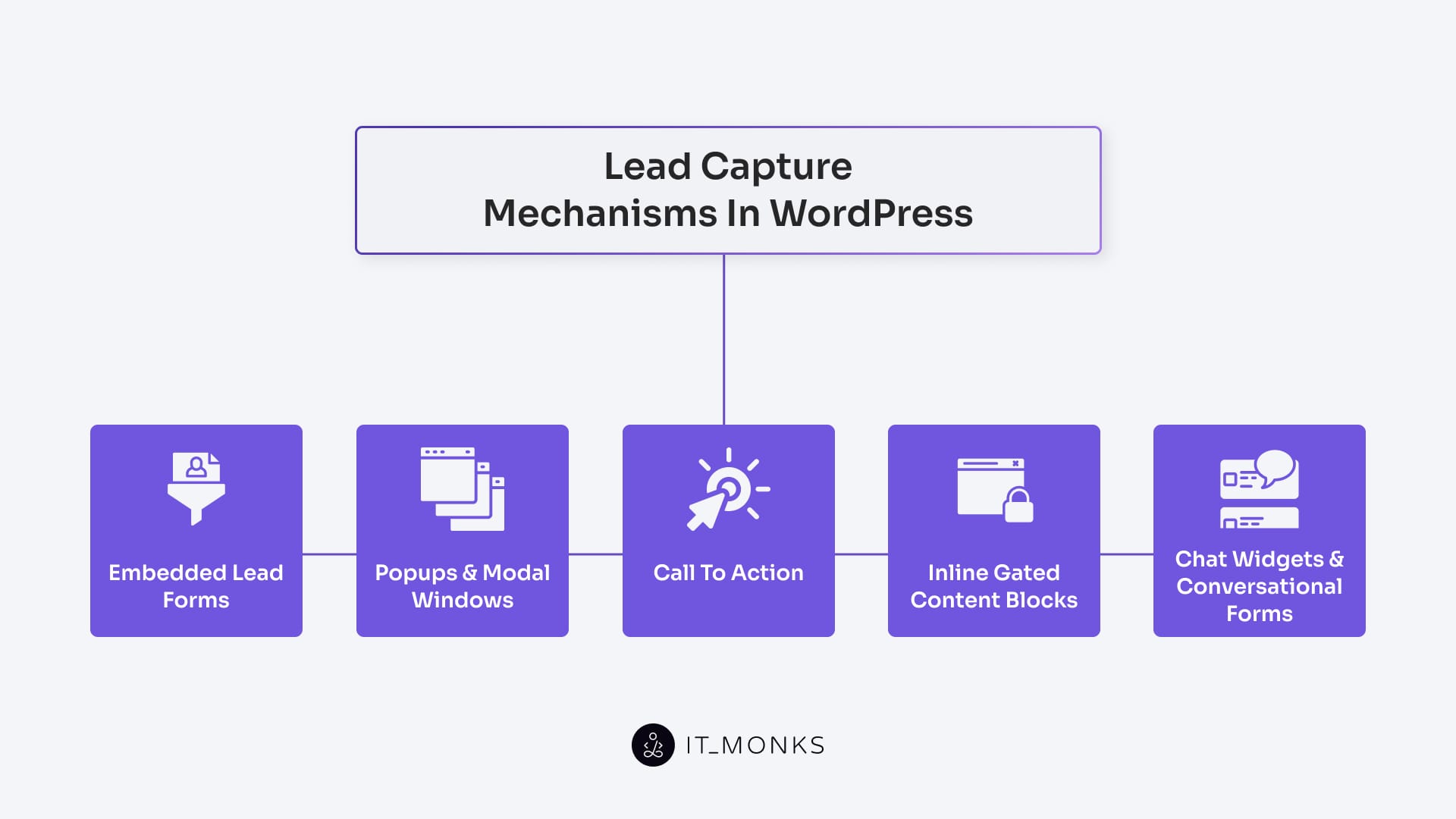
Lead capture mechanisms are on-site interactive interfaces that collect user input and convert visitors at a defined conversion point.
On a WordPress website, these mechanisms operate as planned interaction layers that present, prompt, or trigger data submission at specific user touchpoints. Their behavior depends on the site’s plugin architecture, theme layout, and UX configuration, which together define how each capture element is embedded and executed.
WordPress supports multiple capture methods, including plugin-enabled forms, modal interfaces, gated blocks, and widget-based interactions, such as chat interfaces, added through shortcodes, block editor components, or theme placements. Each mechanism serves as a funnel entry element, aligning data submission with page intent and interaction depth.
High-intent pages use embedded form fields, while lower-intent contexts rely on click-trigger popups or real-time capture through chat widgets. Effectiveness depends on precise UI-layer placement and integration with validation, automation, and CRM connectors across the submission workflow.
Developers select the mechanism based on funnel stage: embedded forms for service pages, modal windows for exit-intent triggers, gated blocks for educational assets, and conversational widgets for ongoing engagement.
Embedded Lead Forms
Embedded lead forms are inline form elements placed directly within a WordPress page layout to collect user data at a clear conversion point. They typically request information such as name, email, and qualifying details through structured input fields and submit this data as a form submission event that initiates lead creation.
On WordPress websites, embedded lead forms are built and managed through plugin integrations or native block editors, allowing forms to appear as a natural part of the content flow. Because they are placed directly on the page rather than triggered dynamically, they align closely with user intent and work best on pages with high intent, such as service descriptions, landing pages, blog footers, and contact sections. Their non-intrusive placement builds trust, supports direct engagement, and positions the form as a logical next step rather than an interruption.
Popups and Modal Windows
Popups and modal windows are overlay UI elements that appear above the main WordPress page content to prompt immediate user action. They function as dynamic lead capture prompts, displaying forms or CTAs when specific trigger conditions are met, such as scroll depth, time delay, or exit intent.
In WordPress, these mechanisms are implemented through popup plugins that control display logic without altering the underlying page structure. Their strength lies in capturing attention from passive or mid-funnel users who may not interact with embedded elements. When timed and targeted correctly, pop-ups can significantly increase lead capture on blog pages, resource hubs, and pricing-related content. Poorly timed or excessive overlays, however, can disrupt on-site engagement, making strategic trigger configuration essential to their effectiveness.
Inline Gated Content Blocks
Inline gated content blocks are locked sections of on-page content that restrict access until the user submits information through an embedded form. They are placed directly inside WordPress posts or landing pages and exchange gated access for user data, such as an email address or qualification details.
This mechanism targets users who are already engaged with the content and signals warmer intent. By embedding the gate within the content flow, the interaction feels contextual rather than transactional. WordPress enables this approach through plugins or custom blocks that reveal gated resources (such as PDFs, templates, or bonus insights) immediately after form submission. Because the user remains on the same page, inline gating maintains session continuity while converting engagement into qualified leads.
Chat Widgets and Conversational Forms
Chat widgets and conversational forms capture leads through real-time, dialogue-based interactions that simulate a guided conversation. Instead of presenting a static form, these interfaces ask questions progressively, collecting visitor input across multiple steps.
On WordPress sites, chat tools are added as plugin-based engagement layers that appear persistently or trigger based on user behavior. They support both reactive use, where visitors initiate the interaction, and proactive use, where the widget prompts engagement. This approach reduces friction by breaking data collection into smaller exchanges, making it effective for warmer leads or users who prefer interactive formats. In addition to capturing lead data, chat widgets often assist users by answering questions or routing inquiries, combining support and conversion into a single interface.
Call to Action (CTA)
A Call to Action (CTA) is the clickable element that activates lead capture on a WordPress website. It functions as the trigger that directs user attention toward a specific conversion path, such as submitting a form, opening a popup, unlocking gated content, or starting a chat interaction.
In WordPress, CTAs appear as buttons, links, banners, or block-level elements, strategically placed across page sections, including hero sections, inline content, and footers. Their effectiveness depends on placement, visual hierarchy, copy clarity, and timing, all of which are controlled through themes, block editors, or shortcode-based components. CTAs anchor every lead capture mechanism by initiating the interaction, making them the primary interface that turns passive browsing into intentional engagement and data submission.
Optimizing Lead Generation on WordPress
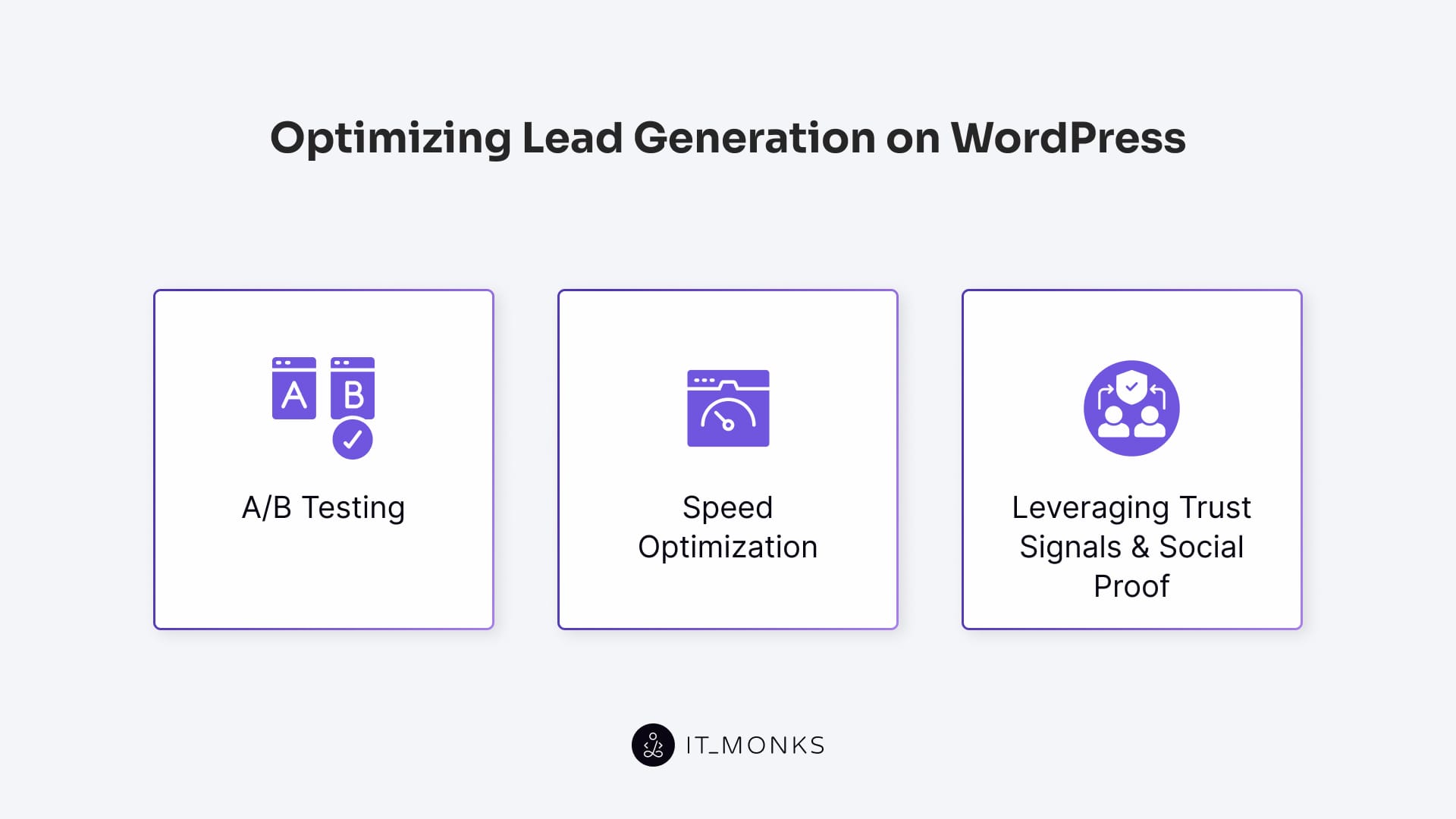
Website optimization directly impacts how effectively a WordPress site converts visitors into leads. An unoptimized site that is slow, unclear, or lacking trust cues reduces support for lead-generation actions and introduces friction in conversions. Insights from heatmap analytics help reveal where this friction forms and where users abandon key actions, providing diagnostic input for a broader conversion rate optimization guide.
Performance issues, unclear CTAs, inconsistent layouts, and weak trust factors affect lead quality and form-completion rates. Misconfigured assets, overloaded plugins, or poorly structured templates act as conversion barriers, preventing lead-capture mechanisms from operating as intended.
These friction sources lower conversion reliability, and resolving them enhances lead-generation performance by stabilizing behavior and reducing user effort.
Three methods address these barriers: A/B testing to validate interface decisions, speed optimization to improve loading behavior, and trust signals to strengthen user confidence and unlock additional conversion potential.
A/B Testing
A/B testing compares two test versions (A and B) of a lead-generation element on a WordPress site by showing each version to a separate visitor group. A WordPress plugin or an external testing tool displays variants, tracks exposure, and measures CTA clicks, form submissions, and other conversion metrics.
This controlled comparison aligns with the definition outlined in our guide on what is A/B testing, which explains that isolating a single change allows teams to measure its direct impact on user behavior without interference from other variables.
Each group receives only one version, enabling the test to compare conversion rates and identify the variant that optimizes lead capture.
Version differences typically involve CTA text, form length, headline wording, or page layout. A/B testing designates a target element, evaluates its variant-specific modification in version A or B, and selects the version that yields more completed forms or sign-ups. By performing controlled comparisons, A/B testing removes guesswork and improves data-driven lead generation decisions.
The testing tool records outcome data for each variant, and the resulting A/B comparison guides iterative optimization of WordPress landing pages and lead-capture components.
Speed Optimization
Speed optimization reduces a WordPress site’s load time, lowering friction before a visitor reaches any lead-capture area. Slow load speed increases conversion delay, causing early drop-off in the visitor session and blocking form and CTA interactions.
A fast-loading page improves user interaction because layout and scripts load sooner, and the lead-capture element becomes usable sooner. When performance barriers persist, conversions decrease.
On WordPress, speed can be improved by using a caching plugin, applying image and static file compression, enabling lazy loading, optimizing image formats, reducing CSS/JS size and execution cost, and selecting lightweight themes with minimal plugin overhead.
Leveraging Trust Signals and Social Proof
Trust signals and social proof reinforce conversion confidence by reducing the psychological barrier visitors experience when submitting a lead form on a WordPress site. Users assess credibility indicators alongside the offer, and these factors directly influence the conversion decision.
Trust signals such as SSL certificates, security or compliance badges, privacy policy links, and verified contact details display that data submission occurs in a secure, accountable environment. These elements validate the integrity of the form interaction. When positioned next to a form or CTA, they support the conversion area and reduce hesitation by validating responsible data handling.
Social proof, such as review or testimonial sections, client logo groups, star ratings, subscriber counters, and real-time activity notifications, reinforces that other users have engaged successfully.
In WordPress, these components are added via review plugins, theme blocks, widget areas, or custom-coded modules and functions, and they serve as credibility indicators that shape visitor perception.
Strategic placement is essential: trust signals support the immediate form area, and social proof near key CTAs boosts user reassurance. This arrangement increases perceived reliability and raises the likelihood of lead form completion.

Contact
Don't like forms?
Shoot us an email at [email protected]
