Explore our specialized services, tailored solutions, and industry expertise to elevate your digital presence. From custom WordPress development to seamless integrations, we build high-performing websites that deliver impact.
The new campaign copy is approved. The ads go live on Monday, and the landing page they point to still carries last quarter’s offer. You need to replace two sentences so the page says what the ads say. The layout stays the same, and so do the form, the tracking, and the offer terms. But those two sentences sit inside a page template that your team cannot edit, so the next step is a development ticket.
Once the ticket is filed, the request joins the development queue, and you no longer decide when it moves. If the edit is not live by Monday, you are left with three poor options. You can launch the ads with a page that contradicts them, hold the campaign until the website catches up, or ask for a temporary workaround, such as a duplicate page that someone later has to track down and remove. All three come from the same gap: the company has decided what customers should read, but the page does not say it yet.
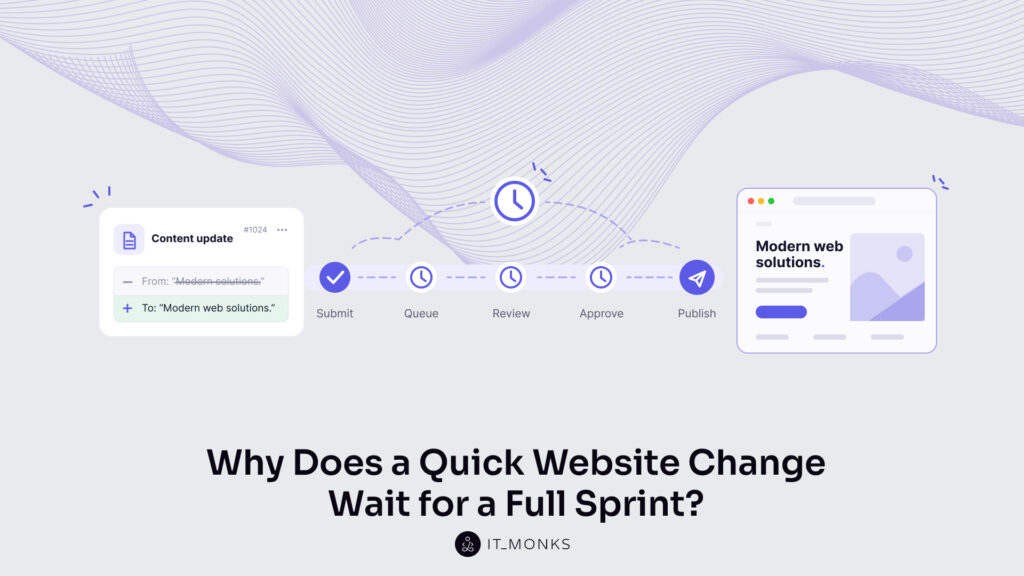
The edit itself takes a developer about ten minutes. If the change is that small, what takes the rest of the time?
Following One Request from Ticket to Live Page
To answer that question, follow the same request through every step until the new copy is live and checked. The timeline below is an illustrative model, not a measurement from a client project or an industry benchmark. Its numbers show how the delay builds up; your tickets will have different numbers. All times are business hours, so evenings and weekends are not counted.
Step
Who handles it
Active work
Waiting before this step
Submit and clarify the request
Marketer and project manager
10 minutes
—
Prioritize and schedule it
Project manager or development lead
5 minutes
4 business hours
Make the edit
Developer
10 minutes
32 business hours
Check the preview or staging version
QA reviewer
15 minutes
4 business hours
Confirm the implemented copy
Marketing owner
10 minutes
4 business hours
Release and check the live page
Developer and marketer
10 minutes
8 business hours
Total
60 minutes
52 business hours
Step by step, the request moves like this. You spend ten minutes writing the ticket, attaching the approved copy and confirming with the project manager which page it is for. The ticket then sits for half a day, because the project manager is planning work for several teams. Scheduling it takes five minutes: the development lead reads it, marks it as a small content change and gives it the next free slot. That slot is four working days away, because the developer is in the middle of planned work.
The developer then makes the edit in ten minutes. After that, the change waits half a day for a QA reviewer, who spends fifteen minutes checking it on the staging site, a private copy of the website where changes are tested before customers see them. It waits another half day for you to confirm that the text matches what was approved, and then a full day for the next scheduled release, when the developer puts it live and you both check the page.
In this model, the request takes 53 business hours from submission to a checked live page, which is more than six and a half working days of eight hours each. The active work adds up to one hour, and some of it is yours. Writing the ticket, answering questions, and checking the result never appear in the developer’s estimate, but they are part of what the change costs marketing.
Where the Time Went
Almost none of those 53 hours is work. The request spends most of its life waiting for the next person or the next scheduled moment, and each wait has its own cause.
Blocker
What happens
What the marketer experiences
Triage
Someone must clarify, classify and assign the request
“Has anyone picked this up?”
Sprint batching
A routine content edit joins planned development work
The campaign waits for the next available slot
Shared staging and QA
The edit travels with unrelated technical changes
A finished copy update waits for a larger release
Approval loops
Ownership is unclear, or the same copy is reviewed repeatedly
More chasing and conflicting feedback
Deploy windows
Approved changes can only go live at particular times
“Done” still does not mean published
Single-person dependency
One person has the access or knowledge to publish
Absence stops the process
Marketers know these waits well. In the 2025 B2B research by Content Marketing Institute and MarketingProfs, 33% of the 980 B2B marketers surveyed in 2024, most of them in North America, named workflow and content-approval issues as a challenge. One commenter in a LinkedIn discussion about website updates put the website version of the problem plainly: “waiting a full sprint just to tweak two sentences on a landing page is painful.”
None of these controls is there by accident. Developers have planned commitments, and a queue protects that work from constant interruption. Staging and QA catch a broken page before customers see it. Release windows let a team ship a group of tested changes together and watch what happens afterward. The trouble starts when a two-sentence copy edit travels through the same controls as a new form integration. When the workflow does not tell them apart, a small change pays the same overhead as a big one.
Holding a copy edit until the next release is a release policy, not a rule of sprint planning. Working in sprints doesn’t require holding every update until the sprint ends; holding them is a choice the team makes with code changes in mind, and it can differ for routine content.
Software teams have studied this problem for years. DORA, a long-running research program on how teams deliver software changes, lists “treating all changes equally” as a common pitfall in its guidance on streamlining change approval. When every change goes through the same approval process, review becomes inefficient, and reviewers cannot give their full attention to the changes that need it.
DORA recommends examining the whole change process, measuring how long changes wait for approval, and flagging higher-risk changes for extra scrutiny. Its research covers software delivery, not marketing publishing times, but the principle carries over directly: the checks should match what a change could break.
That principle also means risk is not the same as size. Two sentences that change a price, a guarantee, or a claim about what the product does may need sign-off from finance, legal, or a product owner. Two sentences that bring a landing page in line with already-approved ad copy usually do not. Word count alone cannot decide which checks a request needs; what the words commit the company to can.
Why Faster Code Does Not Fix the Whole Delay
AI coding tools are making the edit itself faster, and it is tempting to treat that as the fix. Go back to the timeline. If AI cuts the developer’s ten-minute edit to one minute, the request saves nine minutes. The 52 hours of waiting stay exactly where they were, because the edit was never the slow part.
AI can help with other steps too, such as drafting a clear ticket, comparing the staging page with the approved copy, or checking the live page after release. But generating code faster does not change who is allowed to edit the page, who approves it, or when releases happen, and those three decisions produce most of the 52 hours.
Some marketing teams skip the queue differently: someone in marketing starts building and editing pages directly with an AI tool such as Claude. One LinkedIn post about a team’s decision to hard-code its website with Claude drew 169 comments, and one commenter warned that code pasted in from another tool ends up fighting with the rest of the site.
This approach can give marketing real independence, and for some teams it works well. Before relying on it, though, ask whether another teammate could maintain those pages, review a change before it goes live, and publish it. If the answer is no, the team hasn’t removed its dependency; it’s just moved it from the development queue to the one marketer who knows how the pages were built. When that person is on vacation, the landing page is stuck again.
So the useful question for any setup is this: can the team publish routine changes reliably when its usual website operator is unavailable?
What Needs to Change in the Publishing Workflow
On a WordPress website, the answer depends on how the site and its editor are set up. Gutenberg, the WordPress page editor, builds each page from blocks, such as a heading, a paragraph, an image or a button. Developers can combine blocks into approved sections and decide what marketers may change inside them, for example the text and images, while the layout, colors and spacing stay as designed.
That kind of setup is the core of a website built around how marketing works, and each change in the table below removes a specific dependency: some remove waits from the first timeline, others remove the corrections and developer requests that come later.
Change to the setup
What the marketer can do
Which dependency it addresses
Make the relevant text editable
Change approved copy inside the page editor
Developer required for a text-only edit
Provide approved sections with controlled design settings
Edit content without rebuilding the layout
Repeated design decisions and formatting corrections
Assign appropriate editing and publishing permissions
Prepare and publish within an agreed responsibility
Unclear access or unnecessary administrator involvement
Name a reviewer and a backup
Get a decision from an available owner
Approval waiting and single-person dependency
Publish routine content independently of code releases, where the architecture supports it
Release approved copy without waiting for unrelated development
Sprint and deployment batching
Provide usable content revisions
Restore an earlier supported content version
Developer involvement in routine content recovery
The second row needs the most care, because WordPress offers two kinds of restriction that are easy to confuse. According to the WordPress developer documentation on block locking, standard locking stops people from moving or removing a block, and by default anyone with editing access can unlock it again.
Content-only editing goes further: inside a section, it hides the design tools and leaves only the text and images editable. Even then, the editor offers a “Modify” option that opens the broader design tools again, so the right permissions and a review step still matter. A request such as “marketing changes the words, not the design” has to be built into the site deliberately. How sections, patterns and design settings work in detail is covered in how Gutenberg speeds up content publishing.
Three further points decide whether the new path is safe as well as fast.
Permissions need deliberate setup. In WordPress, the standard Editor role can publish pages and edit pages that are already live. Giving a marketer that role lets them publish, but it does not create an approval step; nothing in the role itself makes them wait for a reviewer. If changes to live pages must be approved first, the team has to agree on that step and, where needed, add workflow configuration or tools that enforce it. The more people contribute, the more this planning matters, as the guide to WordPress setup by business size explains.
Revisions recover content, not the whole site. WordPress stores a revision each time a draft is saved or an update is published, and users allowed to edit the page can restore an earlier version of its content. That makes a bad copy edit in the page itself easy to undo without a developer. Revisions do not cover everything, though. Text stored outside the page content, for example in site settings or in a section shared by several pages, is not restored with the page, and revisions are not a backup of the website or a way to undo changes to code or plugins.
Editable content still needs checking. A longer sentence can wrap badly on a phone and push the form further down the screen. A section that appears on several pages changes on all of them when it is edited. Even a two-sentence edit needs a preview before publishing and a look at the live page afterward.
These points lead to a simple division of responsibilities. Routine content changes inside existing sections follow the editorial path: marketing edits, a named reviewer approves, and marketing publishes. New sections, changes to how a form behaves, integrations, and tracking changes go through technical review. Claims about pricing, legal terms or what the product can do go to the relevant business owner, whoever made the edit. Marketers handle everyday publishing, and developers spend their time maintaining and extending the site instead of swapping sentences.
The Same Request, Run Again
Now return to the same two sentences, starting from the same point: the copy is approved, and the ads go live on Monday. This time the sentences sit in an editable section, and the workflow above is in place. This timeline is illustrative, demonstrating the proposed workflow rather than guaranteeing results.
Step
Owner
Active work
Waiting
Edit the existing section and preview it
Marketing editor
10 minutes
—
Review the message and its presentation
Named reviewer or backup
10 minutes
60 minutes
Publish and verify the live page
Authorized marketing publisher
10 minutes
—
Total
30 minutes
60 minutes
The request now takes 90 minutes from start to a checked live page. The edit no longer enters the development backlog, and it no longer waits for a code release. The review stays: a named person still reads the copy and checks how it looks on the page, and if that person is away, the backup does it. The live check stays too. What disappears is the waiting for people and schedules that had nothing to do with two sentences of copy.
The faster path does not appear on its own. Someone has to build the editable sections, set up roles and permissions, agree who reviews which kinds of changes, name the backups, and train the marketing team to use the new setup. That is one-time work, and it has to be done before the second timeline is possible.
For marketing, the gain is practical. Approved messaging goes live while the campaign still needs it, and a copy test starts on the day it was planned, so the team starts learning from it sooner. Faster publishing does not raise conversion rates by itself. What it does is shorten the gap between a decision and the moment customers see it, which is exactly the gap the first timeline stretched to 53 hours.
How to Audit Your Own Site
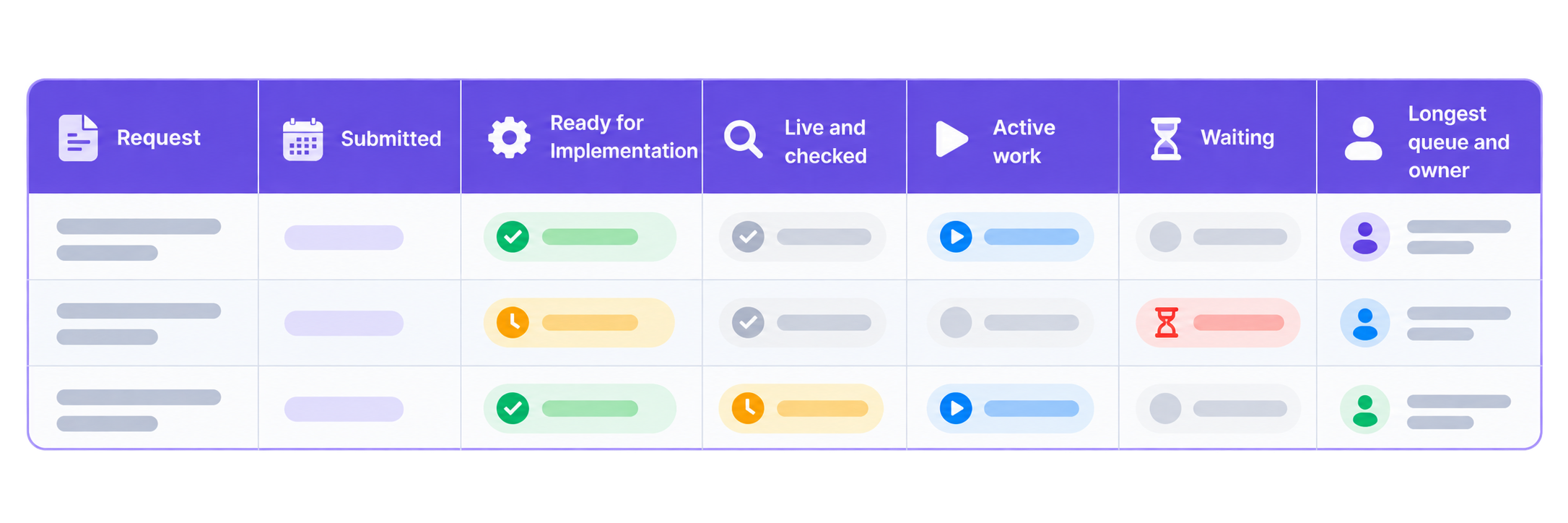
You do not need a new tool to find out which timeline your team is in. The record already exists in your tickets, messages and approvals. Take your last three small website requests and fill in one row for each:
Keep “submitted” and “ready for implementation” in separate columns. The gap between them shows whether the first delay came from the queue or from the request itself, for example when the copy was not final or the ticket did not say which page to change.
Reconstruct the sequence from tickets, messages, approvals and publishing records.
Include the work done by marketing, project management, development and reviewers.
Separate hands-on activity from time spent waiting for someone or something.
Find the longest queue that repeats across the requests.
Make one targeted change, then measure the next comparable requests.
For a simple request where each step follows the previous one, waiting time is the elapsed time minus the active work. If several people worked at the same time, write out the timeline step by step instead of subtracting the summed hours, or the waiting will look shorter than it was.
The longest queue points to the change worth making first:
Waiting for development because the text cannot be edited → make that content editable.
Waiting for approval → clarify who owns the decision and name a backup.
Waiting after approval → examine the publishing and release process.
Repeated formatting corrections → improve the sections, their design controls and the preview.
Missing information at submission → improve the request brief.
Three requests give you a starting diagnosis, not a benchmark for the whole company. When you compare a later request with an earlier one, check that the two are alike in scope, urgency and who was available to review them, so the difference you measure comes from the workflow change. If the waits you find affect every kind of content and not only small edits, the wider diagnosis of what slows WordPress content production is the next place to look.
Bring IT Monks those three requests. We will go through them with you and identify what needs to change in the website or the publishing workflow so that the next two-sentence edit does not wait for a release.







 ChatGPT
  Claude
  Grok
Grok  Gemini