Explore our specialized services, tailored solutions, and industry expertise to elevate your digital presence. From custom WordPress development to seamless integrations, we build high-performing websites that deliver impact.
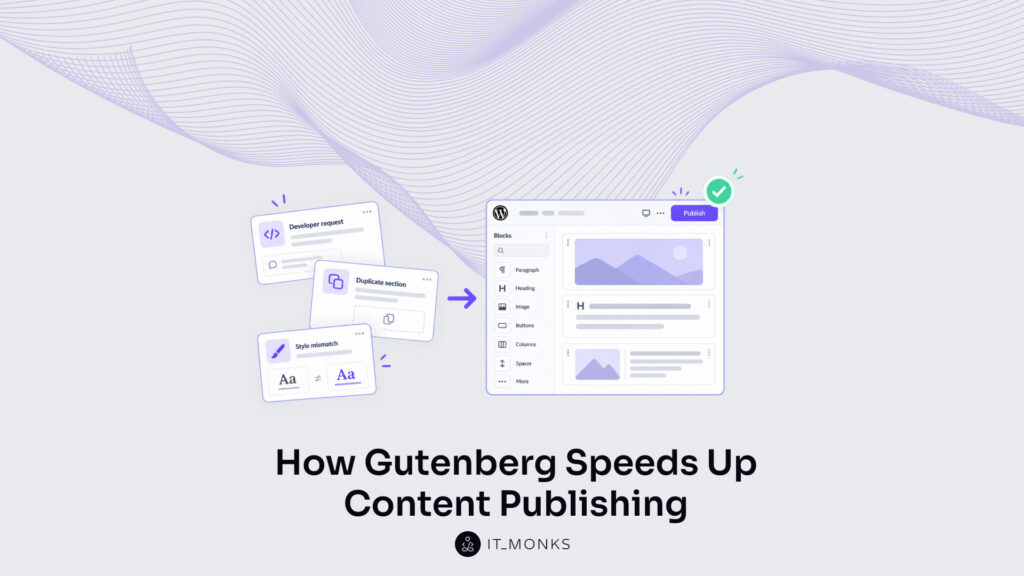
Imagine a marketing team two days before a campaign launch. The copy is approved, the images are ready, and the launch date is set, yet the landing page is still not live. The page needs a pricing comparison that the current template does not have, so the team is waiting for a developer to add it. A customer-proof section that already exists on another page cannot be copied over, so someone is rebuilding it by hand. When the draft finally reaches review, it comes back because the buttons are the wrong shade of blue and the headings are larger than on the rest of the site.
None of these delays come from the content; they come from the way the website was built. WordPress is supposed to let a marketing team publish its own pages, and the part of WordPress where that publishing happens is Gutenberg, the block editor.
Gutenberg builds every page from blocks, such as a heading, an image, or a button, which can be added, moved, and changed one by one. Whether working with blocks is fast or slow depends on what the website gives the team: ready-made sections, the freedom to rearrange them, and brand styles that are already set.
Why WordPress Publishing Takes Too Long
Delays like these trace back to how a site’s pages are put together, and three common setups cause them in different ways.
Every WordPress site uses a theme, the set of files that controls how its pages look and are arranged. On a site with an older, legacy theme, the text on a page can be edited but its structure cannot, because the theme decides which sections exist and in what order. When a campaign needs something the theme never planned for, such as the pricing comparison, the team has to request it from a developer and wait until it is built.
Page builders, plugins that let people design pages visually, can remove that wait, but only when they are set up with shared components, meaning sections that are styled once and reused. Without them, the marketer sets the font size, button color, and spacing by hand for every section, often inside several layers of boxes placed within boxes. The customer-proof section then has to be rebuilt on each new page, and because hand-set styles rarely match exactly, the review sends the page back for formatting corrections.
Hard-coded templates, where the layout is written into the site’s code, limit the arrangement instead. The page has fixed places for a headline, an image, and a paragraph, and the team can change what goes into them but not where they sit. If the campaign would work better with the customer quote placed right under the offer, the team has to either accept the weaker layout or ask a developer to change the template.
In each case, the team ends up doing work that has nothing to do with the campaign message: waiting for a developer, rebuilding and restyling sections, or settling for a layout that does not fit. That is why publishing speed depends on how a WordPress website for marketing teams is set up long before anyone writes the copy.
Give Marketers More Page Control
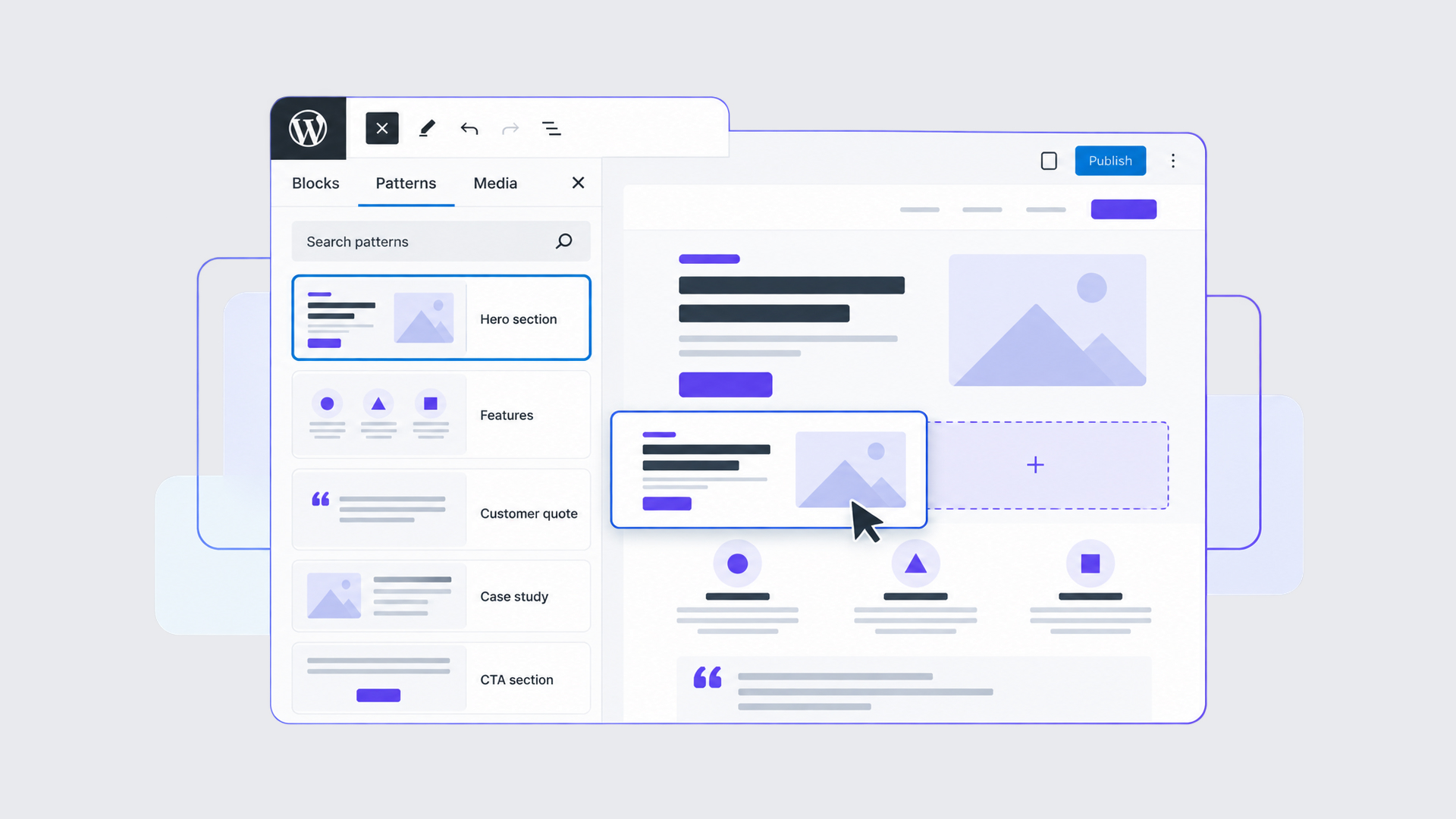
Gutenberg can end both the developer wait and the fixed layout when the website comes with a library of approved sections. A section is a group of blocks designed to work together, such as a customer-quote panel, a case-study summary, or a row of benefits with a button. A developer designs and styles each section once and adds it to the editor, and the marketing team then places sections on a page, changes their order, and fills them with campaign content. On the campaign page, that means the team can:
move the customer quote up so it sits next to the main offer, where a hesitant visitor sees proof at the moment of deciding;
place a relevant case study beside the product explanation, so the claim and its evidence appear together;
adapt an existing service page for a new audience by keeping its structure and replacing the copy and images;
prepare a second version of the page with the benefits in a different order and a different call to action.
None of these changes needs a development request, because the team is arranging sections that already exist. The same freedom makes page variations easier to prepare for testing, although splitting visitors between versions and measuring the results is still the job of a testing or analytics tool, not of Gutenberg.
This freedom covers only the sections the website already has, so a new capability, such as a price calculator or a connection to a new CRM, still has to be built by a developer. Arranging and filling the existing sections, on the other hand, should be part of normal publishing.
Reuse Sections Across Pages
Once sections can be moved freely, the next question is how they are stored and kept up to date across many pages. In Gutenberg, most approved sections are saved as patterns. A pattern is a saved group of blocks, for example a campaign introduction made of a headline, a paragraph, an image, and a button, that can be added to any page in one step instead of being built again. WordPress offers two kinds of patterns, and the choice between them decides what happens when a section that appears on many pages needs to change.
Reuse option
Marketing example
Publishing advantage
Standard (non-synced) pattern
Reuse a campaign introduction layout with different copy and imagery
Start from an established section instead of rebuilding it
Synced pattern
Keep the same promotional call to action across several related articles
Update the shared section once instead of editing every page
A standard pattern becomes an independent copy once it is added to a page, so editing it on the campaign page leaves other pages untouched. A synced pattern works differently: every page where it appears shows the same original, and according to WordPress pattern guidance, changes to it apply everywhere it has been added.
When the same call to action closes several blog articles, the team changes the offer once and every article shows the new version. For the same reason, changing the pattern for one article changes it for all of them, so the team should agree who may edit shared sections and who may only fill in content.
Some sections need the same design everywhere but different content on each page, such as a customer-quote panel that always looks the same while quoting a different customer. WordPress handles this with pattern overrides: a developer marks which parts of a synced pattern, such as its heading, text, image, or button, can be filled in separately on each page, while the design stays controlled from the original. With both kinds of patterns in place, the team stops recreating familiar sections and no longer has to track down every outdated version of a shared one.
Keep Pages Consistent with Your Brand
Patterns take care of structure, but brand styling remains a common source of rework. When the editor offers every color and font size, each new page asks the marketer to make design decisions again, and the review then catches the ones that came out wrong. A well-configured website removes most of those decisions by offering only the approved brand colors, heading sizes, and spacing.
One way developers define these options is a theme settings file called theme.json, which the WordPress documentation calls one of the best ways to control which design options appear in the editor. A brand palette alone does not prevent every inconsistent edit, though. If the editor still offers custom colors or free font sizes, sooner or later someone will use them and the page will drift off brand, so the developer has to decide deliberately which controls stay available.
On the campaign page, the marketer adds the approved offer section and replaces its headline, text, and button label, while the button color, heading size, and spacing are already correct. The review still happens, but it has fewer formatting issues to send back and can focus on whether the message is right and the claims are accurate.
Is Default Gutenberg Enough?
For straightforward articles and pages, it often is. The blocks that come with WordPress, such as headings, paragraphs, images, buttons, columns, and tables, cover this work well, especially once they are saved as patterns and limited to brand styles. Teams that regularly publish specialized content usually need more, for example:
specification tables that follow the same structure on every product page;
campaign forms with specific fields and a connection to the CRM or email platform;
case-study cards that show the client, the challenge, and the result in the same format;
product description sections with repeatable fields, such as features or pricing tiers.
What these teams need is a ready component built for one recurring task rather than a set of basic pieces. A specification table made from the standard table block can be saved as a pattern, but marketers can still add or delete columns, reorder rows, or paste data in a different format, so every product page needs checking.
A custom specification block instead gives marketers a fixed set of fields, such as material, size, and weight, and arranges whatever they enter into the same layout every time. Some needs can be met with standard blocks and patterns, while others require a plugin, a custom block, or an integration, as with a campaign form whose submissions must reach the right place in the CRM.
Marketing should not have to rebuild a complex component, or solve its technical setup, every time it publishes. IT Monks starts by identifying which content a team publishes repeatedly and which parts of that work still depend on a developer, and then builds the patterns, blocks, and settings that remove that dependency. On many websites, that means a set of well-made patterns and brand settings rather than extensive custom development.
Make WordPress Publishing Faster
On a website built this way, the campaign page that nearly missed its launch date comes together differently. The marketer opens a new page and adds the approved sections: the campaign introduction, the offer with its pricing comparison, the customer-quote panel, the case-study card, and the shared call to action. They add the campaign copy and images, send the page through the usual review, and publish it, without requesting a section from a developer, rebuilding one by hand, or correcting its colors.
That workflow depends on four conditions: components that match the content the team publishes, reusable layouts, brand settings that limit styling to approved choices, and clear rules on who may edit shared sections and who may only fill in content. Gutenberg provides the foundation for all four, but each one has to be set up for the content the team actually publishes.
If routine content changes still need development tickets, talk to IT Monks about building WordPress around your marketing team’s publishing needs.




 ChatGPT
  Claude
  Grok
Grok  Gemini