Explore our specialized services, tailored solutions, and industry expertise to elevate your digital presence. From custom WordPress development to seamless integrations, we build high-performing websites that deliver impact.
MariaDB and MySQL are the two relational database engines a WordPress site can run on, and the database engine choice affects how the site stores and retrieves content. The MariaDB vs MySQL decision usually comes down to performance, compatibility, licensing, and feature differences rather than a simple “newer versus older” split. This comparison explains where the two engines differ for WordPress and ends with a clear recommendation for which engine suits most WordPress sites.
What Are MariaDB and MySQL?
MySQL is a relational database management system, software that keeps data in related tables and returns it through structured queries. MariaDB is a relational database management system as well, a compatible alternative that began as a drop-in replacement for MySQL and still reads and writes data the same way.
A relational database, in WordPress terms, is the store that holds a site’s content: its posts, pages, comments, options, and the settings that decide how the site behaves. Each engine sits beneath WordPress and does one job. It stores the content a site publishes, and it serves that content back every time a visitor requests a page.
Point WordPress at one engine or the other and the site keeps the same data, the same tables, the same queries running against them. Where MariaDB and MySQL differ is in the details that shape an engine choice: how each one performs, how cleanly each fits a WordPress site, the license each carries, and the features each adds on top of that shared foundation.
MariaDB vs MySQL Performance
MariaDB vs MySQL performance comes down to a single practical measure: how fast each engine answers the queries a WordPress site sends it, page after page and write after write. Both are relational database engines, so neither is “slow” in any absolute sense. They differ on how they handle the specific load a WordPress install generates, and that is where a performance MariaDB vs MySQL look gets interesting.
That load has a recognizable shape. The front end of a WordPress site is read-heavy. Most requests pull posts, options, and term data out of the database to build a page. Then the admin area, cron, and plugins introduce write spikes: a post save, an option update, a batch of imported products, a logging plugin flushing rows. So the engines are compared not on a synthetic benchmark but on a read-heavy stream punctuated by bursts of writes.
Two mechanisms drive the divergence. The first is how each engine handles concurrent connections. MariaDB exposes a thread pool in its open-source build, which holds throughput steady as concurrent connections climb, because a fixed set of worker threads serves many connections instead of spawning one thread for each.
MySQL Community Edition, by contrast, opens one thread per connection by default and reserves its pooled-thread option for the Enterprise edition, so the community build carries more per-connection overhead as concurrency rises. The second is the storage-engine default, the layer that actually reads and writes rows, and the choice that most affects WordPress query speed.
Dimension
MariaDB 10.x / 11.x
MySQL 8.0+
Thread pool / connection handling
Thread pool ships in the open-source build; pooled workers hold queries-per-second steady as concurrent connections climb under heavy load
One-thread-per-connection by default; the pooled-thread option is Enterprise-only, so the community build adds a fresh thread per connection
Storage-engine default
InnoDB, with Aria and other engines selectable per table
InnoDB
Query throughput under a WordPress read/write mix
Holds a small, concurrency-dependent edge as connections climb, on the strength of the thread pool; the advantage narrows on MySQL 8.0 and later
Optimizer work in the 8.0 line closes most of the single-query gap at typical WordPress concurrency, so the two effectively tie at ordinary traffic
On storage engines the two have converged. Both default to InnoDB, so a typical WordPress table behaves much the same on either side, and the headline MariaDB vs MySQL performance gap on a single query is narrow. MariaDB keeps extra engines such as Aria available per table, but a stock WordPress install rarely touches them. Where the comparison actually separates is concurrency.
As dozens, then hundreds, of connections pile up , MariaDB’s thread pool keeps queries-per-second flatter, while a one-thread-per-connection MySQL community build spends more time and memory managing threads.
For a typical WordPress site running modest traffic, the difference is marginal and version-dependent: MySQL 8.0 and later effectively ties MariaDB on single-query speed, and most site owners would never notice which engine answered.
The gap only widens at the high end. Under heavy concurrency, MariaDB’s thread pool holds queries-per-second steadier than a one-thread-per-connection MySQL community build, so MariaDB tends to keep a modest edge there while the two stay effectively even at ordinary traffic. Because that edge is concurrency-dependent and narrow at typical WordPress load, raw speed rarely settles the choice on its own. Whether the engines stay interchangeable once a site is already running is a separate question.
MariaDB vs MySQL Compatibility
MariaDB vs MySQL compatibility asks whether a WordPress site continues to run unchanged when one engine stands in for the other. In fact, it does. Compatibility is the precondition every other difference depends on: a MariaDB vs MySQL features comparison only becomes meaningful once both engines run a WordPress site without modification, which they do, because WordPress was written against MySQL, and MariaDB was built to answer to the exact same commands, wire protocol, and SQL dialect that WordPress already speaks.
That is the core of MariaDB’s design. MariaDB is a binary-compatible replacement for MySQL, which means WordPress treats the two as interchangeable: the same queries, the same connectors, the same table definitions, no plugin rewrites and no schema changes. WordPress runs on either engine without knowing or caring which one answered.
The practical payoff shows up at the hosting layer: a managed WordPress host can swap MariaDB in for MySQL, or back again, without breaking the site, and many hosts have quietly done exactly that. The engines support the same feature set WordPress relies on, so day-to-day they behave as one.
Compatibility does carry a version floor, and that is the one place the two need to pair against WordPress’s own requirements.
Version requirement. WordPress names MySQL 8.0 or later, or MariaDB 10.5 or later, as its current database recommendation, and it still supports earlier releases down to its documented minimum. Each database minimum matches a specific WordPress release. MySQL 8.0 or later pairs with a current WordPress install just as MariaDB 10.5 or later does. The full WordPress PHP and database version requirements set both database thresholds alongside the PHP versions a site needs.
Stay above those thresholds, and compatibility is a settled question. A site on MySQL 8.0 and a site on MariaDB 10.5 run the same WordPress core, plugins, and theme code. Where the engines contrast (licensing terms, the storage layer’s internals, JSON handling), none of it changes whether WordPress boots.
For that reason, compatibility rarely blocks the decision. Either engine keeps a WordPress site working, so the choice does not turn on whether the software runs; it turns on what each engine costs to use and how each is licensed.
MariaDB vs MySQL Licensing
Licensing sets the terms under which each engine may be run and redistributed inside a WordPress project, and on that point MariaDB and MySQL diverge along the GPL line. MariaDB ships under the GNU General Public License alone: a single open-source grant that governs every copy. MySQL carries a dual license instead. The same GPL open-source edition is available, plus a separate commercial license offered to organizations that want to embed the engine in closed, redistributed products without the obligations attached by the GPL.
For a WordPress site, the distinction has little practical effect. WordPress core is released under the GPL, so the open path already matches the stack a site runs on, and either engine’s freely available edition satisfies that fit. The commercial half of MySQL’s dual license answers redistribution cases, bundling a database inside proprietary software, which a normal WordPress deployment never reaches.
Among the MariaDB vs MySQL differences a site owner actually weighs, licensing rarely forces the engine choice. Both open editions install, store content, and serve queries under terms compatible with a GPL WordPress stack.
What the mysql vs mariadb differences in licensing signal is closer to project values than to function: a single GPL grant reads as a fully open commitment, while a dual license keeps a commercial option in reserve. The engines match WordPress on licensing either way, which leaves the meaningful separations to how each one performs and what it stores.
MariaDB vs MySQL JSON Support
JSON support describes how each engine stores and queries JSON as a data type, the structured text format a growing share of WordPress data now takes. MySQL 8.0 provides a native JSON data type: a dedicated column that validates documents at input, stores them in a compact binary format, and reads individual fields without parsing the entire value.
MariaDB differs on storage. Its JSON type is an alias for a LONGTEXT column, so it stores the document as plain text rather than a dedicated binary type, and it does not validate the value on input the way MySQL’s native type does; that check is available only through an explicit JSON_VALID constraint. MariaDB still supports much of the same query syntax on top.
The point of contact for a WordPress site is the data that plugins and post meta increasingly store as JSON: block settings, form definitions, and the configuration a plugin serializes into a single field. Either engine stores and returns that data correctly for a standard WordPress workload, so the divergence sits in the underlying type, not in whether the data survives a round trip. That leaves the choice to rest on the full mariadb vs mysql features comparison rather than on this single data type.
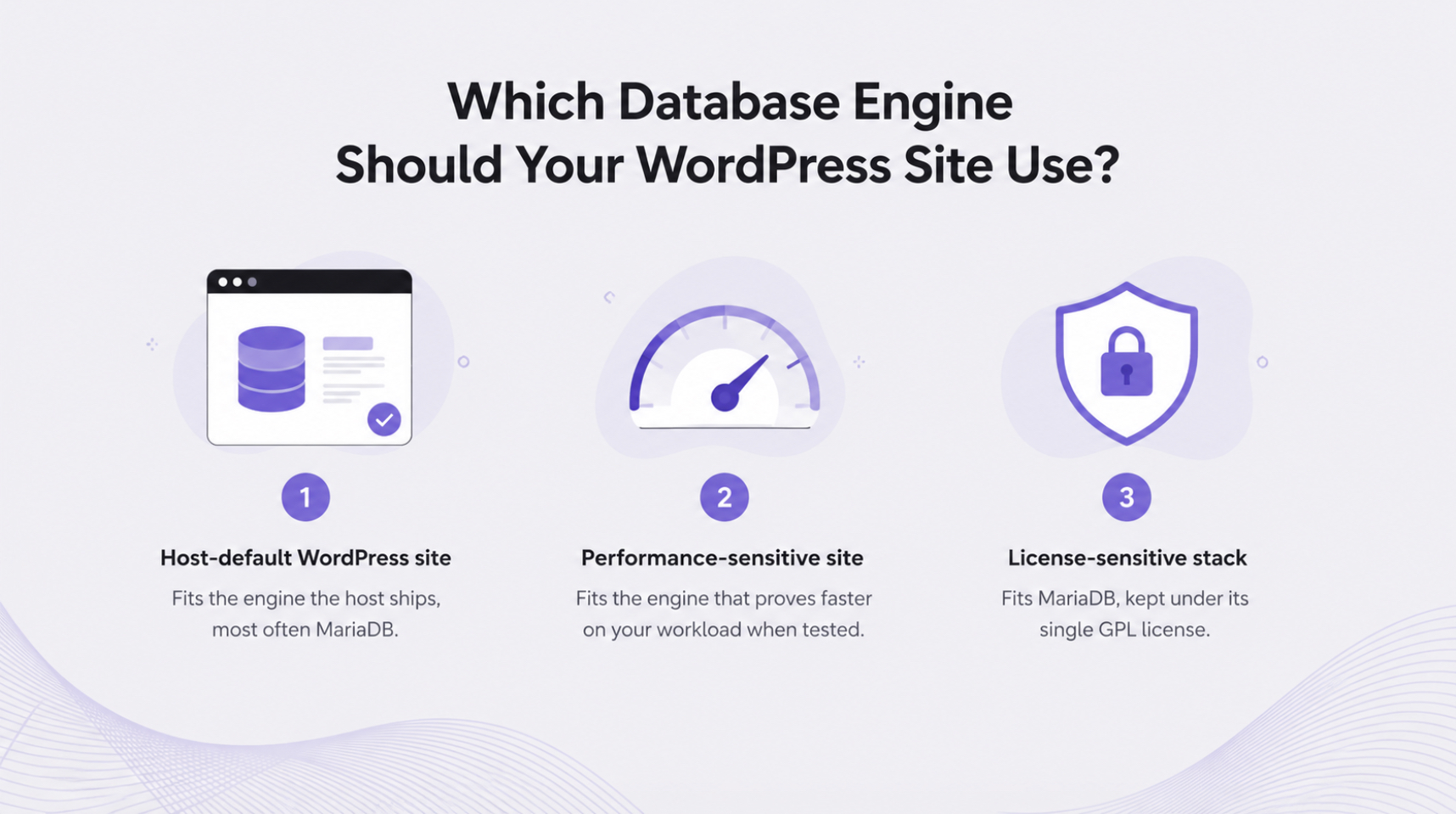
Which Database Engine Should Your WordPress Site Use?
Choosing a database engine for a WordPress site comes down to one question: which engine fits the way the site actually runs. The performance, compatibility, licensing, and feature differences between the two engines only matter when weighed against that one workload, not when evaluated in the abstract.
For most owners, the question rarely becomes a hard decision. A managed host ships one engine by default, and that default, commonly MariaDB, suits an ordinary WordPress workload with no compatibility cost on either side. Compatibility almost never blocks the choice, so the shipped engine is the practical answer for most sites.
A sharper requirement is where the two engines diverge. A performance-sensitive WordPress site may prefer the engine that proves faster on its own workload once tested, rather than on a generic benchmark. A license-sensitive stack may prefer MariaDB, which is under a single open GPL license rather than the dual arrangement that governs MySQL. Neither preference makes one engine broadly faster or better; each simply fits a narrower need more closely.
The recommendation is stated as a short set of criteria:
A host-default WordPress site fits the engine the host ships, most often MariaDB.
A performance-sensitive WordPress site fits the engine that proves faster on its own workload when tested.
A license-sensitive stack fits MariaDB, kept under its single GPL license.
However the mysql vs mariadb decision lands, the engine matters only once it runs on the live site correctly. That makes configuring the chosen MySQL/MariaDB engine for WordPress the next step for any site owner.
What Is the Default Database Engine on Managed WordPress Hosts?
The default database engine on a managed WordPress host is the engine the provider provisions automatically, before a site owner picks anything at all. On most managed WordPress hosts that default engine is MariaDB, often a 10.x release, because the platform’s control panels and one-click installers ship it as the standard relational store for a WordPress site’s content and settings.
A smaller share of hosts comes with MySQL instead. The effect is plain enough: the host default determines which engine most live WordPress sites actually run on, since few owners switch it after launch. So before any MariaDB vs MySQL feature comparison gets practical, the first thing to settle is which of the two a given host already has provisioned. The shared database admin tool reports the running server version on its main screen, a quick check explained in how to confirm which database engine a host runs.
Why Are MariaDB and MySQL Separate Engines?
Two separate database engines exist for a WordPress site to choose between, and the reason is one of origin rather than a split in purpose. MariaDB and MySQL are distinct engines because MariaDB originated as a community-built alternative to MySQL, developed by the same original developers and deliberately kept compatible with it.
That shared starting point is why a WordPress site can store its content and settings in either one, and why the two still diverge in performance, compatibility, licensing, and features that set them apart today. A WordPress engine choice exists at all only because one engine began as an open alternative to the other, which is exactly what a MariaDB versus MySQL comparison weighs before a site settles on the engine that fits its workload best.




 ChatGPT
  Claude
  Grok
Grok  Gemini