- Expertise
Expertise That Drives Results
Explore our specialized services, tailored solutions, and industry expertise to elevate your digital presence. From custom WordPress development to seamless integrations, we build high-performing websites that deliver impact.
Solutions- Booking System Integrations
- Headless & REST API WordPress
- Hubspot Integration
- Enterprise WordPress
- Website Migration
- Internal Collaboration Platforms
- External Communications Hubs
- Work
- About
- Proof
- Contact
Learn more


WordPress PHP Compatibility

WordPress PHP compatibility is the version-pairing relation between WordPress core and the PHP runtime that defines which WordPress version runs on which PHP version. This lookup shows which WordPress versions support which PHP versions before a site upgrade, migration, or hosting review. It spans the supported range, the minimum PHP requirement, PHP 8.x compatibility, and a checker for matching WordPress PHP versions without turning the topic into a “best PHP version” pick or an upgrade walkthrough. The scope is limited to what runs on what within the PHP for WordPress runtime context.
What Is WordPress PHP Compatibility?
WordPress PHP compatibility is the relation that pairs a WordPress version with a PHP version and records whether WordPress core supports that combination. WordPress is built in PHP, so yes — WordPress runs on PHP, and it has since the project began. Each install is a pairing: WordPress 6.8 on PHP 8.2, WordPress 6.6 on PHP 7.4, and so on. The relation indicates whether a given pairing has been tested and supported by WordPress core.
Three things make up the pairing. A WordPress version sits on one side. A PHP version sits on the other. Between them sits a support status: supported, the minimum the install needs to start, or not supported. WordPress core decides that status by testing each release against the PHP versions in circulation and publishing the result, so the status is a documented fact rather than a guess about whether the two are compatible.
A pairing fact is narrower than a bare PHP release fact. “PHP 8.3 shipped in November 2023” is a fact about the language alone; it says nothing about WordPress. “WordPress 6.8 runs on PHP 8.3” is a compatibility fact because it links a WordPress version to a PHP version via support status.
Reading the pairing matters most right before an upgrade or a migration, when a site is about to change either the WordPress version, the PHP version, or both, and the move only succeeds if the new pair is one core supports. Which single PHP version a site ought to run is a separate decision and a separate question; this pairing read stays neutral on it.
WordPress Supported PHP Versions
WordPress supported PHP versions are the PHP releases WordPress core has tested against a given WordPress version and marked compatible. “Supported” is a tested status, not a guess. WordPress core runs each release against the PHP versions in active use and publishes which pairings pass. The supported range for a current WordPress version stretches from the minimum it will start on up to the newest PHP release core has cleared, and everything inside that range is a pairing WordPress core has tested and supports.
The range has moved upward over the last several releases. Current WordPress versions support PHP 7.4 at the low end and PHP 8.4 at the high end, with PHP 8.5 removed in the latest releases; PHP 7.2 and 7.3 have been dropped from the supported set in recent versions. WordPress core also retired its two intermediate labels: “compatible with exceptions” went in April 2025 and “beta support” went in May 2026, so the published matrix now records a clean compatible-or-not status per pairing rather than a graded one.
A WordPress-by-PHP compatibility matrix maps recent WordPress major versions against the PHP versions in that range, with each cell sourced to WordPress core’s published tested-support decisions (Make WordPress Core, PHP Compatibility and WordPress Versions handbook, 2026). Reading it confirms a single thing for a planned move, whether the pairing is in range, without ranking the columns against each other.
| WordPress version | PHP 7.2 | PHP 7.3 | PHP 7.4 | PHP 8.0 | PHP 8.1 | PHP 8.2 | PHP 8.3 | PHP 8.4 | PHP 8.5 |
|---|---|---|---|---|---|---|---|---|---|
| 6.6 (Jul 2024) | Not compatible | Not compatible | Compatible | Compatible | Compatible | Compatible | Compatible | Not compatible | Not compatible |
| 6.7 (Nov 2024) | Not compatible | Not compatible | Compatible | Compatible | Compatible | Compatible | Compatible | Compatible | Not compatible |
| 6.8 (Apr 2025) | Not compatible | Not compatible | Compatible | Compatible | Compatible | Compatible | Compatible | Compatible | Not compatible |
| 6.9 | Not compatible | Not compatible | Compatible | Compatible | Compatible | Compatible | Compatible | Compatible | Compatible |
| 7.0 (Apr 2026) | Not compatible | Not compatible | Compatible | Compatible | Compatible | Compatible | Compatible | Compatible | Compatible |
Each row reads as a supported set for one WordPress version, and each column reads as the WordPress versions that clear one PHP release. The same axes carry forward into the per-PHP-8.x read, so the granularity stays consistent: WordPress major.minor against PHP major.minor.
WordPress PHP Support by Version
WordPress PHP support by version is the set of PHP versions a single named WordPress version runs on, the compatibility matrix read one row at a time. Each WordPress version supports its own band of PHP releases, and answering “does WordPress 6.8 support PHP 8.3” is a direct yes-or-no read off that row rather than a calculation.
WordPress 6.8 supports PHP 7.4 through PHP 8.4. So yes, WordPress 6.8 runs on PHP 8.3 and PHP 8.4; it does not run on PHP 7.2 or 7.3, which were removed from the supported set before this release. WordPress 6.6 reads slightly tighter for contrast: it supports PHP 7.4 through PHP 8.3 but stops short of PHP 8.4, which core had not yet cleared when 6.6 shipped in July 2024. The shape is the same in both cases (a continuous band from the 7.4 floor up to a ceiling that climbs by one PHP minor every release or two), only the top edge differs.
Reading support this way answers the migration question precisely. A site owner moving to a target PHP version checks whether the WordPress row includes that column; if it does, the pair is supported; if not, either the WordPress version or the target has to change. Which target to aim for is settled separately.
Latest PHP Version for WordPress
The latest PHP version for WordPress is the highest PHP release that WordPress core currently supports, the top of the supported range, read straight off the compatibility matrix. As of mid-2026, that ceiling is PHP 8.4 for WordPress 6.8, with PHP 8.5 cleared in the newest 6.9 and 7.0 releases, making 8.5 the current top of the range for sites on those versions.
This is a neutral fact about the ceiling, not advice to run it. The supported range has a top because core stops testing somewhere, and naming that top says only that the pairing is cleared, not that it is the version a particular site should move to. The two ideas pull apart cleanly: the supported ceiling is the highest PHP a WordPress version will run on, while the version a site ought to target factors in hosting, plugin readiness, and long-term maintenance.
When the question shifts from “what is the highest WordPress supports” to “so which one should this site actually run,” that answer is covered in the companion read on the recommended PHP version for WordPress, which weighs the trade-offs the ceiling fact deliberately leaves out. A developer scoping a move reads the ceiling here and takes the target decision there.
WordPress Minimum PHP Version
The WordPress minimum PHP version is the lowest PHP release WordPress will start on — the floor of the supported range, the value a host must meet before the install runs at all. WordPress requires this minimum as a hard constraint: below it, core refuses to load, so the floor is the requirement the server has to satisfy first.
Two documented numbers describe that floor, and they have diverged. WordPress core last raised the absolute minimum to PHP 7.2.24 in July 2024, and the 6.x branch still carries that value, a 6.x site will technically start on 7.2.24 (WordPress.org Core Handbook). The effective floor for current development, though, is PHP 7.4.0: WordPress 7.0, released in April 2026, drops PHP 7.2 and 7.3, so anything on those releases stays on the 6.9 branch while 7.0 and later require 7.4 or higher.
The recommended floor published on the WordPress.org requirements page sits higher still, but that recommendation is a target rather than a requirement and is decided separately.
The minimum is the low end of the same supported range the compatibility matrix covers from the top. Where the supported ceiling marks the newest PHP a version clears, the minimum marks the oldest it tolerates, and a host that provisions anything under the floor leaves the install unable to run. The host has to clear the floor for WordPress to start at all; choosing how far past it to provision is a separate call.
WordPress PHP 7 Compatibility
WordPress PHP 7 compatibility covers which WordPress versions still run on the legacy PHP 7.x branch, PHP 7.2, 7.3, and 7.4, and where each of those minors sits in the supported set. PHP 7.x is the older runtime line that predates the PHP 8 series, and parts of it remain in the picture only because the floor still reaches into it.
The legacy pairings line up with the minimum floor. PHP 7.2 anchors the absolute documented minimum at 7.2.24, the value the 6.x branch starts on, while PHP 7.3 sits just over it; both, however, fall outside the supported set for current WordPress versions, which mark PHP 7.2 and 7.3 as incompatible from WordPress 6.6 onward. PHP 7.4 is the survivor of the branch: it remains compatible with recent WordPress versions and becomes the effective floor once WordPress 7.0 drops the two lower minor versions.
A site still on PHP 7.2 or 7.3 pairs only with the 6.9 branch and earlier, whereas a site on PHP 7.4 keeps pairing with current releases. WordPress core carries one of the three legacy minors forward and leaves the other two behind, and that single survivor, PHP 7.4, is exactly the documented floor named earlier.
WordPress PHP 8 Compatibility
WordPress PHP 8 compatibility describes which WordPress versions support each PHP 8.x minor release (8.0, 8.1, 8.2, and 8.3) and at what status. PHP 8 arrived as a major language jump, and WordPress did not declare full support for every minor on day one. Compatibility was confirmed minor by minor, version by version, and the result is a clean lookup once the major-and-minor granularity is laid out.
The current picture, per the WordPress.org Core Handbook, is that recent WordPress releases run on the entire PHP 8 line. PHP 8.0 has been supported since WordPress 5.6, and PHP 8.1 since WordPress 5.8, every WordPress version from those points forward runs on them, so any maintained install already clears 8.0 and 8.1. PHP 8.2 was introduced with WordPress 6.0. PHP 8.3 was added as beta support in WordPress 6.4 and raised to full compatibility in WordPress 6.8. Each pairing is a direct match: a WordPress version on the left, the PHP 8.x minor it supports on the right.
| PHP 8.x minor | First WordPress version to support it | Status |
|---|---|---|
| PHP 8.0 | WordPress 5.6 | Supported |
| PHP 8.1 | WordPress 5.8 | Supported |
| PHP 8.2 | WordPress 6.0 | Supported |
| PHP 8.3 | WordPress 6.4 (beta), 6.8 (full) | Supported |
Earlier in the PHP 8 rollout the situation read differently. WordPress used two interim labels (“beta support” and “compatible with exceptions”) to mark releases that ran on a given PHP 8.x minor but carried known edge cases, often inside bundled libraries or older code paths. Those interim labels are gone. The Core team retired “compatible with exceptions” in April 2025 and removed it retroactively from every version; the “beta support” designation was retired in May 2026.
A WordPress version that once carried an exception note for an early PHP 8.x minor now reads as plainly supported once it reaches that minor’s first-support version: WordPress 5.6 for PHP 8.0, 5.8 for 8.1, 6.0 for 8.2, and 6.8 for full 8.3. An older install is straightforward to audit on this basis: match the WordPress version against the first-support version for the target PHP 8.x minor, and treat any historical exception note as superseded.
PHP 8.x compatibility here always means a WordPress version paired with a PHP minor. A PHP 8.3 release date or end-of-life note on its own belongs to a different question. It says nothing about whether a WordPress install survives the move. The pairing is the unit that matters.
A developer or site owner who has confirmed the pairing knows the install will survive a jump to, say, PHP 8.2 or 8.3. The change itself comes next: backing up the site, switching the runtime at the host, and revalidating. A dedicated walkthrough covers how to upgrade the PHP version of a WordPress site once the target version is settled.
WordPress PHP Compatibility Checker
A WordPress PHP compatibility checker is a tool that scans a WordPress site’s plugins, themes, and custom code against a target PHP version and reports the spots that would break. It answers a narrower question than the version table: not “does WordPress core run on this PHP version” but “does this particular site, with its specific stack of plugins and themes, run on it.” The version pairing confirms WordPress core is compatible with the runtime; the checker confirms whether the installed plugins and themes are.
The distinction matters because the phrase “PHP compatibility checker” gets used loosely. The generic, command-line PHPCompatibility ruleset for static analysis is a developer-grade tool that lints any PHP codebase against a coding standard. A WordPress PHP compatibility checker is the WordPress-scoped variant of that idea. It understands plugins and themes as the unit of scanning and is built to run against a live or staged install. The WordPress-scoped tool is what matters for a site audit.
A WordPress-scoped checker takes one main input: the target PHP version to test against. Run a WordPress PHP 8 compatibility check against PHP 8.2 or 8.3, and the checker walks the active code, flags every deprecated function, removed feature, and changed behavior, and produces a per-file report of incompatibilities. The version table confirms WordPress core is fine on the target; the checker verifies that the plugins and themes layered on top are fine too.
The WordPress-scoped checker options group into two families distinguished by where the scan runs — plugin-based checkers installed inside the dashboard and host-bundled checkers built into the hosting control panel, each scanning the active plugins and themes against a target PHP version:
- The PHP Compatibility Checker plugin: installed inside the WordPress dashboard, it scans the active plugins and themes against a PHP version selected in its settings and lists incompatibilities per file. The WordPress-aware build of this idea is often distributed as PHPCompatibilityWP, a ruleset tuned to ignore false positives that come from WordPress core’s own backward-compatibility shims.
- Host PHP checkers: many managed WordPress hosts bundle a PHP compatibility scan into the control panel beside the PHP-version switcher. Before flipping the runtime, the host runs the scan against the chosen version and reports which installed components flag warnings, so the version change and the readiness check sit in one place.
Each of these scans against a target PHP version and reports per-file results; none of them performs the upgrade itself. The checker verifies that a site’s plugins and themes are ready for the PHP version its WordPress release already supports — that readiness check is the whole point of running one.
PHP Compatibility Checker Online
A PHP compatibility checker online is the browser-based variant of the same idea: a checker that runs in the browser with no plugin to install inside WordPress. Instead of scanning from inside the dashboard, an online checker takes code pasted into a form, or a pointer to a file or repository, and runs the compatibility scan on a remote service.
What separates the online checker from the plugin checker above is the install step, there isn’t one. No plugin gets added to the site, nothing touches the live database, and the scan happens off-server. That makes a browser-based checker convenient for a quick read on a single plugin’s source or a theme’s template files before committing to a full in-dashboard scan.
For WordPress-scoped use, the value holds as long as the code fed in is the actual plugin or theme code from the install; an online linter pointed at unrelated code says nothing about the site. As with every checker, an online PHP compatibility checker reports against a target PHP version; it does not change the version the site runs on.
WordPress PHP and Database Version Requirements
WordPress PHP and database version requirements are the paired minimum that the official WordPress requirements set: a PHP minimum sitting alongside a MySQL or MariaDB minimum. The requirements name both halves on purpose. A compatibility check that confirms the PHP side and ignores the database side covers only half the audit, because WordPress will not run correctly on a supported PHP version paired with a database engine below its own floor.
The official requirements name the two minimums together. WordPress documents a minimum of PHP 7.4 paired with a minimum of MySQL 5.5.5 or MariaDB, with newer engine releases such as MySQL 8.0 and MariaDB 10.6 documented alongside them; both floors are below current end-of-life lines, which is why the requirements list more recent versions next to them. The PHP minimum and the database minimum move as a set, clearing one without checking the other leaves a gap that surfaces only after the migration.
Which engine to run, how MySQL and MariaDB differ for a WordPress install, and which version to target form a decision of their own, covered under WordPress database requirements. The single “what version should I run” answer for PHP belongs to the recommended-version companion page, not here. The PHP version is never the whole requirement on its own: a WordPress install reads as ready for a migration or pre-sales audit only when its PHP version, its plugins-and-themes compatibility, and its database minimum all clear together.
More Articles by Topic
Take a company that sells custom printed boxes to other businesses. We made it up for this article, but each…
Learn more 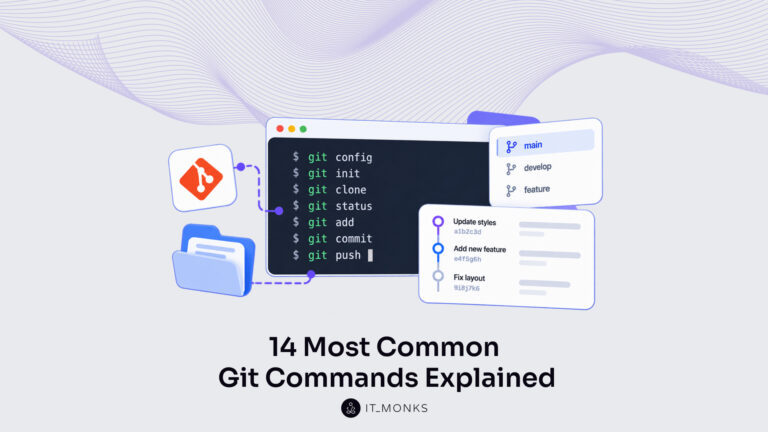
Basic Git commands are the text instructions typed in a terminal, the word git plus a command name, that tell…
Learn more 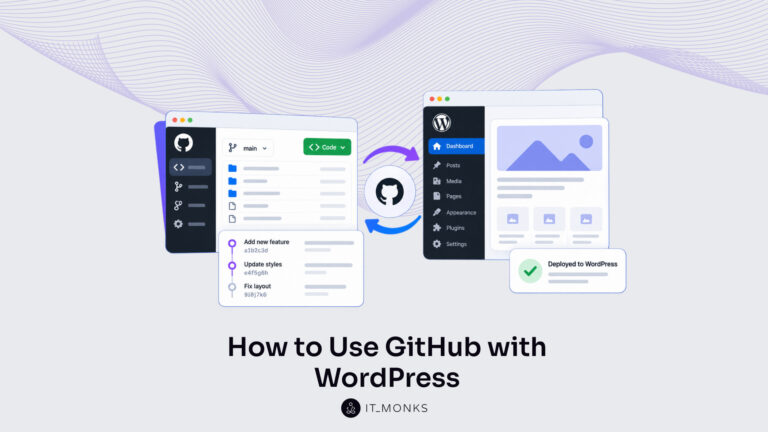
Using GitHub with WordPress keeps the theme and plugin code of a site in a WordPress GitHub repository. Git records…
Learn more Contact
Feel free to reach out! We are excited to begin our collaboration!
Don't like forms?
Shoot us an email at info@itmonks.com
Don't like forms?
Shoot us an email at info@itmonks.com

CEO, Strategic Advisor
Reviewed on Clutch
 ChatGPT
  Claude
  Grok
Grok  Gemini
 Send a Project Brief
Fill out and send a form. Our Advisor Team will contact you promptly!