- Expertise
Expertise That Drives Results
Explore our specialized services, tailored solutions, and industry expertise to elevate your digital presence. From custom WordPress development to seamless integrations, we build high-performing websites that deliver impact.
Solutions- Booking System Integrations
- Headless & REST API WordPress
- Hubspot Integration
- Enterprise WordPress
- Website Migration
- Internal Collaboration Platforms
- External Communications Hubs
- Work
- About
- Proof
- Contact
Learn more


Docker for WordPress Developers: Images, Containers, and the WordPress Workflow

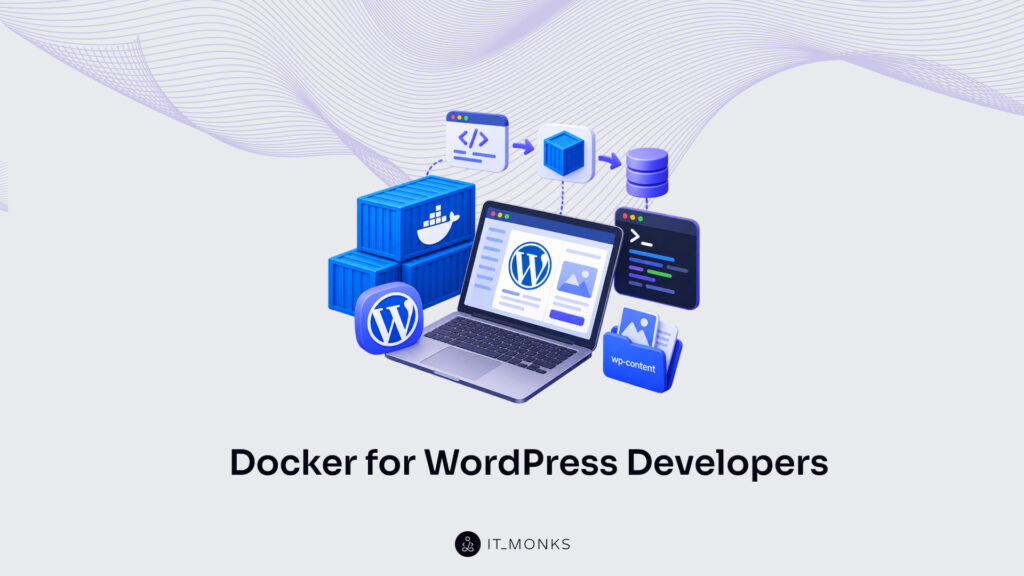
For a WordPress developer, Docker is the containerization platform that packages an entire WordPress site (its code, its PHP runtime, and the services it depends on) into a Docker container that runs the same way everywhere: on a laptop, on a teammate’s machine, and on the production server. Identical behavior in every environment is why a WordPress container has quietly become part of how modern WordPress projects are built and run.
Docker defines two building blocks, the Docker image and the Docker container, and the distinction between them is where most of the early confusion starts. Across a WordPress project, Docker stays present from a developer’s first local build to the code that eventually runs in production. It adds a third term, the Dockerfile, and it runs an application without the overhead of a full virtual machine.
The image comes first, since it is the fixed starting point everything else in Docker is created from.
What Is a Docker Image?
A Docker image is a static, read-only template that holds everything an application needs in order to run, packaged once and left unchanged. A Docker image contains the application code, the runtime that executes it, the system libraries it relies on, and the configuration that binds them together, all recorded as a stack of read-only layers. What that holds is concrete for a WordPress developer: a WordPress image bundles the WordPress core files, a PHP runtime, and the extensions WordPress expects, so the same versions arrive on every machine that pulls it.
A Docker image comes into being in one of two ways. It is built from a Dockerfile, a set of build instructions that define its layers in order, or it is pulled ready-made from a registry such as Docker Hub, where the official WordPress images sit alongside thousands of others. A WordPress container image obtained this way is starting material, not a finished environment. Which WordPress image to begin from, and how it is put together, is a separate concern from what a Docker image is.
The defining trait of a Docker image is that it does nothing on its own. It is inert. A stored image occupies disk space, several hundred megabytes for a complete WordPress stack, yet it never executes, never serves a request, and never changes once built. Turning it into something that runs is a separate act: when Docker starts an image, the result is a Docker container, a live process created from the static template. The image is the fixed original; whatever actually runs is created from it.
What Is a Docker Container?
A Docker container is a running instance of a Docker image: the same image loaded and executing as a live, isolated process. Where the image sits unchanged on disk, the container is what runs when Docker starts that image: Docker adds a thin writable layer over the read-only template and hands the result to the operating system as a live process. One image can produce many containers at once, each an independent copy started from the same template.
What keeps a container light is that it shares the host kernel. A Docker container does not boot an operating system of its own; it runs on the host’s kernel and isolates only what the application needs: its own filesystem view, its own process space, its own network interface. Because nothing has to start a second operating system, a container comes up in seconds and holds its footprint to megabytes of memory rather than the gigabytes a full guest system claims. That efficiency is the single clearest line between a container and a virtual machine.
For a WordPress developer, the running instance takes a concrete form: a WordPress container runs the WordPress application itself, PHP serving the site’s pages, isolated from everything else on the machine, while a second container beside it runs the database the site reads and writes. Each stays inside its own boundary, and yet the two operate as one working site. How that pair is connected into a complete stack belongs to the hands-on build, not to the definition of the container.
With both terms defined (the image standing still, the container running), the difference between them is the question that follows on its own.
Docker Image vs Container: What’s the Difference?
A Docker image and a Docker container differ the way a static template differs from the running instance built out of it. The image is the read-only definition that rests on disk; the container is what exists once that definition starts and executes. For a WordPress developer, the image holds the packaged WordPress core, the PHP runtime, and the web server as one frozen artifact, while the container is the live process answering requests on the workstation. Same origin, two distinct states.
That distinction resolves into a handful of concrete properties, each pulling the two terms apart along a different axis.
| Aspect | Docker Image | Docker Container |
|---|---|---|
| State | Static, read-only template | Running instance |
| Lifecycle | Built or pulled once | Started, stopped, and removed |
| Mutability | Immutable | Writable working layer on top |
| Instantiation | One image | Many containers |
| Analogy | Class / recipe | Object / dish |
The cleanest way through the relation is the class-and-object framing. The image is the class; the container is the object instantiated from it. Kept in kitchen terms, the image is the recipe and the container is the dish cooked from it. The recipe never changes and never gets eaten, yet it can produce as many dishes as a kitchen cares to plate. That last property, instantiation, is the one that matters most in practice: a single image spawns many containers, all identical at the moment they start, each free to diverge in its own writable layer afterward.
Because one image yields many interchangeable containers, the same packaged WordPress runs the same way on a developer’s laptop, a teammate’s machine, and a staging server. One image and its many identical containers turn WordPress in Docker into a working method rather than a one-off experiment, and that reliability raises the practical question of how the image-and-container pair actually fits into a WordPress developer’s day-to-day work.
Docker in the WordPress Developer Workflow
WordPress in a container is a complete WordPress installation (core files, the PHP runtime, and a web server) packaged as a Docker image and run as an isolated container on the developer’s own machine. A WordPress container, in that sense, is the running instance of the package: start it, and a working site answers on a local port; stop it, and nothing lingers on the host to clean up. The whole installation resides inside the container’s boundary rather than scattered across the operating system.
Why a WordPress developer adopts Docker at all comes down to parity. The image that runs locally is the same image that runs in staging and later in production, so environment drift (the mismatch of PHP versions, extensions, or server configuration that breaks a site on one machine and not another) largely disappears. “Works on my machine” stops being a gamble when the machine’s runtime travels inside the image. The local end of that path is a compose stack, a defined set of cooperating containers for WordPress and its database, and the hands-on setup of one belongs to a dedicated WordPress Docker Compose setup.
The workflow itself runs through three stages:
- Local build: the compose stack running on the developer’s machine
- Image choice: the base WordPress image the project standardizes on
- Production deploy: that same image promoted to the live server
Image choice sits in the middle for a reason: the base image decides what every downstream environment inherits, and once settled it carries unchanged all the way to the final stage. That final stage is where a running site serves real traffic, the point at which a developer moves to deploy WordPress in Docker to production. Across all three stages the image stays the constant, portable artifact and the container stays the disposable runtime, the template-versus-instance distinction again, now stretched across the whole local-to-production path. Behind the image the workflow standardizes on stands a third term, the Dockerfile, the recipe that produces that image in the first place.
How Does the Dockerfile Differ from an Image and a Container?
A Dockerfile is the build recipe, a plain text file of instructions that produces a Docker image. It is the third term standing beside the two already defined: where the image is the built artifact and the container is the running instance, the Dockerfile is the written source that generates the image in the first place. It is not a package and not a process; it is the set of directions that yields the package.
The three relate in one fixed direction. A Dockerfile produces an image, and that image runs as a container. Read the trio together and the ordering never inverts: instructions first, artifact second, running instance third. A Dockerfile is also authored and read only once, at the moment the image is assembled, and it plays no part in the runtime afterward. Once the image exists, the recipe has done its work; the container that starts up carries the image’s contents, not the build file that created them.
How those instructions get structured for a WordPress project (which base image to start from, what layers on top, whether an official image serves or a custom one justifies its added complexity) is a distinct subject, worked through in WordPress Docker images compared. With the image, the container, and the Dockerfile now cleanly separated, one question about the container still stands open: what it actually is at the operating-system level, and how that lightweight running instance differs from the full virtual machine it is so readily taken for.
How Does a Docker Container Differ from a Virtual Machine?
A Docker container differs from a virtual machine in what each one carries and how much of the host it borrows. The container shares the host kernel, the operating-system core already active on the developer’s machine, and adds only the WordPress application, its PHP runtime, and the libraries that application depends on. A virtual machine takes the opposite path. It bundles a full guest operating system, a complete second copy of Linux or Windows running on top of the one already active, before WordPress ever loads.
A Docker container and a virtual machine diverge the moment either one starts. Because the Docker container isolates the WordPress process against a kernel that is already live, it stays lightweight, measured in megabytes of memory and ready in seconds. A virtual machine, loading an entire guest operating system into memory first, is measured in gigabytes and counted in minutes.
For a WordPress developer running several sites side by side on one laptop, that lighter footprint is the practical reason the container model fits local work. The same machine that would strain under three or four virtual machines runs a dozen WordPress containers comfortably.
Docker packages a WordPress application (its code, its PHP version, and its dependencies) into an image, runs that image as a container, and relies on the Dockerfile as the recipe that builds the image in the first place. The image is the built artifact, the container is that artifact running, and the Dockerfile is the written build instruction behind both.
With that model in place, the practical work is approachable: composing a WordPress stack from application and database containers, comparing the official, Bitnami, and custom WordPress images against one another, and deploying a WordPress container to a production host. Understood this way, Docker stops being an abstract platform and becomes a predictable part of how a WordPress developer builds, tests, and ships a site.
More Articles by Topic

Headless WordPress is a website setup in which WordPress stays the back end, where marketers write, edit and manage content,…
Learn more 
The 10 free ecommerce API options for 2026 are WooCommerce, Shopify, PayPal, Square, Adyen Checkout, Amazon Selling Partner API, Medusa,…
Learn more 
In late August, 2026, Jess Cook, VP of Marketing at Vector, posted a meme about her late nights since her…
Learn more Contact
Feel free to reach out! We are excited to begin our collaboration!
Don't like forms?
Shoot us an email at info@itmonks.com
Don't like forms?
Shoot us an email at info@itmonks.com

CEO, Strategic Advisor
Reviewed on Clutch
 ChatGPT
  Claude
  Grok
Grok  Gemini
 Send a Project Brief
Fill out and send a form. Our Advisor Team will contact you promptly!