- Expertise
Expertise That Drives Results
Explore our specialized services, tailored solutions, and industry expertise to elevate your digital presence. From custom WordPress development to seamless integrations, we build high-performing websites that deliver impact.
Solutions- Booking System Integrations
- Headless & REST API WordPress
- Hubspot Integration
- Enterprise WordPress
- Website Migration
- Internal Collaboration Platforms
- External Communications Hubs
- Work
- About
- Proof
- Contact
Learn more
 | updated:


How to Transfer a Wix Site to WordPress

A Wix-to-WordPress site transfer rebuilds a site published in the Wix Classic Editor or Wix Studio into a self-hosted WordPress installation, then redirects the original Wix traffic to the new destination.
The transfer runs across four phases:
- destination setup
- source-side audit,
- content move via one of three paths
- the cutover that flips DNS to the new site
Site owners on Wix who are moving to self-hosted WordPress are the primary audience, alongside designers and developers who run these conversions for clients.
Out-of-scope: the reverse direction, hosted WordPress.com as the destination, and domain-change procedures inside WordPress itself. The first move is to set up the WordPress destination so the source-side work has somewhere to land.
Set Up Your WordPress Destination
A WordPress destination is the self-hosted WordPress installation that will receive the transferred Wix content, namely the host account, the core files, the theme that carries the design forward, and the domain plan that determines which address the new site responds to. Setting up the destination first is the precondition that lets every later phase have somewhere to land.
Three destination prerequisites cover the setup phase before any Wix-side work begins:
- Self-hosted WordPress host chosen: a host account on a plan fitting the site’s traffic, storage, and feature profile.
- WordPress installed: core files in place, admin reachable.
- Domain plan decided: keep the existing Wix custom domain and re-point it, or switch to a new domain at the cutover.
Choose a Self-Hosted WordPress Host
A self-hosted WordPress host is the provider that runs the WordPress core files and the database on infrastructure the site owner controls, separate from Wix’s all-in-one platform. The choice happens at the category level first, before any vendor-by-vendor look at plans.
Three host categories fit almost every Wix-to-WordPress transfer:
- Shared hosting fits low-traffic portfolio sites and small business pages where the site owner wants a low monthly cost and is comfortable with shared resources.
- Managed WordPress hosting fits established business sites and content-heavy blogs where the operator wants WordPress-aware support, automatic core updates, and built-in caching.
- Virtual private server fits e-commerce builds and traffic-sensitive sites where dedicated resources and root-level control matter more than the price floor.
Install WordPress and Decide on Your Domain Plan
A WordPress install on the chosen host runs through one of two routes: the host-control-panel one-click installer, or a manual install where the core files are uploaded, and the database is wired up by hand. Either route ends at the same state: core files in place, database connected, admin reachable.
The domain plan resolves on the same step. Two branches cover the decision:
- Keep your Wix custom domain. Point the existing custom domain at the new WordPress host at cutover; the site address stays identical from the visitor’s perspective.
- Switch to a new domain. Register a new domain or move WordPress to a different one without needing to delete your WordPress site; the WordPress-side procedure lives in the dedicated guide on how to change a WordPress domain.
Cut Over From Wix to Your New WordPress Site
A Wix-to-WordPress cutover is the state-change moment in the transfer: DNS records flip from Wix’s nameservers to the new WordPress host, the new site goes live on the answering domain, and the old Wix site is left in a brief overlap window or torn down.
Four cutover acts execute the change:
- 301 redirects from old Wix URLs to new WordPress URLs,
- a DNS repoint to the new host,
- an SSL certificate issued on the new domain,
- a Wix subscription overlap window that catches stale-resolver traffic until DNS fully propagates.
The cutover assumes the destination from the setup phase is ready and the URL map from the rebuild step is in hand: WordPress is installed and answering on a working URL, and the mapping from old Wix URLs to new WordPress URLs is finalized (built during the manual rebuild path or supplied by the importer if the official path was used).
The audit step is the source-side foundation underpinning the cutover frame: the inventory of the existing Wix site that decides which migration path applies.
Set Up 301 Redirects From Old Wix URLs
A 301 redirect from an old Wix URL to a new WordPress URL is a permanent server-side redirect that points each old address to its replacement on the new site, so visitors and search engines following the old URL land on the matching content. The redirects fire after the new site is live and prevent the broken-link gap that would otherwise occur when DNS flips.
Three method routes cover most Wix-to-WordPress redirect work:
- WordPress redirect plugin: a plugin on the new site that holds the redirect list inside the admin.
- .htaccess directive: redirect rules in the .htaccess file at the WordPress root, applied before WordPress loads.
- Host-control-panel redirect rule: rules configured at the host level, applied ahead of the WordPress stack.
Each row in the URL map becomes a redirect rule: the old Wix URL on the left, the new WordPress URL on the right, and a 301 status code on each line.
On the .htaccess route, the rule reads Redirect 301 /old-wix-path/ https://newdomain.com/new-wp-path/ per line; redirect plugins expose the same fields in admin form rows, and host-panel redirect tables surface old-URL / new-URL / status-code columns.
Edge cases (Wix dynamic gallery URLs, blog-post slugs that the new install does not match, store-product permalinks) get individual rules rather than a single regex catch-all because an incorrect wildcard sends the wrong page to the wrong destination. With the redirects ready, repoint DNS to the new site.
Repoint Your DNS and Issue an SSL Certificate
A DNS repoint moves the live domain from Wix’s nameservers to the new WordPress host’s nameservers: the A or AAAA record points to the new origin, the CNAME for www follows, and the propagation timer starts. Lower the DNS TTL to 300 seconds (5 minutes) ahead of the cutover so the change reaches resolvers fast; flip the records inside the chosen window; expect propagation to settle within 4 to 24 hours.
SSL on the new domain runs as soon as the domain resolves. Issue an SSL certificate via Let’s Encrypt or your host’s built-in tool; managed hosts often auto-provision it, while shared and virtual private server plans typically require a manual issuance. The certificate has to cover both the apex domain and the www subdomain so visitors are not bounced into a mixed-content state.
A subset of Wix-to-WordPress moves combine the cutover with a domain switch. The WordPress-side domain-change procedure lives in the dedicated guide on a WordPress domain change.
Keep the Wix subscription active for a brief overlap window, typically 24 to 48 hours, so any traffic hitting a stale resolver still reaches the original Wix pages. Tear it down once redirects catch every old URL and the new site is answering on every channel. The cutover assumes a source-side audit was run before any of these acts fired; the audit is the next topic, capturing what is on the Wix site so the move from Wix to WordPress carries no surprises.
Audit Your Wix Site Before You Migrate
An audit of a Wix site, before you migrate, is the source-side inventory that names every asset on the current site, so the move from Wix to WordPress carries no surprises: content, interactive features, and search-visibility baseline on a single sheet. The audit precedes path-choice and cutover work; on a site that skipped this step before reaching cutover, capturing the inventory now still recovers most of the value.
Most migration walkthroughs skip this step and jump straight into the importer. That gap is where Wix-to-WordPress moves go wrong: the importer runs, blog posts arrive, and only later does the contact form turn out dead and rankings drift because no meta titles traveled.
The audit splits into two arms:
- The content-asset inventory captures what the importer is meant to capture: pages, posts, and media.
- The non-content-asset audit lists what the importer cannot move: Wix-only interactive features needing a manual WordPress rebuild, plus the search-visibility snapshot the verification gate reads against.
Both arms feed the path-choice: heavy interactive surface pushes toward the hand-rebuild; blog-and-page content opens the official importer; mid-complexity layouts with budget tip toward a paid plugin.
Inventory Your Wix Pages, Posts, and Media
List every page, every blog post, every media asset on your Wix site today; that listing is the content-asset inventory. The Wix site’s content assets are the entities the importer attempts to capture; the inventory indicates whether it succeeded.
Three sub-lists do the work:
- Page list. Each Wix page with its URL, page title, and template. URL feeds the 301-redirect map, page title is a meta-title-retention check, template flags Wix-only block layouts that rebuild differently than basic ones.
- Post list. Each Wix blog post with its publish date, author, and category. Publish date keeps post ordering intact, author preserves byline attribution, category lets the WordPress taxonomy mirror the source.
- Media-library scan. Each image and file with its file type, size, and alt-text status. Wix-hosted images live on Wix’s servers; an automated import either re-hosts them or leaves them hot-linked to a Wix domain that goes dark when the subscription ends.
List Wix Interactive Elements and Capture an SEO Snapshot
List the Wix-only interactive elements your site uses, then capture the SEO snapshot; those two artefacts form the non-content-asset audit. The interactive-element inventory names every feature that will not migrate automatically; the SEO snapshot freezes the search-visibility baseline.
The interactive-element inventory covers four families:
- Wix Pro Gallery widgets and other gallery blocks
- Wix App embeds: booking, restaurant menus, events, members-area apps
- Wix Forms tied to the platform’s notification system
- Custom code added through Wix Velo
None survives an automated migration. Each needs a manual WordPress equivalent: a gallery plugin, a comparable booking or events plugin, a form plugin, and re-implemented custom code. The longer this inventory runs, the more weight it puts behind hand-rebuild; a near-empty list opens the official importer.
The SEO snapshot is the second half. Capture current rankings on the queries the Wix site holds, export the Search Console snapshot for the last 90 days, list top organic landing pages by traffic, record meta titles and meta descriptions verbatim, pull the backlink profile, and note any structured-data markup. Take the snapshot before cutover, never after, the verification gate reads against it.
Verify Your New WordPress Site After the Migration
Verification of the new WordPress site, after the Wix-to-WordPress move, is the result-state pass: a Wix-specific sanity check that compares the live site against the SEO baseline captured during the audit. After DNS has propagated and the new site is live, the sanity check confirms every asset survived the move cleanly.
A generic WordPress sanity-check does not cover the Wix-specific failure modes. Wix introduces block layouts converted to Gutenberg with broken spacing, Wix-hosted images arriving as hot-links to a soon-to-go-dark Wix domain, Wix Forms imported as static HTML with no handler, and old Wix URL patterns whose 301-redirect map needs row-by-row verification against the audit’s page list.
Verify the Migrated Site
Run the following five-item checklist on the new WordPress site. Each item is Wix-specific: the broader WordPress migration checklist covers cross-platform, generic items separately. The migrated site, verified against the SEO baseline, closes the move.
- Every imported page renders with Gutenberg-block fidelity. Walk the page list and confirm the Wix layout converted without column collapse, missing backgrounds, or spacing inversions.
- Every old Wix URL returns a 301 to its WordPress URL. Test each row of the URL-mapping spreadsheet: old URL in, 301 back, on the new URL.
- Every form submits and notifications arrive. Submit a test entry on every rebuilt form and confirm the email lands in the inbox.
- Every image loads with alt text restored. Spot-check the media library to ensure no thumbnails point back to a Wix domain, and confirm that alt text matches the audit’s media library scan.
- The sitemap has been regenerated and submitted. Generate a fresh sitemap, submit it to Search Console for the new property, and confirm the URLs are reported as discovered.
Compare against the baseline once each item passes: drift in indexed URL count, ranking position, or backlink resolution surfaces as a follow-up flag rather than a silent loss. The verification gate closes the Wix-specific arc of the broader WordPress migration lifecycle. The parent moves from any closed platform to self-hosted WordPress.
Hand-Rebuild Your Wix Pages in WordPress
Hand-rebuilding your Wix pages in WordPress means re-creating each page inside a fresh WordPress install rather than pulling captured HTML across, with the operator driving every layout decision page by page. Pages that depend on Wix-specific interactions, custom code, or heavily art-directed layouts cannot survive an automated capture intact, so the hand-rebuild path applies whenever the audit surfaces those features.
This path suits sites that were never going to come across cleanly: heavily customized Wix builds, sites carrying interactive elements an importer cannot capture, and agency clients who need full control over the destination.
Effort is the obvious cost: slow, complete, operator-owned end-to-end. In return, the rebuild keeps content fidelity intact, because nothing is silently dropped or partially translated. SEO impact follows the same logic: copy, headings, metadata, and internal structure are re-authored in WordPress terms, protecting search engine signals at the cost of build time. Cost is time-and-labor rather than a license fee: internal team time or agency hours, no plugin invoice.
The procedure produces the URL map (a spreadsheet that pairs each old Wix address with its new WordPress address), which the 301-redirect step uses during cutover to preserve traffic and link equity.
Rebuild Wix Pages in Gutenberg or Another Builder
Rebuilding Wix pages in Gutenberg or another builder is the unified workflow that turns a fresh WordPress install into a content-complete replacement for the Wix source. Open the install in Gutenberg (or Elementor, Bricks, or the classic editor) and treat the rebuild as a single session because pages, navigation, media, forms, and the URL map share state.
- Rebuild the pages. Recreate or duplicate each page in the chosen builder from the audit’s content inventory using native WordPress blocks rather than Wix widgets.
- Re-create the navigation menu. Build the menu from the audit’s site tree, attaching rebuilt pages, submenus, and footer menus in a single pass.
- Re-upload the media library. Pull assets from Wix, compress, rename, re-upload, and restore alt text for every image.
- Re-create forms with a WordPress form plugin. Rebuild Wix-tied forms inside Contact Form 7, Gravity Forms, or WPForms, reconfiguring recipients and confirmation behavior.
- Map old Wix URLs to new WordPress URLs in a spreadsheet. One row per Wix URL on the live source, paired with the matching destination URL. Pages that collapsed or retired get flagged in the same row.
Migrate via the Official WordPress.com Wix Importer
The official WordPress.com Wix importer is the free, automated tool that pulls Wix content into WordPress through a two-stage process: an RSS feed export for blog posts and an HTML scrape pass for pages. Migrating via the official WordPress.com Wix importer hands the bulk of the work to a hosted tool rather than a manual rebuild, with the import landing first in WordPress.com before being relocated to the self-hosted destination most operators leaving Wix want.
Choose this path when the Wix site is blog-heavy with a standard structure or you’re planning to start a blog on Gutenberg, when published content is most of what the site is, and when a free starting point matters more than full design fidelity. Effort is low, automated and partial, and the trade-off is honest: text and basic structure are preserved, interactive elements and Wix-specific app data are dropped. SEO impact is mixed: blog post URLs and bodies survive cleanly, while custom-code SEO scaffolding does not come across because the original Wix wrapper is no longer there to host it.
The official importer path runs in two procedural passes: an RSS feed pull for blog posts, then an HTML scrape pull for non-blog pages. The page list assembled during the HTML-scrape pass seeds the same URL-map spreadsheet built during the hand-rebuild path.
Export Wix Blog Posts via the RSS Feed
Exporting Wix blog posts via the RSS feed is the first procedural step of the official importer path. To export Wix to WordPress, locate the Wix-provided RSS endpoint (typically /blog-feed.xml on the live site), confirm the feed loads in a browser and contains the published posts, then point the WordPress.com importer at that URL.
Two practical considerations shape this step.
- Wix Classic publishes the RSS feed at the standard endpoint; Wix Studio sites do not, so blog content from a Studio source falls back to the hand-rebuild path.
- Scope: the import captures post titles, bodies, publish dates, and basic categories, while featured images, custom blog widgets, member-area gating, and related-post layouts need the HTML-scrape pass or a manual touch-up to reappear.
Blog posts cover only half the Wix surface; the importer’s HTML-scrape pass pulls non-blog Wix pages through a different mechanism.
Import Wix Pages via the WordPress.com HTML Scrape
Importing Wix pages via the WordPress.com HTML scrape is the second procedural step of the official importer path. The importer points at live Wix URLs, takes a page list from the operator, and pulls each page’s published HTML into WordPress.com. The destination at this stage is WordPress.com (not the self-hosted .org install), so a follow-on hop is part of the path for anyone whose final home is .org.
The scrape pass introduces three quirks the operator must plan for: what the HTML pull skips, what it forces back to a hand-rebuild, and the .com-to-.org hop that closes the path.
- What the scrape does not capture. Interactive Wix elements (animations, sliders), Wix-specific app embeds (booking, store, members areas), Velo (Wix Code), and Wix-tied forms all sit outside the published HTML. Text and structural skeleton come across; dynamic features do not.
- Wix Studio fallback. Wix Studio publishes pages whose client-side rendering the scrape cannot fully resolve. Studio pushes operators back to the hand-rebuild path.
- The .com to .org hop. Once content lands in WordPress.com, export via Tools → Export, then re-import the WordPress XML file into the self-hosted .org install via Tools → Import → WordPress XML.
Use a Paid Wix to WordPress Migration Plugin
A paid Wix to WordPress migration plugin is third-party tooling (sold either as a do-it-yourself plugin or as a managed migration service) that automates more of the conversion than the official importer covers. Using a paid Wix to WordPress migration plugin trades a license or service fee for less manual work, sitting between the free official importer and the hand-rebuild on the complexity scale.
This path fits users who want more automation than the WordPress.com importer delivers, can absorb a license cost, and whose Wix source is too design-heavy for the importer but not so customized that only a hand-rebuild will do. Effort lands in the middle. Preservation goes a step further than the importer, because paid tooling typically replicates more of the design layer, though it still cannot capture true Wix interactive features. SEO impact is friendlier on the redirect side, since automated redirect generation is standard in the category. Cost splits between a do-it-yourself tier at consumer-license rates and a managed tier at agency-project rates.
What Paid Wix Migration Services Deliver and Where They Fall Short
Paid Wix migration services are commercial Wix to WordPress migration plugin offerings and managed migration packages that deliver a defined baseline of automation for a license or service fee. They cover content, design replica, and redirects in a hands-off run, fall short on the same Wix-specific surfaces the official importer misses, and price out into two distinct tiers.
- What paid services typically deliver. A full content move covering pages and posts, a design replica approximating the Wix layout inside a WordPress theme, and automated redirect generation mapping old Wix URLs to new WordPress equivalents. Progress reporting and sandbox previews before cutover are common.
- Where paid services typically fall short. Wix interactive features (animations, scroll effects) do not survive the move; Wix-specific app data (booking calendars, store catalogs, member areas) falls outside what the tooling replicates; custom code in Velo (Wix Code) requires hand translation into a WordPress-native equivalent.
- Budget tiers. The do-it-yourself tier ships as a plugin the operator runs themselves at consumer license rates, suited to single-site moves. The managed tier is a vendor-run service handling the move end-to-end at agency project rates, suited to higher-stakes sites.
When the audit reveals a Wix profile that no single path covers cleanly (heavy customization, e-commerce, multilingual content, and traffic at risk during downtime stacked together), the agency-engagement question becomes the escalation. Whichever tooling runs the move, the URL-map spreadsheet may still need hand-built supplementation for redirects that the automation cannot handle on its own.
When to Bring in an Agency for Your Wix to WordPress Migration
An agency engagement on a Wix to WordPress migration is a paid handoff in which a specialist team takes over the work the audit has flagged as too risky, too slow, or too entangled for the do-it-yourself path: the rebuild of interactive Wix elements, the move of an order-history table off a closed commerce platform, a zero-downtime cutover on a site with established search visibility, or the translation handoff for a multi-language Wix project. If the audit revealed a content corpus the official importer cannot reach, a Wix store with live customer records, an organic-traffic surface that cannot absorb a half-day outage, or a multi-language footprint the WordPress side has to receive intact, the next move is bringing in an agency rather than staying on the do-it-yourself path.
IT Monks builds and migrates Wix sites to WordPress for clients in exactly that profile, conversions that need a managed cutover rather than an importer run, e-commerce moves that require data engineering, and SEO-sensitive cases where the redirect map and indexing recovery are part of the contract.
When the Wix Migration Needs an Agency
Four conditions push a Wix to WordPress migration past the do-it-yourself threshold and into agency territory.
- Heavily customized Wix sites with interactive elements. A Wix site relying on Velo code, animated gallery interactions, or app-market integrations offers a feature density that none of the three migration paths alone can match. The importer skips them, paid plugins skip most, and a hand rebuild becomes a multi-week engineering job.
- E-commerce Wix sites with order history and customer data. A Wix store holding live orders, customer accounts, and payment-processor links is a data-migration job, a missed customer record is a refund request, and the do-it-yourself path lacks the rollback machinery to absorb that.
- Wix sites with significant SEO traffic where downtime is unacceptable. A Wix site earning organic visits at scale needs a zero-error cutover so the redirect map covers every indexed URL and the indexed corpus survives with rankings intact.
- Multi-language Wix sites. A Wix site running in two or more languages routes through Wix Multilingual, and the move requires a translation platform handoff to WPML, Polylang, or TranslatePress, with the slug structure and hreflang map carried over cleanly.
Why Move From Wix to WordPress?
Moving from Wix to WordPress means taking a site off Wix’s closed proprietary platform and rebuilding it on self-hosted WordPress, where the site files, database, theme, plugins, and hosting account are under the owner’s direct control. Four reasons account for most Wix-to-WordPress moves:
- Vendor lock-in and content ownership. A Wix site lives inside Wix. Templates, editor, and database are Wix’s property, and exports reach only the surface. Self-hosted WordPress returns the full content asset: database file, media library, and every plugin’s data table.
- Plugin and theme extensibility. The WordPress ecosystem ships tens of thousands of plugins and themes (payment gateways, membership engines, multilingual layers, custom post-type frameworks) at a scale the Wix app market does not match.
- Cost trajectory at scale. A single Wix Premium plan looks inexpensive month-to-month; a portfolio of projects or a high-traffic Wix store stops looking that way once the bill runs up against self-hosted WordPress on a managed host, where the license is free and the host charges per server rather than per site.
- Search-engine visibility and custom-code freedom. Self-hosted WordPress gives full meta-tag access, full schema-markup access, full robots.txt control, and an unsandboxed code surface, which are the limits Wix’s sandboxed head tag and platform-throttled Velo runtime do not lift.
Wix and WordPress are separate platforms that solve overlapping problems through different design choices, which answers the occasional question of whether one supports the other. They do not, and the move bridges the gap. Operators on a different starting platform follow analogous flows: a Squarespace to WordPress migration, a Joomla to WordPress migration, and a Drupal to WordPress migration, each of which shares the WordPress-destination work but differs on the source side.
A site that finishes the move sits on a stack the owner controls (host, database, theme, plugins, redirect map, canonical identity), whether the work ran through the official importer, the paid plugin path, a hand rebuild, or an agency engagement.
More Articles by Topic
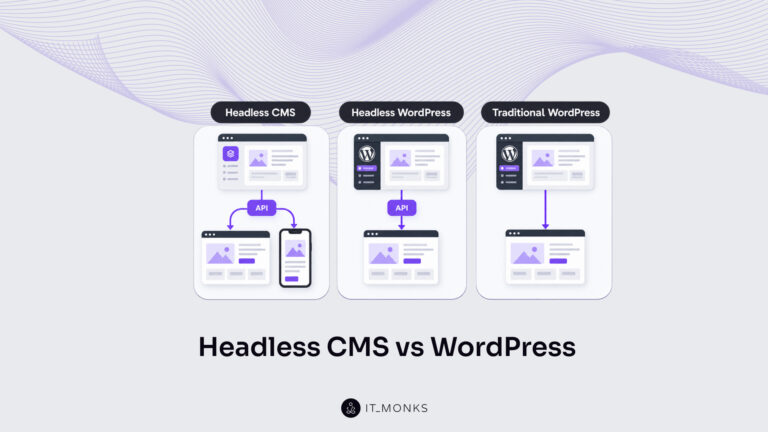
Headless CMS vs WordPress is a comparison of two choices made at once: an architecture choice between a coupled site…
Learn more 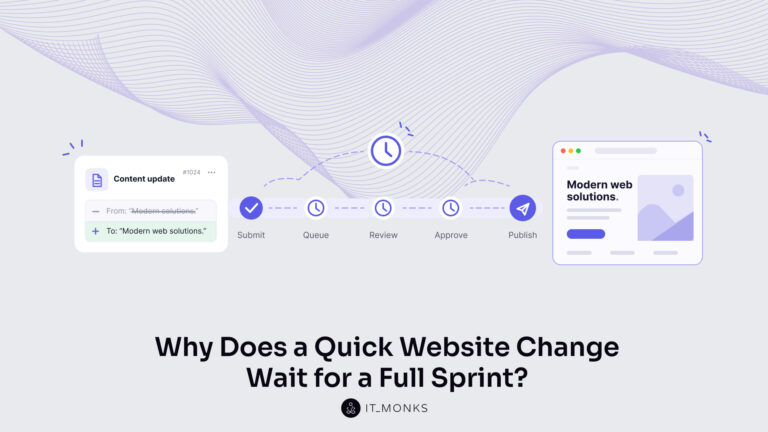
The new campaign copy is approved. The ads go live on Monday, and the landing page they point to still…
Learn more 
Imagine a marketing team two days before a campaign launch. The copy is approved, the images are ready, and the…
Learn more Contact
Feel free to reach out! We are excited to begin our collaboration!
Don't like forms?
Shoot us an email at info@itmonks.com
Don't like forms?
Shoot us an email at info@itmonks.com

CEO, Strategic Advisor
Reviewed on Clutch
 ChatGPT
  Claude
  Grok
Grok  Gemini
 Send a Project Brief
Fill out and send a form. Our Advisor Team will contact you promptly!