- Expertise
Expertise That Drives Results
Explore our specialized services, tailored solutions, and industry expertise to elevate your digital presence. From custom WordPress development to seamless integrations, we build high-performing websites that deliver impact.
Solutions- Booking System Integrations
- Headless & REST API WordPress
- Hubspot Integration
- Enterprise WordPress
- Website Migration
- Internal Collaboration Platforms
- External Communications Hubs
- Work
- About
- Proof
- Contact
Learn more


Why Use WordPress for an MVP?

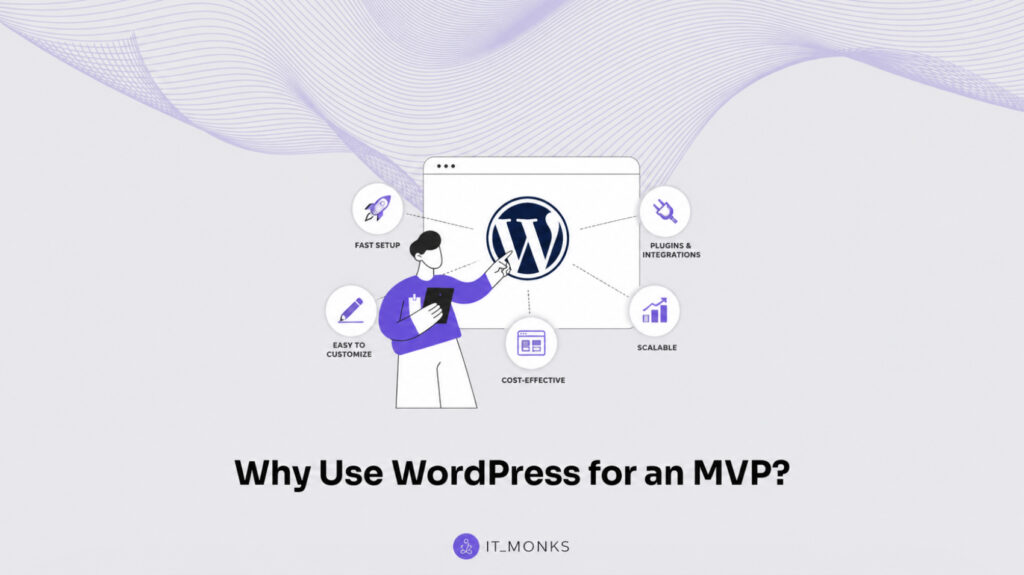
Choosing whether to use WordPress for MVP is one of the earliest product decisions founders face when evaluating how to bring a minimum viable product to market. Before investing in a custom build, hiring a developer or agency, or launching through a no-code option, a startup must weigh whether WordPress is the right instrument to build, ship, and validate an idea under real-world constraints.
The question is not simply whether WordPress can support an MVP, but why a founder would choose to use it instead of another path. Cost, speed, flexibility, operational complexity, and future growth expectations all influence that decision. A WordPress MVP sits within a broader conversation about how startups reach the market quickly while preserving the ability to adapt as user feedback and validation data emerge.
This article examines the reasons founders consider WordPress as an MVP foundation, where it fits among alternative build routes, how customization affects the decision, and what role long-term scalability plays in the evaluation. Rather than explaining how to build with WordPress, the discussion focuses on why startups use it, when that choice aligns with business goals, and how the decision shapes the path from concept to validation.
WordPress Fit for an MVP
WordPress fit for an MVP measures how well an open-source content management system meets the two launch constraints that decide whether a first version ever reaches real users: time-to-market and build cost. WordPress fits an MVP because it satisfies both. It ships a working product in days rather than months, and it does so on a budget small enough that a founder can still afford to validate the idea afterward.
Fit, in this sense, is not about whether WordPress can run a finished product at scale; it is about whether WordPress ships a viable first version quickly and affordably enough to validate the idea before the spend grows. On both counts WordPress is a workable build route for the MVP stage.
The fit reasons a founder checks before committing are speed and cost. Speed decides how soon the product reaches real users, and cost decides how much budget the validation consumes before the idea is proven.
WordPress supports both: it ships a launchable product in a short window and keeps the build spend low through a large ecosystem of ready extensions, which is the deeper tool-fit case behind the broader argument set out in the WordPress MVP guide.
The two together are what a founder means when asking why to use WordPress for an MVP rather than a route that ships slower or costs more.
The cost and time evidence grounds the fit claim. One published founder account on Medium describes a WordPress minimum viable product built for roughly $200 and shipped in about one week; a single competitor-attested data point, not a guaranteed price or timeline.
Those figures show the order of magnitude a lean WordPress build can hit when speed and cost are the priority, which is exactly the order of magnitude an MVP needs.
The roughly $200 spend and the roughly one-week timeline are the two halves of that order of magnitude, the time the build takes and the money it costs, and each rests on a different property of WordPress, the running software underneath that compresses the build and the ready-made extension ecosystem that holds down the bill.
Speed to Market
Speed to market for a WordPress MVP is the elapsed time between an idea and a live product real users can try. WordPress shortens that interval because it starts from a working content management system rather than an empty codebase, so a founder assembles a first version on top of running software instead of writing the software first. That assembly-over-authoring difference is what turns a months-long build into a days-long one, and the sooner the first version ships, the sooner the founder learns whether the idea holds.
The roughly one-week founder build is what that compression looks like in practice, a lean WordPress build reaching a launchable state in days, not a timeline WordPress guarantees for every product. The build sequence behind that velocity, from installing the content management system to publishing the first working version, is laid out in “how to build a WordPress website.”
A product that reaches users that quickly does so before the founder’s budget is spent, which is the second thing speed buys: time validated cheaply still leaves money to validate with.
Cost-Effectiveness
Cost-effectiveness for a WordPress MVP is the ratio of working product to money spent: how much shippable feature a founder gets per dollar. WordPress scores high on that ratio for two reasons: its open-source core carries no license fee, and its ecosystem of ready-made extensions supplies common features that would otherwise be paid development work. A build that costs less to ship leaves more of a fixed startup budget for the validating and iterating that follow launch, where the real learning happens.
The plugin ecosystem is the main cost lever. WordPress includes a large library of ready extensions that add features (payments, forms, memberships, content types) that a founder would otherwise pay a developer to build as original custom code, and reusing ready components rather than coding them is what holds down the build cost.
The roughly $200 founder build is what that reuse produces: a price near the floor because the founder leaned on existing extensions rather than commissioning custom code. Spending that little to reach a validating product only matters, though, if the cheaper route does not cost a founder something the other routes would have delivered: speed lost, control surrendered, or a ceiling lowered. That trade-off is what separates WordPress from a no-code platform, a custom build, and hired help.
WordPress vs Alternative Build Routes
A build route is the instrument a founder commits to in order to turn an MVP from an idea into running software, and the four routes open at the MVP stage are not interchangeable: each reaches a launchable product by a different path and pays for it differently.
The reason to use WordPress for an MVP becomes clearest at this comparison point, because WordPress is rarely the only instrument on the table. A founder weighs it against a no-code or low-code platform, a custom build of original code, and hired help in the form of a developer or agency, four ways to reach the same destination, each ruling itself in or out on the same handful of axes.
Founders judge build routes on four axes: cost, speed, control, and the scalability ceiling. Cost is the upfront spend a route demands before the product earns anything. Speed is how soon that product reaches real users. Control is how much of the underlying code and product direction the founder retains. The ceiling is how far the product can grow before the route runs out of room.
WordPress occupies a particular spot in that grid, the route a founder reaches for when none of the four axes can be sacrificed, and the alternatives each tend to win one axis by trading another away.
Each route gives the most ground on a single axis, and that axis is where the comparison rules it out. A no-code or low-code platform wins on speed and surrenders the ceiling. A custom build wins on control and surrenders cost and time. A developer or agency wins on hands-off delivery and surrenders both upfront cost and founder control. WordPress is the outlier that holds all four at once.
- No-code / low-code platform vs WordPress: The platform route starts fast and cheap but lacks open code and hits a capability ceiling beyond a throwaway prototype, with vendor lock-in attached. WordPress matches the low cost, keeps open code, and carries no hard ceiling.
- Custom build vs WordPress: The custom build hands the founder full control over open code, but costs more time and money to reach a launchable MVP. WordPress gives the same open code as the middle ground, without the custom-build cost.
- Developer or agency vs WordPress: Hired help delivers the finished build but costs more upfront and leaves the founder with lower direct control of the product. WordPress keeps the upfront cost lower and the direction in the founder’s hands.
A founder uses WordPress for an MVP because it is the one route that does not force a trade on cost, speed, control, or the ceiling at once. The three alternatives each surrender one of those to win another, and the case against each route lives in the specific axis it gives up, starting with the platform route that buys its early speed with a hard limit on how far the product can grow.
No-Code and Low-Code Platforms
A no-code or low-code platform assembles an MVP through a visual editor and prebuilt blocks, with the low-code variant exposing a thin scripting layer on top of the same closed system. It is the route a founder weighs first against WordPress, because it promises the fastest possible start: a prototype standing up in hours, with no code to write and no server to wire. For a throwaway prototype meant to test one assumption and then be discarded, that head start is often all the route needs to deliver.
The trouble surfaces the moment the MVP has to do something the platform’s blocks do not already cover. A no-code or low-code platform lacks the open code that would let a founder reach past its prebuilt feature set, so the product can only go as far as the vendor’s block library allows. The capability ceiling that rules the route out the instant an idea outgrows the prototype it began as.
Vendor lock-in compounds the limit: the platform ties the founder’s data and product to one provider’s system, so leaving later means rebuilding rather than migrating. WordPress carries neither constraint. Its open code and open-source ownership mean the MVP is never capped by someone else’s block set, and the product the founder ships is the product the founder keeps.
The split is sharpest over time. A no-code or low-code platform wins the first sprint and loses the second one, which is why a founder who expects the MVP to outlive a prototype builds on WordPress instead. The platform’s loss is open code, and that is exactly the axis where the next route, the custom build, draws even with WordPress.
Custom Build and Code Access
A custom build commissions original software written line by line, and it sits closest to WordPress of all three alternatives because both routes hand the founder open code rather than a vendor’s locked block set. Code access (the freedom to read, edit, and extend the software directly) is the property that separates these two routes from the ceiling-bound no-code and low-code platforms.
On that single axis the custom build and WordPress are equals; the difference shows up not in what the founder can change, but in what it costs to reach a launchable MVP at all.
A custom build starts from an empty source file. Every feature an MVP needs (accounts, payments, content storage, an interface) is coded before any of it runs, which is what renders the route slower and costlier than WordPress for the same MVP. WordPress starts from the opposite position: a working core and an existing extension ecosystem already supply the common scaffolding, so the founder builds on top of running software instead of writing the foundation first.
That is the gap behind the lean WordPress build described earlier, the rough $200 and one-week figures from the cited founder account stand as the kind of cost and timeline an original-code build, beginning at zero, is unlikely to match.
This is why WordPress reads as the middle ground between the two extremes. It carries the open code access of a custom build without the custom-build cost, and none of the capability ceiling of a no-code platform: open code on one side, no ceiling on the other, and a launchable MVP reached faster than either neighbor allows.
The deeper question of what that original-code route actually costs against a prebuilt theme is its own decision, weighed separately in custom WordPress development cost versus theme cost. With open code priced as the middle ground, one route remains: the one where the founder writes no code at all and brings in a developer or agency to build the MVP instead.
Hiring a Developer or Agency
Hiring a developer or agency brings in outside expertise to build the MVP, so the founder commissions the work and waits for a finished product rather than assembling it on a platform or in code. It is the route a founder weighs against WordPress when in-house time runs short, and its appeal is exactly that hand-off: the build becomes someone else’s labor. What the route asks in return are the two resources a founder at the MVP stage can least afford to part with.
Hired help costs more upfront than WordPress, because a developer or agency is paid to produce the build before the product has validated anything or earned a cent. The same arrangement lowers founder control: an outside developer or agency holds the day-to-day direction of the product, so the founder steps back from steering the build at the precise stage when fast, hands-on iteration matters most. WordPress inverts both. The founder builds on a working core, keeps the upfront cost low, and holds the budget and the product direction directly, paying with time rather than with cash and control.
Hired help earns its place once a product is funded and a team is in motion and the build is no longer the founder’s own bottleneck. At the MVP stage, though, the two resources the route consumes (early budget and direct control) are the two WordPress protects, which is why the case keeps returning to WordPress as the founder-run route. That settles which instrument a founder reaches for. The open question is how far that instrument bends to a specific product, and that turns on the customizability WordPress brings to an MVP.
WordPress Customizability
WordPress customizability is the platform’s capacity to take on product-specific behavior and data structures through configuration rather than core rewrites. A minimum viable product has to do one narrow thing well, and a generic content platform left untouched does many things adequately and none of them precisely. The gap closes where the platform itself exposes the seams a founder can work along: the core install stays as shipped, and the product takes shape in the layer above it.
That product specificity arrives from two directions a founder controls separately. One adds capability the default install never had; the other defines the kinds of records the product stores and how those records relate. Adding capability widens what the product can do. Defining records sets what the product knows. A founder who needs both gets both without provisioning a custom platform underneath.
Extensibility
Extensibility, in a WordPress MVP, names the property that lets a founder attach behavior the core install never shipped with (a payment step, a membership gate, a new content format) and have it run as if it always belonged there. Day one rarely reveals every feature an idea will need, so the value sits in deferral: a feature can land in week three without unwinding what week one built.
WordPress delivers this through plugins and hooks. A plugin packages functionality as a self-contained unit a founder activates against the running site. A hook is a named point in the core execution where that functionality is allowed to intervene: to modify a result, insert a step, or react to an event. A feature reaches the product by registering against a hook, not by editing the files WordPress core owns, which is why an upgrade to core leaves the added behavior standing.
Adding behavior settles what a product can do. A separate question governs what it can hold, the shape of the records the product accumulates as people use it.
Data Modeling
Data modeling, in a WordPress MVP, names the work of giving a product’s records a defined shape: what fields a listing carries, how a profile relates to a submission, which entries group under a catalog. Real products rarely run on posts and pages alone; a job board stores openings, a directory stores members, a marketplace stores items and the categories that sort them. Each of those is a record type with its own attributes, and an MVP either represents that shape or distorts the product to fit the default one.
WordPress supplies the shape through custom post types and taxonomies.
- A custom post type declares a new kind of record (“Listing,” “Member,” “Submission”) that behaves like a first-class object in the system, with its own editing screens and storage.
- A taxonomy classifies and relates those records, the way categories and tags relate ordinary posts, so a directory can file members by region or a catalog can group items by line.
Both are registered through configuration the platform already exposes, which keeps the data layer inside WordPress instead of in a parallel database a founder would have to build and maintain.
A founder who can both extend behavior and model records this way runs the whole product on the stock platform, until scale starts pressing on it, and the question turns from what WordPress can be made to do to how far it holds once a validated idea draws real traffic.
The Scalability Ceiling for a WordPress MVP
The scalability ceiling for a WordPress MVP is the upper bound on traffic, data volume, and feature load that a minimum viable product built on WordPress can carry before its current configuration needs to change. A founder accepts that WordPress ships an MVP fast and cheaply, then asks whether that early speed buys a hard limit later. WordPress has a scalability ceiling in the same sense every platform does, but two of its properties (open-source data ownership and an optional decoupled architecture) move that ceiling upward as the product grows, which keeps WordPress inside the tool-fit case rather than outside it.
The standing worries collapse into one rebuttal. The first worry is the complex-data ceiling, the assumption that WordPress handles simple content but reaches its limit once the product needs heavier data structures and higher request volumes. The second is vendor lock-in, the assumption that building on a platform now traps the data and the code there later.
Both worries assume a fixed limit the founder cannot get past. WordPress answers both with concrete mechanism: the data model extends through custom post types and custom database tables, the request load scales with caching and added infrastructure, and the build stays portable because nothing proprietary holds it. A limit that a configuration change removes is not a fixed limit.
Two mechanisms do that work. Open-source ownership keeps the data and the code portable, so a WordPress MVP avoids the vendor lock-in that would otherwise hold the ceiling permanently in place. A decoupled, headless architecture lifts the performance ceiling, so the same MVP supports far higher load as the product scales; the steps that take a validated product onto headless WordPress for product MVPs sit in their own how-to.
The first mechanism settles the lock-in worry; the second settles the raw-performance worry. Each one raises the load the MVP carries before the build has to change, which is why WordPress still fits the MVP at the point where the scalability objection is usually raised.
Vendor Lock-In Avoidance
Vendor lock-in avoidance for a WordPress MVP is the founder’s outright ownership of the database, the content, the theme, and the underlying code, with no third party controlling access to any of them. A vendor lock-in does the opposite: it holds a scalability ceiling permanently in place, because a product trapped in one vendor’s stack cannot migrate when it outgrows that stack, so its ceiling is whatever the vendor allows. Open-source WordPress carries no such trap, which is a core reason the “why use WordPress for MVP” case holds as the product grows.
The open-source license is the mechanism. Because the WordPress license grants full possession of the codebase and the data, the MVP can move to different hosting, different infrastructure, or a different architecture without permission from a platform owner. A no-code or low-code alternative keeps that data inside a proprietary system, where the platform owner sets the terms of access and exit; WordPress keeps the data and the code in the founder’s hands instead. Possession, not rented access, is what keeps the build movable at any later point.
That portability settles the lock-in half of the scalability objection: a product that fully owns its data and code can move past the limits of any one configuration, because no proprietary contract holds it. The remaining half is raw performance under growth (how much request volume the architecture itself sustains once the product scales) and a decoupled, headless setup is what raises that figure.
Headless WordPress
Headless WordPress is the scalability arrangement in which the frontend runs as a separate application and WordPress serves only as the content and data source behind it. What matters to the scalability rebuttal is the load consequence of that split, not the build steps a founder follows to set it up: a WordPress MVP whose frontend is separate sustains far higher request volumes than a single coupled stack, because the layer that takes the heaviest traffic no longer shares its limits with the layer that stores the data.
The fuller account of what headless WordPress is (its architecture, its benefits, and where it earns its place) sits in a dedicated explainer; what matters here is the load consequence. The reason the ceiling rises is that the two layers reach their limits independently. The frontend layer can scale across cache and delivery infrastructure sized for concurrency, while the WordPress layer keeps storing and structuring the data at its own pace.
Traffic that would saturate a coupled build lands on the frontend alone, which is the layer built to absorb it, so the volume the MVP handles before anything slows is set by the larger of the two ceilings rather than the smaller. The product carries more load on the same WordPress core it shipped on.
Decoupling raises the performance ceiling; open-source ownership keeps the build portable. Together those two properties answer the full scalability objection: the data is free to move, and the traffic layer is free to scale far past what a coupled WordPress MVP sustains. A WordPress MVP therefore reaches a scalability ceiling it can raise through configuration, which is the practical limit the product needs as its validated form takes on more users.
Enterprise WordPress After the MVP
Enterprise WordPress is the mature stage a WordPress product reaches after the MVP has proven its core idea, when a validated minimum viable product follows its early build into a larger, production-grade deployment. This stage follows the MVP rather than replacing it: the same WordPress installation that shipped the founder’s first version carries forward, and the work shifts from proving the idea to supporting a heavier load, a wider feature set, and a growing user base.
WordPress supports the product as it grows past the MVP through the parts a startup already relies on at launch. The plugin and theme architecture that kept the early build fast still extends the product later, hardened hosting and caching handle higher traffic, and the open data model maintains the structured content the MVP defined as it expands.
A team that needs more (dedicated infrastructure, performance engineering, security review, custom development) adds it onto the running product, and the full route for scaling a WordPress MVP after launch sets out that post-launch path step by step.
Choosing WordPress for the MVP does not cap that growth path. The instrument that fits a fast, low-cost first build is the same one a startup graduates as the product matures, so the early decision keeps the later options open instead of forcing a rebuild. WordPress scales with the product from the validated MVP toward an enterprise deployment, and the tool-fit case holds end to end: it fits the MVP now, and it grows with the product after.
More Articles by Topic
Basic Git commands are the text instructions typed in a terminal, the word git plus a command name, that tell…
Learn more 
Using GitHub with WordPress keeps the theme and plugin code of a site in a WordPress GitHub repository. Git records…
Learn more 
The copy is approved, and the images are ready, but the page still isn't live. First, it needed a developer…
Learn more Contact
Feel free to reach out! We are excited to begin our collaboration!
Don't like forms?
Shoot us an email at info@itmonks.com
Don't like forms?
Shoot us an email at info@itmonks.com
CEO, Strategic Advisor
Reviewed on Clutch
 ChatGPT
  Claude
  Grok
Grok  Gemini
 Send a Project Brief
Fill out and send a form. Our Advisor Team will contact you promptly!