Explore our specialized services, tailored solutions, and industry expertise to elevate your digital presence. From custom WordPress development to seamless integrations, we build high-performing websites that deliver impact.
The best WordPress custom post type plugins compared here share one job: creating and managing custom post types without a line of code. Where they differ is everything built around that job: the creation interface, custom fields, taxonomy handling, template output, conditional logic, price, and plain day-to-day usability. Custom Post Type UI leads this group, a free and deliberately narrow plugin that plenty of agencies open first, and its CPT UI screens set a useful baseline for judging the others.
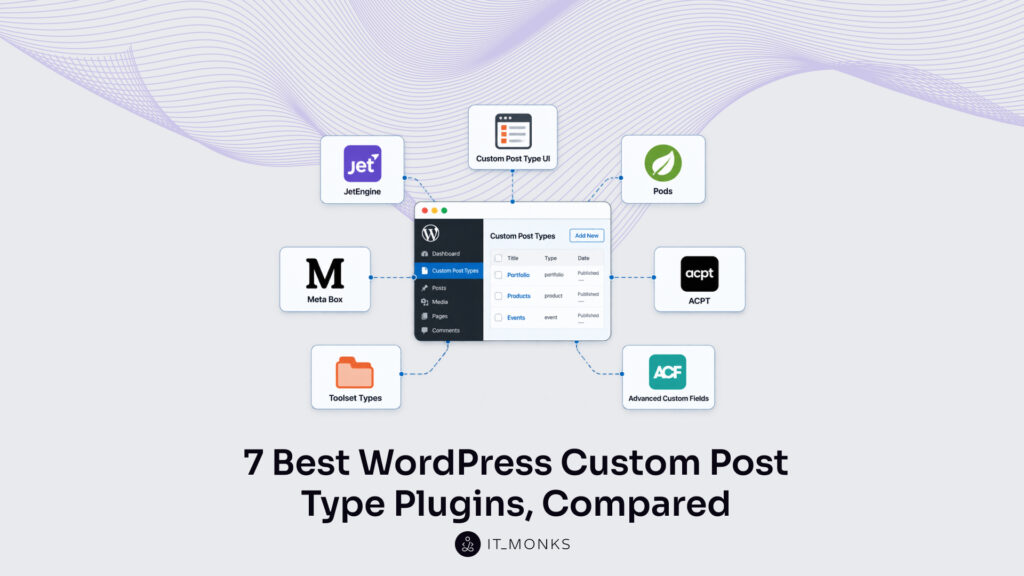
Seven plugins carry the comparison in full: Custom Post Type UI, JetEngine, Pods, Meta Box, ACPT, Toolset Types, and Advanced Custom Fields, each one measured against the same seven criteria. Advanced Custom Fields earns its spot the way the others do, judged on every one of those criteria; it simply leads with custom fields and added native post-type registration later, at version 6.1. The whole comparison points to a single decision (which custom post type plugin an agency practitioner should reach for on a given client project), and it starts with familiarity with the custom post type itself.
How to Compare Custom Post Type Plugins
Comparing WordPress custom post type plugins comes down to seven criteria, and two of them matter more than the rest: the post type creation interface and the strength of the custom fields. The creation interface is what most builds judge a CPT plugin on: how cleanly it sets up labels, capabilities, supports, icons, and menu placement without touching a template. Custom fields come next, because a content type is only as useful as the structured data attached to it.
The other five criteria sort out the harder cases.
Taxonomy handling measures whether a custom post type plugin creates categories and tags of its own, not just posts.
Template support decides whether the plugin renders that content on the front end or hands the job back to the theme.
Conditional logic covers dynamic visibility, showing fields or blocks only when a rule is met.
Pricing separates the tools that cost nothing from the freemium and premium suites, framed in annual US dollar licensing.
Usability, the last criterion, weighs how quickly a team gets productive, which matters more on client work than any single feature does.
On those seven criteria, the roster ranks:
Plugin
Creation UI
Custom fields
Taxonomy
Template support
Conditional logic
Pricing
Usability
Custom Post Type UI
Dedicated post-type and taxonomy screens (labels, capabilities, supports)
None built in; pairs with a fields plugin
Yes, full custom taxonomy setup
None; leaves output to the theme
None
Free
Focused and beginner-friendly
JetEngine
Post types and taxonomies from one interface
Yes, meta fields and meta boxes
Yes
Yes; dynamic listings and templates for Elementor, Bricks, and the block editor
Yes; dynamic visibility and rule-based conditions
Premium (Crocoblock, annual USD license)
Powerful, builder-oriented, steeper to learn
Pods
Post types and taxonomies from one interface
Yes, advanced field groups
Yes
Yes; Pods templates and auto-templates
Limited; field-level conditions only
Free (open source)
Capable but utilitarian
Meta Box
Post types and taxonomies via a free extension or online generator
Yes; custom fields are its core strength
Yes
Yes, through MB Views (premium)
Yes, via the conditional logic extension (premium)
Freemium (free core, premium extensions)
Modular and developer-leaning
ACPT
Post types, taxonomies, and fields in one modern interface
Yes; rich field types
Yes
Yes; template builder (Pro)
Yes; conditional fields (Pro)
Freemium (free tier, ACPT Pro)
Clean, modern interface
Toolset Types
Post types, taxonomies, and fields in an integrated suite
Yes
Yes
Yes; Toolset Blocks and Views
Yes; conditional display
Premium (Toolset suite, annual USD license)
Integrated but heavier to learn
Advanced Custom Fields
Post-type and taxonomy screens added in version 6.1; secondary to its purpose
Yes; best-in-class custom fields
Yes (since 6.1)
None; exposes field data through template functions
Yes; conditional field display in the editor
Freemium (free core, ACF Pro)
Excellent for fields; a stretch as a post-type tool
Advanced Custom Fields meets every criterion, with its weight concentrated in custom fields. Post-type registration is the newer part of its profile, a version 6.1 addition that sits behind its strongest work, so on a build that centers post-type creation it reads as the fields-first choice among the seven rather than the obvious first reach. Custom Post Type UI is the opposite: the leanest tool in the roster, one of only two that cost nothing, and the reference point the others get weighed against.
Custom Post Type UI
Custom Post Type UI, usually shortened to CPT UI, is a free WordPress custom post type plugin built around a single job, registering post types and taxonomies through the admin screen instead of a theme’s functions file. The Custom Post Type UI plugin focuses narrowly on that task, which is precisely why it fits post type creation on a modest budget.
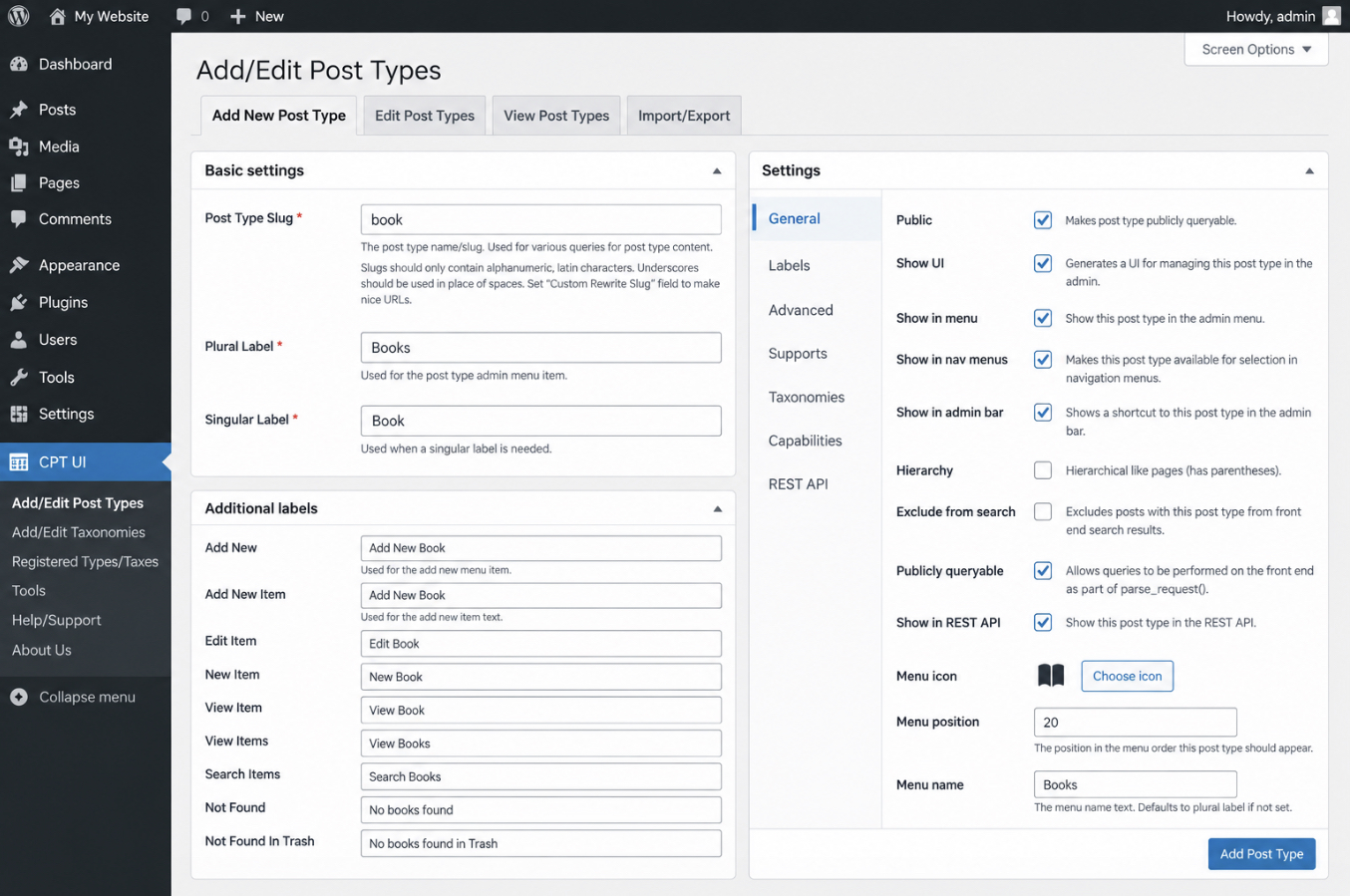
Post type creation happens on one admin form. The plugin offers a field for the post type slug, separate singular and plural label fields, and a settings panel that configures visibility, hierarchy, archive behaviour, the menu icon, the editing features each post type supports, and its capabilities and REST API exposure. Everything a new post type needs to appear in the dashboard is set right here.
The Add/Edit Post Types screen in Custom Post Type UI, showing the post type slug field, the singular and plural label fields, and the settings panel.
Custom fields fall outside the plugin’s scope: it registers post types and taxonomies, while a separate custom-fields plugin provides the fields themselves. Taxonomy registration, though, is built in, the same interface creates hierarchical or flat custom taxonomies and organizes them under any post type. Template output comes from the theme, since the plugin handles registration rather than front-end display, and conditional logic is not part of the feature set.
Pricing is the strongest argument in its favour: the core plugin is free on the WordPress repository, with an optional premium extension available for teams that later want layout output. Usability matches that positioning. A light footprint and a short learning curve suit simple, cost-sensitive client projects where registering post types and taxonomies cleanly is the entire requirement.
JetEngine
JetEngine is a premium WordPress custom post type plugin that offers a full content framework rather than a single-purpose registration tool. The plugin registers post types and taxonomies like any option in this class, but it includes far more than that starting point.
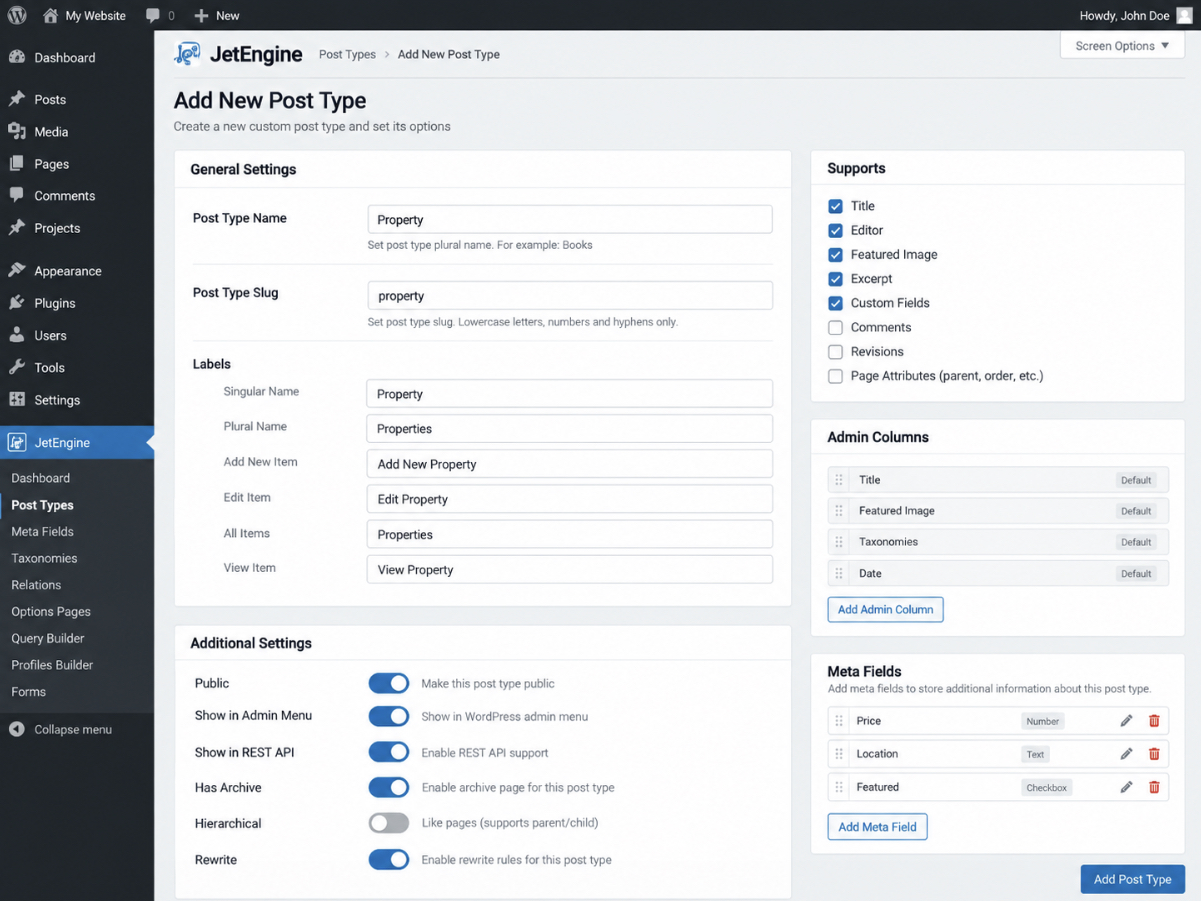
The plugin registers post types through the admin, and from the same install it also creates custom content types, relations between post types, options pages, and query-driven listing grids. Custom fields come built in: a meta builder offers text, media, repeater, and relational field types attached directly to each post type. Taxonomy registration is included on the same footing. Template and display are where the plugin offers the most: dynamic templates and listing grids provide post type data to page builders such as Elementor, Gutenberg, and Bricks, so the same tool that registers the data also configures how it renders. Conditional logic follows: dynamic visibility rules show or hide elements by field value, user role, or query result.
Pricing is premium. JetEngine comes as a paid annual license in US dollars, with no free tier. The premium tier includes a broad feature range, and that breadth comes with a steeper learning curve than a plain registration plugin provides. Usability, then, fits a particular kind of build: content-heavy, framework-style projects where one plugin organizes the data structure and configures its front-end output across a client site.
Pods
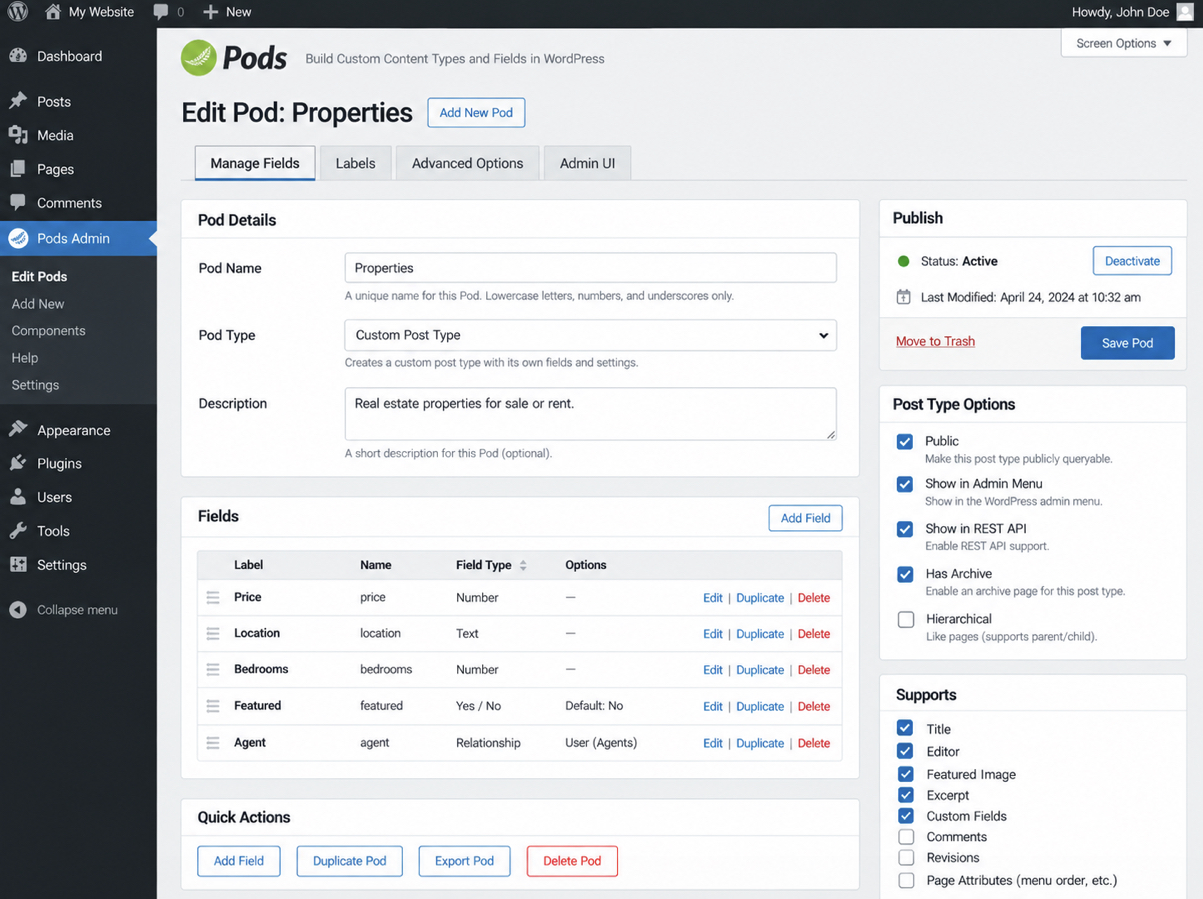
Pods is a free WordPress custom post type plugin that registers custom post types and their custom fields from one admin screen. That combined approach defines the plugin: the creation UI handles the content type and the fields attached to it together, instead of splitting the two across separate tools. A practitioner opens a single builder, registers a new custom post type, and configures its fields in the same place.
Custom fields come built in. Pods offers text, number, relationship, file, and repeatable field types, and it attaches them to a post type it created or to one WordPress already provides. The plugin also registers custom taxonomies, so the categories and tags for a content type sit under the same interface that produced the type itself.
For display, Pods includes template tags and dedicated blocks that pull field values into theme templates and the block editor. Conditional logic is supported at the field level: the plugin handles field visibility, showing or hiding a field based on another field’s value, for cleaner editing screens on client sites.
Pricing is where Pods stands apart, because it is free. The plugin comes as open-source software with no premium tier and no annual license in USD. That free footing fits budget-conscious, all-in-one client builds: one tool that registers content types, manages fields, and organizes taxonomies. Pods suits agencies that want a dependable free option without a recurring bill, provided the team accepts community-paced support in place of a commercial help desk.
Meta Box
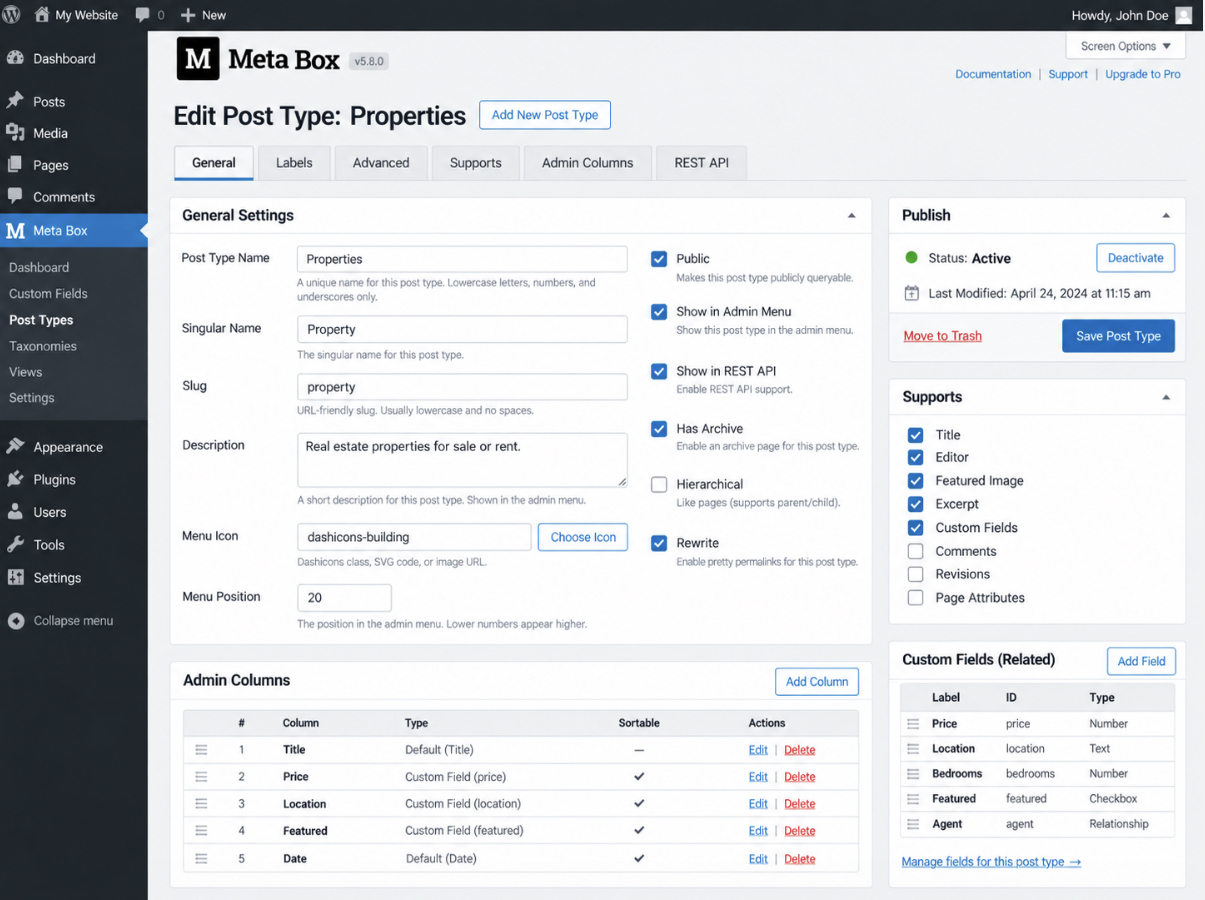
Meta Box is a freemium WordPress custom post type plugin built around custom fields first, with post type registration layered on top. That orientation shows in the creation UI: the free core is a field framework, and a companion builder registers the custom post type and its taxonomies, so a content type takes shape from the data it must carry.
Custom fields are the plugin’s core strength. Meta Box offers a deep library of field types (from basic text through image, group, and cloneable fields), and supports complex client data models as they grow. Custom taxonomy registration follows the same pattern, handled through the extension layer rather than a separate tool.
Templates and conditional logic sit in the paid tier. Meta Box supports front-end output through its Views extension and manages field visibility through its Conditional Logic extension, so a field or a template appears only when the underlying data calls for it. The modular structure means a build includes only the extensions it uses.
Pricing follows the freemium model: the core plugin costs nothing, while extension bundles and the all-in-one license carry an annual fee in USD. That structure fits fields-heavy, modular client builds where the data model matters more than a bundled template system. Meta Box suits agencies comfortable assembling the exact extension set a project needs, and it matches teams that treat custom fields as the starting point of every content type.
ACPT
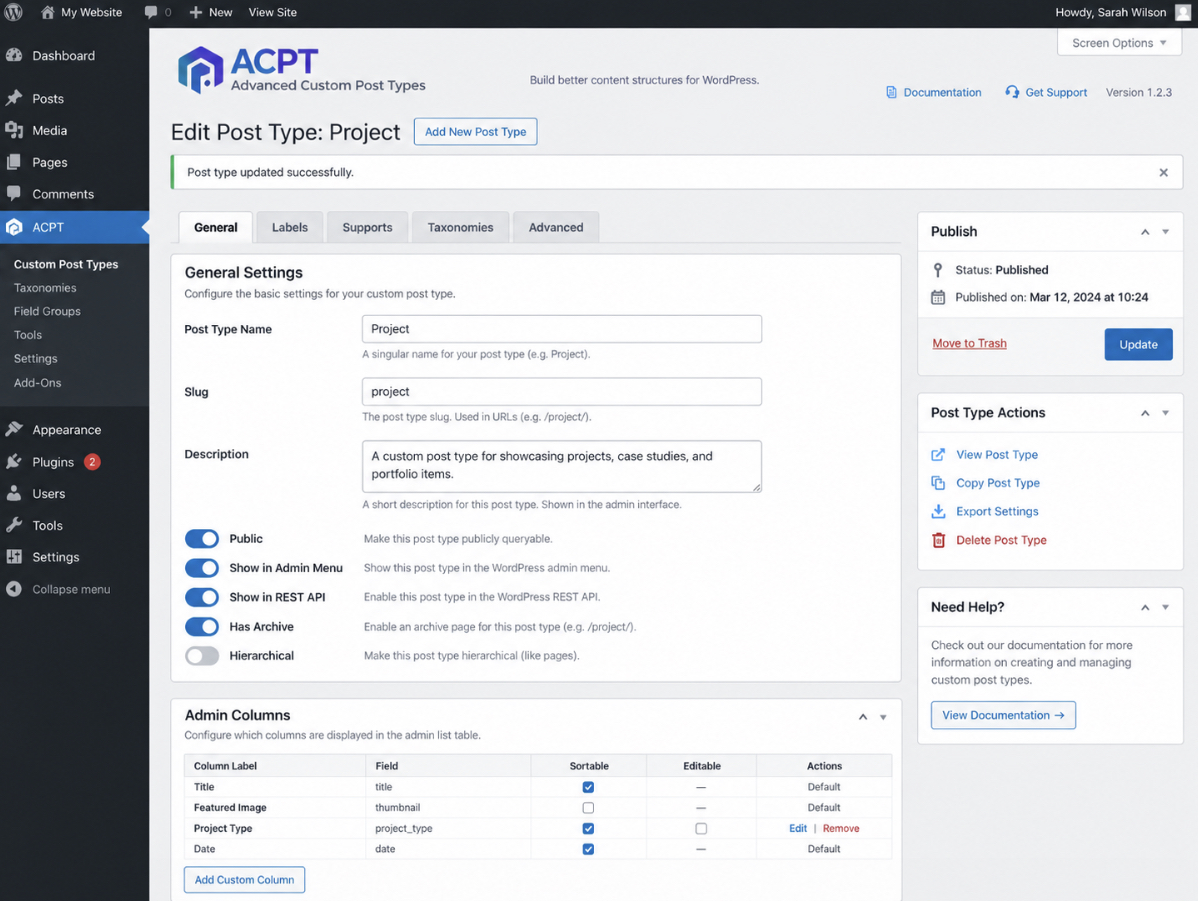
ACPT (Advanced Custom Post Types) is a WordPress custom post type plugin that registers custom post types, taxonomies, and fields from a single visual dashboard. Its creation UI focuses on feature breadth: a practitioner registers a new post type in the dashboard, then configures its labels, supports, and options through visual controls instead of manual setup.
Custom fields come next. ACPT offers its own field groups and field-builder, and it attaches fields to a post type inside the same dashboard that created it. Custom taxonomy registration works the same way, and the plugin organizes terms alongside the types they classify.
ACPT also covers templating and conditional logic. It includes a template layer that provides field output on the front end, and it supports conditional rules that manage when a field appears. Both stay inside the visual environment, which keeps configuration consistent across a build.
On pricing, ACPT follows a freemium tier: a free version covers core post type creation, while a premium license provides the advanced feature set for an annual fee in USD. That tier structure suits feature-driven agency builds where a single visual tool must register types, manage fields, and handle taxonomies in one interface. ACPT fits teams that prefer a dashboard-first workflow, and it matches projects that value breadth of built-in features over a minimal footprint.
Toolset Types
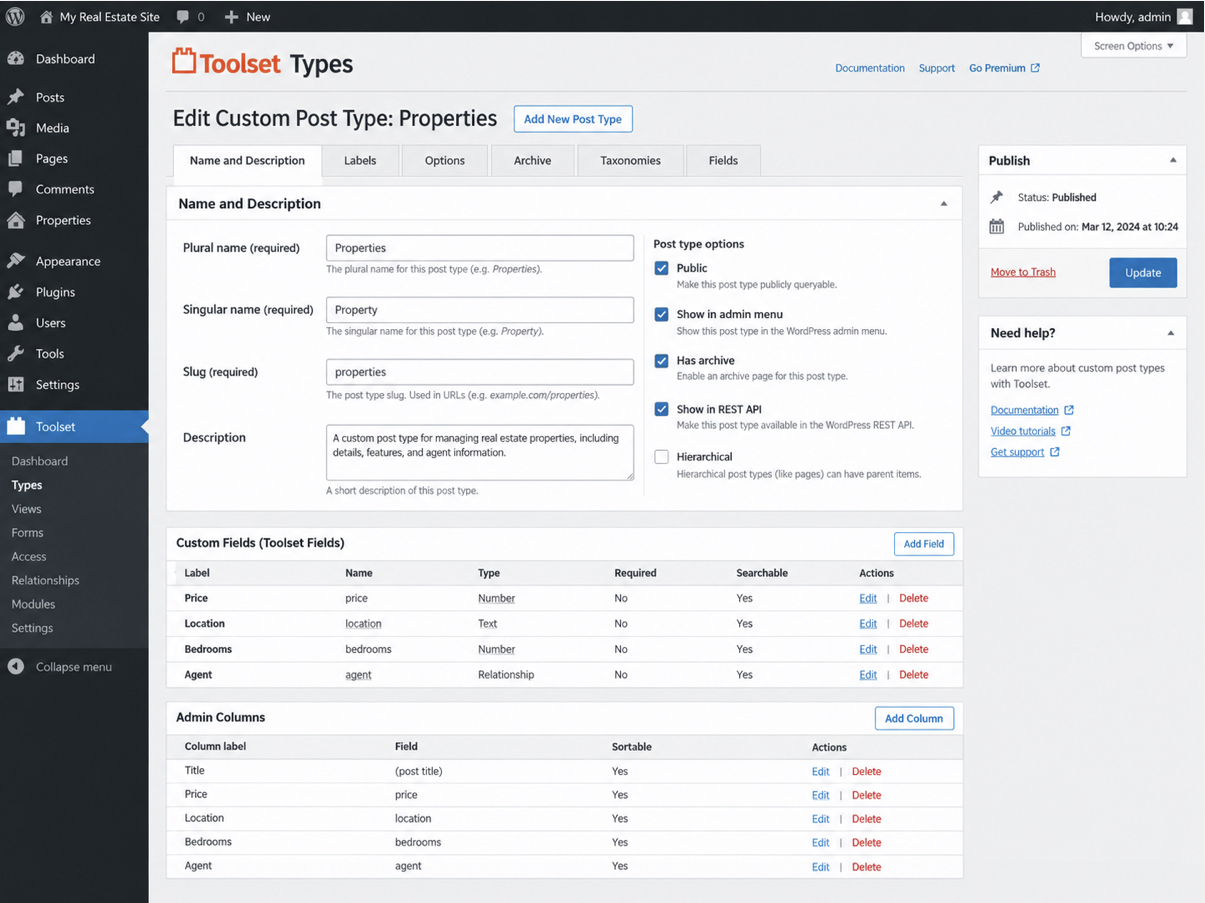
Toolset Types is a WordPress custom post type plugin built around integration. It registers custom post types, custom fields, and custom taxonomies from one connected admin interface instead of three separate tools. The post type creation UI is the entry point. Toolset creates a new post type from a settings screen and organizes its fields and taxonomies in the same place, so the pieces of a data model stay together as a project grows.
Custom field support comes built in. Toolset manages field groups for each post type and handles a wide range of field kinds, from plain text and images to dates and relationships between entries. Taxonomy support sits in the same interface: the plugin registers custom taxonomies and organizes terms for each post type, and it provides that classification without a second plugin bolted on.
Template support comes as part of the paid suite. Toolset supports front-end templates, archive layouts, and single-entry designs assembled from the admin rather than a theme file. Conditional logic belongs to the same suite: Toolset supports display conditions that show or hide content based on a field value or user role, which suits dynamic pages that change per entry.
Pricing is premium. Toolset sells as a paid annual license in US dollars, and that single license covers post types, custom fields, taxonomies, templating, display, and front-end forms in one package. Usability leans toward the integrated end. Toolset suits agency builds that want post types, fields, taxonomies, and display configured as one system, and it fits teams comfortable working inside an all-in-one framework rather than assembling separate plugins.
For a client project that values that wiring in a single place, Toolset matches the project, while a lone post type on a lean site rarely needs the whole suite. One plugin in the same class earns its place for the opposite reason. It leads with custom fields, and registers post types only as a later addition.
Advanced Custom Fields
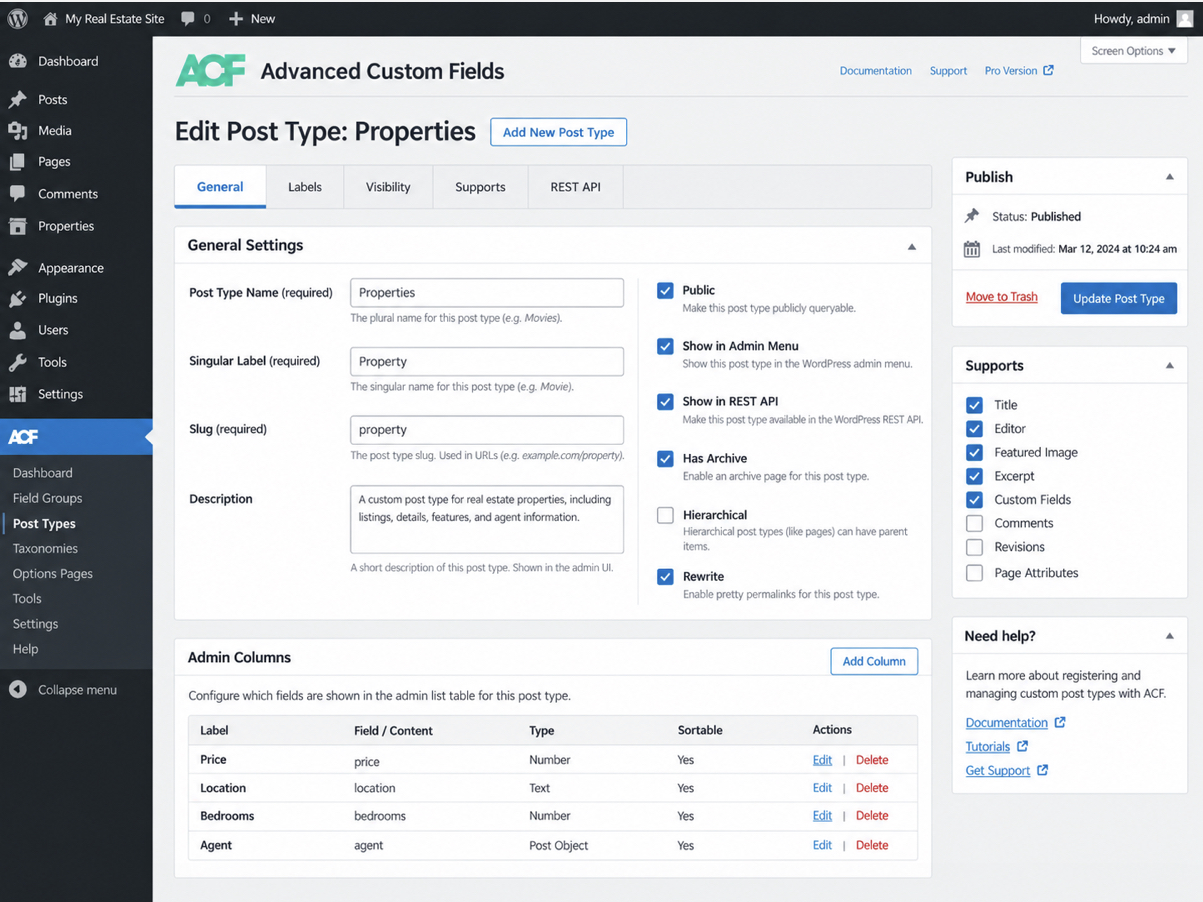
Advanced Custom Fields, usually shortened to ACF, is a freemium WordPress custom post type plugin built first for custom fields, and it registers post types and taxonomies natively as of version 6.1. Post-type creation is a later addition, secondary to the fields the plugin is known for. ACF adds a post type through an admin screen and attaches its own custom fields, the plugin’s deepest strength.
Taxonomy registration belongs to that same 6.1 release, so a content type and its terms take shape inside ACF. Template output is the gap: the plugin renders nothing itself, exposing field data through template functions the theme calls. Conditional logic works at the field level, showing a field only when another field’s value calls for it, so it governs fields rather than page layout.
Pricing is freemium: the core plugin is free on the WordPress repository, and ACF Pro adds advanced field types for an annual fee in USD. Usability runs excellent for fields and thinner for post-type creation, which sets ACF slightly apart from the post-type-first tools in the roster. It suits teams already running ACF who want post types from the same plugin; a post-type-first build still fits a dedicated custom post type plugin. The Advanced Custom Fields field builder covers the field side in full.
Which Custom Post Type Plugin Should You Choose?
Choosing a custom post type plugin depends on the shape of the client project, not on a single winner. The right custom post type plugin is the one whose strengths match the build in front of the team, and three factors decide that match: pricing, feature breadth, and everyday usability.
Pricing is the first deciding factor. A free plugin suits a straightforward site that needs a post type or two and little more, while a premium framework earns its annual license once the build leans on dynamic templates and conditional display. Feature breadth is the second factor. A lightweight registration tool differs sharply from a full content framework, and paying for breadth that goes unused rarely pays off. Usability settles the rest. A small team ships faster with a plugin it can operate without a manual, even where a heavier tool offers more in its feature list.
Three project shapes point to clear picks:
A free or simple build: Custom Post Type UI or Pods. Both cover post types and taxonomies at no cost, and Pods includes custom fields in the same free package.
A content framework with dynamic templates: JetEngine. It suits builds that need post types, fields, and front-end display from one premium toolkit.
A fields-heavy project: Meta Box. It fits data models where custom fields carry most of the work, backed by a modular set of extensions.
For most simple or free builds, Custom Post Type UI remains the recommendation. It does one job, does it at no cost, and keeps the handoff to a client simple. Anything more specialized is a deliberate step up, taken when a project genuinely calls for fields, templates, or dynamic display. Teams assembling a plugin stack for that kind of build often weigh the editing layer next to the data layer, and a roundup of free Gutenberg block plugins covers the block side of the same decision. Two prior questions sit underneath the pick, though: whether to reach for a plugin at all or register the post type directly in code, and whether the content even warrants a custom post type rather than a page carrying a few custom fields.
Custom Post Type Plugin vs Registering a Custom Post Type in Code
A WordPress custom post type plugin registers and manages custom post types through an admin interface, which makes it the no-code alternative to hand-coding register_post_type in a theme’s functions file or a small custom plugin. Both routes reach the same result (a working custom post type), yet they differ in what they hand over. The plugin route trades direct control over the code, and a leaner install, for faster setup and easier maintenance. The hand-written route keeps every argument visible and adds nothing to the plugin list, at the cost of developer time whenever the definition changes.
Which route wins depends on who maintains the site after launch. A one-off build owned by a developer who is comfortable in PHP can register a custom post type in code and keep the footprint minimal. A site that a client or an in-house editor will run afterward, the usual agency situation, suits a plugin better, because the post type stays configurable from the dashboard long after handoff. For most agency client projects, the plugin route is the safer default.
Custom Post Type vs a Page with Custom Fields
A custom post type differs from a page that carries custom fields, even where both store extra data. A custom post type models a repeatable, structured content type rather than a single fixed page. That suits content that repeats: property listings, staff profiles, case studies, products. A single page with a few custom fields suits the opposite case, a one-off layout that appears once and never multiplies.
The signal that a project needs a CPT plugin at all is volume and repeatability. Once the same shape of content recurs across many entries, a page-plus-fields approach stops scaling, and this modeling decision comes due before any plugin is chosen. Settle it first: whether to model the content as a custom post type or as a page backed by an ACF repeater, the CPT vs page with ACF repeater comparison works through the full decision tree that precedes every plugin pick above.




 ChatGPT
  Claude
  Grok
Grok  Gemini