Explore our specialized services, tailored solutions, and industry expertise to elevate your digital presence. From custom WordPress development to seamless integrations, we build high-performing websites that deliver impact.
A custom WordPress REST API endpoint begins as a developer’s answer to a limit: the data a client integration needs sits outside every route WordPress ships by default. Building that route with register_rest_route() closes the gap. Most WordPress projects run fine on the built-in endpoints, an external system rarely does. When a partner service asks for one exact shape of data, or a mobile application has to read a resource the standard schema never models, the WordPress custom endpoint becomes the practical answer.
The WordPress REST API already exposes posts, pages, users, and taxonomies through its default wp/v2 routes. Those routes are fixed. They answer the questions WordPress core decided mattered, and nothing past them.
A custom API endpoint in WordPress covers the remainder: registered by a developer, scoped to a single integration, and free to return exactly the fields a consuming application requested; no surplus, no gaps. That is the line between custom and default. One is general-purpose and shipped; the other is deliberate and added.
Getting a custom endpoint into WordPress runs in a fixed order, and the order is strict because each step depends on the one before it. The route gets defined, then registered against WordPress, then handed a set of accepted parameters, then secured behind a permission check, and finally tested with a real request. An omitted step leaves every step after it unregistered. Before any of those steps carries weight, though, one thing settles the rest: what a custom WordPress REST API endpoint actually is, and how it differs from the default routes it extends.
What Is a Custom WordPress REST API Endpoint?
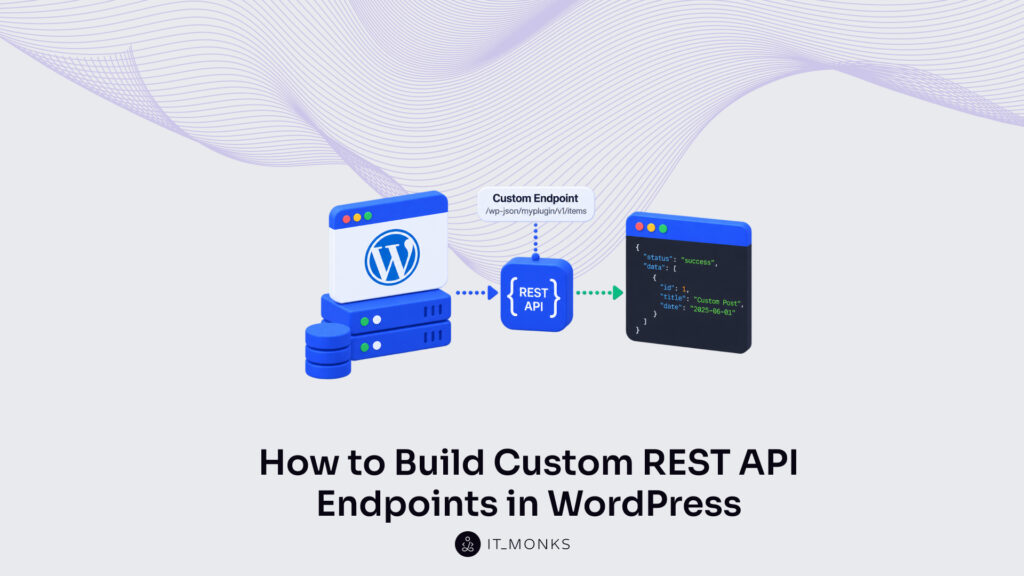
A custom WordPress REST API endpoint is a route a developer registers to expose custom data or functionality as JSON. The WordPress REST API gives a broad overview of a site’s content through its features and built-in endpoints (posts, pages, users, media), yet each of those is a fixed, general-purpose route decided by core. A custom endpoint is the other case entirely: purpose-built, registered by hand, and shaped around one job the standard routes were never meant to do. Every WordPress API endpoint, custom or default, is a URL the REST API answers with structured JSON; what changes is who defines it and why.
The dividing line is register_rest_route(). The default wp/v2 endpoints arrive with WordPress and need no setup, while a custom endpoint does not exist until a developer calls register_rest_route() to create it. That single distinction (custom endpoint versus default route) traces back to that one function. It is also why “custom” here means registered, not merely modified. A developer adds a route WordPress did not have, rather than reshaping one it already serves.
Where a default route exposes a resource WordPress already models, a custom endpoint returns whatever the integration defines: a filtered product list, a computed total, a record pulled from a third-party system. Even the write side of the standard schema follows the identical shape. The built-in create-post endpoint is the pattern a custom endpoint extends, registered the same way, answered by the same request cycle, differing only in what it does with the request. A custom endpoint takes that established contract and points it at data of the developer’s choosing.
That one function call is where a custom WordPress REST API endpoint stops being a plan and becomes a registered route on the site. How register_rest_route() fires, and the four arguments it expects, is where the build starts.
Registering a Custom Endpoint with register_rest_route()
register_rest_route() is the WordPress function that registers a custom REST endpoint, and it runs on the rest_api_init hook. The endpoint has no existence until this single call declares it. Hook the call too late, or omit it, and the route never joins the set of paths the REST API agrees to answer. The WordPress developer handbook documents register_rest_route as the canonical way to add a REST endpoint, and the function earns that role by doing one thing exactly: it takes a description of a route and registers it with the REST server.
That description arrives as four named parts. A namespace and a route come first, as the function’s opening two arguments; a methods key and a callback key follow inside the options array that register_rest_route() reads third. Together those four parts are the structure the endpoint is built from: the prefix it groups under, the path it answers, the verb it accepts, and the function that produces its response. A single register_rest_route example holds all four at once: myplugin/v1 as the namespace, /items/(?P<id>d+) as the route, WP_REST_Server::READABLE as the method, and myplugin_get_item as the callback.
Wrapping the call in add_action( ‘rest_api_init’, … ) is what ties registration to the moment WordPress builds its REST routes; run it outside that hook and the endpoint is registered too early to take. Each of the four parts carries its own rules, and the namespace comes first, the prefix that sets a custom endpoint apart from every other route already registered.
Namespace
The namespace is the route prefix that groups a custom endpoint, and it is the first argument register_rest_route() receives. Written as a vendor segment plus an integer version segment (myplugin/v1) the prefix keeps one plugin’s routes clear of another’s, so two plugins can each register /items without colliding.
The version segment is why the prefix ends in a number. Registering myplugin/v2 beside myplugin/v1 lets a second version of the endpoint run alongside the first, so clients still calling v1 keep working while newer clients move to v2, the endpoint evolves without breaking anything that already depends on it. The WordPress handbook’s Namespacing guidance settles the shape here: a vendor name to avoid collisions, a version to allow change. It is a consensus convention, and there is little reason to depart from it. Once the namespace sets the prefix, the route names the path that follows it.
Route
The route is the URL pattern that follows the namespace, the second argument to register_rest_route(). It maps a request path onto the custom endpoint, so a call to /wp-json/myplugin/v1/items/42 resolves to the route registered as /items/(?P<id>d+).
A route uses two kinds of segment. A literal segment, items, matches itself and nothing else. A regex parameter (?P<id>d+) matches a pattern instead and captures whatever the URL supplies at that position; here d+ captures one or more digits as the item identifier and names the capture id. That named id is the value the callback reads later to know which item a request is asking for. The pattern decides which URLs reach the endpoint; the methods key decides which HTTP verbs the endpoint answers once a URL matches.
HTTP methods: GET
The methods key declares the HTTP verb the route answers, one of the keys inside the options array that register_rest_route() reads. For a read endpoint that verb is GET, written as WP_REST_Server::READABLE, the constant WordPress maps to the GET method.
'methods' => WP_REST_Server::READABLE, // 'GET'
GET suits this endpoint because the request only reads an item and returns it, altering nothing on the server. A write endpoint declares a different verb: POST, written as WP_REST_Server::CREATABLE, for a route that creates or accepts data. The methods key accepts a single verb or several, so one route can answer both a read and a write where a design calls for it. Declaring the verb sets what the route answers; the callback sets how it answers, the function that receives the request and builds the response.
Callback function
The callback function is the function that handles a request to the route and produces the response, the callback argument register_rest_route() points to. When a request reaches the registered route, WordPress calls this function, passes it a WP_REST_Request object, and waits for a response in return.
function myplugin_get_item( WP_REST_Request $request ) {
    $id = (int) $request['id'];
    if ( ! $id ) {
        return new WP_Error( 'no_id', 'Invalid id', array( 'status' => 400 ) );
    }
    return new WP_REST_Response( array( 'id' => $id ), 200 );
}
Two return paths shape a well-formed handler. On success the callback returns a WP_REST_Response. Here the requested id wrapped in a 200 OK response the REST server serializes to JSON. On failure it returns a WP_Error instead, carrying a status such as 400 so the caller receives a proper error rather than a malformed payload. The myplugin_get_item handler reads the captured id, rejects a missing or zero value with that WP_Error, and otherwise returns the item.
A callback can also fire custom do_action hooks as it runs, letting other code react the moment the endpoint responds, the same extensibility pattern behind custom hooks in WordPress. What the callback works with, though, comes from one more part of the registration: the args the endpoint declares and accepts, each checked before the request ever reaches this function.
What Are the args for a Custom Endpoint?
The args of a custom endpoint are the request parameters it declares inside register_rest_route() and agrees to accept: an id, a query string, whatever value the route reads out of an incoming request. A custom endpoint lists them in an args array, one entry per parameter, set right beside the methods and callback already in place. A name on its own is only half an entry, though. What makes an arg worth declaring is everything WordPress runs the submitted value through before the callback is ever allowed to touch it.
Four keys govern each parameter. required states whether a request must supply the value at all. default fills in a fallback when the request leaves it out. validate_callback inspects the incoming value and decides whether it is acceptable, and sanitize_callback coerces that value into a clean, correctly typed form.
Those last two are precisely the keys most register_rest_route() walkthroughs skip: they register the route, name the parameter, and let raw input fall straight through to the handler. A validated, sanitized value versus that unguarded raw input is the whole distance between a throwaway example and a route safe to expose in production.
Declared on the id parameter, those four keys settle what a custom endpoint accepts; which of those requests it actually allows through is a separate decision, made by its permission_callback.
What Is a permission_callback for a Custom Endpoint?
A permission_callback is the authorization gate a custom endpoint declares inside register_rest_route(), and it decides which requests reach the handler and which are refused before the callback ever runs. Every route registered through register_rest_route() should declare one; since WordPress 5.5, omitting it raises a _doing_it_wrong notice and leaves the route open. It runs first, ahead of the callback, and its answer is binary: this request is authorized, or it is not.
Most tutorials fill that slot with __return_true, a value that authorizes every request without condition, harmless on a read-only demo, negligent on anything that writes. A production custom endpoint returns a real capability check instead. current_user_can( 'edit_posts' ) restricts the route to requests whose identity holds that capability, so the gate opens for an editor and stays shut for everyone else. The contrast is stark: __return_true controls nothing, while a capability check controls exactly who gets through.
A capability check answers what a request is permitted to do, not who is behind it. That identity travels with the request (carried by a cookie, an Application Password, a JSON Web Token, or an OAuth credential) and setting those mechanisms up correctly is the whole subject of WordPress REST API authentication. The permission_callback only consumes the identity they establish; a custom endpoint checks the capability, it never builds the credential.
'permission_callback' => function ( WP_REST_Request $req ) {
  return current_user_can( 'edit_posts' ); // real gate
  // '__return_true' = open; never ship on writes
}
With the gate in place, a custom endpoint is fully assembled: registered on rest_api_init, given a validated set of args, and closed to unauthorized callers. What remains is proof that it answers. A single request to the endpoint’s own URL settles that.
A Browser Call to the Custom Endpoint
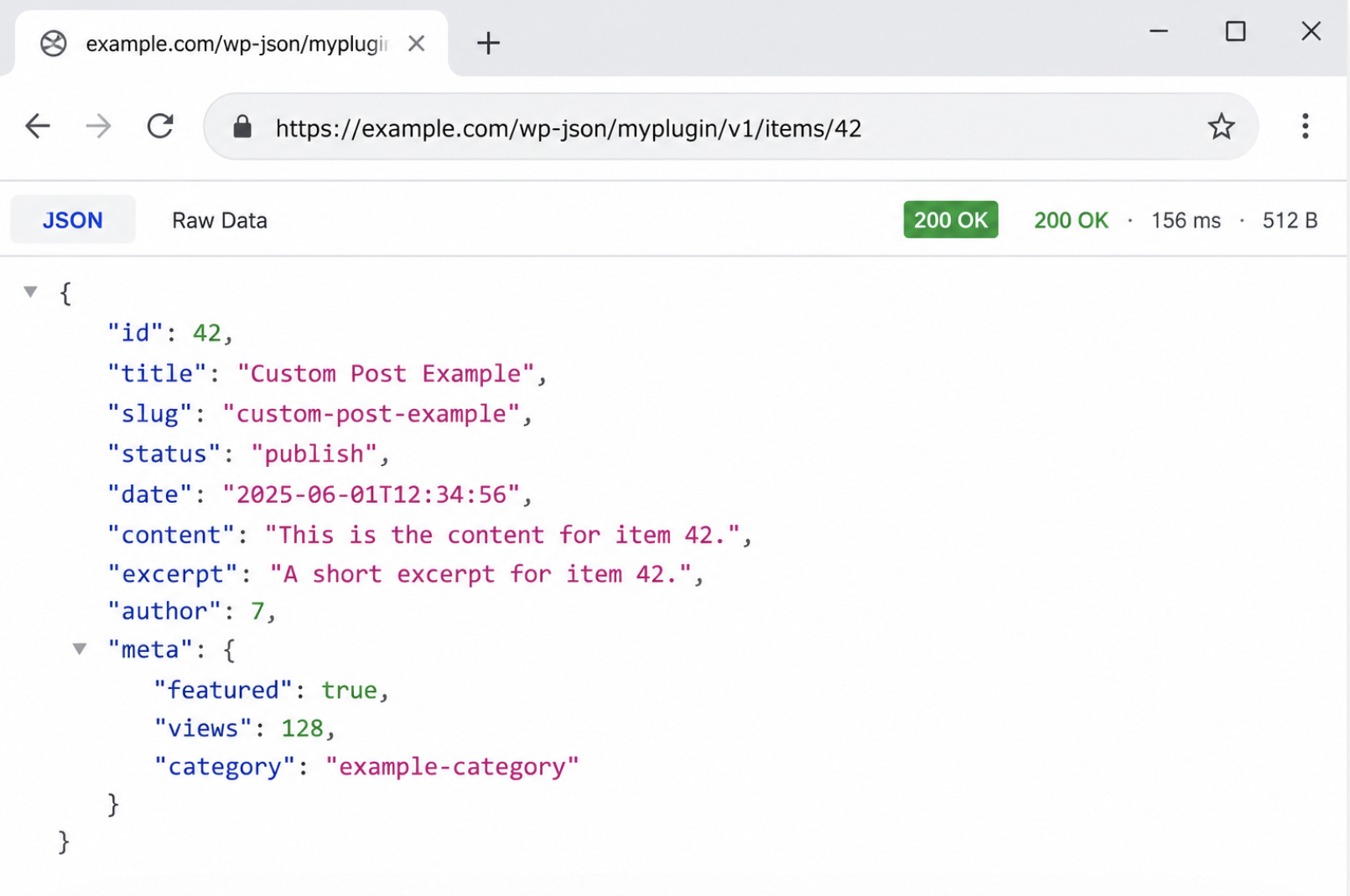
A browser call to the custom endpoint is verification in its plainest form: requesting the registered route at its own URL to confirm the endpoint responds. Once register_rest_route() has run on rest_api_init, the custom endpoint answers a GET request the instant its URL loads, and it returns a JSON response rather than an HTML page. Nothing else has to happen first, the route exists, so it replies.
Loaded in a browser, the endpoint URL https://example.com/wp-json/myplugin/v1/items/42 returns the item payload with a 200 OK status code. The status code is the signal that matters here: 200 OK means the registered route accepted the request and handed back data.
The custom endpoint at /wp-json/myplugin/v1/items/42 returning its JSON payload,{"id":42,"title":"..."}, with a 200 OK status.
The same call runs from a terminal with curl, which prints the raw JSON and the status without a browser in the way:
curl -i https://example.com/wp-json/myplugin/v1/items/42
# → HTTP/1.1 200 OK  {"id":42,"title":"..."}
Postman reaches the identical route as a GET request from a client, sending that same URL and reading back the same 200 OK response. Browser, curl, and Postman are three equivalent ways to reach the endpoint URL, and each one confirms the registered route responds. Registering that route from inside a plugin, rather than a theme, is what keeps it responding after the site changes appearance.
How Does a Plugin Register a Custom Endpoint?
A WordPress plugin registers a custom API endpoint by carrying the register_rest_route() call in its own plugin file rather than in a theme’s functions.php. Plugin registration means the custom endpoint is defined inside the plugin, not the active theme, so the endpoint keeps responding through a theme switch.
The plugin header, the /* Plugin Name: ... */ comment at the top, is all that turns an ordinary file into an installable plugin. The add_action( 'rest_api_init', ... ) hook and the register_rest_route() call underneath it are unchanged from the theme version; only their location moves. That location decides survival. A route added through a theme’s functions.php disappears the moment a different theme activates, whereas the same route registered from a plugin stays active across every theme, which is why production and agency work keeps custom endpoints in a dedicated plugin.
Registration from a plugin also marks the custom endpoint as one extension surface among several. A REST route is the REST side of the same intent a GraphQL field can serve, and the WPGraphQL schema extension pattern adds a comparable custom shape to a WordPress site through GraphQL instead of register_rest_route().
With the route packaged this way, the custom endpoint is complete: defined as a developer-registered route that returns JSON, registered through register_rest_route() on rest_api_init, secured behind a permission_callback, verified by a browser call that returns 200 OK, and kept portable inside a plugin that carries it across any theme.






 ChatGPT
  Claude
  Grok
Grok  Gemini