Explore our specialized services, tailored solutions, and industry expertise to elevate your digital presence. From custom WordPress development to seamless integrations, we build high-performing websites that deliver impact.
A website can look professional and still be the wrong fit for the company behind it. The problem shows up in everyday work, where simple jobs take too long. A text change waits for a developer. A new campaign page takes a week. An inquiry sits in an inbox that nobody checks.
Problems like these do not come from the design. They appear when the website was built for a different way of working than the one the company has now. So the questions worth asking are practical ones. Who runs the website? How does new content get published? Where do inquiries go? And what happens when there are more pages, more campaigns, and more inquiries to handle?
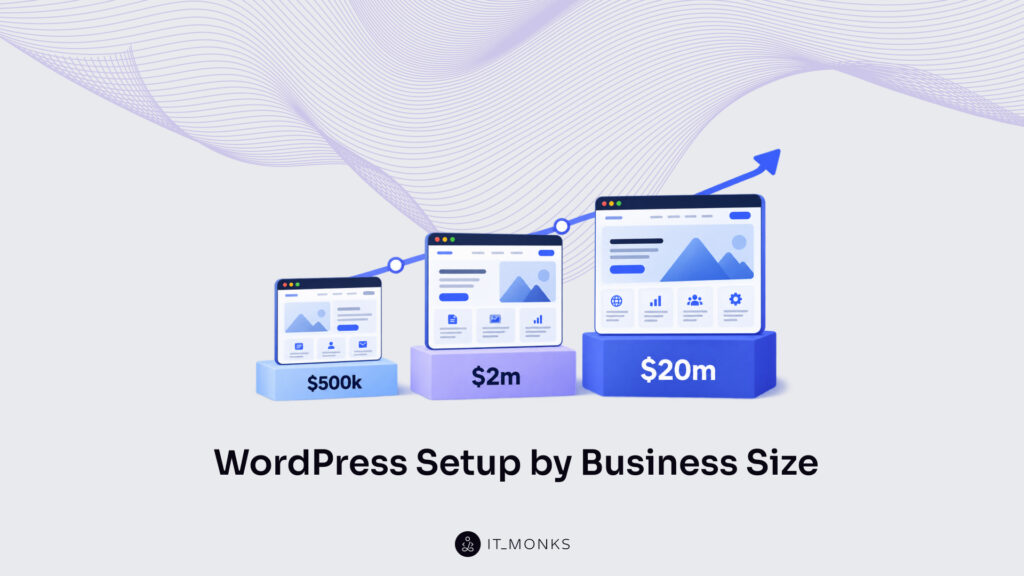
The answers change as a company grows, so the comparison below uses three business profiles. Each profile is named after a level of yearly company revenue: about $500k, about $2m, and about $20m.
To use the comparison, follow four steps:
Find the profile closest to your business.
Compare the suggested setup with the site you have.
Run the checks on your own site and note which ones fail.
Read what to prepare before the business grows further.
For the first step, treat revenue as a rough guide. Your profile really depends on how the website is run day to day: who owns it, how often you publish, how you handle leads, how many pages you have, and how many markets you serve. A $2m company whose owner updates the site twice a year belongs to the first profile. So if your revenue points to one profile and your daily work points to another, follow the daily work.
The three profiles at a glance
The table below sums up all three profiles, so you can find yours quickly. The numbers in it are examples, not statistics. Page counts and team sizes show what is typical, and higher revenue does not automatically mean more traffic, more languages, or a more complex website.
About $500k revenue
About $2m revenue
About $20m revenue
Who runs the site
The owner or one generalist
A marketing manager, sometimes still the owner
A marketing team of about 2–5+ people, with technical support
How it is used
Occasional updates; inquiries answered by hand
Regular publishing, campaigns, and lead follow-up
Several editors and connected systems; sometimes several markets
Typical size
10–20 pages: home, about, services, contact
50+ pages, an active blog, case studies, resources
200+ pages; several languages where needed
Suitable setup
A maintained theme or page builder, editable pages, a working form, basic analytics
Reusable components, content types with fixed fields, a CRM connection, inquiry tracking
A CMS with clear roles, shared components, written workflows, monitored integrations, hosting sized to the traffic
Main risk
Untested updates; enquiries depend on one person
One-off layouts; inconsistent content or lead data
Systems and teams that do not share data; unclear responsibilities
Typical limit
The owner cannot keep up with edits and replies
The templates cannot handle more content types or more editors
New markets, brands, or systems add more manual work between teams
Each profile below follows the same six parts, so you can read only your own or compare all three.
About $500k in revenue: the owner-run website
Does this sound like your business? You own the company, and the website is one of many things on your list. Its job is clear: explain what you do, show that you can be trusted, and bring in inquiries. You change the content a few times a year, for example, when a service changes. When an inquiry arrives, you or a colleague answers it by hand, and that still works because the number of inquiries is small enough for one person.
What a suitable setup looks like
Because the site changes rarely and one person can answer every enquiry, the setup can be simple too. A suitable baseline looks like this:
WordPress on a well-maintained premium theme, or on a page builder such as Elementor, when it covers the pages and features you need.
About 10–20 core pages that you can edit yourself without breaking the layout.
A contact form that delivers every enquiry to an inbox someone checks, plus a named person who replies. A CRM is optional as long as no enquiry goes unanswered.
Basic analytics that count visits and sent enquiries, so you can confirm the form works.
Reliable hosting, backups that someone knows how to restore, and one person responsible for updates.
A test copy of the site (a staging site) where technical changes, such as a plugin update, are tried before they go live. Ordinary text and image edits do not need this step.
This is enough for three reasons: the site has few pages, it changes rarely, and answering enquiries by hand is still quick. A CRM, automation, or a custom build would add cost and maintenance at this stage without solving a problem you have.
Check your current website
A setup like this only helps if each part really works, so test it with four checks:
Send a test enquiry through your form and follow it until it reaches the person who should answer.
Ask who installs updates on the site, and how that person would restore it if an update broke it.
Change a sentence on a service page yourself.
List your plugins. For each one, note who looks after it, when its developer last updated it, and whether another plugin does the same job.
Main risks to address
Each check points to one risk. If a check fails, the table shows what that failure costs you and how to fix it.
If the check shows…
What it costs you
How to fix it
The enquiry got lost, or nobody read it
You lose customers without knowing it
Confirm delivery, name the person who follows up, and add a second recipient as a fallback
Nobody tests updates or knows how to restore the site
One bad update can take the site offline, and nobody can bring it back quickly
Set up a test copy, write down the restore steps, and name one person responsible for updates
You could not make the edit yourself
Every small change waits for someone who is hard to reach
Ask for pages you can edit in the WordPress editor, with short written instructions
Plugins overlap or are no longer updated
Outdated plugins are a security risk, and overlapping ones can conflict after an update
Remove or replace them one at a time, and try each change on the test copy first
None of these risks comes from the tools themselves. A premium theme, Elementor, or a certain number of plugins does not make a site fragile. A site becomes fragile when nobody tests updates and nobody is responsible for it.
Where this setup reaches its limits
Risks are faults you fix now. Limits are different: nothing is broken, but the business has grown past what the setup was made for. For an owner-run site, the limit is the owner’s time. Campaigns become more frequent, more pages are needed, or inquiries increase, and one person can no longer keep up with both the edits and the replies. The website did not fail at that point. There is more work than one person can do.
What needs to change before you scale
The usual answer to that limit is to hand the website to a marketer. Many owners also start spending more on advertising at the same time. Both moves mean more campaign pages and more inquiries, so prepare the site for them first:
Reusable layouts for campaign pages, so each campaign does not start from a blank page.
Inquiries that go to a shared inbox or a CRM, and not to one person’s email.
Conversion tracking that shows which pages and campaigns bring inquiries.
A clear handover: logins, instructions, and who is responsible for what.
Then ask your developer whether these can be added to the current site, or whether the way it was built prevents that. Until you reach that limit, though, there is no reason to change anything. If updates, inquiry handling, and maintenance all work reliably today, keeping your setup is a reasonable decision. Revenue growth alone is not a reason to rebuild.
About $2m in revenue: the marketer-run website
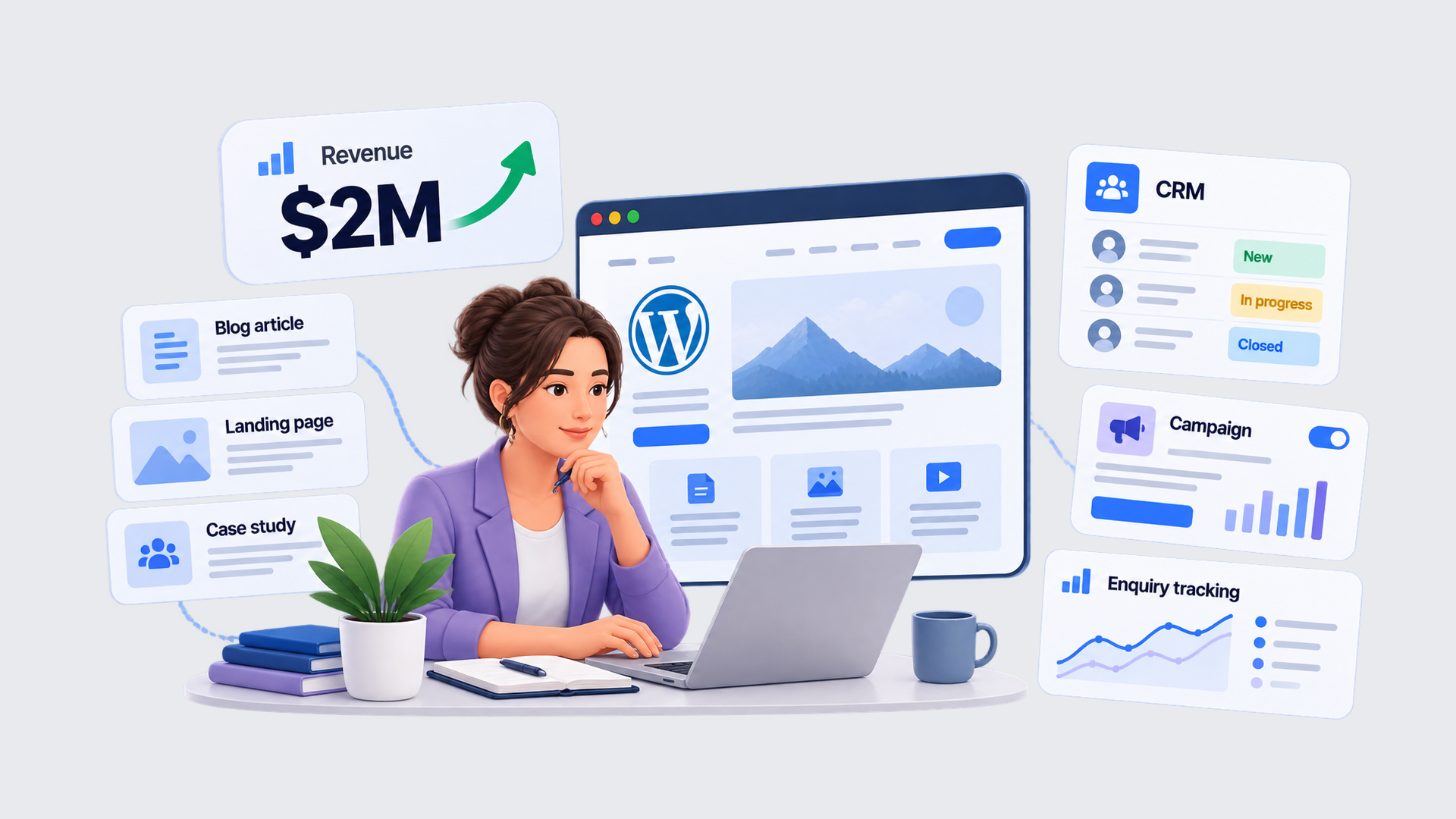
At this stage the website is part of one person’s job. A marketing manager runs it, sometimes with the owner still involved. That person publishes content regularly, runs campaigns, and needs to see what happens to each enquiry. As a result, the website is no longer a brochure. It is now one of the channels that bring in customers.
What a suitable setup looks like
Regular publishing changes what the site has to do. The marketer repeats the same jobs every week: a new article, a new landing page, a new case study. So the setup should make these repeated jobs fast, and the results should look consistent. That leads to this baseline:
A WordPress site built from reusable templates and components, which are ready-made page sections. A custom setup of Gutenberg, the WordPress block editor, does this well: the marketer picks ready-made sections and arranges them freely, while the design stays consistent.
About 50 or more pages, with an active blog and, where you use them, case studies, reviews, or resources.
Fixed fields and templates for content that repeats. Every case study, for example, has the same fields (client, challenge, result), is stored as its own content type, and links to related pages.
Forms connected to a CRM, basic automation such as an instant confirmation email, and a named person responsible for incoming leads.
Enquiry tracking that records the page the visitor arrived on and the page where they sent the form, where this is technically possible and legally permitted. This shows which pages and campaigns bring enquiries, although it will not explain where every single lead came from.
Technical SEO basics and structured data, which is markup that tells search engines what each page contains.
Technical changes tested before release, regular maintenance, and written instructions for routine marketing tasks.
With these parts in place, a normal campaign runs like this. The marketer builds the page from ready-made sections and adds relevant case studies. A colleague reviews the page, and it is published. Then a test enquiry confirms that leads reach the CRM together with the page they came from. Our guide on how a WordPress website should be built for marketing teams explains in depth how each of these parts should work.
Check your current website
That campaign workflow is also the simplest way to test your site. Walk through it and watch where it gets stuck:
Build a normal campaign page using only the components you already have.
Add a case study and see whether it appears automatically on the case studies page and on related pages.
Send a test enquiry and look for it in the CRM.
Look at your last few page changes and count how many needed a new plugin or a one-off layout.
Main risks to address
Each check that gets stuck points to a risk. The table shows what that risk costs you and how to fix it.
If the check shows…
What it costs you
How to fix it
You needed a developer, or you improvised a new layout
Every campaign is slow and looks a little different from the last one
List the sections and templates that are missing and have them built once
You had to copy the case study by hand into several places
The same case study looks different in each place, and updates get missed
Create one case-study content type that every listing draws from
The enquiry arrived incomplete, duplicated, with the wrong person, or without its source page
Sales follows up late or not at all, and marketing cannot see which campaign worked
Write down which fields are required and who receives each enquiry, then test again
Most recent changes added a plugin or a one-off layout
The site gets harder to maintain with every change
Turn needs that keep coming back into standard components, and remove the one-off fixes
Where this setup reaches its limits
Risks like these can often be fixed without rebuilding the site. If the same problem repeats on most pages, though, the site has a structural mismatch, which the assessment at the end covers. A limit is different, because it comes from growth and not from a fault.
This setup was designed for one marketer, so it stops fitting when more editors, more content types, more campaigns, or new markets depend on it. The signs are easy to spot: copies of the same layout, content that looks different from page to page, data copied between systems by hand, and publishing steps that only one marketer knows.
What needs to change before you scale
Those signs tell you what to review before the team grows. Check whether your components cover the pages people need to build, whether related content is linked automatically (a case study to its service, for example), who has permission to publish, which publishing steps are written down, and who is responsible for each integration.
Two further steps depend on your plans. If you plan to enter new markets, set up translation before the first translated page is published, because it is much easier to build language support into the templates now than to add it to hundreds of finished pages later. And start A/B testing only when the team has a clear question to answer, enough visitors to answer it, and a testing tool in place.
None of this means a large site is a problem. Hundreds of pages stay manageable when they are built from the same templates. One-off exceptions that keep repeating are a stronger sign of a structural problem than the number of pages.
About $20m in revenue: the team-run website
At this stage, the website belongs to a team. A marketing department of about two to five people, sometimes more, runs it with technical support behind it. Several people publish, and other business systems, such as a CRM or an ERP, may exchange data with the site. Some companies of this size also serve several markets or manage more than one brand, although many do not.
What a suitable setup looks like
When several people work on one website, speed for a single person is not enough. The site also has to keep their work consistent and stop one person’s change from breaking another’s. The baseline therefore looks like this:
WordPress set up as a structured CMS: reusable components, agreed content types, user roles that match each person’s job, and a clear rule for who publishes what.
About 200 or more pages, with a defined process for translating and publishing regional content where you need it.
A single site or a Multisite network. Multisite is a group of sites that share one WordPress installation, and it makes sense when separate teams own and publish separate sites. Publishing in several languages is a separate decision, because a single site can also carry several languages.
A reliable CRM connection, and connections to an ERP or other systems only where a specific business process needs them. Each connection needs a person responsible for the data, an alert when a transfer fails, and someone assigned to fix it.
Hosting, caching, and monitoring sized to your real traffic, with a load test before large campaigns.
Documentation and training, so the team creates routine pages without a developer. New features still need development work.
Accessibility checks, a review step before publishing, and regular maintenance as fixed parts of the publishing and development process.
All of these parts serve one purpose: nobody on the team should depend on a single person, and no team should repeat by hand what another team has already done.
Check your current website
Problems of this kind are hard to notice, because each person sees only their own part of the work. So test the places where work passes from one person or system to another:
Ask a second trained person to complete a routine publishing task alone.
Follow one lead from the website form into the CRM and any other connected system, and compare the data at each step.
Compare how two markets or teams built the same campaign.
Go through your main enquiry form using only the keyboard, without a mouse. Then ask technical support for the latest load-test result and compare it with the traffic you expect at a campaign peak.
Main risks to address
Here is what each failed check costs a team, and how to fix it.
If the check shows…
What it costs you
How to fix it
The second person could not finish the task
Work stops whenever one person is away
Document the workflows and name a backup person for each one
The data differed between systems, or a failed transfer went unnoticed
Reports are wrong, and lost leads are discovered too late
For each connection, name a responsible person, add an alert for failed transfers, and write down how to resend the data
Teams built the same campaign separately
The work is done twice, and the brand looks different in each market
Set up shared components, and state clearly what local teams may edit
You could not complete the form by keyboard, or no load test covers your peak
Some visitors cannot use the site, and it may slow down exactly when demand is highest
Order an accessibility audit and a load test, then fix the most serious problems first
Accessibility, which the last check covers, matters for all three profiles, and not only for the largest one. Whether a law also applies to you is a separate question, and the answer depends on what you sell and where you sell it, not on revenue.
So reaching $20m does not create a legal duty. In the EU, the European Accessibility Act (EAA) has applied since 28 June 2025 to certain products and services, such as online shops, ticketing platforms, and banking services.
It exempts service businesses with fewer than 10 employees and under €2 million in turnover. WCAG is something else: a technical standard that describes how to make web content accessible. One is a law, and the other is a standard, so the two terms are not interchangeable. The EU accessibility guidance is a good starting point for checking your own case.
Where this setup reaches its limits
At this size the limit is not the number of people. It is a website that is still run the way it was when one marketer managed it. Regional pages are copied by hand. Integrations work, but nobody has written down how. Too many people have full administrator access.
A developer is needed for every ordinary page launch. Each of these habits was acceptable for one marketer, and each one costs a team time every day. Growth then multiplies that cost, because every new market, brand, or system adds more work that has to be coordinated by hand.
What needs to change before you scale
For that reason, review four areas before you add a region, a brand, or a major integration: which content is shared between markets and which is edited locally, how pages of different types link to each other, who is responsible for each connected system, and how much traffic the hosting can handle.
Write the result of that review as specific tasks. “Upgrade hosting” is not a plan, because it does not say what was holding you back. Name the exact thing that has to change, for example: “regional pages must be built from shared components instead of copies.”
A task list like that is also the best proof of readiness. A website is ready when the team can run it, extend it, and maintain it at the planned workload, and everyone knows what they are responsible for. A long list of features does not prove that.
Bring your assessment together
You have now read your profile and run the checks, so write down the results. Six questions turn your notes into a short worksheet:
Which profile matches how our business operates today?
Does our website support that profile’s routine work?
Which risks have we actually tested or fixed?
What is our next operational change: more campaigns, content, contributors, markets, or connected systems?
Which part of our current structure would struggle with that change?
What has to be set up or fixed first?
Your answers will place you in one of three outcomes. There is no score to calculate, because the outcome follows directly from what you observed.
Outcome
What it means
Next step
Fits the current operation
The site handles routine work, and the main risks have been tested and fixed
Keep the setup, and repeat the checks when the team, the workload, or the markets change
Fits, with specific gaps
The structure works, but one or more checks failed or a process is missing
Fix those specific points and run the checks again
Structural mismatch
The way the site is built cannot handle your routine work or your planned growth
Have the structure reviewed, list the changes needed, and decide whether a rebuild is justified
The first three questions look at today, and the last three look ahead. That split matters, because a website can fit today and still need preparation for the next stage. If your answers point to a structural mismatch, custom WordPress development gives you a site built around how your team works.
What affects the cost of the changes?
Once you know what is missing, the next question is what it costs to fix. The cost depends on the kind of work involved: building components, restructuring content, moving the site to a new build, connecting systems, adding languages, testing, and training the team.
Two distinctions keep a budget realistic. The first is between a targeted improvement and a rebuild. Adding missing components to a well-built site is a much smaller job than building a new one. The second is between one-time and ongoing costs. Development is paid for once, while hosting, licenses, and maintenance come back every month or year.
Because the cost depends on what needs fixing, not the size of the company, there is no standard budget for a revenue level. Two $2m companies can need very different amounts of work.
How can IT Monks help?
Each problem described above has a specific fix, and these fixes are the work we do. When every page is built from scratch, we build reusable Gutenberg components. When the same content looks different across pages, we set up content types with fixed fields. When leads get lost between the form and the sales team, we connect the form to the CRM and test the transfer. And when the site depends on one person, we document the workflows and train the team.
If your website no longer fits how your business operates, discuss your current setup and next stage with IT Monks. Not every conversation ends in a rebuild. Sometimes the result is a short list of fixes, and sometimes it is confirmation that your setup is right for now.







 ChatGPT
  Claude
  Grok
Grok  Gemini