Explore our specialized services, tailored solutions, and industry expertise to elevate your digital presence. From custom WordPress development to seamless integrations, we build high-performing websites that deliver impact.
The copy is approved, and the images are ready, but the page still isn’t live. First, it needed a developer ticket. Then someone had to fix the layout. Then an older page broke and had to be repaired before anything new could go out. When every launch goes this way, the conclusion seems obvious: WordPress is a hard place to produce content.
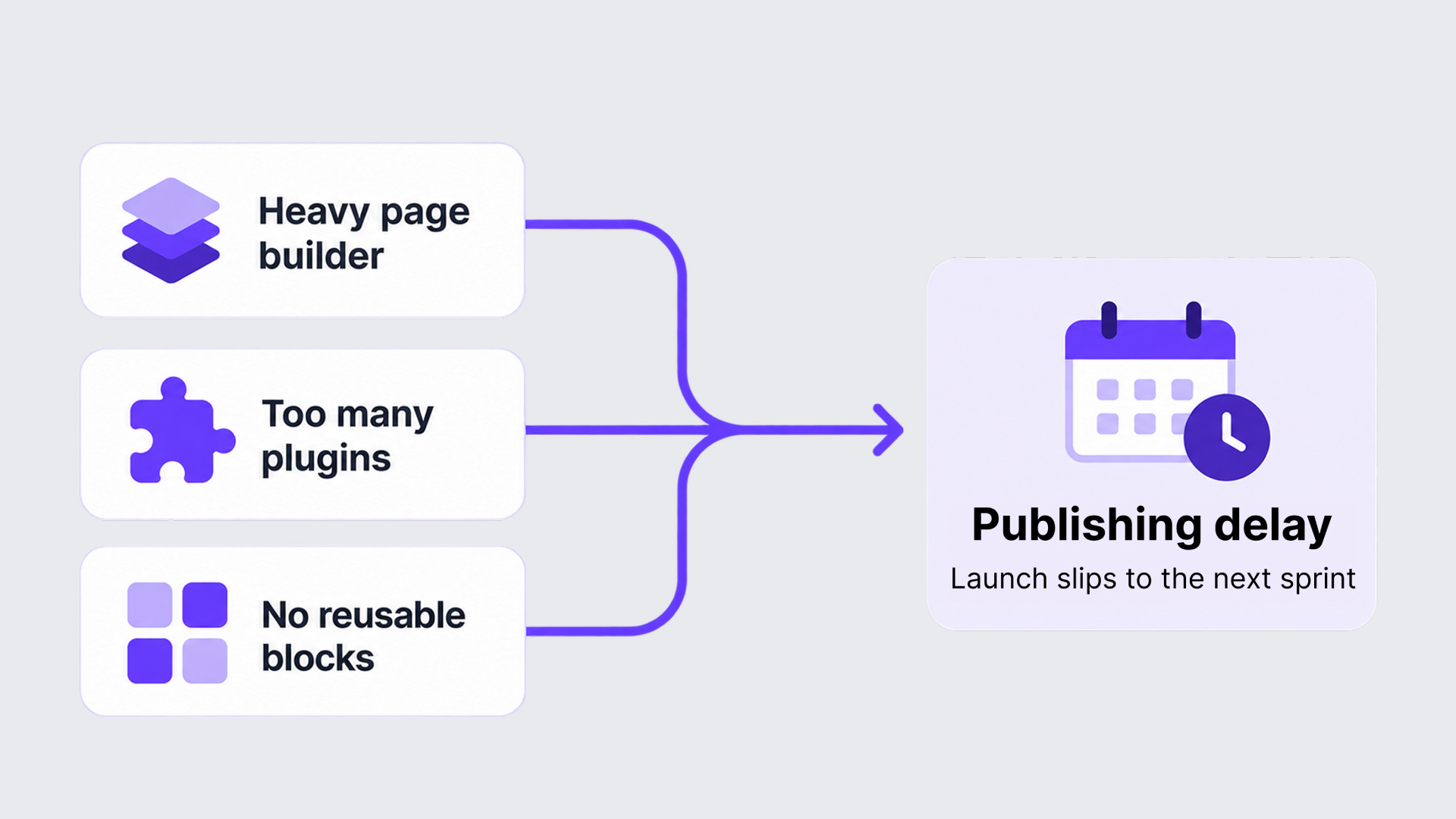
We examine and improve WordPress websites for marketing teams, and we hear that conclusion from many of them. But when we open these websites and look at how editing is set up, the trouble usually leads back to how the website was built, not to WordPress itself. Three problems come up again and again:
a heavy page builder
a long list of plugins that nobody on the team can fully explain
no reusable blocks
Below, we explain how each of these three setup problems delays publishing a new page on your WordPress website, and what a better WordPress setup changes.
When Simple Content Edits Turn Into Developer Tasks
A page builder is a visual editor added on top of WordPress. It promises that anyone can build a page by dragging elements into place. On many websites we review, that promise holds only for the person who built the pages.
Here is what “heavy” in “a heavy page builder” looks like in daily work:
A headline sits inside a column, inside a row, inside a section, and every layer has its own settings panel.
Spacing was set by hand for the text that was there when the page was built, so new text or a new image throws it off.
Two pages that look alike were assembled differently, so what you learned on one doesn’t help on the other.
You have to check every change again in the phone view, and often correct it separately there.
One person knows how the pages were put together, and edits wait for that person.
Take a simple case. You replace a five-word headline with a twelve-word one. The headline now wraps onto three lines and pushes the button down over the image, and on a phone the text runs into the row of client logos below it. Nothing is wrong with your copy. The layout was tuned for the old headline, and fixing it means knowing which nested setting controls the height, the spacing, and the phone view.
That is the point where editing becomes technical work. When an ordinary content change requires layout knowledge, marketers stop making the change themselves. They hand it to a developer, or to the one specialist who knows the page, and the brief joins that person’s queue before production has even started.
So your team gets more handoffs, more rounds of checking, and less control over when a page is ready. Not every page builder works this way. The trouble is a setup where a routine content edit and layout construction happen in the same complicated place.
When Plugins Make Publishing Unpredictable
A hard-to-use editor makes your own changes slow. Plugins cause a different kind of trouble: they change things you didn’t touch.
A plugin is an add-on that gives WordPress a feature, such as a form, a pop-up, or a testimonial carousel. Websites collect them over the years. Someone needed a countdown timer for one campaign, someone else preferred a different form tool, and the page builder needed a few add-ons of its own. Each decision made sense at the time. What rarely gets kept is a record of what each plugin does and which pages rely on it.
When we go through the plugin list on these websites, we keep seeing the same things:
plugins with no clear owner or purpose
two or three plugins doing the same job
sections of a single page that depend on different plugins
nobody willing to update or remove anything, because nobody knows what would break
time lost working out which plugin caused a problem
Developers have a name for a page that relies on a plugin: a dependency. One part of the website works only as long as another part is present and unchanged. Your pricing page depends on the plugin that draws its table. The same goes for a landing page and the plugin behind its form. If nobody has written those dependencies down, the team discovers them only when something breaks.
A plugin updates, and the form on a live landing page stops displaying correctly. A testimonial carousel starts behaving differently. An existing page needs repairing before the new one can launch. The content work you planned is pushed aside by investigation, repair, and retesting that nobody planned.
For a marketing team, the cost is predictability. You can’t promise a publishing date when a routine task can turn into a technical one without warning.
The number of plugins is not the problem here. A website can run many plugins well if each one has a known job and updates are tested before they reach the live website. The problem is plugins that nobody manages. That is also why deleting unfamiliar plugins is risky: until someone knows what relies on a plugin, removing it is a guess.
When Every New Page Has to Be Built Again
The first two problems make existing pages hard to change and hard to trust. The third one adds work to every new page.
Most marketing pages are assembled from the same handful of sections:
a hero section at the top
testimonials and other proof
case-study highlights
calls to action
forms
A reusable block is one of these sections built once and saved, so that anyone on the team can add it to a new page from the editor. Some take new content on each page, like a hero with its own headline. Others show the same content everywhere, like a shared call to action. When a website has none, your team has two options, and both cost time.
The first is to ask for another build. A developer reconstructs a hero or testimonial section that already exists on other pages, but only as part of those pages.
The second is to copy an existing page and adapt it. That feels faster, but the copy brings everything along: the old headline, the old images, sometimes a form still connected to the previous campaign. Someone has to clear all of that out and correct the layout for the new content.
Either way, a familiar request becomes fresh layout and development work, because the website has no ready sections to offer. The same effort repeats with every page. Pages drift apart in appearance, since each one is rebuilt or adapted by hand. And marketing still depends on when a developer is free.
This is a different problem from the heavy page builder. The page-builder problem is about how hard the editing environment is to use. The reuse problem is about what is missing from it: the components that would stop the same work from being done twice.
How Small Setup Problems Turn Into Publishing Delays
On a real website, the three problems rarely stay apart. They line up into the sequence that marketing teams describe to us when they need a new landing page.
Step that delays a new landing page
WordPress setup problem that causes the delay
The brief goes to a developer
The editor or the available components don’t let marketing finish the page alone
The page gets built from scratch
The recurring sections were never made reusable
A plugin update breaks a section on another page
Unclear dependencies bring in repair work that nobody planned
Publishing slips to the next sprint
Developer queues, repeated construction, and repairs stretch the timeline
Your team may not hit every step on every page, but the pattern is the same: the final delay is the sum of the earlier constraints. From the marketing side, it looks like “WordPress took three weeks.” Inside those three weeks, very little time went into the content. Most of it went into waiting, rebuilding, troubleshooting, and checking.
What Changes When WordPress Is Built for Content Production
Because each delay has a specific setup cause, we can fix each one. Here is what we change, and what it changes for your team.
An editing environment organized around your recurring tasks. Where the page builder is the obstacle, we replace it with Gutenberg, the editor built into WordPress, and add custom blocks designed for the content your team produces. A custom block shows the things marketers actually change (the headline, the text, the image, the button) and handles the layout around them. A longer headline no longer means a layout repair, because the block was built to hold headlines of different lengths.
A plugin setup that is reviewed and maintained. We go through the plugins and establish what each one does and which pages rely on it. Only then do we remove the overlaps. Every plugin that stays has a clear job, and we test updates before they reach the live website. With fewer unknown dependencies, a publishing task stays a publishing task.
A library of blocks, patterns, and page templates. The hero, proof, case-study, call-to-action, and form sections become blocks. Blocks that belong together are saved as patterns, which are ready-made arrangements of blocks, and whole page types become templates. For a new landing page, a marketer picks a template, adds the content, and publishes. The page is assembled from components that already exist, so nobody has to commission another build.
Developers still build the blocks, patterns, and templates, keep them working, and may still need to develop new functionality. Gutenberg alone doesn’t solve a production problem either: the blocks have to be designed around the work your team really does. Developers build a capability once, and marketers use it every day without filing a request.
The WordPress Setup, Not WordPress Itself, Slows Content Production
We started with a conclusion that feels reasonable after enough delayed launches: WordPress makes content production difficult. The difficulties are real. But the ones described here come from a hard-to-use editing environment, plugins nobody manages, and reusable components that were never built.
All three are decisions about how a website was set up, and all three can be made differently. A WordPress website that is set up around your team’s work can support fast, independent content production.
That is the kind of setup we build at IT Monks. We start from your team’s actual work: what you create, what you change regularly, and what you should be able to publish yourselves. Then we build the editing environment, the plugin setup, and the component library around it.
If publishing on your website feels harder than it should, talk to our team about where your content production gets stuck. We’ll help you work out which parts of the setup are behind it.






 ChatGPT
  Claude
  Grok
Grok  Gemini