Explore our specialized services, tailored solutions, and industry expertise to elevate your digital presence. From custom WordPress development to seamless integrations, we build high-performing websites that deliver impact.
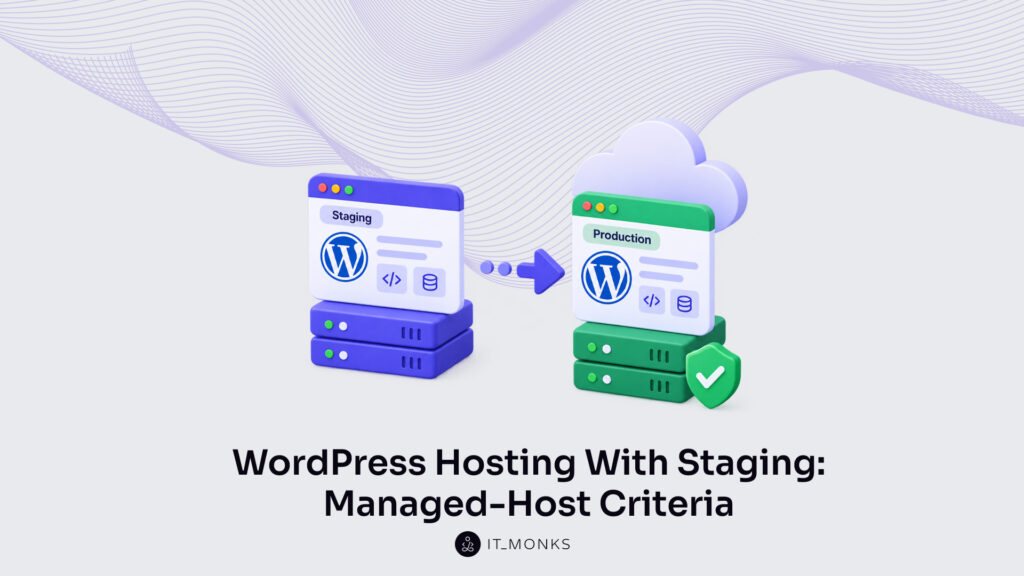
WordPresshosting with staging is a managed hosting service whose defining capability is a built-in staging environment: a private, working duplicate of a live site that the host provisions on its own infrastructure. What to demand from a managed host begins with that single feature, because it is what separates staging-capable hosting from plain hosting. Plain hosting serves one production site and leaves any test copy to a plugin or a manual database copy. WordPress hosting with a staging environment includes that test copy as part of the plan.
Two things are easy to confuse at the point of purchase.
A managed host that provisions staging natively is not the same as a plugin that adds staging to an ordinary host, and it is not the same as a hand-made copy assembled by an agency.
Native staging means the host itself creates the staging site, keeps it isolated, and later promotes it; the do-it-yourself route means the host offers nothing and the work falls to a plugin or a person.
The decision belongs to whoever selects the host: a site owner comparing plans, an in-house team standardizing a workflow, an agency choosing where client sites will run.
For that buyer, the demand resolves into a set of concrete capabilities. The first is the one a host exercises most often after launch: how it pushes approved changes from staging to production. After that come how the host creates the staging copy in the first place, whether it isolates that copy from the live site, how many staging environments a single plan runs at once, whether it keeps staging private while the work proceeds, and whether its staging holds a WooCommerce store’s transactional data safely. Each capability is a separate question, and each one narrows the field of candidate hosts.
A seventh demand sits underneath those six, keeping the staging and production databases in sync, and it turns on what a push leaves behind rather than what it carries across. Set against one another and read side by side across the managed hosts a buyer is choosing between, these capabilities resolve into a direct comparison that decides which host is selected and which is ruled out. Because push to live is the capability exercised most after a site launches, the evaluation starts there.
Push to Live From a Staging Environment
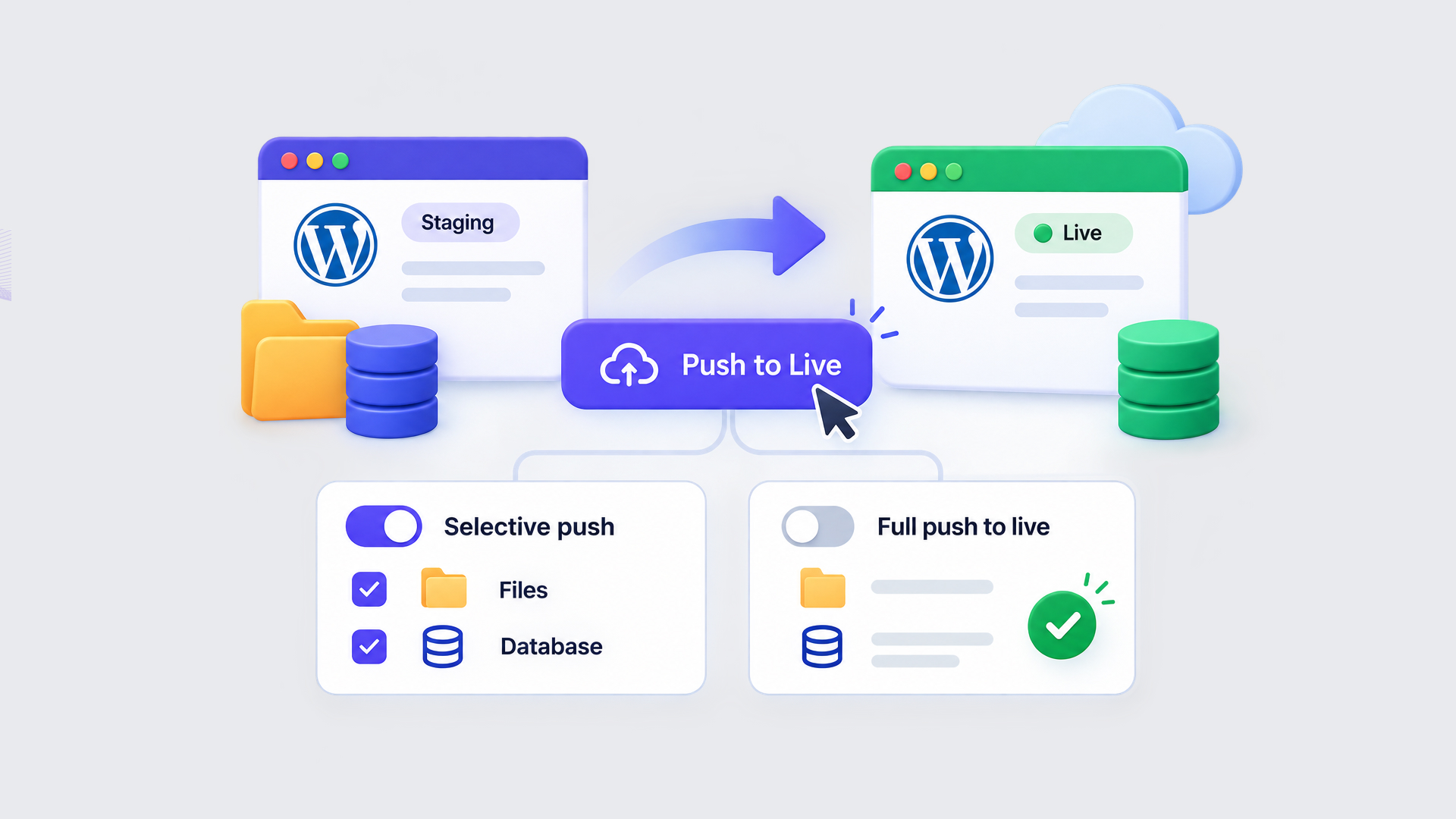
Push to live is the capability a managed host provides to promote approved changes from a staging environment to production, run from the host control panel rather than repeated by hand. It is the most important criterion after staging itself exists, and the reason is practical: a host without it forces every edit proven on staging (a plugin update, a template change, a revised page) to be entered a second time, manually, on the production site. Push to live removes that duplication. One action in the panel carries the tested change across, and the version that visitors see matches the version that was signed off.
The capability arrives in two forms. A selective push moves only part of the staging copy; a full push moves the entire copy at once. Which forms a host supports shapes how cautiously changes can reach production, and whether a small fix has to travel alongside unfinished work.
Before a buyer commits to a plan, the presence of push to live, and the modes it supports, is worth confirming against the actual control panel, not the marketing summary. A host that clones a site into staging but offers no way back to production has solved half the problem and left the harder half open. The first form to weigh is the narrower one, which promotes a chosen part of the copy instead of all of it.
Selective Push
A selective push promotes only chosen files or specific database tables from staging, rather than the entire site. It allows the host to target one template file, a single plugin folder, or a defined set of tables, and to move that alone to production while everything else stays put. The value shows the moment a change is partial: a single corrected page can reach the live site while other in-progress work remains on staging, without a full overwrite of live content that visitors and orders depend on.
That precision is what a buyer looks for in fast-moving sites, where one urgent fix cannot wait for a half-finished redesign to be ready. When the change is not partial but complete, the second form takes over.
Full Push to Live
A full push to live replaces the entire production site with the staging copy in one operation. Where a selective push promotes a chosen part, a full push promotes everything (files, database, and settings) and is faster for exactly that reason, though it overwrites the whole of production with no exceptions. That completeness is what makes the safeguard non-negotiable. A managed host worth the demand takes a restore point or a backup of production immediately before a full push runs, so a total overwrite stays reversible if the staging copy turned out to carry a fault.
For a buyer, the check is narrow: whether the host captures that restore point automatically, or whether the site owner has to remember it. Both push modes assume a staging copy already exists, which returns the evaluation to how a managed host produces one in the first place.
Staging Creation on a Managed WordPress Host
Staging creation on a managed WordPress host is the host’s capability to provision a staging environment natively, a one-click action inside the control panel that clones the live site with no plugin and no manual database copy. On WordPress hosting staging of this kind, the host does the entire job: it duplicates the files, copies the database, and creates an addressable staging site on its own infrastructure, ready in minutes.
Native host staging differs sharply from the do-it-yourself alternative, where a plugin or a manual file-and-database copy does the work and the host offers nothing. The contrast is precisely what a buyer weighs. A host that provisions staging in one click removes the manual procedure entirely, whereas a host without it leaves that procedure to a plugin whose limits (file-size ceilings, server timeouts, uneven database handling) become the site owner’s problem. For the manual route that native staging replaces, the parent guide to how to create a WordPress staging site documents each step.
The demand reduces to one confirmation: whether one-click staging creation is present on the specific plan tier under consideration, not only on the provider’s top tier. Providers often reserve native staging for higher plans and quietly withhold it from entry ones, so the capability has to be checked at the price point a buyer actually intends to pay. A managed host that creates a staging site cleanly still has to keep it separate from production once it exists, and that separation, isolation, is where the demand goes next.
Isolated Staging Environments
An isolated staging environment is a staging copy the managed host runs on resources kept separate from production, so testing never draws on the same processes that serve live visitors. The word isolated carries the whole point. A host can offer staging and still place it on shared infrastructure, where a heavy import, a plugin conflict, or a runaway query on the staging copy can draw down the shared server resources and slow the live site for real visitors.
Isolation removes that exposure. When the managed host separates staging from production at the infrastructure level, a test that goes wrong stays contained on the staging side, and the live site keeps its performance. The fuller form of this arrangement is a multi-environment plan, where the host separates development, staging, and production into distinct environments rather than one staging slot bolted beside production. Development holds work in progress, staging holds the release candidate, and production stays untouched until a change is approved.
For host selection, the demand is specific: staging must run in genuine isolation, not as a folder sharing the same server resources as the live site. A host that isolates staging at the infrastructure level keeps the live site stable, which is the outcome the buyer is paying for. Once isolation is settled, a different question surfaces: how many separate staging environments a single plan will run at once.
Multiple Staging Sites on One Plan
Multiple staging sites on one plan means a hosting plan that permits more than one staging environment to run at the same time, rather than a single staging slot shared across every project. The plan, not the site owner, sets this limit. Some tiers allow exactly one staging copy; others permit three; a few place no cap at all and run unlimited concurrent staging sites.
That count is the measurable demand, and it is the one number worth checking on the plan tier. Agencies reach the limit first. An agency maintaining a dozen client sites, or an in-house team testing several releases in parallel, needs a separate staging copy for each without tearing one down to stand another up. A single shared slot forces that queue; several concurrent slots remove it.
So the plan tier carries an integer worth reading closely before the buy: how many staging sites it allows at once: one, several, or unlimited. A team that runs parallel or client work confirms that number matches its real project load, because a plan generous on every other staging feature still stalls the work when it permits only one environment. And however many staging copies a plan runs, each one raises a separate question: whether those copies stay hidden while the work is underway.
Staging Privacy Protection
Staging privacy protection keeps the staging site hidden from the public and from search engines while work is underway, so an unfinished copy never surfaces in results or in front of customers. A staging site is, by definition, a work in progress. Left open, it can be indexed as duplicate content, stumbled onto by visitors who mistake it for the live store, or exposed with half-finished pages and test data on display.
The managed host closes that gap with two mechanisms, folded together. Password protection restricts the staging copy to the people working on it, so an ordinary visitor or a search crawler is refused access. A noindex directive tells search engines to leave the staging copy out of their index entirely, which keeps it from competing with the live site in results. Together they hold the staging site private for the full duration of testing.
What matters at selection is when this protection applies. A host that keeps staging private by default (rather than leaving the owner to remember a manual step every time a copy is made) removes a common way for unfinished work to leak into public view. The demand is a host that treats staging privacy as the standard state, not an afterthought. Privacy weighs on any site, but a store carries a further complication, because the data a staging copy holds is not only pages; it is live orders.
WooCommerce Staging Compatibility
WooCommerce staging compatibility is a host staging feature that clones a store’s transactional data (orders, carts, customer records) safely, so a staging copy of a WooCommerce site holds accurate data without endangering the live store. A store is not a static set of pages. It processes orders continuously, and that constant write activity is exactly what a naive staging copy handles badly.
Here is the risk. When a plain staging tool copies the site and a change is later pushed back, orders placed on the live store during testing can be duplicated, overwritten, or lost, because the staging copy and the live database drifted apart while both stayed active. For a store, a lost order is a lost sale and a broken customer record, which is why generic staging that ignores transactional tables is unsafe for WooCommerce.
Compatible host staging accounts for that. It clones and reconciles WooCommerce orders and carts so live sales survive the staging cycle intact. Before choosing a host, store owners confirm that its staging is WooCommerce-safe (that it handles order and cart data specifically, not only files and posts) because for a store this single capability decides whether staging is usable at all.
No one of these capabilities settles the choice on its own; a managed host earns it by holding up across all of them at once (staging creation, push to live, isolation, the number of environments, privacy, and store safety), which is the comparison a buyer makes before committing.
How Do Managed WordPress Hosts Compare on Staging?
Comparing managed WordPress hosts on staging pulls the rated criteria into a single at-a-glance view, where each host is read against the same built-in capabilities instead of its brand or its price. Four of the rated criteria reduce cleanly to that grid: how a host creates a staging copy, how it moves approved changes to live, how many staging sites one plan permits, and whether that staging holds up under WooCommerce. Isolation and staging privacy sit outside it (real demands, but ones a single cell cannot fairly hold) while the four that remain evaluate every managed host on the same terms, set side by side.
Hosting Provider
Staging Creation
Push to Live
Multiple Staging Sites
WooCommerce Compatible
WP Engine
One-click, native to the control panel
Selective and full push
Separate development, staging, and production environments
Yes
SiteGround
One-click, native on the mid and upper plan tiers
Full-site push
One staging copy per plan tier
Yes
Kinsta
One-click, native to the control panel
Selective and full push
Additional staging environments on a premium add-on
Yes
Bluehost
One-click through a built-in staging tool
Full-site push
A single staging copy
Yes
Each row records what a host offers against the four criteria, a capability, never a verdict, and never a placement of one host above another. The value in reading them together is not a shortlist. It is confirmation, host by host, of whether the built-in staging capability is present and in what shape, which is exactly what the demand checklist asks of every criterion before a plan is bought.
Where staging demands escalate past a single copy (parallel environments for several developers, staged rollouts across an in-house team, isolation bound by compliance), the requirement moves beyond hosting features and into enterprise WordPress development, where staging is one clause inside a wider engineering contract. One criterion, though, does not fit the at-a-glance grid, because it turns on what a push leaves behind rather than what it carries across: the database.
Database Sync From Staging to Production
Database sync is the capability by which a managed host keeps a staging database and a production database aligned, so that posts, products, orders, and settings on one reflect the changes made on the other. It is the hardest demand on the checklist, and the reason is structural. Theme files, plugins, and template code cross from staging to production as a bundle of files; the database (every new post, every order taken, every option value) does not move with that bundle.
Production also keeps accumulating rows the whole time staging work proceeds, so a straight copy of the staging database over the live one would erase live orders that were never in staging to begin with.
The fuller form of the capability is database merging: reconciling the two databases so that approved staging changes land without overwriting the live records that accumulated in parallel. A host that pushes files cleanly but leaves the database for manual handling satisfies only half the demand. The criterion is whether the managed host syncs the database itself, safely, and not only the file tree wrapped around it. Files and database both have to travel each time changes move from staging to production, and that movement is not a one-time event; it repeats for the life of the site.
Deployment From Staging to Production
The deployment workflow is the recurring promotion of code and content from staging to production, run each time a change is ready rather than once at launch. The payoff of every staging capability demanded so far. Staging creation, push to live, isolation, multiple staging sites, privacy, WooCommerce compatibility, and database sync all exist so that this promotion can be run and re-run without risking the live site, and a host chosen against those capabilities, verified before purchase rather than discovered after, is the one that keeps the routine dependable. The full method for how a change is promoted and deployed from staging into production belongs to the dedicated WordPress deployment workflow.





 ChatGPT
  Claude
  Grok
Grok  Gemini