Explore our specialized services, tailored solutions, and industry expertise to elevate your digital presence. From custom WordPress development to seamless integrations, we build high-performing websites that deliver impact.
add_meta_box() is the WordPress core function that adds a custom meta box to a custom post type edit screen. A custom meta box is a titled container that holds input fields (a text box, a checkbox, a select menu) on the screen where a post is written and edited. The function is the native code route: it adds that box without a plugin, and it belongs in the PHP a developer already writes for the post type.
Building a WordPress meta box on a custom post type by hand is a short, ordered job. Each part maps to one small block of code, and the order does not vary. A developer hooks the call to the right WordPress moment, names the box and attaches it to the post type, renders the fields the box contains, then stores the value entered on the edit screen.
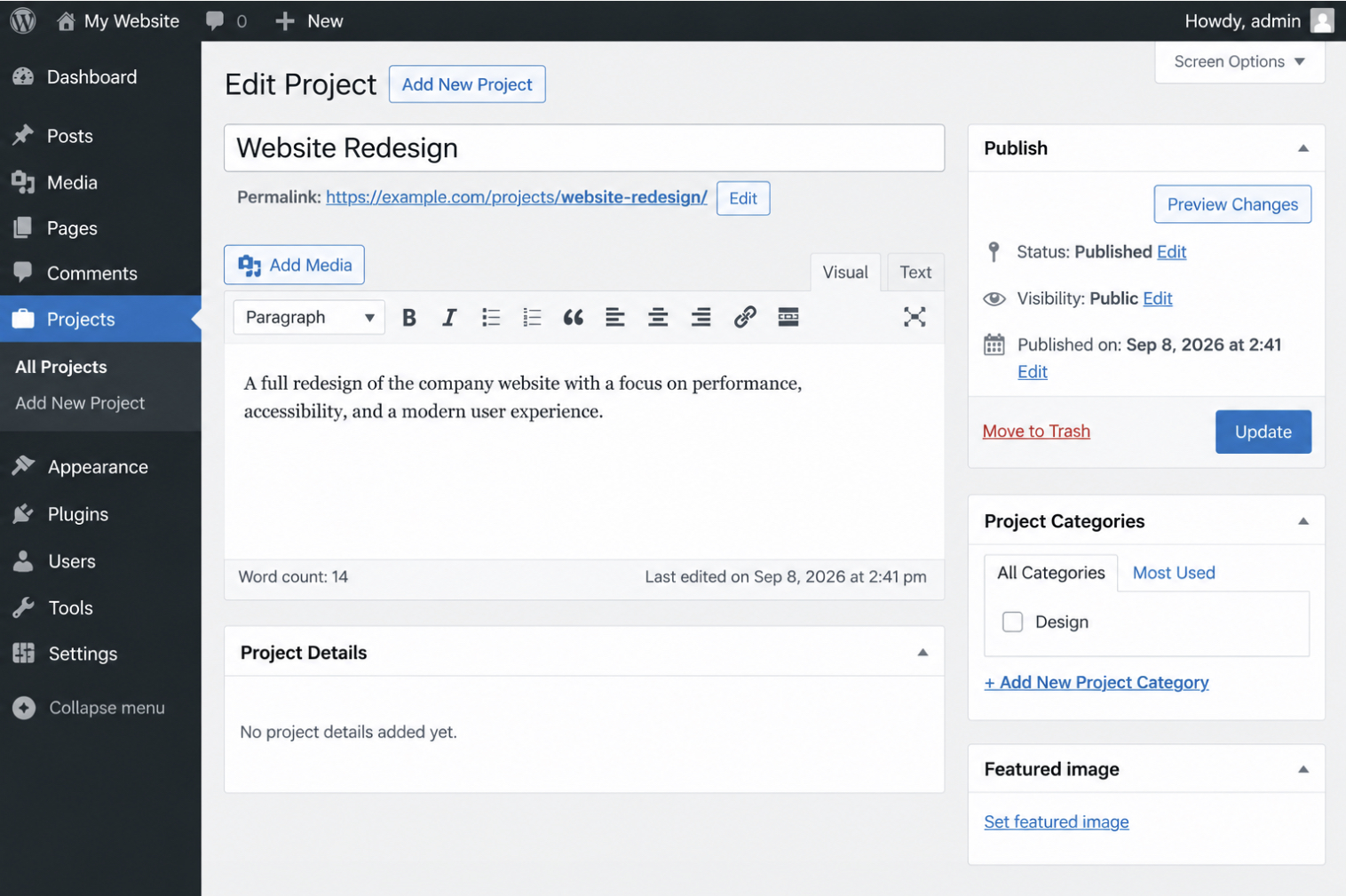
The result is a working box: it appears under the post title on the edit screen, and it keeps its stored value after the post is saved.
The add_meta_boxes Hook for a Custom Meta Box
The add_meta_boxes hook is the WordPress action hook where every call to add_meta_box() belongs. WordPress fires add_meta_boxes while it builds an edit screen, right after it registers the built-in boxes such as the publish panel and the category list. A call placed inside a function hooked to that action runs at the one moment the screen is ready for another box.
The whole box registers in one short block. A developer hooks a function to add_meta_boxes with add_action, and inside that function calls add_meta_box() once:
None of this needs a plugin. The add_action call names the hook and the function that runs on it; the add_meta_box() call inside registers the box and ties it to the project post type.
add_meta_boxes fires for every edit screen in the admin. To register the box on one post type alone, WordPress offers a dynamic variant, add_meta_boxes_{post_type}, a function hooked to add_meta_boxes_project runs for the project screen and no other.
A custom meta box belongs to the admin-input layer of a custom post type, the part of the screen where a developer adds fields for a content type, not what visitors read on the front end. The hook matters only once that post type exists, and the groundwork behind WordPress custom post types is set up separately.
A field plugin such as Meta Box can create the same box without any of this code, though the native route keeps every field inside the theme or plugin the developer already maintains. That single add_meta_box() call takes the arguments that configure the box, and the required ones come first.
The Required Parameters of add_meta_box()
add_meta_box() requires three arguments: id, title, and callback. Everything else the function takes is optional. The WordPress developer Carl Alexander documents the same short list: “The only required parameters are: id, title and callback”. The three are enough to register a working box, and they always appear in the same order.
Each required argument does one job, labelled here in comments:
add_meta_box(
    'itmonks_project',          // id: the box's HTML id
    'Project Details',          // title: heading shown above the box
    'itmonks_project_box_html'  // callback: function that prints the box contents
);
The id is the box’s HTML id, a unique string WordPress uses for the box on the screen and in its internal register. The title is the heading text shown above the box, the visible label an editor reads. The callback names the function WordPress calls to print everything inside the box; that function holds the fields, and it is defined separately.
Four more arguments follow the required three: screen, context, priority, and callback_args. Each is optional, and each has a default. screen names the edit screen the box attaches to, context and priority set where the box appears among the others, and callback_args passes extra data through to the callback. The screen argument is the one that attaches the box to a single custom post type, and it is the next to set.
The screen Parameter for a Custom Post Type
The screen parameter is the fourth argument of add_meta_box(), and on a custom post type it is the setting that puts the WordPress meta box on the right edit screen. Pass it the post type key and the box attaches to that type’s edit screen instead of the default post screen. Leave it out and the box falls back to the standard post editor, which is rarely where a custom type needs it.
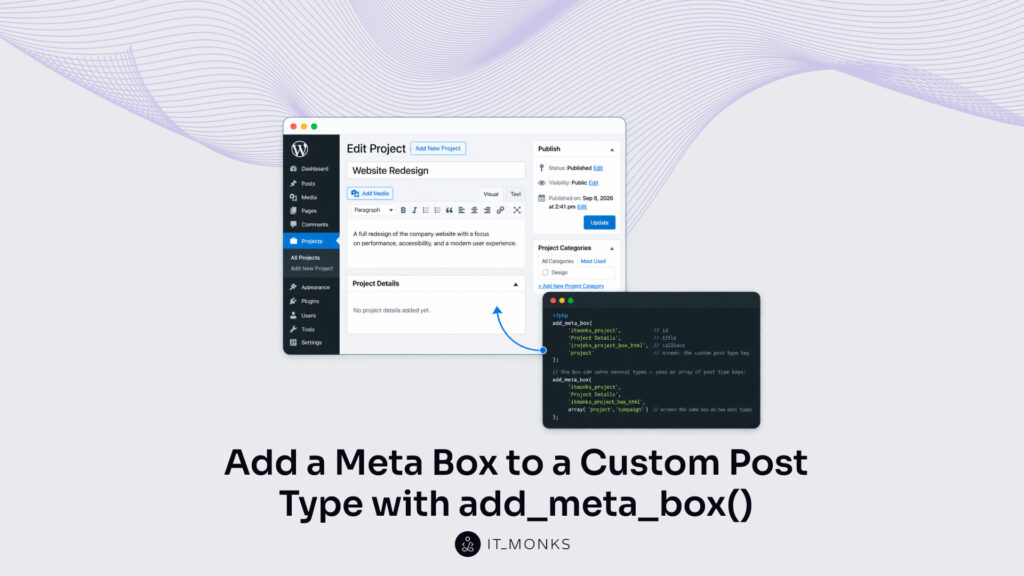
The key itself is the identifier fixed when the type is registered, and the same string handed to register_post_type() is the one add_meta_box() expects in its screen slot. So for a project post type, 'project' is the value that belongs in that position:
add_meta_box(
    'itmonks_project',           // id
    'Project Details',           // title
    'itmonks_project_box_html',  // callback
    'project'                    // screen: the custom post type key
);

// One box can serve several types — pass an array of post type keys:
// add_meta_box(
//     'itmonks_project',
//     'Project Details',
//     'itmonks_project_box_html',
//     array( 'project', 'campaign' )  // screen: the same box on two post types
// );
One box does not have to serve one type. The screen argument also takes an array of post type keys, the commented alternative above registers a single box across several types at once.
With screen set to the post type key, the box now sits on the correct edit screen. It stays empty, though, until the function named in the third argument prints something inside it.
The Callback Function for the Meta Box Fields
The callback function is the function named in the third argument of add_meta_box(), and WordPress calls it to render the inside of the custom meta box, where the box’s fields are printed. It receives the current $post object, so everything it prints has the edited post to work from.
Two things belong in that output. The callback prints the input fields the box collects, and alongside them it prints a nonce through wp_nonce_field(), a hidden token the later save step checks to confirm the request really came from this box. get_post_meta() supplies the read: it fetches the stored value for the post and the callback pre-fills each field with it, so an entry saved earlier shows up already filled when the edit screen loads.
get_post_meta() is named here only as the pre-fill read. Reading and updating those values across the wider WordPress custom fields API, and the classic Custom Fields panel that surfaces them, sits outside this procedure. At this point the box renders its fields on the correct edit screen, yet nothing is kept when the post is saved, the value each field holds still needs a handler on save_post to record it.
The save_post Handler for a Custom Meta Box
The save_post handler is the function hooked to the save_post action that keeps a custom meta box’s submitted value once the edit screen posts back. Before the handler writes a single field, it runs a fixed order of guards (a nonce match first, then an autosave skip, then a capability test), so the custom meta box never stores forged, premature, or unauthorized input.
The five checks run in the order the guards read. wp_verify_nonce() confirms the nonce that the meta box callback printed, which proves the request came from the box and not from a spoofed post. The autosave check bails when DOING_AUTOSAVE is set, because the periodic autosave contains no meta box fields and would overwrite good data with blanks. current_user_can( 'edit_post', $post_id ) limits the write to a role permitted to edit that post.
Only after those three pass does the handler clean the raw input: sanitize_text_field() strips tags and extra whitespace from the submitted value, and that cleaned value passes straight into update_post_meta(), which stores it against the post as a “WordPress custom fields” entry (WordPress custom fields). Storing that value closes the core procedure — the box now registers, renders its fields, and persists them on every post of its type. Where it registers, though, need not be everywhere.
The Page Template Condition on a Meta Box
The page-template condition is a guard that registers a custom meta box only on posts assigned one specific page template. It wraps the add_meta_box() call in a check against the template WordPress already stores for the post, so the box appears on matching posts and stays hidden on the rest.
add_action( 'add_meta_boxes_project', 'itmonks_conditional_project_box' );
function itmonks_conditional_project_box() {
    global $post;
    if ( 'foobar.php' === get_post_meta( $post->ID, '_wp_page_template', true ) ) {
        add_meta_box( 'itmonks_project', 'Project Details', 'itmonks_project_box_html', 'project' );
    }
}
WordPress keeps the chosen template in the post’s own meta under _wp_page_template, so get_post_meta( $post->ID, '_wp_page_template', true ) reads it during the meta-box registration pass.
When the stored value matches the target template file, the condition calls add_meta_box(); when it does not, registration is skipped and nothing renders. This keeps the box scoped to the layout it belongs with, an editorial field that only makes sense on a landing template, for instance, never clutters an ordinary page. This condition presupposes the custom post type has page templates registered through the “Template Post Type” file header, available since WordPress 4.7; on a project post type with none registered, _wp_page_template is never set and the box never appears. The registration still hangs on the add_meta_box() call; the condition simply decides whether to reach it.
One question remains after where the box shows: which editor draws it.
The Gutenberg Compatibility Flags for a Meta Box
The Gutenberg compatibility flags are two settings that declare whether a custom meta box works in the block editor or belongs only to the classic editor. Both pass through the callback_args parameter of add_meta_box(), the last argument the call accepts, so a single registration can state its editor support without any separate hook.
The first flag, __block_editor_compatible_meta_box, declares that the box renders correctly inside Gutenberg; set true, it tells the block editor to keep the box in its meta-box region rather than warn that the field may misbehave. The second, __back_compat_meta_box, marks the box as a legacy backward-compatibility element; set true, the block editor hides it in favour of a presumed block-native equivalent, while the classic editor still shows it. Passed together in callback_args, the pair resolve the one difference between the block editor and the classic editor over meta boxes, whether a given box is trusted to render natively or treated as legacy markup.
With those flags set, the box behaves correctly wherever it loads. The full path holds together from a single call: add_meta_box() puts the box on the edit screen, takes its required parameters, targets the custom post type through the screen argument, renders its fields through the callback, and stores a sanitized value through the save_post handler, the page-template condition and the compatibility flags are the final refinements on that one call, not procedures apart from it.







 ChatGPT
  Claude
  Grok
Grok  Gemini