- Expertise
Expertise That Drives Results
Explore our specialized services, tailored solutions, and industry expertise to elevate your digital presence. From custom WordPress development to seamless integrations, we build high-performing websites that deliver impact.
Solutions- Booking System Integrations
- Headless & REST API WordPress
- Hubspot Integration
- Enterprise WordPress
- Website Migration
- Internal Collaboration Platforms
- External Communications Hubs
- Work
- About
- Proof
- Contact
Learn more


How to Use .env Files for WordPress Secrets

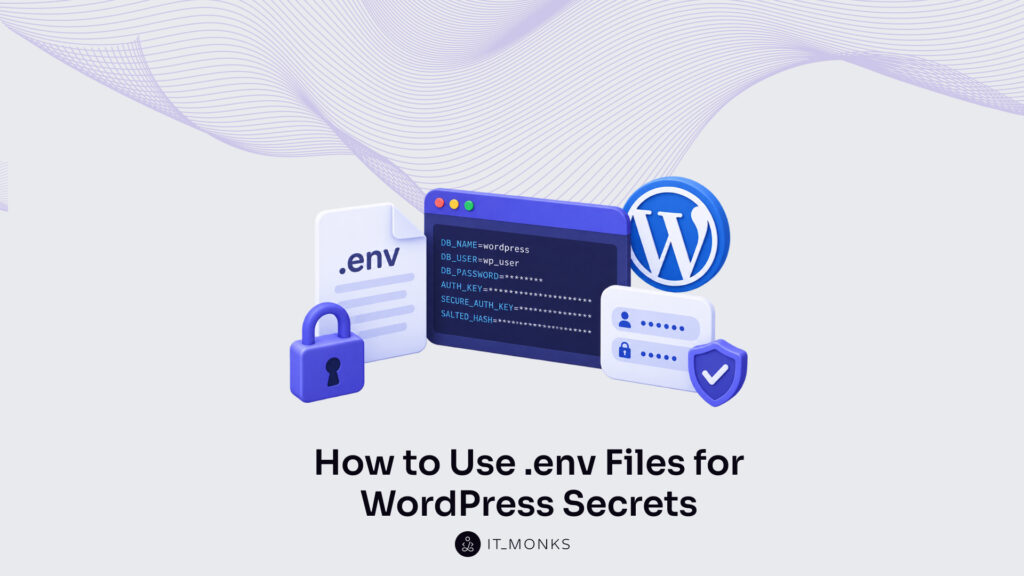
Managing WordPress secrets with a .env file and environment variables gives a site one dependable place to hold its confidential values and one clean way to read them back at runtime. WordPress environment-variable secrets belong in that arrangement rather than in the code that ships around with the project: the database password, the authentication keys and salts, and the assorted API keys a site accumulates all sit outside the repository and reach WordPress from its surroundings.
The default habit points the other way. wp-config.php is where WordPress core expects its credentials, so the database password and the secret keys tend to get typed directly into that file. Once they sit there as literal strings, the next commit records them in the tracked repository, and from then on the credentials are copied wherever the repository is copied: clones, feature branches, backups, and every laptop that has pull access.
The remedy reshapes where the values sit, not what they are. The secret assignments move into a .env file that version control ignores, or into environment variables the server holds, and wp-config.php stops carrying the values themselves. It reads them from the environment when WordPress boots. The repository still tracks the project structure. The secrets themselves stay in the environment, which version control never records.
Four moves carry that shift: naming what actually counts as a WordPress secret, taking inventory of every credential that qualifies, keeping the whole set out of the repository, and reading the values from the environment at runtime. This concerns where a secret is stored, not how WordPress detects its current environment. The values come first, starting with what a WordPress environment-variable secret actually is.
What Are WordPress Environment-Variable Secrets?
WordPress environment-variable secrets are the configuration values that wp-config.php would normally hold, kept instead in a .env file and in the server’s environment variables. The definition turns on where a value sits, not on what the value is: a database password is the same string either way, but a WordPress environment-variable secret is that string held outside the code and supplied to WordPress from its surroundings.
The first form is the .env file. A .env file is a plain, untracked text file that pairs each secret with a name, one KEY=value assignment per line.
DB_PASSWORD=change-me
AUTH_KEY=long-random-string
Nothing in that file is code WordPress runs. It is storage, a flat list of names and the confidential strings they stand for. Because version control is told to ignore it, the file can carry the real database password on the server while never entering the repository.
The second form is the server environment itself. Here the values are set as environment variables in the server’s own configuration, and wp-config.php reads each one at runtime with getenv() drawing the value straight from the server environment:
define( 'DB_PASSWORD', getenv( 'DB_PASSWORD' ) );The constant WordPress core expects (DB_PASSWORD, and the rest of the wp-config.php constant surface) still exists, but its value now arrives from getenv() or $_ENV instead of being written in place. Whether a .env loader populates that environment or the host sets the variables directly, wp-config.php now references each secret by name and pulls its value from the surrounding environment at boot.
One distinction keeps these secrets in focus. A WordPress environment-variable secret is a matter of value storage: which confidential string a name resolves to, and where that string is kept. It is not environment detection, the separate mechanism (WP_ENVIRONMENT_TYPE) by which WordPress reports whether it runs in development, staging, or production. Both read from the environment, though they answer different questions: a secret supplies a confidential value, whereas WP_ENVIRONMENT_TYPE reports which mode the site is currently running in.
That leaves the question of scope. Of everything wp-config.php touches, which values actually qualify as secrets worth relocating.
Which WordPress Credentials Are Secrets?
A WordPress secret is any configuration value that grants access to the site or its data and must stay confidential, which is what separates a genuine secret from an ordinary setting such as the site language or the database table prefix. By that test the WordPress secret set is far smaller than the full contents of wp-config.php, and it sorts into a few clear groups.
Database credentials come first, because they open the door to everything WordPress stores. DB_NAME, DB_USER, DB_PASSWORD, and DB_HOST together tell WordPress which database to reach and how to authenticate against it; the password in particular grants read and write access to every post, every user record, and every stored password in the installation.
Authentication unique keys and salts come next. AUTH_KEY, SECURE_AUTH_KEY, LOGGED_IN_KEY, and NONCE_KEY, together with their matching salts, are the long random strings WordPress uses to sign the cookies that keep a login session valid. They are not passwords. Yet anyone holding them can forge a trusted session, so they stay every bit as confidential.
Third-party secrets round out the set. API keys and access tokens for payment gateways, mail services, content delivery networks, and similar integrations authenticate the site to outside systems, and the SMTP credentials that let WordPress send mail belong in the same confidential group. Each one, once exposed, passes the site’s authority on that external service to someone else.
| Secret type | Example wp-config.php constant | Why sensitive |
|---|---|---|
| Database credentials | DB_NAME, DB_USER, DB_PASSWORD, DB_HOST | Grant full read and write access to the WordPress database |
| Authentication keys and salts | AUTH_KEY, SECURE_AUTH_KEY, LOGGED_IN_KEY, NONCE_KEY (plus matching salts) | Sign the session cookies; exposure lets an attacker forge a logged-in session |
| Third-party API keys and tokens | STRIPE_SECRET_KEY, service access tokens | Authenticate the site to external services; a leak can incur cost or data loss |
| SMTP credentials | SMTP_USER, SMTP_PASS | Grant control of the site’s outbound email |
Every one of those values shares a single property: it is exactly what does not belong inside wp-config.php once wp-config.php goes into version control. These are the strings to relocate into environment variables. The discipline scales with the stakes, too. Larger builds tend to formalize it, and separating credentials from code is a baseline expectation of enterprise WordPress content management.
Naming the secrets settles what to protect. It does not yet settle where they may safely go, and the first place to rule on is the repository itself: whether these values may sit in version control at all.
Should WordPress Secrets Be in Version Control?
Version control is the tracked Git repository that stores every change to a WordPress project’s files, and secret values do not belong inside it. The database password, the authentication keys and salts, the API keys. These belong in the .env file and the server environment, never in a file the repository keeps. Commit a wp-config.php or a .env that carries real values, and the repository exposes those credentials to anyone with repository access. That exposure is permanent, because Git history keeps every version ever committed; deleting the file in a later commit leaves the earlier one intact and readable.
Two near-identical files do opposite jobs. Exclude the working .env from the repository with a .gitignore rule, and commit a .env.example in its place, a template that carries the key names only, no values:
.env
!.env.example
A committed .env.example documents which variables a WordPress install expects (DB_PASSWORD, AUTH_KEY, and the rest) while leaking none of their contents. On the server, the real .env stays restricted to owner-only permissions, octal 600 (symbolic rw——-), so no other account on the host can read the credentials.
Keeping secret values out of the repository is a storage concern, and it sits apart from which environment WordPress runs in (local, staging, or production), a fact the WP_ENVIRONMENT_TYPE constant reports at runtime. Two patterns put the storage discipline into practice: a structured WordPress boilerplate that formalizes the .env file, and the server or managed host that provisions the same values where the code runs.
How Does Bedrock Store WordPress Secrets in .env Files?
Bedrock is a structured WordPress boilerplate that formalizes the .env pattern into a project’s standard layout. Rather than leave secret storage to convention, Bedrock stores the database credentials and authentication keys as environment variables and reads them through a standardized configuration layer, so the values stay in the .env file instead of hard-coded in wp-config.php.
That makes it the canonical structured answer to .env secrets in WordPress, the same store-in-the-file, read-from-the-environment discipline, provided as a project standard rather than assembled by hand. The full pattern, including how the boilerplate loads the .env into WordPress, is covered in the Bedrock WordPress guide. Beyond a boilerplate, the same values can be provisioned by the server itself.
How Does the Server Store WordPress Environment Variables?
Server-level environment variables are the values a web server or host exposes to PHP at runtime, held outside the WordPress files entirely. On an Nginx server, a single directive exposes the database password to the PHP process:
fastcgi_param DB_PASSWORD "value-from-secure-store";Apache sets the same value with SetEnv DB_PASSWORD "...", and a managed host usually replaces the config file altogether with an environment-variable panel, where each key and value is entered once. WordPress then reads DB_PASSWORD from the environment exactly as it would from a .env file, same variable, a different source.
Provisioning tends to run per environment. A setup that offers WordPress hosting with staging provisions its own set of values for the staging environment, kept separate from production, so a test database password never overlaps a live one. Those values also move between stages: a WordPress deployment workflow promotes the environment configuration alongside the code, keeping each environment supplied with the credentials it expects.
Across every one of these patterns, the operating discipline stays the same: a .env file and a set of environment variables hold the credentials WordPress needs, and the code that ships in the repository never carries the secrets it depends on.
More Articles by Topic
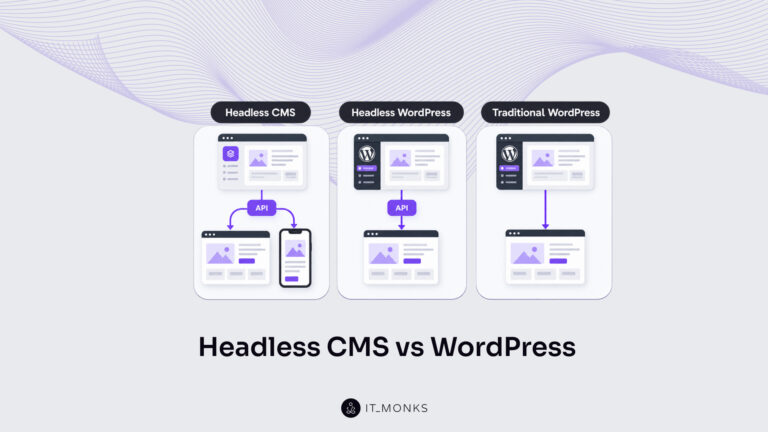
Headless CMS vs WordPress is a comparison of two choices made at once: an architecture choice between a coupled site…
Learn more 
The new campaign copy is approved. The ads go live on Monday, and the landing page they point to still…
Learn more 
Imagine a marketing team two days before a campaign launch. The copy is approved, the images are ready, and the…
Learn more Contact
Feel free to reach out! We are excited to begin our collaboration!
Don't like forms?
Shoot us an email at info@itmonks.com
Don't like forms?
Shoot us an email at info@itmonks.com

CEO, Strategic Advisor
Reviewed on Clutch
 ChatGPT
  Claude
  Grok
Grok  Gemini
 Send a Project Brief
Fill out and send a form. Our Advisor Team will contact you promptly!