- Expertise
Expertise That Drives Results
Explore our specialized services, tailored solutions, and industry expertise to elevate your digital presence. From custom WordPress development to seamless integrations, we build high-performing websites that deliver impact.
Solutions- Booking System Integrations
- Headless & REST API WordPress
- Hubspot Integration
- Enterprise WordPress
- Website Migration
- Internal Collaboration Platforms
- External Communications Hubs
- Work
- About
- Proof
- Contact
Learn more


WP_ENVIRONMENT_TYPE: WordPress Environment Detection

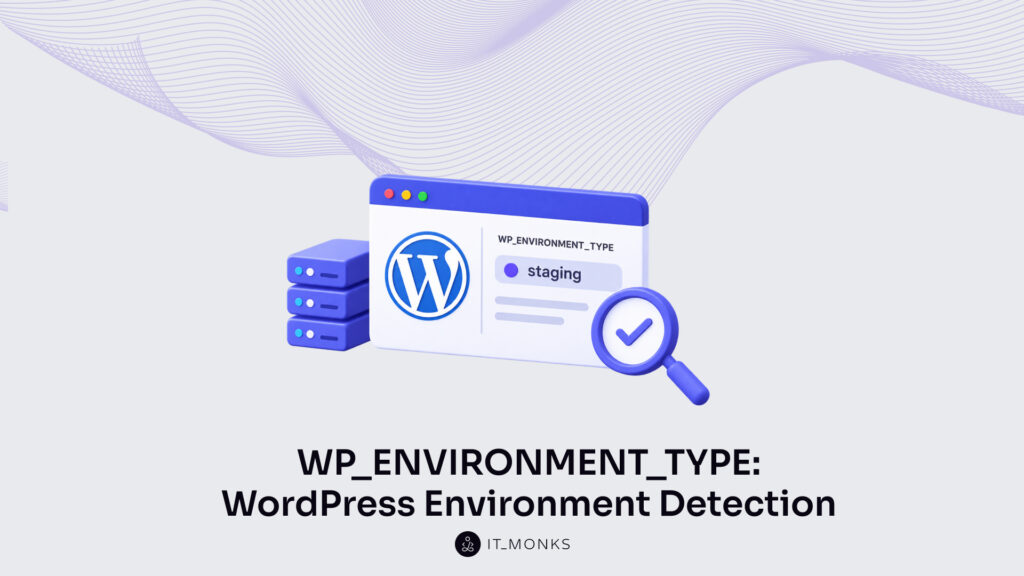
WP_ENVIRONMENT_TYPE is the WordPress constant that tells development, staging, and production apart. It reports which of those environments a WordPress site currently runs as, and that single signal is the whole basis of environment detection.
Environment detection is the entire reason the constant exists. From one value, WordPress core distinguishes a developer’s local copy, a shared development environment, a production-mirror staging site, and the live production site, four operating contexts that otherwise look identical to the same codebase. The accepted values, the per-environment configuration those values drive, the core function that reads them, the safe default when nothing is set, where the value is defined, and the two boundaries where detection hands off to other concerns are all downstream of this one constant.
What that constant actually is, a defined part of the WordPress platform with a fixed set of possible values, determines everything the detection mechanism can report.
What Is the WP_ENVIRONMENT_TYPE Constant?
WP_ENVIRONMENT_TYPE is a WordPress core constant, introduced in WordPress 5.5, that represents the environment a WordPress site is currently treated as. Core does not leave the defined value untouched. It reads the constant through the wp_get_environment_type() function and normalizes whatever was defined into a single canonical string the rest of the platform relies on.
That normalization separates WP_ENVIRONMENT_TYPE from any ordinary wp-config value. An arbitrary constant defined in wp-config.php returns exactly what a developer assigned to it. Nothing checks the value, nothing normalizes it.
WP_ENVIRONMENT_TYPE differs. Its value-set belongs to WordPress core: core checks the defined value against a fixed group of accepted strings, and an unrecognized value does not simply pass through. wp_get_environment_type() has predictable rules for what it returns instead. The constant therefore represents more than storage. It represents a value WordPress core itself reads and normalizes.
The job WP_ENVIRONMENT_TYPE represents is environment detection. Its accepted strings distinguish the recognizable stages a WordPress site passes through, from a developer’s own machine to the live site, and each string signals a different operating context to the code that checks it. Those accepted values (local, development, staging, and production), and the boundaries between them are what define the constant’s practical meaning.
What Are the Four WordPress Environment Types?
The four WordPress environment types are the canonical values WP_ENVIRONMENT_TYPE accepts: local, development, staging, and production. WordPress recognizes exactly these four and no others, and any string outside the set collapses back to the default. Each value names a distinct stage a site passes through, and the constant exists so WordPress core, plugins, and theme code can tell those stages apart at runtime.
Read in order, the four values trace a progression from a developer’s own machine to the live site. Local is the value nearest the developer writing code. Development and staging fall in the middle, one shared and internal, the other a near-copy of what visitors see. Production is the far end of that order: the running site itself, and, because it is what WordPress assumes when the constant is unset, the safe default as well. What each value signals, and the agency work that typically happens at that stage, condenses as follows.
| Environment value | What it signals | Typical agency use |
|---|---|---|
| local | Code runs on a developer’s own machine, with no live traffic reaching the site | Day-to-day coding and debugging by a single developer |
| development | A shared development or integration environment, not any one machine | Team-wide integration checks before work reaches a client copy |
| staging | A production-mirror copy that stays off the live domain | Client review and pre-launch verification against real content |
| production | The live site, and the value WordPress assumes when the constant is unset | The running site that serves visitors |
Where each value fits, and why production carries default status, separates them further value by value.
Local
The local value is WordPress’s signal that a site runs on a developer’s own machine. It represents the environment closest to the person writing code, and it indicates full debugging with no live traffic: the place for verbose error output and query logging that no visitor should ever encounter. Local indicates one workstation, a single developer’s copy of the site, which sets it apart from the shared arrangement the development value represents.
Development
The development value is the signal for a shared development or integration environment rather than any single machine. It represents the space where several developers’ work meets and gets checked together, and it indicates developer-facing settings, the same relaxed error reporting and diagnostics local carries, but on infrastructure the whole team reaches instead of one person’s own machine. That shared, integration character is what separates development from local. It stops short of the production-mirror role the staging value represents.
Staging
The staging value is the signal for a production-mirror test environment, a non-live copy that reproduces the live site as closely as possible. It represents production-like settings running where no visitor reaches, so behaviour observed on staging predicts behaviour on the live site without exposing real users to unfinished work. Staging mirrors production in configuration while staying off the live domain, and that mirror relationship is what distinguishes it from the running site the production value represents.
Production
The production value is the signal for the live site, the environment that serves real visitors. Production is also the safe default: it is the value WordPress applies whenever WP_ENVIRONMENT_TYPE is left undefined. That default is why a site carrying no explicit configuration is still treated as production, holding the most restrictive settings in force until a developer sets the value deliberately. Once WordPress resolves which of the four values applies, code can read that resolved value and branch its configuration to match the environment the value names.
Conditional Configuration by Environment Type
Conditional configuration is code that changes WordPress behavior according to the detected environment. wp_get_environment_type() supplies the branched value: it returns one of four strings (local, development, staging, or production) and the surrounding logic evaluates that value before it decides what to run. One codebase, several behaviors, every difference keyed to a single detected environment.
What the branch controls is a small, predictable set of facets. Debug output switches on where mistakes need to surface and off where a visitor would otherwise read a raw PHP warning. Object and page caching stays firm in production and relaxes on the other environments, so a developer sees fresh markup instead of a cached copy from ten minutes ago.
Transactional notifications (order receipts, password resets, comment alerts) are suppressed on any non-production copy, which is what stops a test checkout from mailing a real customer. Payment and third-party integrations switch a sandbox credential rather than a live one. Each toggle reads the same value; not one of them needs a separate flag of its own.
switch ( wp_get_environment_type() ) {
    case 'production':
        $api_key = getenv( 'STRIPE_LIVE_KEY' ); // live keys, caching on, debug off
        break;
    default: // local, development, staging
        $api_key = getenv( 'STRIPE_TEST_KEY' ); // sandbox keys, debug on
        add_filter( 'pre_wp_mail', '__return_false' ); // mute notifications
}
For an agency running dozens of client sites, that single point of control matters most because one constant controls behavior across many client environments. Debug visibility, cache behavior, outbound email, and which payment credential a checkout reaches all branch off the same read, so the switching logic that governs one client’s development copy is the switching logic that governs every client’s.
An agency changes behavior across many environments without touching branch code. It changes the one constant each environment reports. And all of that rests on a single read: the value wp_get_environment_type() returns.
How Does wp_get_environment_type() Get the Environment Type?
wp_get_environment_type() is the WordPress core function that returns the current environment as a canonical string. It gets that string by reading the WP_ENVIRONMENT_TYPE constant and normalizing whatever it finds. Any theme or plugin can call it, and it hands back the current environment as one of exactly four values: local, development, staging, or production. Nothing is parsed from a settings screen and nothing is guessed.
The function reads the constant, checks the raw value against the allowed set, and returns the matching canonical string, the same string every conditional branch elsewhere in the code evaluates.
One gap in that mechanism is worth stating plainly. When WP_ENVIRONMENT_TYPE is undefined. No line in wp-config.php sets it and no environment variable carries it. wp_get_environment_type() defaults to production. The undefined case resolves to the most cautious of the four answers, because production is the environment where a wrong assumption costs the most. Withholding debug output and keeping caching firm on a site that turns out to be live is safe; exposing a live site that merely thinks it is a sandbox is not.
$env = wp_get_environment_type();
// Reads WP_ENVIRONMENT_TYPE, normalizes to 'local'/'development'/'staging'/'production'.
// Undefined constant -> returns 'production' (safe default).
This read is the half of environment detection that every other piece of code depends on. A branch that mutes notifications, a check that swaps a sandbox credential for a live one, a caching rule that only relaxes off production. Each one asks wp_get_environment_type() for the current environment string and trusts the canonical answer it returns. The value the function normalizes is not something it invents. It comes from one constant, WP_ENVIRONMENT_TYPE, defined a single time in wp-config.php and reporting one string per environment.
Where Is the WP_ENVIRONMENT_TYPE Configuration?
WP_ENVIRONMENT_TYPE is configured in wp-config.php, the file WordPress reads before it loads plugins, themes, or the database connection. Placement there is deliberate. Because wp-config.php is read first, the environment value is set early enough for every later routine that checks which environment the site is in.
A developer defines the value with a single define() call in wp-config.php, conventionally placed above the file’s stop-editing line:
// wp-config.php, above the "stop editing" line:
define( 'WP_ENVIRONMENT_TYPE', 'staging' );
Some managed hosts remove even that step. On platforms with environment controls, the value is set from a control panel, and the host writes it into the account’s runtime instead of a developer touching wp-config.php directly. Either route arrives at the same place; core still reads one canonical string.
Precedence resolves what happens when a declared value and the default disagree. A defined constant takes precedence over the fallback, so the value wp-config.php defines is the value core reads; an unset constant falls back to production, the assumption WordPress makes when nothing states otherwise. Defining the environment value is one step in the setup of a WordPress staging site, where a production mirror needs its own environment label so its debugging and caching behavior stay separate from the live copy.
The Boundary of Environment Detection and .env Secrets
Environment detection names which environment a site is in; it is not where that environment’s secrets are kept. The distinction is a real boundary, and WP_ENVIRONMENT_TYPE sits firmly on the detection side of it. The constant signals whether the site is local, development, staging, or production, and nothing more.
Secrets sit on the other side of the line. API keys, database credentials, and third-party tokens differ from a plain detection label. They are values a site must protect, and they belong in a .env file or a Bedrock configuration rather than in an environment constant. Environment detection and environment secrets travel together in practice, yet they answer different questions: one names the environment, the other stores what that environment is permitted to use.
WP_ENVIRONMENT_TYPE bounds its own role at exactly that point. It selects which secret set applies to the running environment (staging keys for staging, production keys for production), but it is not the store where those values are kept. Keeping the constant free of secrets is what lets it stay a plain, readable label. How the per-environment values are structured and loaded is a separate concern, one that belongs to WordPress .env secrets.
WP_ENVIRONMENT_TYPE as a wp-config.php Constant
WP_ENVIRONMENT_TYPE is a wp-config.php constant, defined with the same define() syntax as every other value declared in that file. Nothing about its declaration is unusual. It is a name paired with a value, read by core at load time, exactly as the rest of the wp-config.php configuration constants are.
What sets it apart is not how it is defined but what it is for. WP_ENVIRONMENT_TYPE belongs to the group of wp-config.php configuration constants, yet it is the single one dedicated to environment detection; the others govern separate configuration concerns. It sits among many, and it is the one that signals which environment the site is in.
The full surface of those constants is broad, and it is catalogued in one place rather than repeated across articles that only touch it. For the complete set — what each constant is, the values it accepts, and where it belongs in wp-config.php, the wp-config.php constants cheat sheet indexes WP_ENVIRONMENT_TYPE alongside the rest.
More Articles by Topic
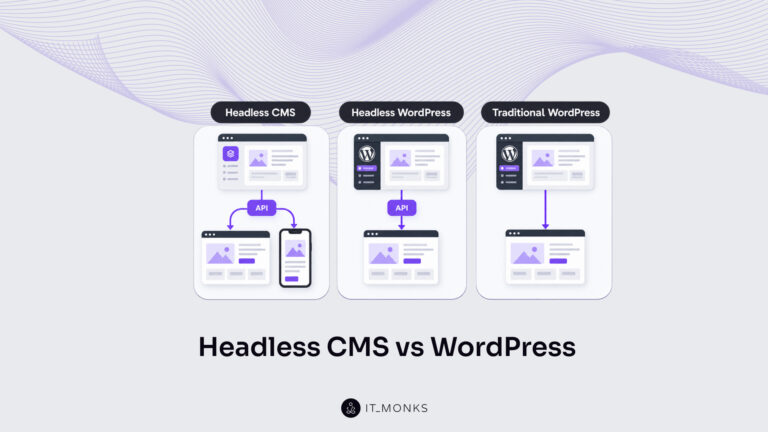
Headless CMS vs WordPress is a comparison of two choices made at once: an architecture choice between a coupled site…
Learn more 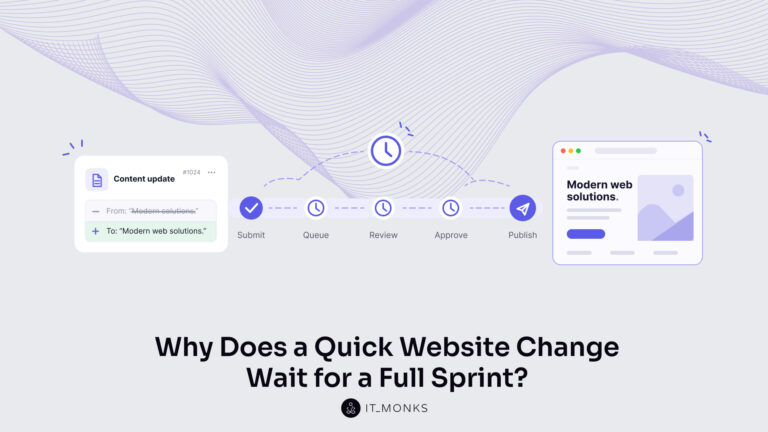
The new campaign copy is approved. The ads go live on Monday, and the landing page they point to still…
Learn more 
Imagine a marketing team two days before a campaign launch. The copy is approved, the images are ready, and the…
Learn more Contact
Feel free to reach out! We are excited to begin our collaboration!
Don't like forms?
Shoot us an email at info@itmonks.com
Don't like forms?
Shoot us an email at info@itmonks.com
CEO, Strategic Advisor
Reviewed on Clutch
 ChatGPT
  Claude
  Grok
Grok  Gemini
 Send a Project Brief
Fill out and send a form. Our Advisor Team will contact you promptly!