- Expertise
Expertise That Drives Results
Explore our specialized services, tailored solutions, and industry expertise to elevate your digital presence. From custom WordPress development to seamless integrations, we build high-performing websites that deliver impact.
Solutions- Booking System Integrations
- Headless & REST API WordPress
- Hubspot Integration
- Enterprise WordPress
- Website Migration
- Internal Collaboration Platforms
- External Communications Hubs
- Work
- About
- Proof
- Contact
Learn more


How to Migrate a Drupal Site to WordPress

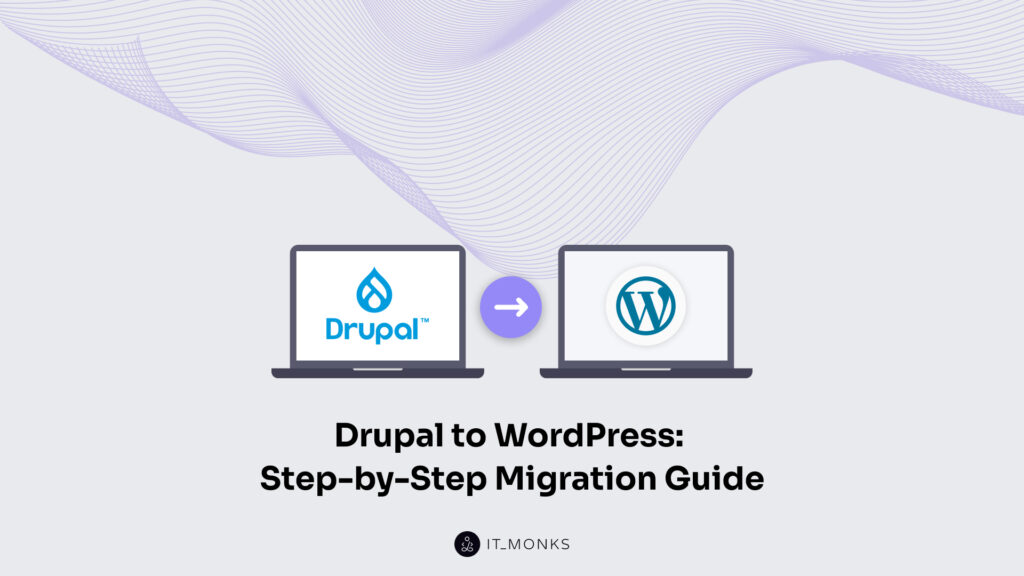
A Drupal-to-WordPress migration is the end-to-end move of an existing Drupal site onto a self-hosted WordPress destination, executed as a sequence of phases rather than a single import command. Site owners, in-house developers, and agency teams reach the decision to migrate a Drupal site to WordPress from anywhere along the Drupal version line (Drupal 7 on the long-tail side, Drupal 8, 9, 10, or 11 on the modern lineage), and each source version carries its own tool path and trade-offs into the conversion.
A full Drupal-to-WordPress migration covers eight phases: the source-side audit, the content move, the data and database move, the tool and plugin selection, the SEO carry-over, the taxonomy re-fit, the post-migration testing, and the consolidated 8-step checklist that ties them together.
Around that spine sit the three reasons site owners migrate from Drupal to WordPress (editorial-experience, hosting-cost, and plugin-ecosystem gains), and the six Drupal-specific failure modes that derail a migration when the audit is skipped: orphaned media, broken Drupal-token markup, Paragraphs round-tripping, lost author attribution, redirect gaps, and theme-fragment loss.
Pre-Migration Audit
The pre-migration audit is the prerequisite step of a Drupal-to-WordPress migration; it inventories the Drupal source so every downstream stage of the migration is predictable rather than improvised.
The audit covers four dimensions that together describe what the migration will face:
- a site inventory across every Drupal content type, custom field, vocabulary, and media asset on the source;
- a Drupal version reading that tells the migrator which tool path the source supports;
- a hosting reading that confirms the destination platform will accept what is exported;
- a data complexity assessment that turns the inventory and the version reading into a tier that the tool-path decision can act on.
Each dimension gates a downstream decision that the migrator cannot reverse cheaply once the export starts.
The Drupal version dimension splits the audit into two lanes.
- A Drupal 7 source sits on the long-tail end of the version line, currently in the community’s extended-support phase; its migration to WordPress runs through the Migrate API contributed module paired with custom Drush scripts; the tool path is older, the community knowledge around it is deeper, and the export shape is well documented.
- Drupal 8, 9, 10, or 11 sits on the modern lineage, where the Migrate API lives in core, the source export uses a cleaner schema, and the migrator picks tools against a smaller list of moving parts.
Drupal is one of several source platforms that route into a WordPress destination, and the conversion path differs by source. If you migrate from a Joomla source, refer to the dedicated Joomla to WordPress migration guide. When migrating from Wix, our Wix to WordPress migration guide provides step-by-step instructions. For Squarespace website owners looking forward to moving to WordPress, we have the dedicated Squarespace to WordPress migration guide. In case of running a static HTML source, consult the dedicated HTML to WordPress migration guide.
Data Complexity Assessment
Drupal to WordPress data migration starts with a data complexity assessment that counts and categorizes the entities the Drupal site holds, so the migration’s tool-path choice is grounded. The assessment is a pre-migration source-data survey that identifies how much structured and unstructured data the Drupal installation contains before you migrate anything to WordPress.
The assessment includes Drupal content types, custom fields, Paragraphs or block structures, media volume, Drupal taxonomy vocabularies, and the multilingual stack used across the site. You assess how these elements interact, how deeply they are nested, and how consistently they are populated, so the migration can follow a predictable execution path. The resulting complexity tier is usually classified as simple, moderate, complex, or enterprise, and that tier drives the Drupal-to-WordPress data migration tool-path decision discussed in the next section.
Drupal to WordPress Content Migration
Drupal to WordPress content migration involves converting Drupal nodes into WordPress posts, pages, and post types while keeping the site’s publishing structure usable inside the destination CMS. The content step covers how Drupal content types, fields, and nested content structures are migrated to WordPress so editors can continue managing the site after the migration is complete.
In a standard content migration Drupal content types convert into WordPress post types, including both built-in post objects and custom post types for structured content. Drupal fields migrate into WordPress custom fields or block attributes, with field systems such as ACF, Meta Box, and Carbon Fields commonly used to support structured content inside WordPress. Drupal Paragraphs can also convert into Gutenberg blocks, although deeply nested Paragraphs layouts usually require additional restructuring because Drupal Paragraphs support more complex nesting behavior than native Gutenberg blocks.
Drupal to WordPress blog migration is usually the simplest content path because a Drupal blog node converts directly into a standard WordPress post with its body content, author data, publish date, and media attachments. More advanced content migration Drupal to WordPress projects often involve non-stock content types such as events, people, publications, or courses that need to be re-fit into custom post type architectures before the migration begins.
In larger implementations, that restructuring work is typically planned alongside enterprise WordPress development decisions so the destination content model is stable before the import process starts. The next section examines how the content step evaluates nested structures, reusable fields, and conversion depth before selecting migration tooling.
Drupal Nodes to WordPress Posts
Drupal to WordPress content migration begins with the conversion of a Drupal node into a WordPress post or custom post type. A Drupal node is the atomic content unit in Drupal, while a WordPress post is the equivalent publishing object used by WordPress for posts, pages, and CPT-based content structures.
During the content migration process, the node-id becomes a post-id or a back-reference stored in post metadata when renumbering is unavoidable. The Drupal node title becomes post_title, the node body becomes post_content, the Pathauto URL structure becomes the WordPress permalink structure, and the Drupal author UID becomes the corresponding author reference in wp_users. Drupal article content types usually convert into standard WordPress posts, Drupal page content types become WordPress pages, and custom content types become CPTs inside the destination WordPress architecture.
The node-to-post conversion also carries post-status and publishing chronology into WordPress so Drupal published and unpublished states become WordPress publish and draft states. Drupal post dates typically carry over into the destination content structure as part of the migration sequence before media references and featured images are attached in the next step.
Featured Images and Media Files
Drupal to WordPress content migration also includes the transfer of featured images, uploaded media, image derivatives, and body-level file references connected to Drupal content. Drupal /sites/default/files/ public files, /sites/default/files/private/protected files, image styles, and embedded media references inside body content all move into the WordPress uploads structure and Media Library during the migration process.
In most migrations the Drupal public files directory becomes the WordPress /wp-content/uploads/{year}/{month}/ structure, while featured images attach to the destination content through a featured_image metadata relationship. Drupal image styles become WordPress image sizes generated through add_image_size() definitions inside functions.php or a child theme so the destination site can continue producing resized image variants after the migration is complete.
One of the most common risks at this stage is orphaned media that exists only as body-level file references rather than structured media-reference fields. When plugins or automated migration paths process only attached media entities, files embedded directly into content can remain outside the Media Library even though the content itself migrates correctly. For that reason, the pre-migration audit usually scans the body content for Drupal /sites/default/files/ URL patterns before the migration enters the broader data-conversion stage.
Drupal to WordPress Data Migration
Drupal to WordPress data migration is the structured transfer of field-level and relationship-level data that exists beyond the main content body. The data migration includes custom fields, metadata, taxonomy term references, user accounts, and other relational data structures that Drupal stores alongside nodes during a Drupal-to-WordPress migration.
The data migration covers how Drupal field tables map to WordPress postmeta structures, how Drupal metadata migrates to postmeta or SEO-related storage layers, how Drupal entity-reference relationships map to wp_term_relationships, and how the Drupal user table migrates to wp_users and wp_usermeta. In many projects, Drupal-to-WordPress data migration also includes author relationships, field collections, revision-linked metadata, and structured references connected to Drupal entities rather than the visible content itself.
More advanced Drupal to WordPress database migration tips usually focus on enterprise-shaped data that does not always have a direct WordPress destination. Workflow states, moderation history, revision history, and role-based access structures often require conversion decisions before the migration begins because WordPress handles editorial workflows differently from Drupal. The next section examines how the database-level migration layer handles these structured relationships and conversion paths during data migration.
Database Migration
Drupal to WordPress database migration tips usually focus on reconciling the Drupal schema with the WordPress schema before structured data begins to migrate. The Drupal schema commonly uses tables such as node, node_field_data, node__body, and taxonomy_term_field_data, while the WordPress schema organizes content into wp_posts, wp_postmeta, wp_terms, and related relational tables.
The schema reconciliation process includes charset alignment, collation alignment, table-prefix normalization, and storage-engine consistency between the two systems. Drupal installations often use utf8 with collations such as utf8_general_ci, while modern WordPress environments typically use utf8mb4 with utf8mb4_unicode_520_ci. Both platforms generally use InnoDB, but the database migration still requires explicit charset and collation reconciliation before structured content and metadata migrate into WordPress.
ALTER DATABASE wp_db CHARACTER SET utf8mb4 COLLATE utf8mb4_unicode_520_ci;

ALTER TABLE wp_posts CONVERT TO CHARACTER SET utf8mb4 COLLATE utf8mb4_unicode_520_ci;
More advanced schema reconciliation, indexing strategy, and storage-layer planning are usually handled alongside MySQL / MariaDB for WordPress considerations before the migration process moves into the tool-selection and execution phase covered in the next section.
Drupal to WordPress Migration Tools and Plugins
A Drupal to WordPress migration plugin or migration tool is the software layer that converts Drupal nodes into WordPress posts, fields into metadata structures, and taxonomy relationships into WordPress term relationships during the migration process. The migration tooling usually falls into three paths: plugin-assisted migration, manual export migration, and custom-script migration, with each path covering different levels of content complexity, developer capacity, and restructuring depth.
Plugin-assisted migration paths typically rely on tools such as FG Drupal to WordPress and similar import-oriented workflows that handle standard Drupal content structures and common field relationships. Manual export paths usually involve Drupal Migrate API processes, Drush exports, JSON transformation layers, or custom WordPress import handlers that move structured content between the two systems with more control over field conversion behavior.
Custom-script migration paths are generally reserved for Drupal architectures where neither plugin-assisted nor manual-export tooling fully covers the site’s content model, multilingual stack, workflow logic, or nested entity structure.
The three paths trade off against each other along five decision factors:
| Path | Speed | Flexibility | Developer capacity | Best-fit complexity | Best-fit timeline |
|---|---|---|---|---|---|
| Plugin-assisted | Fast | Moderate | Low | Small to medium Drupal site with stock content types | Days |
| Manual export (Drupal Migrate API + Drush) | Slow | High | Medium to high | Medium to large Drupal site with custom content types and complex taxonomy | Weeks |
| Custom script | Slowest | Highest | High | Enterprise Drupal site with non-standard data model | Weeks to months |
The second layer of the tooling question is module-to-plugin re-fit. Drupal modules do not migrate as Drupal modules; they migrate as WordPress equivalents in WordPress plugin categories. The agency-grade re-fit map for the common modules a Drupal site surfaces during migration:
| Drupal module | WordPress category | Example plugins |
|---|---|---|
| Webform | Form builder | Gravity Forms, WPForms, Fluent Forms |
| Pathauto | URL / permalink + SEO | Built-in WordPress permalinks plus Yoast or Rank Math |
| Views | Query loop / listing | WordPress query loop, Custom Post Type UI plus ACF Views, Toolset |
| Panels | Layout / block | Gutenberg block patterns or page-builder rows |
| Paragraphs | Block editor | Gutenberg blocks (with a round-trip caveat) |
| Domain Access | Multisite | WordPress Multisite |
| Organic Groups | Community / membership | BuddyPress, Ultimate Member |
| Search API | Search | SearchWP, Relevanssi |
| Drupal multilingual stack | Multilingual | WPML, Polylang, TranslatePress |
The module-to-plugin re-fit stage is not a direct one-to-one conversion because Drupal modules often combine editorial logic, display configuration, and structured entity behavior inside the same system. WordPress equivalents usually separate those responsibilities across plugins, themes, and custom post type architecture before the migration tooling begins the actual conversion process examined in the next section.
Plugin-Assisted Migration Path
A Drupal to WordPress migration plugin provides a plugin-assisted migration path where a WordPress-side importer reads from the Drupal database or a Drupal export file and writes WordPress posts, postmeta relationships, and taxonomy terms into the destination site. The plugin path is designed for structured migrations in which the Drupal content model remains close to standard publishing patterns during conversion.
The plugin-assisted migration path usually captures Drupal content, most custom fields, featured images, author relationships, and most URL structures during the migration workflow. In many cases the plugin path also converts standard Drupal article and page content into WordPress posts and pages with minimal restructuring. The migration plugin reads the Drupal database structure, converts node relationships into WordPress publishing objects, and writes the resulting content into the destination WordPress data model.
The plugin path leaves behind some Drupal-specific structures that do not translate cleanly into WordPress publishing architecture. Drupal Paragraphs often require additional restructuring because deeply nested layouts do not round-trip directly into Gutenberg block structures, while complex multilingual content and enterprise workflow states may require manual reconciliation outside the plugin-assisted process. Custom-script-specific data transformations and advanced editorial workflows also tend to exceed the conversion depth supported by standard migration plugins.
This migration path best fits small and medium Drupal sites with stock content types, predictable taxonomy structures, and fewer than 5,000 posts. Manual-export migration paths usually provide more control over field transformations and structured exports, while custom-script migration paths are typically reserved for Drupal implementations that contain highly customized entities, workflow logic, or enterprise-grade data relationships. The migration process then moves into SEO and URL handling in the next section.
Drupal to WordPress SEO Preservation
Drupal to WordPress migration SEO tips focus on carrying ranking signals from the Drupal source into the WordPress destination without dropping search visibility during the platform transition. The SEO handoff covers URL structure continuity, redirect behavior, page metadata transfer, sitemap regeneration, and structured data output so the WordPress environment can continue serving the same search intent after the migration is complete.
Drupal to WordPress migration SEO involves four connected surfaces that move together during the migration process. The first surface is URL structure, including Pathauto-generated paths and older node-id URLs that may still receive inbound traffic or external links. The second surface is 301 redirect coverage that routes legacy Drupal URLs into their corresponding WordPress destinations after the migration. The third surface is page metadata, including title tags, meta descriptions, canonical references, and Open Graph output that migrate into the WordPress SEO layer. The fourth surface is sitemap and structured-data regeneration so the destination WordPress site publishes updated XML sitemaps and JSON-LD markup after the content migration finishes.
WordPress SEO tooling usually handles the metadata and structured data layer through plugins such as Yoast, Rank Math, or SEOPress, with the final configuration depending on how the Drupal metadata model maps to the WordPress publishing structure. During the SEO handoff, URL continuity is usually the most ranking-sensitive layer because Drupal Pathauto paths, node aliases, and node-id URLs can continue receiving indexed traffic long after the migration begins. The redirect layer also requires a comprehensive URL relationship set so legacy Drupal paths continue routing correctly after WordPress replaces the original Drupal routing system.
URL Structure Preservation
Drupal to WordPress migration SEO tips treat URL structure preservation as the process of keeping the public-facing URL pattern the same or closely aligned when Drupal content migrates into WordPress so external links, search rankings, and social shares continue resolving correctly after the platform transition. The URL surface usually includes Drupal Pathauto clean URLs, Drupal node-id URLs, and taxonomy-driven archive paths that need continuity inside the destination WordPress permalink structure.
Drupal clean URLs generated through Pathauto, such as /blog/my-post, usually align cleanly with the WordPress /%postname%/ permalink structure during the migration. Drupal node-id URLs such as /node/123, however, are internal Drupal routing patterns that require explicit rewrite rules because WordPress does not use the same node-based routing system. Taxonomy URLs such as /category/topic also require reconciliation so Drupal taxonomy paths continue resolving against the destination WordPress taxonomy structure after the migration finishes.
RewriteEngine On
RewriteRule ^node/123/?$ /blog/my-post/ [R=301,L]
Apache environments usually handle these rules through .htaccess RewriteRule directives, while NGINX environments use equivalent rewrite directives inside the server configuration. The next section focuses on the broader 301 redirect strategy that connects every legacy Drupal URL to its corresponding WordPress destination during the SEO handoff.
301 Redirect Strategy
Drupal to WordPress migration SEO tips treat the 301 redirect strategy as the process of connecting every old Drupal URL to its new WordPress URL through permanent HTTP 301 responses so search engines continue transferring ranking signals after the migration. The redirect plan usually combines server-level redirect handling with plugin-level URL management so that both high-volume and manually reconciled URL paths continue to resolve correctly within the WordPress environment.
The redirect strategy generally uses two implementation layers. Server-level redirects rely on .htaccess RewriteRule directives or NGINX rewrite rules for high-performance bulk handling, while plugin-level redirects rely on tools such as Redirection, Rank Math, or built-in redirect tables inside the WordPress SEO stack. The migration workflow typically exports Drupal URLs into a CSV relationship set, joins each Drupal URL to its destination WordPress URL, and then imports the resulting URL map into the redirect layer or converts it into server rules for deployment.
HTTP 301 responses are permanent redirects that pass ranking signals from the Drupal URL onto the destination WordPress URL after the migration. HTTP 302 responses are temporary redirects and do not carry the same long-term ranking signals, making them the wrong default for Drupal-to-WordPress SEO carryover during a permanent platform migration.
RewriteEngine On
RewriteRule ^node/123/?$ /blog/launch-announcement/ [R=301,L]
RewriteRule ^node/456/?$ /blog/team-update/ [R=301,L]
RewriteRule ^old-blog/category/news/?$ /category/news/ [R=301,L]
Once the redirect map and URL reconciliation layers are complete, the migration process moves into taxonomy handling, category conversion, and term-relationship migration inside the WordPress destination structure.
Drupal to WordPress Taxonomy Migration
Drupal to WordPress taxonomy migration tips focus on moving Drupal’s vocabularies-and-terms model into the WordPress taxonomy structure while keeping hierarchical and relational content usable after the migration. Drupal taxonomies are fielded, hierarchical, first-class entities, while WordPress uses a flatter categories-tags-custom-taxonomies model that often requires additional restructuring during the migration process.
Drupal vocabularies usually become WordPress categories or custom taxonomies, Drupal terms become WordPress tags or category items, and more complex Drupal taxonomy structures become custom taxonomies registered through register_taxonomy(), Pods, or Custom Post Type UI. During the migration, Drupal parent-child taxonomy relationships generally become WordPress parent-child relationships so hierarchical category structures continue functioning inside the destination site.
Three destinations cover almost every Drupal vocabulary you migrate.
| Drupal source | WordPress destination | Re-fit notes |
|---|---|---|
| Drupal vocabularies (single vocabulary, flat or hierarchical) | WordPress categories (category) or a custom taxonomy registered against the relevant post type | Hierarchical Drupal vocabularies retain their parent-child structure in WordPress categories one-to-one; flat marketing-style vocabularies land cleanly as categories or as a single custom taxonomy. |
| Drupal terms (the actual term records, with tid, parent, weight) | WordPress tags or category items, joined to imported posts through wp_term_relationships | Term weight (Drupal’s manual ordering) has no native WordPress equivalent; carry the value over as term meta if downstream theming needs it, otherwise drop it. |
| Drupal custom taxonomies (multi-vocabulary, fielded terms, term-reference fields, multilingual variants) | WordPress custom taxonomies via Custom Post Type UI, a direct register_taxonomy() declaration, or Pods | Fielded terms require ACF or Meta Box to carry over the custom term fields; term-reference fields between content and taxonomy land either in wp_term_relationships (when the relationship is taxonomy-native) or in an ACF taxonomy field (when the relationship is content-to-content disguised as a term). |
The largest structural difference in Drupal-to-WordPress taxonomy migration is the fielded-versus-flat model. Drupal terms can carry descriptions, images, related-content references, and other custom field data directly on the taxonomy entity, while WordPress core terms are comparatively flat and usually require ACF or Meta Box when custom term fields need to continue functioning after the migration. Drupal term-reference relationships also require reconciliation because Drupal term pointers often become wp_term_relationships entries or ACF taxonomy field relationships within the WordPress destination structure.
Once taxonomy relationships, hierarchy behavior, and custom term fields are reconciled, the migration process proceeds to testing, validation, and post-migration quality checks within the destination WordPress environment.
Drupal to WordPress Migration Steps
The 8-step Drupal to WordPress migration checklist runs as follows:
- Pre-migration audit. Inventory every Drupal content type, vocabulary, contributed module, custom block, theme region, Views display, user role, redirect rule, and uploaded file at /sites/default/files/ before touching the destination WordPress install. The audit produces the parity map every downstream phase reads.
- Content migration. Move Drupal nodes, fields, Paragraphs, taxonomy references, and featured images into WordPress posts, custom post types, ACF / Meta Box fields, and Gutenberg blocks, mapping each Drupal content type to its WordPress destination per the audit parity map.
- Data migration. Migrate the underlying database: Drupal’s node, node_field_data, users, taxonomy_term_data, and field_storage tables are converted to WordPress’s wp_posts, wp_postmeta, wp_users, wp_terms, and wp_term_relationships, with charset and collation reconciled at export-import time.
- Tools and plugins. Pick the execution path: plugin-assisted (FG Drupal to WordPress and similar, fastest for small or medium Drupal 7 / 8 / 9 / 10 / 11 sites), manual export via Drupal Migrate API plus custom Drush scripts (most flexible, slowest), or custom script (when neither path covers the site’s complexity).
- SEO preservation. Map every Drupal URL (Pathauto clean URLs plus raw /node/{id} URLs) to the new WordPress permalink, configure 301 redirects at the server level (.htaccess or NGINX rewrite) or via a WordPress redirect plugin, carry Drupal Metatag values into Yoast / Rank Math / SEOPress, and regenerate the sitemap.
- Taxonomy migration. Convert Drupal vocabularies to WordPress categories, Drupal terms to WordPress tags, and complex Drupal taxonomies (multi-vocabulary, fielded terms) to WordPress custom taxonomies registered via Custom Post Type UI or register_taxonomy().
- Post-migration testing. Render every imported page, verify that every internal link resolves, confirm that every redirect from the old Drupal URL returns 301 and lands on the correct WordPress page, submit a form, load every image with alt text restored, and confirm that taxonomy terms apply to the correct posts.
- Cleanup. Decommission the Drupal source after the new WordPress site clears testing. Archive the Drupal database, archive /sites/default/files/, retire the staging environment, and document the live WordPress site as the canonical source. Cleanup is a launch gate rather than a dedicated phase; it runs once after the cutover to close the migration.
Post-Migration Testing
Testing Drupal to WordPress migration is the verification stage that runs after the migration tooling finishes and before public DNS cutover or before the new WordPress site becomes the canonical destination. Post-migration testing covers the operational and structural checks that confirm the Drupal source has migrated into WordPress without breaking critical publishing, SEO, or user-facing behavior during the transition.
Drupal to WordPress post migration testing usually spans five dimensions that work together during the final validation phase. Functional testing checks whether the destination WordPress site behaves correctly across pages, links, forms, and search behavior. Content integrity testing checks whether every Drupal node body migrated into its corresponding WordPress post without truncation, broken markup, or character encoding corruption. Redirect coverage testing checks whether every legacy Drupal URL returns a 301 response to the correct destination WordPress URL. SEO testing checks whether sitemap regeneration, Search Console submission, metadata carryover, and structured data output are functioning after the migration. Performance testing checks whether page-load behavior remains acceptable on the new host after the Drupal source is replaced.
Post Drupal to WordPress migration cleanup also covers smaller structural issues that often appear after automated conversion workflows are complete. Drupal token markup such as [node:title] or [node:url] may remain embedded inside imported content and require cleanup inside the destination WordPress posts. Alt text attached to migrated media sometimes requires restoration when the migration tooling imports files but drops related metadata, while author attribution can require reconciliation when Drupal user references do not align cleanly with the destination WordPress author structure.
During post Drupal to WordPress migration testing, the reader usually works through a broader WordPress migration checklist that includes redirects, taxonomy behavior, sitemap visibility, crawl accessibility, and launch-readiness checks before the Drupal source is fully retired. The next section focuses on functional testing across page rendering, internal links, forms, and search behavior inside the destination WordPress environment.
Functional Testing
Testing Drupal to WordPress migration includes a functional testing phase that checks whether the destination WordPress site behaves correctly across the user-facing surfaces that visitors interact with after the migration. Functional testing focuses on operational behavior within the destination environment rather than on content fidelity or editorial accuracy.
Functional testing includes page render checks, ensuring that every imported page returns a 200 OK response and that the destination layout displays correctly after the Drupal content migrates to WordPress. It also includes internal-link checks in which every <a href> reference within the migrated body content resolves to a valid WordPress URL rather than an outdated Drupal path or a broken route. Form testing verifies that contact forms, lead forms, and notification flows continue to function after the migration, including confirmation messages and email delivery. Search testing checks whether WordPress search returns expected results for terms and phrases that previously returned meaningful results on the Drupal source site.
The scope discipline in this phase is important because functional testing covers behavior rather than content fidelity. Broken rendering, failed form submissions, invalid links, and failed search responses fall under functional testing, while missing paragraphs, damaged formatting, truncated node bodies, and metadata corruption fall under the broader content integrity checks already covered in the parent post-migration testing phase. Once the destination WordPress behavior passes functional testing, the migration process can move into the final review stage for migration mistakes and cleanup.
Drupal to WordPress Migration Benefits
Drupal to WordPress migration benefits usually center on editorial experience, total cost of ownership, and the broader plugin ecosystem that becomes available after the migration. For many site owners, the decision to migrate a Drupal site to WordPress is less about replacing one CMS with another and more about changing the website’s long-term publishing and maintenance model.
The editorial experience is one of the most visible benefits of migration because the WordPress block editor offers content editors a more direct publishing workflow than the traditional Drupal node-edit flow. The migration often shifts more day-to-day publishing control to non-technical authors, changing how editorial teams create landing pages, update content, and manage layouts within the destination WordPress environment.
Total cost of ownership is another common benefit of migrating from Drupal to WordPress, as the WordPress ecosystem typically supports a wider range of hosting options and a larger developer talent pool. That broader availability often changes the long-term operational cost structure around maintenance, development capacity, onboarding, and content support after the migration is complete.
The plugin ecosystem also plays a major role in the migration outcome because WordPress offers broader off-the-shelf coverage for SEO, forms, memberships, search, editorial workflows, and commerce than many Drupal contrib-module combinations. In practice, the migration benefit is often the reduction in custom implementation work required to extend the site after the initial platform transition.
The decision falls within the broader WordPress migration evaluation that the site owner conducts before committing.
Common Drupal to WordPress Migration Mistakes
Drupal to WordPress migration mistakes usually appear when Drupal-specific structures move into WordPress without enough reconciliation during the migration process. Most of these issues surface after launch when the destination WordPress site begins handling live traffic, crawl activity, and editorial updates against content originally created inside Drupal.
One common failure mode appears when the migration skips a complete media audit and files stored under Drupal /sites/default/files/ remain outside the destination WordPress uploads structure. Another appears when Drupal token markup such as [node:title] or [node:url] migrates directly into WordPress body content because the Drupal token system no longer exists inside the destination publishing layer.
Drupal Paragraphs structures also create migration friction when deeply nested layouts are converted to Gutenberg blocks without sufficient restructuring during the content-conversion phase. In those cases, the migrated WordPress layout can contain fragmented sections, disconnected content blocks, or editorial structures that no longer align with the original Drupal publishing flow.
Lost author attribution is another recurring issue in Drupal-to-WordPress migrations when Drupal user relationships migrate before the corresponding WordPress user accounts fully reconcile. Redirect gaps around Drupal node-id URLs such as /node/123 also continue appearing after launch when the migration handles only Pathauto aliases and leaves internal Drupal routing patterns unresolved inside the redirect layer.
Theme-fragment mismatches frequently surface when Drupal regions, Panels, or Views-driven layouts migrate to WordPress themes that lack equivalent rendering structures. In those cases, Views-generated listing behavior, archive logic, or structured page fragments can disappear from the destination experience even though the underlying Drupal content itself successfully migrates into WordPress.
More Articles by Topic
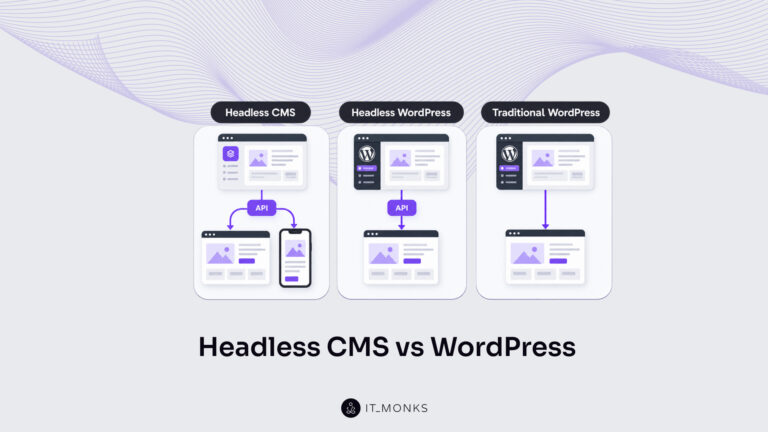
Headless CMS vs WordPress is a comparison of two choices made at once: an architecture choice between a coupled site…
Learn more 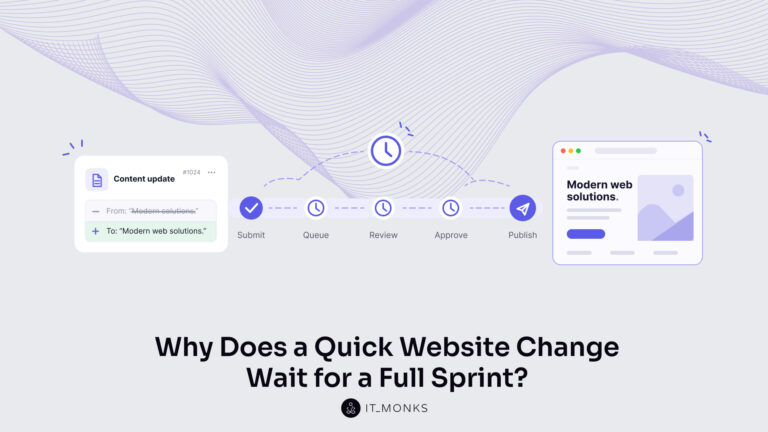
The new campaign copy is approved. The ads go live on Monday, and the landing page they point to still…
Learn more 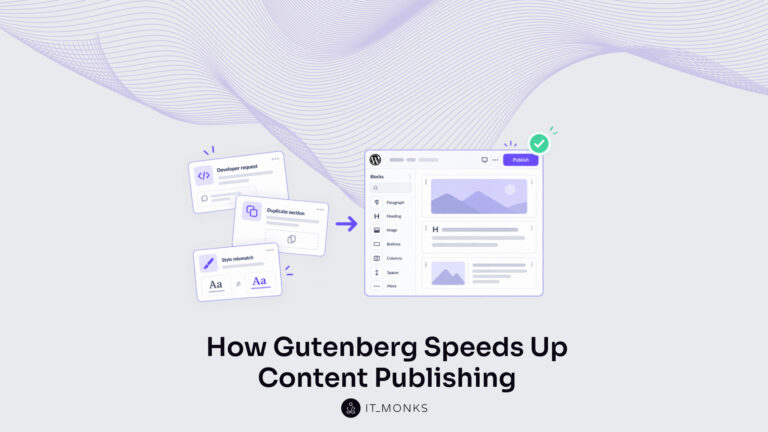
Imagine a marketing team two days before a campaign launch. The copy is approved, the images are ready, and the…
Learn more Contact
Feel free to reach out! We are excited to begin our collaboration!
Don't like forms?
Shoot us an email at info@itmonks.com
Don't like forms?
Shoot us an email at info@itmonks.com

CEO, Strategic Advisor
Reviewed on Clutch
 ChatGPT
  Claude
  Grok
Grok  Gemini
 Send a Project Brief
Fill out and send a form. Our Advisor Team will contact you promptly!