- Expertise
Expertise That Drives Results
Explore our specialized services, tailored solutions, and industry expertise to elevate your digital presence. From custom WordPress development to seamless integrations, we build high-performing websites that deliver impact.
Solutions- Booking System Integrations
- Headless & REST API WordPress
- Hubspot Integration
- Enterprise WordPress
- Website Migration
- Internal Collaboration Platforms
- External Communications Hubs
- Work
- About
- Proof
- Contact
Learn more


WordPress Migration Checklist

A WordPress migration checklist helps you migrate a self-hosted WordPress (.org) site by clearly sequencing the pre-migration, migration-day, and post-migration phases to ensure operational continuity. This procedural checklist covers the full migration process for site owners, agency project managers, freelance developers, and in-house teams handling a host change, domain move, environment transition, or a combined relocation.
Whether you migrate through a migration plugin, a manual workflow, a host-provided process, or an agency-led execution path, this checklist keeps the phases aligned so the WordPress migration process stays organized from preparation through stabilization.
Pre-Migration Audit
The pre-migration audit is the discovery phase that surfaces the full scope of the source site before any data moves. A WordPress migration checklist places the audit at the front of the migration process because it comprises three interconnected dimensions: the SEO baseline, access credentials, and stakeholder communication. The audit also includes a migration timing review so you can plan the low-traffic migration window, define rollback criteria, and prepare the maintenance-mode display plan before you migrate the self-hosted WordPress site.
If you arrived here while planning a migration to WordPress from Drupal, Joomla, Squarespace, or Wix, those workflows use different extraction and mapping logic, as covered in their dedicated migration guides.
SEO Baseline
The SEO baseline is the pre-migration snapshot of organic rankings, indexed URLs, top traffic pages, and backlink coverage that the post-migration phase compares against. A WordPress migration checklist treats the baseline as a structured audit layer where you capture Search Console performance data, Index Coverage visibility, Crawl Stats activity, Analytics reporting for organic traffic by page and conversion rate, and a full site crawl snapshot before you migrate the WordPress installation.
The site crawl fold-in usually comes from crawling tools such as Screaming Frog or Sitebulb so you can record the complete URL inventory, canonical and redirect state, and page-level meta-data connected to the source environment. Once the baseline snapshot is complete, the audit moves into the access credentials required to operate each migration step across the source and destination systems.
Access Credentials
Without the right credentials in hand, the cutover stops cold. Access credentials are the authentication and authorization data the migration operator needs at each step of the migration. The credentials gather covers five surfaces:
- Source host: SFTP or SSH login, control-panel access, and database connection details
- Destination host: the same three categories on the destination side, plus any provisioning token or API key the destination host requires
- Domain registrar: the account that owns the DNS zone the cutover will edit, including multi-factor recovery codes
- Email and DNS provider: the separate accounts that handle MX records, SPF/DKIM/DMARC entries, and any external DNS the registrar does not control
- Third-party integrations: CRM endpoint, CDN account, SSL issuer, payment processor, marketing automation platform, and any webhook destination the install pushes to
Three rules run the discipline around credentials:
- every credential lives inside a password manager (1Password, Bitwarden, or LastPass as categorical options) rather than in email or chat;
- every access path is documented with its current owner so migration day does not stall hunting down a former contractor;
- every credential the migration touched is rotated once verification passes.
Stakeholder Communication
Stakeholder communication is the audit dimension that secures sign-off on the cutover window and prepares the audience for the brief outage. A WordPress migration checklist uses the communication plan to align internal stakeholders such as developers, the content team, marketing, and executives ,while also informing external audiences including subscribers through newsletter notices, customers through in-app banner messaging, and partners through direct email communication.
The communication cadence usually includes a pre-notice seven days before the migration window, a day-of reminder, and a post-cutover confirmation, while the maintenance-mode display copy also gets scheduled during this phase. With the communication plan aligned, the migration process enters the next pre-migration layer: the WordPress inventory phase, which catalogs the site structure and operational dependencies before execution begins.
Pre-Migration Inventory
Pre-migration inventory is the discovery operation that catalogs the source site’s surface area before any files or databases leave the origin server. The audit measured performance; the inventory measures surface area.
The inventory phase consists of three axes (content, plugins, and themes), with third-party integrations folded into the plugins axis because each integration reaches WordPress through a specific plugin.
Content covers the published material that must reach the destination. Plugins cover both active and inactive packages, including their versions, license bindings, and migration-sensitive behavior. Themes cover the parent theme, the child theme if one is active, and the customizations on top. The inventory documents what exists today; later phases decide how to move it.
Content Inventory
Every post, page, media file, taxonomy term, user record, and comment on the source site has to land on the destination intact — the content inventory is the count and categorization of all of it.
The content inventory output covers six published-surface categories:
- post count by post-type: default posts, default pages, and every custom post type registered by a plugin or theme
- page count for default WordPress pages
- media library size in gigabytes with a parallel file count
- taxonomy term counts by taxonomy: categories, tags, plus any custom taxonomy
- user counts by role: administrator, editor, author, contributor, subscriber, plus any custom role
- comment counts covering approved, pending, and spam
How big does a media library have to be before it changes the migration approach? A media library larger than 5 GB changes the file-transfer approach, the small-file synchronization path that handles a 200 MB library times out on a multi-gigabyte one. A comment count past 10,000 comments materially lengthens database export time. Multi-language content surfaced through WPML or Polylang multiplies the translatable surface by the active-language count.
Plugin Inventory
Plugins carry the highest migration risk because they ship custom code that runs at request time, own database tables outside the core schema, and wire the site to external services that won’t notice the move.
The plugin inventory output captures seven columns per row:
- plugin name as it appears in the source-site dashboard
- current version of the active build
- license status: free, paid, or lapsed
- license-key-bound-to-domain flag: true or false
- known migration issues from the plugin’s changelog or support forum
- third-party integration the plugin handles, if any
- conflict flag for cutover-time behavior
A domain-bound license is the easiest row to miss; the migrated copy refuses to validate on the new domain, and a paid feature silently disappears the day after launch. Third-party integrations fold into the same row set, each routed through a specific plugin: HubSpot for customer relationship management, Stripe for payment, the identity-provider connector for single sign-on, MailPoet or SendGrid for email, Cloudflare for the content delivery network.
Caching, security, and redirect packages disable at cutover and re-enable post-migration in a specific order:
- caching plugins disable first, before the database import, so no stale page reaches the first visitor
- security plugins with hard-coded IP allow-lists disable second, so the new admin is not locked out
- redirect plugins disable third and re-enable last, after the new site URL settles
Theme Inventory
Theme inventory is the active parent theme, any active child theme, and the catalog of customizations riding on top. Hand-edited code is what breaks when files move without their context, and the theme surface is where hand-edited code lives.
The customization surfaces a WordPress theme can carry cover four file locations:
- child theme functions.php: add-on PHP that hooks WordPress without touching a plugin
- Customizer CSS: CSS pushed through the Customizer; it lives in the database, so it migrates with the database export
- template overrides in /wp-content/themes/{child}/: files inside the child theme directory that mirror a parent template and replace it at render time
- block-theme theme.json overrides: settings adjusting the global palette, typography, spacing, or layout primitives without editing a template
The inventory also records the parent and child theme names and versions, as well as which surfaces are in active use. Themes that hard-code URLs (source-domain references within a theme file or image URLs in theme.json) present search-and-replace targets that surface only after traffic moves and a broken image appears. With content, plugins, and themes cataloged, full site backup is the safety net that exists before any file leaves the source server.
Full Site Backup
A full site backup is the complete copy of files plus database that constitutes the recoverable state of the source site, and it is the first risk-mitigation step in the WordPress migration checklist. Without it, a failed cutover becomes data loss; with it, the same failure is recoverable.
What does a full site backup capture? Two surfaces define the answer. The database backup captures every post, taxonomy term, user, plugin option, and serialized setting through mysqldump, WP-CLI, phpMyAdmin, or a backup plugin. The files backup captures the rest. A complete files archive carries four file surfaces:
- the wp-content directory with uploads, themes, plugins, and any mu-plugins
- the wp-config.php file with its database credentials
- the .htaccess file (or the equivalent NGINX server block) with rewrite rules
- any custom code outside the standard WordPress directory structure
Backup discipline turns the archive into a contingency through three habits:
- two copies in two independent locations, off-site storage outside the source server,
- restore verification on a parity copy before cutover.
Tooling spans backup plugins like UpdraftPlus, manual mysqldump plus rsync, and host-provided snapshots; discipline is what makes any of them sufficient. With the recoverable archive secured under that discipline, the staging environment is the parity copy where the archive gets test-restored and the migration runs once before any production cutover.
Staging Environment
A staging environment is the destination-side dry-run copy where the migration runs once before production cutover, and where the archive from the backup step is test-restored. Staging is the process by which a one-shot cutover becomes a rehearsed one.
When is a staging environment required? Any cutover that touches the destination host, the WordPress database, the production file tree, or the live DNS record. Three surfaces cover the realistic choices:
- Host-provided staging. Most managed-WordPress hosts ship a built-in feature that clones production into a separate environment with a single click.
- Self-hosted staging on a subdomain. Staging lives on a subdomain of the destination host with a separately provisioned WordPress install and database, which suits operators on hosts without a one-click feature.
- Local Docker stack. A containerized install on a developer workstation, orchestrated through docker-compose, covers developer-led work where staging is throwaway until cutover.
Staging serves two roles: it is where the archive gets test-restored, and it is the rehearsal venue where the migration runs end-to-end before any DNS record points at the destination.
Staging Environment Setup
Staging environment setup is the provisioning of a destination-side environment that mirrors production’s PHP version, database engine, web-server configuration, and plugin-plus-theme state. Setup is a parity exercise: anything that drifts from production on staging will drift again at cutover, only with live traffic watching.
Three paths feed staging:
- The host-provided clone on WP Engine, Kinsta, or Cloudways mirrors PHP, server stack, and WordPress core automatically from a one-click panel.
- The manual subdomain path provisions a subdomain, installs WordPress, clones files and database, then reconciles staging URLs through search-and-replace.
- The local Docker stack declares the PHP version, database engine, web server, and WordPress core version in docker-compose.
Environment parity carries the setup. PHP versions match (a mismatch surfaces deprecated-function warnings the operator may misread as migration issues), database engines match (charset and collation handling drifted across major releases), and the web-server stack matches because .htaccess rewrite rules and NGINX try_files directives are non-interchangeable. Mismatches that look like migration-day surprises are usually staging-day setup gaps, which is what the rehearsal on top of the parity copy is designed to expose.
Pre-Migration Testing
Pre-migration testing is the rehearsal of the full migration on staging before production cutover, and it converts an untested checklist into a validated one.
Two surfaces cover the rehearsal:
- The first is the full dry-run: export the production database, import into staging, copy the file tree, run search-and-replace against every hard-coded URL in post content, plugin options, theme options, and serialized arrays in postmeta and the options table, then validate at the staging URL.
- The second is functional testing on the restored copy; every key page renders without 500-level errors, every form submits, every external integration (CRM webhook, payment gateway, transactional-email service, CDN) responds correctly, every image resolves, and every taxonomy term still applies.
The dry-run surfaces every search-and-replace target the cutover will need, the list becomes the cutover script, and the cutover runs against a known surface. Operators who skip the rehearsal discover the same list live, which causes most post-cutover image-rewrite breakage and broken-link failures. The rehearsal closes one dimension of migration risk and the rollback plan handles the second dimension, the cutover failures the rehearsal cannot anticipate.
Rollback Plan
A rollback plan is the contingency that returns the site to source state if the migration fails mid-way, and it is the second pre-execution safeguard in the WordPress migration checklist. It says what counts as failure and how the operator responds.
What goes into a rollback plan? Three components carry it:
- Trigger criteria. Conditions that move the response from fix-forward to revert: recoverable issues (a plugin option still points at the source domain) versus non-recoverable ones (DNS half-propagated with the destination throwing 500 errors).
- Rollback procedure. DNS reverts to the source IP, the source stays warm throughout the cutover window, and the destination is abandoned cleanly.
- Source-site preservation window. Keep the source live and untouched for 7 to 14 days post-cutover, because some issues surface a day or two after DNS propagation completes.
A database import that fails mid-stream is fix-forward. Partial DNS propagation with the destination broken is rollback, because every minute of broken serving compounds. SSL re-issue failure is fix-forward with maintenance mode. The rollback plan turns a worst-case migration into a recoverable one. With the three pre-execution safeguards documented (recoverable archive, rehearsed parity copy, and rollback contingency), the source site is ready for the execution operations that move files, the database, and the configuration from source to destination at cutover.
Migration Day Execution
Migration day execution is the operation that moves WordPress files, the database, and the configuration from the source environment to the destination at cutover. The execution phase runs four sub-operations in dependency order: migration path selection (the gating decision), database migration, files migration, and configuration reconciliation.
Each sub-operation hands its output to the next, transferring files before the database lands leaves theme settings and post content pointing at empty tables. Three scenario variations fold into the same four sub-operations: a domain-change migration folds into DNS cutover, a database with deep schema concerns surfaces its decision at the database step, and a move WordPress from localhost to live server scenario folds into path selection and configuration reconciliation.
Migration Path Selection
Before any data leaves the source, the migrator picks one of four execution routes, the migration path selection that locks every subsequent step’s constraints. Picking the wrong route is the most common cause of mid-migration improvisation.
The migration path is one of four options:
- Plugin path: a WordPress migration plugin (UpdraftPlus, Duplicator, All-in-One WP Migration, Migrate Guru, WP Migrate DB Pro) bundles files and database into a portable archive; fastest route for small-to-medium sites with stock configurations.
- Manual path: mysqldump plus WP-CLI plus FTP, SFTP, or rsync, orchestrated by hand; most flexible, handles edge cases archive plugins miss, needs shell access and developer capacity.
- Managed path: the destination host’s own migration service (Cloudways, WP Engine); suits operators whose destination is one of those hosts.
- Agency-led path: a third-party team replaces the in-house operation; the agency-handoff decision phase carries the selection criteria.
Path selection depends on six factors: site size, plugin and theme complexity, host capabilities, downtime tolerance, developer capacity, and timeline. The path is committed before database migration begins.
Database Migration
With the migration path committed, database migration runs first (the export, import, and replace operation that moves WordPress’s MySQL or MariaDB content), wp_posts, wp_postmeta, wp_options, wp_users, wp_terms, plus the plugin-specific tables WooCommerce, Yoast, and Rank Math create from the source database to the destination database.
The operation involves three sub-procedures in strict order:
- Export from the source: mysqldump on a shell host, WP-CLI’s wp db export, phpMyAdmin’s “Export → SQL” flow, or the migration plugin’s database export.
- Import on the destination: the mysql client over SSH, phpMyAdmin’s “Import” tab, wp db import, or the plugin’s automated import.
- URL replacement: a serialized-string-safe substitution that updates the encoded length prefix PHP-serialized values depend on. Use WP-CLI’s wp search-replace, Better Search Replace, or the Interconnect/it script. A raw sed substitution silently corrupts every serialized option:
wp search-replace 'https://old.example.com' 'https://new.example.com' --all-tables --skip-columns=guidCharset and collation reconciliation surfaces on cross-version migrations. A source on utf8 migrating to utf8mb4 needs ALTER DATABASE … CONVERT TO CHARACTER SET utf8mb4 and matching ALTER TABLE statements before WordPress reads the rows; the dedicated reference on MySQL / MariaDB for WordPress covers the engine-layer detail. An “Error establishing a database connection” after a clean import can almost always be traced to a wp-config.php credential mismatch, which configuration reconciliation owns.
Files Migration
After the database lands at the destination, files migration follows, the transfer operation that moves /wp-content/ (themes, plugins, uploads, mu-plugins), wp-config.php, .htaccess (or nginx.conf on Nginx hosts), and the WordPress root files from source to destination. The database is the index that calls these files into use, so files arrive after their index.
Files migration covers four transfer routes:
- FTP or SFTP via a desktop client (FileZilla, Cyberduck, Transmit): the most accessible route.
- SCP via terminal: a single command, useful when both endpoints support SSH.
- rsync over SSH: fastest path for a large /wp-content/; transfers only changed bytes and supports –partial for resumable transfers on connection drops.
- Migration-plugin route: when the path is plugin-based, file transfer folds into the same archive the database export produced.
Sites whose /wp-content/uploads/ directory crosses 5 GB benefit from rsync’s –partial flag plus a –bwlimit ceiling. A large plugin count cuts transfer volume when plugins and themes are reinstalled on the destination via WP-CLI (wp plugin install <slug> –activate) rather than copied byte-for-byte; mu-plugins always copies as-is.
Configuration Reconciliation
Several configuration surfaces never survive a verbatim file copy, and configuration reconciliation is the destination-side adjustment of each one. With the database, files, and WordPress core in place, reconciliation aligns the surfaces the file copy left misaligned.
The reconciliation covers two surfaces the operator adjusts in order:
- The first is wp-config.php: align DB_NAME, DB_USER, DB_PASSWORD, and DB_HOST with destination MySQL credentials, update $table_prefix to match the imported tables, rotate the eight WordPress secret keys via the WordPress.org secret-key service (never copy source values across), and set ABSPATH, WP_HOME, WP_SITEURL if non-default.
- The second surface is the URL reference network. A clean import that serves a working homepage but 404s on every other URL can almost always be traced to .htaccess failing to carry the WordPress rewrite rules; Settings → Permalinks → Save flushes the rewrite rules and regenerates .htaccess (or the Nginx equivalent) in the same request. Hard-coded URLs hiding in theme files, plugin settings, and Advanced Custom Fields entries need a final touch-up, the staging dry-run surfaces most of those references during rehearsal.
With wp-config.php aligned, URL references updated, and permalinks refreshed, the destination is ready to accept traffic. DNS cutover points the public domain at the destination host.
DNS Cutover
DNS cutover is the WordPress migration checklist step that points authoritative DNS records (A, AAAA, and any relevant CNAME records) from the source IP to the destination IP, so traffic resolves to the destination server instead of the source.
How long does DNS propagation take after a WordPress migration? Propagation typically takes 24–48 hours, and up to 72 hours in the worst cases; a DNS-checking tool monitors the wave until every recursive resolver returns the destination IP.
The cutover unfolds across four sequenced operations:
- Lower the TTL to 300 seconds at least 24–48 hours before the window.
- Update the A, AAAA, and any relevant CNAME records at the registrar to the destination’s public IPs.
- Leave the source site running as rollback insurance, reverting the records restores traffic in five minutes.
- Monitor propagation across geographies until the wave is uniform.
If the migration also changes the domain, the sequence widens to MX records, additional CNAME records, and third-party re-verification, the walkthrough lives in the IT Monks guide on how to change a WordPress domain name.
SSL Verification
SSL verification is the post-cutover check that confirms the destination presents a valid SSL/TLS certificate for the domain and every asset loads over HTTPS.
What does SSL verification check on a WordPress site after cutover? SSL verification runs four sequenced checks on the destination’s TLS configuration:
- Certificate issuance. A certificate is issued for the domain through Let’s Encrypt or a commercial certificate authority.
- Chain completeness. Leaf, intermediates, and root anchor resolve cleanly; an incomplete chain breaks the padlock on some browsers.
- Mixed-content scan. A warning fires when an asset still loads over HTTP; the fix is another http:// → https:// search-and-replace plus a /wp-content/uploads/ audit.
- Renewal-mechanism confirmation. The renewal model is wired before the certificate enters steady state.
How long is a Let’s Encrypt certificate valid, and how is renewal scheduled? Let’s Encrypt certificates carry a 90-day validity window and renew automatically through the ACME client; commercial certificates carry 365 days or longer and renew manually on a reminder set 30 days before expiry. When the padlock loads and renewal is confirmed, the destination is ready for post-migration verification.
Post-Migration Verification
Post-migration verification is the sign-off phase of the WordPress migration checklist that confirms the destination matches the source’s expected behavior before the migration closes. The phase begins after SSL clears and gates the moment the destination becomes the canonical live site. Page testing and feature testing carry the two axes (render and interaction) and supporting scans fold in beside them.
A site-wide Screaming Frog or Sitebulb crawl flags every 404, 500, and redirect-chain anomaly the migration introduced. The performance review runs PageSpeed Insights and GTmetrix against the destination’s key pages and compares the Core Web Vitals (Largest Contentful Paint, Interaction to Next Paint, Cumulative Layout Shift) against the SEO baseline from the pre-migration audit. A Cumulative Layout Shift above Google’s 0.1 threshold returns to the optimization queue.
Three recurring issues surface inline. Broken permalinks return 404s for every internal URL and are resolved through the permalink-flush procedure. The white screen of death traces to a PHP error log entry, usually a version mismatch or plugin conflict, and clears through a version rollback or plugin disable pass. Missing images and unstyled HTML trace to residual source-domain references inside /wp-content/uploads/ or serialized custom-field values; a second search-and-replace pass plus a cache flush clears them.
Page Testing
Render parity is what page testing verifies: the surface-level check that every key URL on the destination loads with intact content and structure, the first axis of post-migration verification. The render scope covers:
- Front page rendered against the destination theme.
- Sample post per registered post type, including every custom post type.
- Sample page per template (default, full-width, landing, sidebar).
- Archive surfaces: category, tag, author, date.
- Search results page against a representative query set.
- 404 page triggered against a deliberately bad URL.
- Custom landing pages outside the standard template ladder.
Each check covers render parity, content integrity (paragraphs, images, shortcodes, blocks), meta-data preservation (title, description, canonical, Open Graph tags), internal-link resolution, and embedded-media playback. A Screaming Frog or Sitebulb crawl exhausts what the render walk samples until both clear.
Feature Testing
Where page testing verifies static render, feature testing exercises every form, integration, and dynamic surface to confirm a complete round trip on the destination, the second axis. The scope covers:
- Form submission: contact, newsletter, and lead-generation forms submit, confirm, and land the record in the integrated CRM or email-service-provider.
- Search returns the expected result set for representative queries.
- Comments post and surface in the moderation queue.
- Authentication: login, registration, password reset, and session role each complete.
- Integrations: CRM webhooks fire, the payment gateway processes a sandbox test transaction (never a live charge), and single sign-on authenticates a federated identity.
Each check validates three layers: submission without error, confirmation displayed, downstream record present. A check that clears the first two but fails the third is a silent regression. The destination is ready for the agency-handoff evaluation once all features are cleared.
When should you hand off to an agency?
Agency Handoff Decision
The agency handoff decision is the pre-migration choice between running the WordPress migration checklist in-house and engaging an external agency. The threshold sits at the pre-migration audit. It surfaces database size, network architecture, and integration complexity early enough that the agency conversation starts before the cutover.
Seven edge cases push a migration past the DIY threshold:
- Database above 1 GB: migration plugins time out; chunked WP-CLI export requires developer judgment.
- Multisite: network configuration, per-site table prefixes, and the shared user table need reconciliation.
- Headless WordPress: front-end deployment and content-delivery-network purge sit outside the standard checklist.
- Regulated-industry compliance: HIPAA, PCI, and GDPR impose data-handling and consent-tracking requirements.
- Downtime tolerance under fifteen minutes: staged rollout and DNS traffic-flip replace the propagation wait.
- Custom integrations: bespoke CRM, payment-gateway, or single sign-on flows need per-integration re-wiring.
- Custom code review: modified themes, mu-plugins, and custom plugins need a dependency audit against destination PHP and MySQL versions.
The DIY path suits small and medium sites with stock plugin stacks and in-house technical capacity. The agency path suits the seven edge cases plus organizations without that capacity; the enterprise tier extends further at the enterprise WordPress development guide. SEO preservation closes the search-surface sign-off.
Agency involvement becomes more relevant when the migration introduces infrastructure complexity, compliance exposure, or custom engineering dependencies that exceed the in-house team’s practical experience with a full WordPress migration workflow.
SEO Preservation
SEO preservation is the phase that protects organic rankings, indexed URLs, and link equity across the cutover boundary, and four operations carry it:
- 301 redirect mapping routes every old URL to its new URL so link equity flows forward.
- Sitemap submission announces the new URL structure to search engines.
- Search Console handoff transfers indexation history to the destination property.
- Analytics reconfiguration closes the measurement loop on the destination.
The four run in dependency order — redirects exist before the sitemap is submitted, the sitemap is live before the handoff is verified, and analytics reconfiguration closes once the handoff confirms the destination property is bound. Clearing all four passes the SEO sign-off.
301 Redirect Mapping
Every old URL on the source routes to its matching new URL through HTTP 301 (permanent redirect) status, and the 301 redirect map is the URL-by-URL plan that carries that routing so link equity from every inbound link flows forward.
The migrator builds the map by listing every old URL the destination must re-route (from a database query or source sitemap export) and pairing each with its new URL. Where the permalink structure matches across source and destination, no redirect is needed.
Two implementation paths carry the rules.
- The server-level path applies them at the web server (Apache through .htaccess, NGINX through nginx.conf) before WordPress loads.
- The plugin-level path applies them through a WordPress redirect plugin (Redirection, Rank Math, Simple 301 Redirects) when shell access is unavailable.
HTTP 302 indicates a temporary redirect and does not pass link equity; HTTP 301 is the only correct status for migration.
The migrator closes the operation by running curl -I against a sample of old URLs and confirming each response:
- The status line reads HTTP/1.1 301 Moved Permanently (not 302 Found, not 307 Temporary Redirect), and the Location: header points at the matching new URL.
- The new URL resolves with HTTP/1.1 200 OK when requested directly (not a chained redirect or a 404).
- The same response holds across every URL pattern in the map (post, page, category, tag, attachment, custom post type).
Sitemap Submission
Once the destination accepts traffic on its public URLs, an XML sitemap reflecting the new URL structure must reach search engines. Sitemap submission is the post-migration operation that regenerates and delivers it, so search engines receive an explicit canonical list of the new surface rather than relying on crawl discovery alone. WordPress ships a built-in sitemap at /wp-sitemap.xml since version 5.5; SEO-plugin output (Yoast SEO, Rank Math, SEOPress) overrides the core path with /sitemap_index.xml. The migrator requests both and keeps the one returning a populated XML response.
The submission sequence runs in order:
- Identify the active sitemap URL on the destination (/wp-sitemap.xml for WordPress core, /sitemap_index.xml for Yoast SEO / Rank Math / SEOPress).
- Submit the sitemap URL to the destination property in Google Search Console through the Sitemaps interface.
- Submit the same URL in Bing Webmaster Tools through the Sitemaps interface.
- Confirm that each tool reports the sitemap as Success (Google) or Submitted (Bing) and shows a discovered URL count that matches the destination’s published-content count.
The robots.txt verification belongs inside this operation. Staging environments commonly carry a Disallow: / rule that must not survive cutover; robots.txt blocking URLs the sitemap submits is a contradiction the search engine resolves by ignoring the sitemap.
Search Console Handoff
Indexation history accumulates on the source property over years (query impressions, average position curves, crawl rates) and the Search Console handoff is the operation that carries that history forward, updating Google Search Console and Bing Webmaster Tools to reflect the new domain or URL structure so the destination inherits the accumulated index footprint.
The handoff runs five steps. The migrator verifies the destination property (DNS TXT record preferred, or HTML file, meta tag, Google Analytics tag, or Google Tag Manager container), files a Change of Address through Settings → Change of Address when the domain changed, submits the new sitemap, requests crawling of the highest-priority URLs through URL Inspection, and monitors Performance, Index Coverage, and Crawl Stats for the weeks after cutover.
Traffic baseline comparison closes the handoff. The audit phase captured a baseline snapshot of Search Console Performance (clicks, impressions, average position, queries) for the pre-cutover period. A small dip in the first days traces to Google re-crawling and is expected. A sustained drop past the propagation window traces to one of two gaps: the redirect map missed URLs, or robots.txt blocks pages the sitemap announces. Bing Webmaster Tools runs the same comparison.
Analytics Reconfiguration
Tracking quietly breaks during a WordPress migration more often than any other instrumentation (a theme swap drops the GA4 snippet, a plugin loses its API key, a domain change leaves cross-domain configuration pointed at the source), and analytics reconfiguration is the post-migration operation that verifies tracking codes fire on the destination, the analytics property is bound to the destination domain, and measurement runs clean across the cutover boundary.
The migrator runs four steps: confirm tracking codes are present (GA4 measurement ID in the theme or a Google Tag Manager container firing the GA4 tag), update GA4 cross-domain settings if the domain changed, verify real-time hits, and monitor Acquisition reports for seven days against the baseline.
Real-time verification confirms each event registers cleanly:
- A pageview fires on the front page and at least one inner page, and appears in the GA4 real-time report within the realtime window (typically under a minute).
- The user property and device category resolve correctly (not unknown or (not set)).
- Conversion events (form submission, purchase, sign-up, scroll-depth) fire from a test interaction and register against the destination property, not the source or a legacy data stream.
- Referral attribution shows the actual referring source rather than a self-referral from the destination’s domain.
DNS propagation produces a brief analytics dip on the first one or two days; propagation takes 24–48 hours worldwide, and a rebound within three to five days is the success signal. A measured 10% shortfall against the pre-migration baseline in the first week is attributable to a redirect map gap or a tracking code gap.
Which WordPress migration variants fall outside the standard checklist?
Edge-Case Migration Scenarios
Edge-case migration scenarios are the WordPress migration variants whose configuration diverges from the typical single-site, monolithic shape the general checklist targets. The general checklist still applies to each variant; the variants add operations or constraints the typical case never encounters. Multisite networks and headless WordPress installations diverge enough that the migrator scoping either consults a dedicated procedural reference once the per-variant divergence is clear.
Multisite Migration
When the source or the destination runs as a WordPress Multisite network (one WordPress install with a Network Admin layer over multiple individual sites, sharing the user database, a common plugin set, and a common domain root), the move falls under multisite migration, the variant of the general checklist that handles that configuration.
The variant carries additional database surfaces (wp_blogs, wp_blogmeta, wp_site, wp_sitemeta alongside per-site namespaced tables such as wp_2_posts), per-site uploads directories at /wp-content/uploads/sites/{id}/, and domain mapping reconciliation when the network resolves per-site domains.
The general checklist’s audit, backup, staging, execute, and verify steps still apply, but each extends across every site, and the Multisite-specific operations carry their own multi-week procedural sequence.
Headless WordPress Migration
A decoupled architecture splits WordPress from its front-end (WordPress runs as the backend content management layer, a separate framework (Next.js, Nuxt, Gatsby, or Astro) renders the visible site, and the two communicate over an HTTP API), and headless WordPress migration is the variant of the general checklist that applies when the move covers all three: the WordPress backend, the front-end application, and the wiring between them.
WordPress exposes content over the built-in REST API at /wp-json/wp/v2/, or WPGraphQL when the front-end prefers GraphQL semantics. The general checklist covers the WordPress side, a parallel sequence on the front-end host covers the front-end deploy and the API endpoint reconciliation, and CDN cache invalidation plus incremental static regeneration or full static-site generation rebuild close the wiring loop, a deeper operational surface that carries its own multi-month engineering arc.
More Articles by Topic
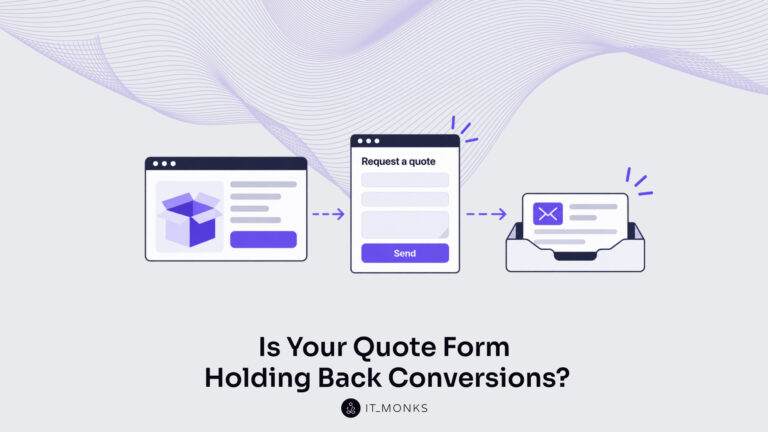
Take a company that sells custom printed boxes to other businesses. We made it up for this article, but each…
Learn more 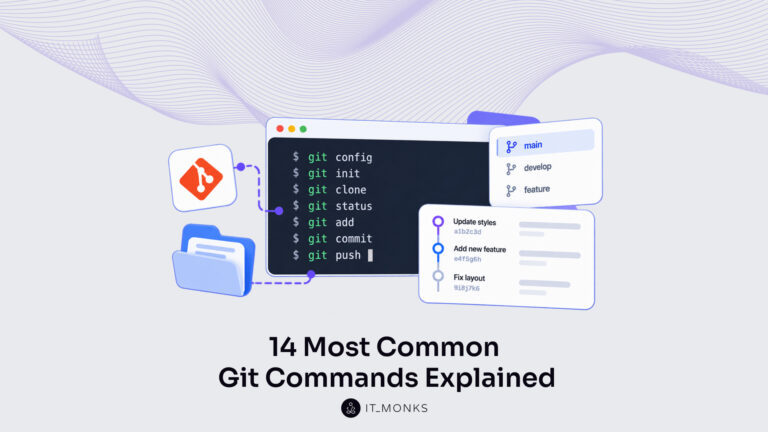
Basic Git commands are the text instructions typed in a terminal, the word git plus a command name, that tell…
Learn more 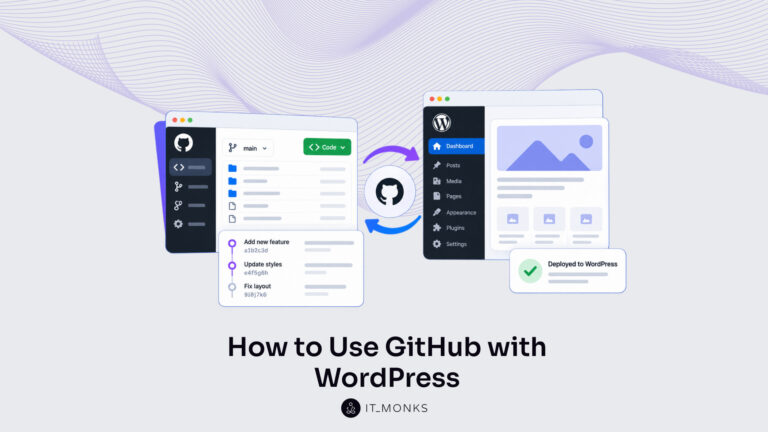
Using GitHub with WordPress keeps the theme and plugin code of a site in a WordPress GitHub repository. Git records…
Learn more Contact
Feel free to reach out! We are excited to begin our collaboration!
Don't like forms?
Shoot us an email at info@itmonks.com
Don't like forms?
Shoot us an email at info@itmonks.com
CEO, Strategic Advisor
Reviewed on Clutch
 ChatGPT
  Claude
  Grok
Grok  Gemini
 Send a Project Brief
Fill out and send a form. Our Advisor Team will contact you promptly!