Explore our specialized services, tailored solutions, and industry expertise to elevate your digital presence. From custom WordPress development to seamless integrations, we build high-performing websites that deliver impact.
A custom post type URL is the web addressWordPress assembles for a content type that sits beyond the built-in posts and pages, and it comes in two forms. One is the permalink, the address of a single entry, the page a visitor opens to read one item. The other is the archive URL, the listing address that gathers every entry of that type onto a single page. Configure both and a custom post type answers requests in the address bar exactly like the built-in content beside it.
Reaching that point means configuring four separate things, each one owning a different part of the address. The permalink structure (the rewrite slug and the pattern around it) decides what a single entry’s URL looks like. A rewrite flush clears the 404 that a freshly registered type throws before WordPress learns its new routing rules. The has_archive argument switches the listing URL on and fixes the slug it resolves at. And a slug-removal step strips or relocates the post-type base whenever a cleaner path is wanted.
A tutorial lists those four steps in registration order; the work runs in a different order on a live site. Set the permalink structure first, flush the rewrite rules so single entries stop returning 404, confirm the archive URL resolves through has_archive, and only then turn to slug removal once the plain routing already works.
Configuring a custom post type URL settles how its address resolves, the single-entry permalink and the archive URL, and stops there. The taxonomy-term slug, the full register_post_type argument reference, archive indexing and sitemaps, and the archive template file are each configured separately and fall outside URL resolution. What a single entry’s address is made of, and which argument controls it, is where the routing begins.
How to Rewrite the Permalink Structure of a Custom Post Type URL
The permalink structure of a custom post type is the URL pattern WordPress resolves for one entry, and rewriting it comes down to a single argument set at registration. A custom post type permalink follows the same layout as an ordinary post address: a site root, an optional prefix, then the slug that identifies the item. What changes for a custom type is that the base segment in the middle stays under direct control, because the rewrite argument passed to register_post_type decides it.
That rewrite argument is where the custom post type rewrite slug is set. Hand it a string and WordPress uses that string as the base: register a type with a rewrite slug of book and single entries resolve under /book/. Two sub-keys refine the result. The slug value names the base segment itself, and with_front decides whether the address keeps the front prefix from the site’s permalink settings; set with_front to false and a leading /blog/ or /news/ prefix drops away, leaving the slug at the root.
Nesting goes beyond a flat base. A custom post type URL structure can carry a taxonomy term inside the permalink (a pattern such as /%genre%/%postname%/), which turns a rewrite tag into a live segment, and the post_type_link filter is what swaps that tag for the term attached to each entry. The filter receives the default link, reads the entry’s assigned term, and returns the rewritten address. That filter only rewrites the link WordPress prints, though; a nested address does not route back to the entry on a rewrite flush alone, because inbound routing needs a matching rewrite rule for the added segment.
// 1. Set the permalink base when registering the post type.
register_post_type( 'book', array(
    'public'      => true,
    'has_archive' => true,
    'rewrite'     => array(
        'slug'       => 'book/%genre%',
        'with_front' => false,
    ),
) );

// 2. Swap the %genre% tag for the term attached to each entry.
add_filter( 'post_type_link', function ( $permalink, $post ) {
    if ( 'book' !== $post->post_type ) {
        return $permalink;
    }
    $terms = get_the_terms( $post->ID, 'genre' );
    $slug  = ( $terms && ! is_wp_error( $terms ) ) ? $terms[0]->slug : 'uncategorized';
    return str_replace( '%genre%', $slug, $permalink );
}, 10, 2 );
The taxonomy term dropped into that pattern carries a slug of its own, and setting that term’s address is a separate job from shaping the post type’s permalink. The mechanics of the rewrite slug in a custom taxonomy URL sit on the taxonomy side rather than here. One caveat applies to every change made to the rewrite argument: WordPress does not honour a new permalink structure until its stored routing rules refresh, so a freshly changed slug returns 404 on every single entry until those rules are flushed.
How to Flush Rewrite Rules for a Custom Post Type 404 After Registration
flush_rewrite_rules() is the WordPress function that refreshes the rewrite table after a custom post type is registered, and its absence is the single most common reason a freshly registered type returns 404. Registration tells WordPress the post type exists; it does not, by itself, refresh the rewrite rules that map a request like /book/hamlet/ onto that entry. Until those rules refresh, the URL resolves to nothing, so the server answers 404. A custom post type 404 of this kind is not a registration failure; the type is registered correctly, and only the routing table is stale.
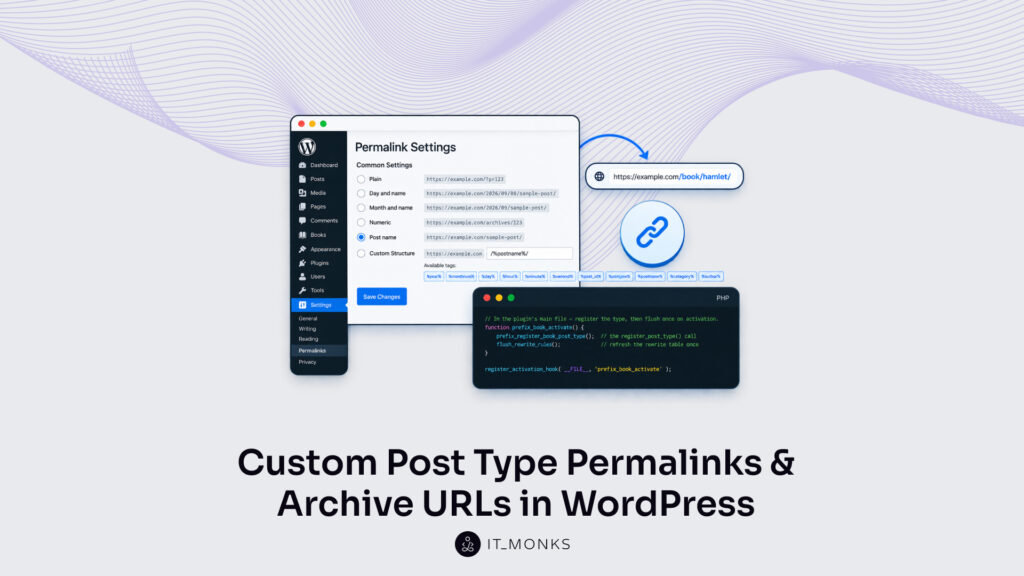
The fix runs once. flush_rewrite_rules() is expensive, because it regenerates every rewrite rule on the site, so it belongs on activation, called a single time after the post type is registered, never on the init hook where the type itself is registered. Calling it on every init flushes the whole table on each page load, and that is the performance mistake that turns a one-line fix into a site-wide slowdown. Hook the flush to register_activation_hook instead, and register the post type inside that same activation callback so the rules refresh against a type that already exists:
// In the plugin's main file — register the type, then flush once on activation.
function prefix_book_activate() {
    prefix_register_book_post_type(); // the register_post_type() call
    flush_rewrite_rules();            // refresh the rewrite table once
}
register_activation_hook( __FILE__, 'prefix_book_activate' );
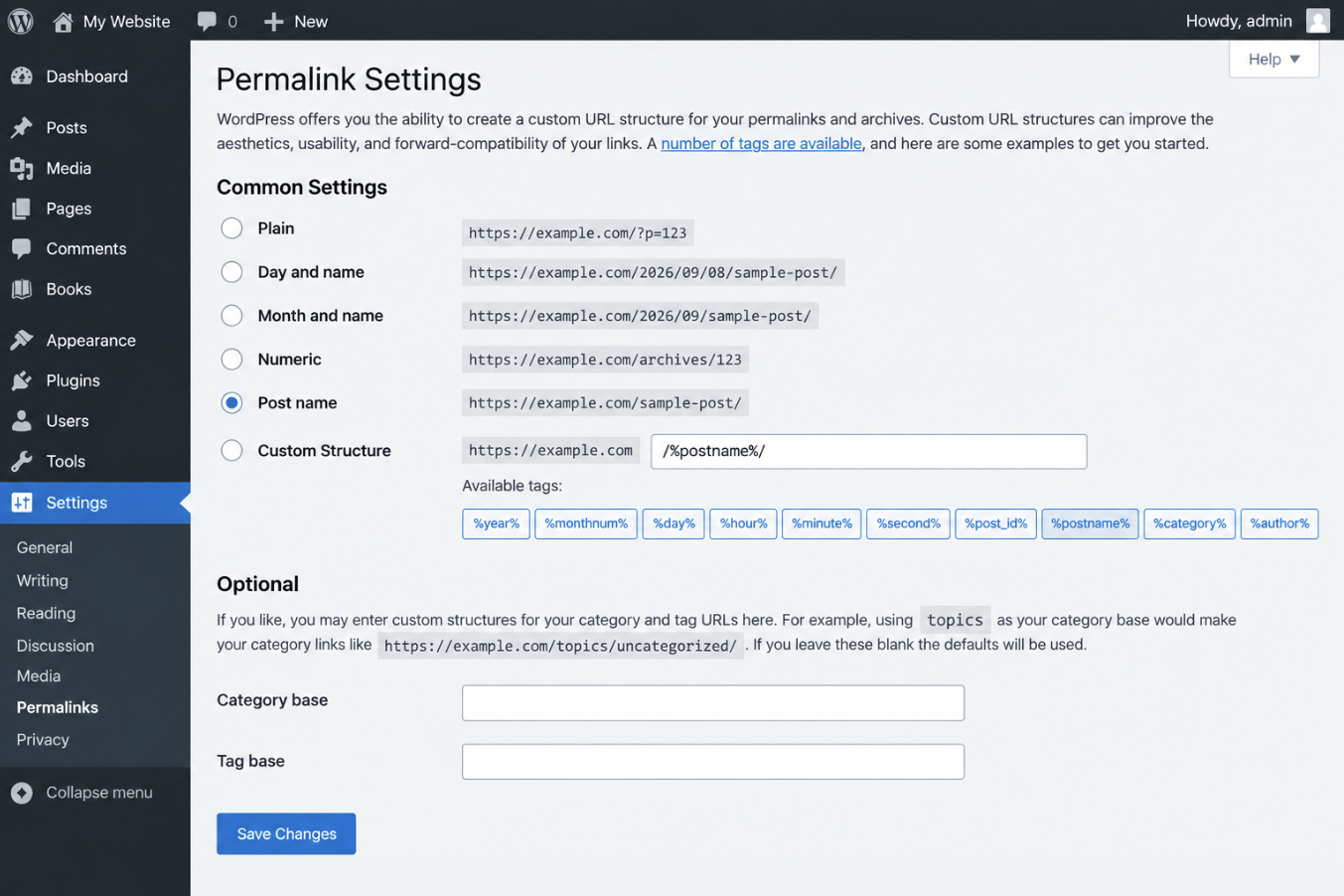
Saving the permalink settings does the same thing without a line of code. The Settings > Permalinks screen carries a Save Changes button that flushes the rewrite rules on click, which is why “saving the permalinks” is the fix passed around support forums for a custom post type 404. It is the manual equivalent of the activation-hook flush: one save, one refresh of the routing table. For a type registered by a plugin that is already in place, the save clears the 404 immediately, with no reactivation.
The same flush clears a subtler failure. A hierarchical custom post type can serve its entries for months and then start returning 404 after a WordPress core upgrade that touches rewrite handling. Nothing changed in the registration code, but the stored rules fell out of step with the new core. One save on the permalinks screen, or one reactivation, refreshes them and restores the URLs. Those refreshed rules govern more than the single entry; they also decide whether the post type’s archive URL resolves, and that is set by a separate argument.
How Does the has_archive Argument Work for a Custom Post Type Archive URL?
has_archive is the register_post_type argument that decides whether a custom post type has a listing URL of its own (one page that lists every entry of the type), and, when a string is passed, what slug that archive resolves at. It works by exposing a single, auto-generated listing: set it, and WordPress provides a custom post type archive page at a predictable URL; leave it at its default of false, and the type has single entries but no listing URL at all. The archive URL exists because of this one argument, generated by WordPress rather than assembled by hand.
Two values cover almost every case. has_archive => true enables the archive at the post type’s own slug, so a type registered as book lists its entries at /book/. Passing a string instead, has_archive => 'library', enables the same archive at a custom slug, /library/, independent of the post-type slug that single entries use. Both forms sit in the $args array beside the rewrite rule that shapes the single-entry permalink; the full argument reference for register_post_type rewrite and has_archive sets out the rest. The matching template check, is_post_type_archive(), returns true only on the archive of the named type:
$args['has_archive'] = true;        // archive at /book/
// or, for a custom archive slug:
$args['has_archive'] = 'library';   // archive at /library/
register_post_type( 'book', $args );

// In template code — detect the archive context of the type:
if ( is_post_type_archive( 'book' ) ) {
    // runs only on the book archive URL, not on single entries
}
A custom post type archive page is not a Page in the editor. It has no row under Pages, no block content to edit, and no title field. WordPress assembles it automatically from the entries of the type, much as it assembles the blog’s post listing. That is why is_post_type_archive() earns its place: it lets template logic check for the archive context without touching single entries, so the listing responds correctly while individual entries stay untouched.
When a custom post type archive is not working, the cause is almost always one of two things, and both stay on the URL side. Either has_archive was never set (the argument defaults to false, so no archive URL exists to resolve), or has_archive is true but the rewrite rules were never refreshed, the same stale-routing 404 that follows registration. Set the argument, save the permalinks once, and the archive URL resolves. How that archive is laid out, and whether search engines list it, are separate questions from whether the URL works at all. With the archive resolving, the remaining URL concern is the post-type slug that still sits in front of every single entry.
How to Remove the Slug from a Custom Post Type URL
Removing the slug from a custom post type URL strips the post-type base segment out of the permalink, so a single entry resolves at /great-novel/ rather than /book/great-novel/. The base is the fixed word WordPress prints from the rewrite slug (book, product, event) ahead of every entry name. Two hooks strip it. The post_type_link filter rewrites the address WordPress prints for each entry, and a pre_get_posts adjustment adds the post type back into the main query so a bare slug still resolves once its type no longer appears in the path.
// Strip the "book" base from each entry's permalink.
add_filter( 'post_type_link', function ( $link, $post ) {
    if ( 'book' === $post->post_type && 'publish' === $post->post_status ) {
        $link = home_url( '/' . $post->post_name . '/' );
    }
    return $link;
}, 10, 2 );

// Add the post type back to the main query so the bare slug resolves.
add_action( 'pre_get_posts', function ( $query ) {
    if ( is_admin() || ! $query->is_main_query() ) {
        return;
    }
    if ( $query->get( 'name' ) && ! $query->get( 'post_type' ) ) {
        $query->set( 'post_type', array( 'post', 'page', 'book' ) );
    }
} );
The filter on its own strips the base from the printed link but leaves the request half-resolved. WordPress now advertises /great-novel/ yet keeps nothing in that address to name the post type, so the request falls through to a 404. Adding the custom type back into the main query’s post_type array restores resolution. The router checks the custom type alongside posts and pages when it meets a bare slug. A gentler variant keeps a base and relocates it instead of stripping it: setting the rewrite slug to an existing page path, such as 'slug' => 'guides/tutorials', nests the entries under a real page rather than removing the segment outright.
A plugin performs the same rewrite without a line of PHP. Permalink-rewrite tools such as Custom Post Type Permalinks add the post_type_link filter and the accompanying query fix behind a settings screen, an option for a site whose owner would rather not maintain a snippet inside a theme or a small companion plugin. Which tool earns the dependency turns on the rest of the WordPress stack, a trade-off that belongs with the best custom post type plugins and not with the rewrite itself.
One limit applies to how far the base comes off. Strip it from a single post type and entries resolve cleanly; strip it from two, and the second type’s entries begin returning a 404. A bare slug no longer carries the name of the type it belongs to, so the resolver reads it as the first registered type and the second type’s requests collide with nothing to distinguish them. The dependable pattern removes the base from one post type only and nests the others under a page path, which keeps every type addressable.
With the permalink structure set, the registration 404 flushed, the archive URL resolving, and the base stripped, the URL side of a custom post type is fully configured. Registration arguments, custom fields, and the record relationships that shape the entries themselves belong to the wider set of custom post type topics covered in the guide to WordPress custom post types.







 ChatGPT
  Claude
  Grok
Grok  Gemini