- Expertise
Expertise That Drives Results
Explore our specialized services, tailored solutions, and industry expertise to elevate your digital presence. From custom WordPress development to seamless integrations, we build high-performing websites that deliver impact.
Solutions- Booking System Integrations
- Headless & REST API WordPress
- Hubspot Integration
- Enterprise WordPress
- Website Migration
- Internal Collaboration Platforms
- External Communications Hubs
- Work
- About
- Proof
- Contact
Learn more
 | updated:


How to Create an MVP on WordPress: From Idea to Launch

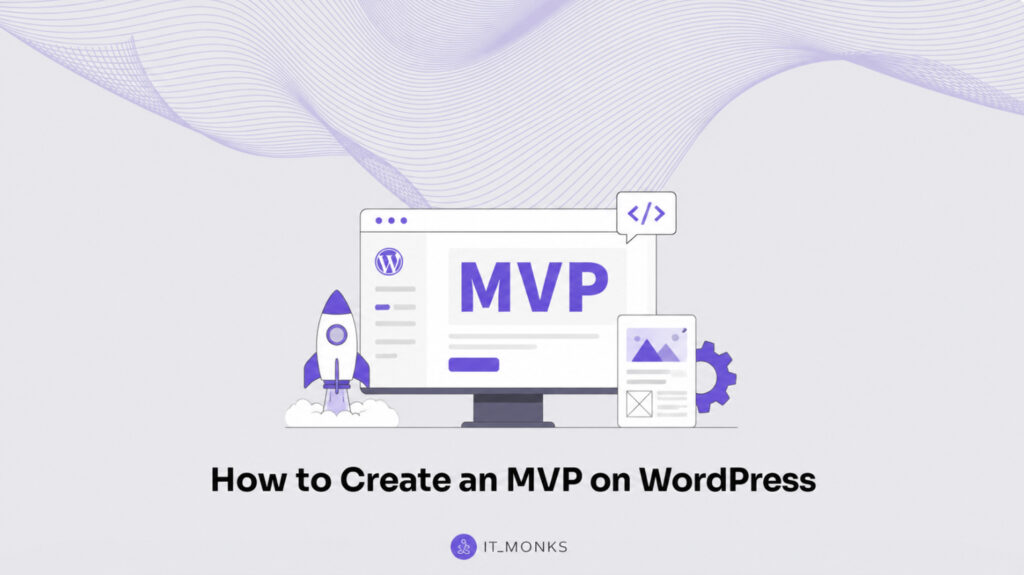
A WordPress MVP is a minimum viable product built on WordPress: the smallest, real feature cut you can ship to real users to learn what matters, without paying for a full custom build up front. It’s not “a half-finished site.” It’s a deliberate first version that proves the idea-to-launch path can work, using WordPress as the instrument for speed, clarity, and iteration.
This approach is built for founders and product owners who need to make progress under constraints. The core trade is simple: ship fast and cheap to validate demand, then improve what users actually touch, rather than investing months into a complete custom build before you know what should exist. You’re choosing learning velocity over perfection, while keeping enough structure that you can scale later.
The process of creating an MVP on WordPress follows a predictable arc: validate the problem, cut a minimum-viable scope, choose a build route, assemble the essential pieces, launch, and then scale in the direction your users pull you. The sections ahead walk through those decisions in order, so each step stays tightly connected to the next, and the outcome stays a true WordPress MVP instead of a bloated first release.
Why Build an MVP on WordPress
WordPress benefits an MVP build by removing the cost, time, and rigidity that a full custom build imposes before the first user arrives. Building an MVP on WordPress means leaning on a platform that already handles the common groundwork, so the work that remains is the validation of a single feature. That platform fit shows up across three benefits:
- Speed. WordPress ships an MVP faster than a full custom build, because the content management, user accounts, and theme layer already exist and need configuring rather than coding. WordPress practitioner Chris Lema puts a working MVP cut together in under five to ten hours of configuration once the route is chosen, instead of the weeks a full custom build consumes.
- Cost. A WordPress MVP keeps spend low. The platform is open-source and the build reuses existing themes and plugins, so the budget covers only the one feature under test. Spend just enough to validate the idea, not enough to finish a product.
- Flexibility. WordPress adapts to whatever single feature the MVP is validating, whether that is a membership gate, a booking form, or a content catalog. The same platform supports a swap of theme or plugin when the validated idea points the build in a new direction.
These three benefits all serve the same MVP goal: validate the idea fast and cheap, then commit the larger budget only once the demand signal is real. Speed shortens the gap between idea and feedback, low cost keeps a failed test affordable, and flexibility lets the build follow what the test reveals.
The MVP path also sits inside the wider development lifecycle, where a validated cut graduates into a hardened, fuller build, the same lifecycle covered end to end in the WordPress development guide. A deeper case for why WordPress suits an MVP expands on the speed, cost, and flexibility argument. Before any of those benefits matter, though, the product idea has to earn the build in the first place.
Pre-Build Product-Idea Validation
Pre-build validation is the work of testing a product idea before any WordPress build begins, confirming that the idea solves a real problem for a real audience with a measurable demand signal. The product idea has to clear this validation first, because the point of an MVP is to spend effort only where evidence already points. Validation precedes the build for a simple reason: a build commits time and budget, and that commitment belongs to an idea with a demand signal, not to a hunch.
Founders run the validation against a short set of checks before committing to scope or stack:
- Audience fit: a defined group of people the idea is for, specific enough to reach and ask.
- Problem solved: a real, named problem the idea removes, not a nice-to-have.
- Demand signal: observable interest, such as sign-ups on a landing page, search volume on the problem, or competitor traction that proves a market exists.
A product idea that clears all three has earned the build; one that fails a check gets reshaped or dropped before a single line of the WordPress work starts. A validated idea also carries forward a sharper definition of what users actually want, and that definition feeds the next decision directly, the minimum-viable scope, where the validated idea is cut down to the one feature worth building first.
The MVP’s Minimum-Viable Scope
The minimum-viable scope of a WordPress MVP is the deliberate cut to the smallest feature set that validates the idea. Minimum-viable scope defines what the first build includes and what it leaves out, so the WordPress MVP carries only the functionality the validated idea requires and nothing more. Scope here means a boundary, not a backlog: it consists of the one feature that proves demand plus the minimal supporting functionality that feature requires to run, and it excludes everything a full custom build would otherwise accumulate.
Setting this scope turns the validated product idea into a build decision. A founder or product owner reads the demand signal from validation and answers a single question: what is the least the product must do to prove that signal is real. The answer fixes the scope. Where validation found a clear problem-solution fit, the scope includes the feature that delivers that solution; where validation only flagged interest in a future capability, that capability stays out of the first build. This keeps the WordPress MVP minimal by construction rather than by later trimming.
The scope decision resolves into two mirrored sets, what ships now and what is deferred:
| Ships now (minimum-viable cut) | Deferred (held for later) |
|---|---|
| The single feature that proves the idea | Secondary features that add convenience but not proof |
| The minimal supporting functionality that feature requires to run | Capabilities flagged by validation as future interest, not present demand |
| The smallest path from first use to a measurable outcome | The fuller feature set a full custom build would carry |
Each side of that split is decided against the same test: build only what validation requires. A feature earns a place in the cut when the idea cannot be proven without it; every other feature is deferred. Holding to this test keeps the WordPress MVP on the smallest shippable surface, which is what leads to a build that ships fast and cheap rather than one that grows into a full custom build before it has earned a single user.
Once the scope fixes which features ship now and which are deferred, the next decision is how that fixed feature set gets assembled on WordPress, the build route.
Minimum-Viable Cut
The minimum-viable cut is the feature set that ships in the first build of a WordPress MVP. The cut includes the single feature that proves the idea plus the minimal functionality that feature requires to run, and identifying that feature is the work this decision turns on.
At the center of the cut is one feature, the one thing validation said must exist. This is the feature that delivers the validated problem-solution fit, the capability a first user must reach for the product to prove its demand signal. Identifying it means returning to what validation found: the audience-fit and demand-signal checks point at a specific outcome a user wants, and the feature that produces that outcome is the feature that ships.
A WordPress MVP built around this single proving feature reaches a measurable result on the shortest path, because nothing in the cut exists except to make that one feature work.
What the cut deliberately excludes is everything that is not required to prove the idea, and that excluded set is held in the deferred features that mirror this cut.
Deferred Features
Deferred features are the capabilities deliberately held out of the first build of a WordPress MVP, distinct from the minimum-viable cut that ships. They include every secondary feature that validation flagged as future interest rather than present demand, and the reason each one waits is what this decision turns on.
Deferring a feature postpones it; it does not delete it. A feature is deferred when the validated idea can be proven without it, which keeps the WordPress MVP scope minimal without losing the roadmap: each deferred feature stays recorded as a later build, ready for the point when demand and load justify it.
This separation is what protects the minimum-viable framing: the build stays small because secondary features are postponed by decision, not abandoned by oversight, and the founder or product owner keeps a clear record of what the product grows into after the first feature proves itself.
With the scope split into what the cut ships and what the deferred set holds, the fixed feature set is ready to be assembled on WordPress, which leads to the build route that assembles that cut.
The MVP Build Route
The MVP build route is the method by which an already-scoped minimum-viable cut gets assembled on WordPress into a working product. A build route does not decide what the WordPress MVP does (the validated idea and the minimum-viable scope already settled that). It decides how the chosen feature set is constructed and served. Among the routes a founder can take, headless WordPress for product MVPs is the most application-oriented, and it sits at one end of a short range of build options that trade construction effort against front-end control.
A WordPress MVP is assembled along one of three build routes:
- Headless WordPress: a decoupled front end served from WordPress as the content and data back end, suited to product-style applications that need a custom interface.
- Custom theme: a theme tailored to the one feature being validated, giving direct control over the WordPress front end without splitting it from the back end.
- Page builder: drag-and-drop, no-code assembly that ships the cut fastest, at the cost of the least structural flexibility.
The route that builds a WordPress MVP fastest is the one that ships this specific minimum-viable cut, not the one with the most powerful stack. The selection principle stays anchored to scope: a build route that assembles the validated feature in days outranks an architecture that could one day power a far larger product but would slow the first launch. Because the cut is deliberately small, the assembly method only has to construct that cut. Every route on the list can produce a single working feature, so the deciding factor is how quickly each one does it and how much front-end control the feature actually requires.
The build route follows directly from the minimum-viable scope: a scope that ships one screen demands less from the route than a scope that ships an interactive product surface. Where the build-vs-buy decision behind these routes warrants a fuller treatment of constructing a WordPress site as a custom build against starting from a prebuilt foundation, the parent comparison of custom WordPress development vs themes carries that decision in full, leaving the MVP path to narrow it to the single cut being validated. The first of the three routes to examine is the one built for product-style interfaces.
Headless WordPress
Headless WordPress is one MVP build route in which a decoupled front end is served from WordPress acting as a content and data back end, rather than WordPress rendering the pages itself. In a headless WordPress setup, WordPress stores and manages the content and exposes it through an interface, while a separately built front end consumes that data and renders the product experience.
Headless WordPress for product MVPs fits the case where the minimum-viable cut is an application interface that the standard WordPress front end cannot render the way the validated idea requires.
The headless route fits a WordPress MVP when the one feature being validated is a product-style application that needs a custom front-end experience: an interactive interface, a data-driven view, or an application surface distinct from a conventional page. Headless WordPress for product MVPs requires building and serving that separate front end against the WordPress back end, which is why this route suits a cut whose value resides in the interface itself rather than in standard page content.
A dedicated guide to headless WordPress for product MVPs covers this route in depth beyond the MVP context. When the validated feature is closer to a tailored site than to a separate application, a simpler route assembles the same cut with less construction, and the custom-theme route is where that lighter path begins.
Custom Theme
A custom theme is a WordPress theme built specifically for the minimum-viable cut, so the front end and the back end stay within WordPress and the validated feature is rendered directly by the theme. The custom-theme route builds a WordPress MVP by assembling that tailored theme around the one feature being validated, rather than decoupling the front end from the back end as the headless route does. This route uses WordPress as both the content back end and the presentation layer, with the tailoring applied to the template and styling that the cut needs.
The custom-theme route fits a WordPress MVP that requires more control over the front end than a prebuilt assembly offers, but less construction than building a separate headless front end. On the axis between the two neighboring routes, the custom theme sits in the middle: it gives a founder direct control over how the validated feature looks and behaves, while keeping the build inside a single WordPress theme rather than a decoupled architecture.
The fuller weighing of a tailored build against a prebuilt starting point belongs to the parent build-route comparison and is not re-run here; for the MVP, the custom theme is simply the middle route on the effort-and-control range. When even a tailored theme is more construction than the cut warrants, the no-code route assembles the same feature fastest, and the page-builder route is where that path begins.
Page Builder
A page builder is the build route that assembles the WordPress MVP through drag-and-drop, no-code composition rather than a decoupled architecture or hand-built theme. The page-builder route lays out the minimum-viable cut visually: each screen of the one feature being validated is dragged into place inside the WordPress editor, and the layout publishes without a developer writing front-end code. This keeps the route on the same plane as headless WordPress and the custom theme, three ways to assemble the same scoped feature set, distinguished only by how the assembly happens.
The page-builder route fits the MVP that must ship fastest and carries no front-end engineering on the founding team. Because the assembly is no-code and visual, a product owner builds and revises the validated feature directly, which compresses the path from scoped cut to live screen more than any other route.
The trade-off is flexibility: a builder constrains layout and behavior to the patterns it exposes, so a product needing an unusual interaction model gains less room than the custom-theme or headless routes give. Page builders such as Elementor, Beaver Builder, and Bricks each deliver no-code assembly, and any of them carries an MVP through this route. The selection still follows the route principle: speed to the scoped cut decides, not the most capable toolset.
A drag-and-drop builder produces a working WordPress front end, yet the feature it lays out still depends on functionality that a layout tool alone does not supply. Every assembled route (page builder, custom theme, or headless WordPress) reaches the same dependency once the screens exist: the plugins that run the one feature being validated.
Essential MVP Plugins
Essential plugins are the WordPress plugins that run the one feature being validated in the MVP, the minimal set without which the scoped cut does not function. An essential plugin earns its place by powering the single proving feature, not by adding capability the validation never asked for. This is the functionality layer that completes any chosen build route: the page builder, custom theme, or headless front end lays out the screens, and the essential plugins make the feature behind those screens actually work.
The essential plugin set maps to the type of feature the MVP validates:
- Forms: a form plugin runs the feature when the proving interaction is a submission, a booking request, or a lead capture.
- E-commerce: an e-commerce plugin runs the feature when the validated action is a purchase, supplying the cart, checkout, and payment flow.
- Membership: a membership plugin runs the feature when the MVP gates content or access behind a registered account.
- Search: a search plugin runs the feature when the proving experience is finding and filtering across a catalogue or content set.
The selection rule reconnects directly to the minimum-viable scope: install only the plugins the validation requires, and leave the rest with the deferred features. A plugin that supports a capability the MVP postponed re-expands the build past the scoped cut, so the essential set stays as narrow as the one validated feature, the minimal set that proves the idea, configured just enough to run it. With the route assembled and the feature running on its essential plugins, the WordPress MVP is built and ready for the step that takes it live.
How to Launch the WordPress MVP
Launching the WordPress MVP means taking the assembled minimum build live, moving the scoped, plugin-powered feature from a private build environment onto a public address where real users reach it. The launch is the terminal build step: the minimum-viable cut, assembled on its chosen route and running on its essential plugins, becomes a launched MVP the moment it goes live.
Launch readiness for an MVP differs from a full site launch in one respect: the bar is not completeness, it is whether the single validated feature is live, instrumented, and measurable from the first visitor.
The MVP-specific go-live essentials confirm the build is ready to learn from real demand:
- The one validated feature is live and reachable on a public address.
- Analytics or event tracking is wired so the feature’s usage is measurable.
- A feedback or contact path captures what early users report.
- Performance and uptime monitoring is in place so problems surface fast.
The generic build-and-launch path (registering a domain, choosing hosting, installing WordPress, and going live) sits one level up and applies to any WordPress site, so the launch of an MVP references that sequence rather than repeating it; the end-to-end mechanics belong to the full “how to build a WordPress website” walkthrough.
What remains specific to the MVP is the discipline of launching the minimum: the build goes live with only the validated feature, instrumented to measure whether the idea holds. A launched MVP that starts drawing real usage raises the next question: what to do as that validated demand grows beyond the minimum build.
How to Scale a WordPress MVP After Launch
Scaling a WordPress MVP after launch involves growing and hardening the validated product beyond the minimum build that went live. After launch, the WordPress MVP stops being a test of the idea and becomes a running product with real traffic, real data, and a real maintenance load, so the build that proved demand now has to carry weight it was never sized for. Scaling is the path the MVP follows once the validation question is settled and the question shifts to how far the product can grow on its current foundation.
A WordPress MVP signals that it is time to scale through three concrete pressures. Validated demand is the first: the minimum build confirms that founders and product owners were right about the audience, and usage climbs past the trickle the launch stack was provisioned for. Load is the second: page response slows under concurrent traffic, the database grows, and the shared hosting or single-server setup that suited a launch starts to strain.
Feature pull is the third: the same users who validated the core function begin asking for adjacent capabilities the deferred backlog held back. When these signals appear together, the MVP has earned its next stage of development, and scaling becomes a deliberate decision rather than an emergency.
Scaling proceeds along a development lifecycle that runs from hardening to re-architecting. Hardening comes first and stays closest to the existing build: it adds caching, tightens security, moves heavy assets to a content delivery network, and upgrades hosting so the validated product holds up under sustained load without changing its shape.
Re-architecting comes when hardening is no longer enough. When the data model, the request volume, or the integration surface outgrows what a conventional WordPress install can serve, and the product needs a different runtime, a separate application layer, or a migration off the launch stack entirely.
A validated MVP scales to a larger product along this path, and each step is justified by a signal the launch already produced rather than by speculation about growth that has not arrived. A fuller playbook on scaling a WordPress MVP after launch details these hardening and re-architecting steps in depth.
Once re-architecting and dedicated infrastructure enter the picture, the work crosses into enterprise WordPress development, the discipline of running a high-traffic product on hardened, scalable WordPress. The point where a validated MVP outgrows its launch stack is where the path leaves the minimum-viable build and joins enterprise WordPress development. Enterprise-grade WordPress is where re-architecting, dedicated infrastructure, and the engineering practices a high-traffic product requires belong, the destination an MVP grows toward once demand, load, and feature pull have pushed it past the stack that launched it.
More Articles by Topic
Basic Git commands are the text instructions typed in a terminal, the word git plus a command name, that tell…
Learn more 
Using GitHub with WordPress keeps the theme and plugin code of a site in a WordPress GitHub repository. Git records…
Learn more 
The copy is approved, and the images are ready, but the page still isn't live. First, it needed a developer…
Learn more Contact
Feel free to reach out! We are excited to begin our collaboration!
Don't like forms?
Shoot us an email at info@itmonks.com
Don't like forms?
Shoot us an email at info@itmonks.com

CEO, Strategic Advisor
Reviewed on Clutch
 ChatGPT
  Claude
  Grok
Grok  Gemini
 Send a Project Brief
Fill out and send a form. Our Advisor Team will contact you promptly!