- Expertise
Expertise That Drives Results
Explore our specialized services, tailored solutions, and industry expertise to elevate your digital presence. From custom WordPress development to seamless integrations, we build high-performing websites that deliver impact.
Solutions- Booking System Integrations
- Headless & REST API WordPress
- Hubspot Integration
- Enterprise WordPress
- Website Migration
- Internal Collaboration Platforms
- External Communications Hubs
- Work
- About
- Proof
- Contact
Learn more


wp search-replace in WP-CLI: Change URLs and Domains

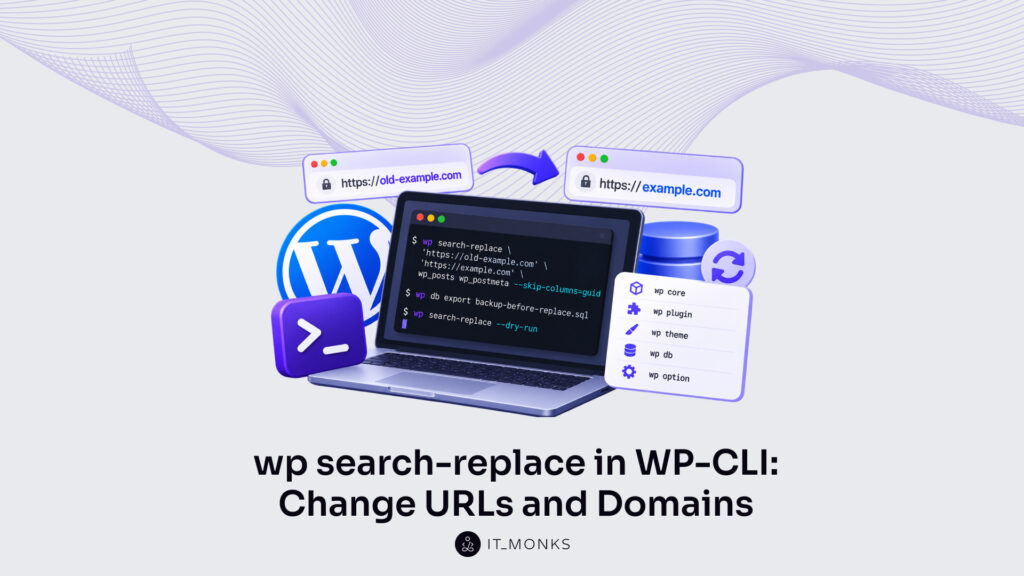
wp search-replace is the WP-CLI command that searches the WordPress database for one string and replaces every appearance of it with a second string. Its most common job follows a move. After a site changes its domain or its site URL, the old address is still stored in posts, options and metadata, and wp search-replace changes the old domain and the old site URL to the new ones in one run.
A live find and replace writes to the database the moment it runs, and only a restored backup reverses it, so a backup and a --dry-run preview come before it. Options set the rest of a run: --dry-run previews it, table and column options narrow or widen its scope, and --export writes the result to a SQL file instead of the database. A URL change skips the guid column. On multisite, network arguments set which sites a run reaches, and PHP serialized data is something the command handles by itself, with no hand edit.
Each command runs in a shell on the machine that holds the site: over SSH for a remote server, or in a local terminal for a local build. Three things have to be in place before the first one.
Prerequisites for wp search-replace
The prerequisites for wp search-replace are WP-CLI, a session in the WordPress directory and a database backup, the three things in place, in that order, before the command searches and replaces anything in the WordPress database.
- WP-CLI on the server where WordPress runs. wp search-replace runs only where the
wpcommand answers. Where the tool is missing, install WP-CLI first. The command then runs on that server, against the database the site there connects to. - An SSH session in the WordPress directory. Connect to the server over SSH and move into the WordPress directory, the one that holds wp-config.php. From there WP-CLI, the command line interface for WordPress, finds the site and its database. A session that opens anywhere else passes the
--pathglobal parameter instead, which the WP-CLI reference defines as the “Path to the WordPress files.” - A database backup from wp db export. wp db export writes the whole database to a SQL file, the backup taken before any replace. The full steps to export a WordPress database with WP-CLI have their own guide. Restoring that file, with
wp db import backup-before-replace.sql, is the only way back after a live run.
ssh user@example.com
cd /var/www/html
wp db export backup-before-replace.sql
Three lines: connect, move into /var/www/html, export backup-before-replace.sql. Nothing in the database has changed yet, and the one command left to run is wp search-replace itself, with an old string and a new one.
wp search-replace Command Syntax
The wp search-replace command syntax is wp search-replace, then the old string, the new string and an optional list of tables. Those three positional arguments are the whole WP-CLI search-replace command; everything after them is an option.
wp search-replace <old> <new> [<table>...] [--dry-run] [--skip-columns=<columns>]
wp search-replace 'https://old-example.com' 'https://example.com' wp_posts wp_postmeta --skip-columns=guid --dry-run
<old> holds the string to search for, and <new> holds the string that replaces each instance of <old> it finds. Quote both, as the reference examples do, so the shell passes each URL as one argument. The match is case-sensitive.
Without a table list, wp search-replace searches the tables registered to the $wpdb object by default; on multisite that is only the current site’s tables, unless --network is passed. A table list restricts the run to the tables it names, and it accepts wildcards such as 'wp_*options' or 'wp_post*'. Whatever the scope, primary key values never change.
The WP-CLI reference defines the three positional arguments in these words.
| Argument | Required | What it holds |
|---|---|---|
<old> | Yes | A string to search for within the database. |
<new> | Yes | Replace instances of the first string with this new string. |
[<table>...] | No | List of database tables to restrict the replacement to; wildcards such as 'wp_*options'. |
The second example line is a full run in miniature. It restricts the replace to wp_posts and wp_postmeta, skips the guid column, and previews the run with --dry-run rather than saving changes to the database. Those two flags are options, and the options decide how much of the database a run reaches and whether it changes anything at all.
wp search-replace Options
wp search-replace options are the optional associative arguments listed in the WordPress WP-CLI search-replace documentation, and they change how a run searches and replaces before anything is written to the database. With no options passed, wp search-replace searches every row of the tables registered to the $wpdb object and replaces the old string in place, with nothing to check first.
Most of the options do one of three jobs. --dry-run previews. The table and column options set the scope: --skip-columns excludes named columns, while --include-columns restricts the run to named columns. --export writes the result to a file. Others, such as --precise, --regex and --log, change how the match runs or what gets recorded. The WP-CLI search-replace command documentation lists more options than these; the ones a URL change draws on, in the reference’s terms:
| Option | What it does |
|---|---|
--dry-run | Runs the entire search/replace operation and shows the report, but does not save changes to the database |
--network | Searches and replaces through all the tables registered to $wpdb in a multisite install |
--all-tables-with-prefix | Enables replacement on any tables that match the table prefix, even if not registered on $wpdb |
--all-tables | Enables replacement on all tables in the database, regardless of the prefix, and even if not registered on $wpdb; overrides --network and --all-tables-with-prefix |
--export[=<file>] | Writes transformed data as a SQL file instead of saving replacements to the database; without a file, outputs to STDOUT |
--skip-tables=<tables> | Does not perform the replacement on specific tables; commas separate several, wildcards are supported |
--skip-columns=<columns> | Does not perform the replacement on specific columns; commas separate several |
--include-columns=<columns> | Performs the replacement on specific columns; commas separate several |
--precise | Forces the use of PHP instead of SQL, which is more thorough but slower |
--recurse-objects | Recurses into objects to replace strings; defaults to true, and --no-recurse-objects disables it |
--regex | Runs the search using a regular expression, without delimiters |
--report-changed-only | Reports changed fields only; defaults to false, unless logging, when it defaults to true |
--log[=<file>] | Logs the items changed; without a file, outputs to STDOUT |
One row carries a cost. --regex runs the search as a regular expression, and the wp search-replace WP-CLI documentation warns that a regex run is slower, taking about 15 to 20 times longer than a plain string match.
Three options shape a URL change, each under its own condition. --dry-run previews every run before the live one. --all-tables widens the scope only when tables outside $wpdb hold the old URL. --export takes the place of the live write when the database moves to a new host. Every URL replace also passes --skip-columns=guid.
The –dry-run Option
--dry-run is the wp search-replace option that runs the entire search and replace operation and shows the report without saving changes to the database. It takes no value: added to any wp search-replace command, the flag turns a live run into a preview.
What the preview shows is the report. The report lists each table and column the search checked, with the replacement count for each, so the numbers show where the old URL is stored before anything changes.
The planned URL change, previewed:
wp search-replace 'https://old-example.com' 'https://example.com' --skip-columns=guid --dry-runCheck the counts before the live run. A zero on wp_posts or wp_postmeta usually means the search string does not match what the database stores, such as a site saved as http:// and searched as https://. Fix the string, run the preview again, and only then drop the flag.
A dry run checks only the tables in scope, and by default that scope stops at the tables registered to $wpdb.
The –all-tables Option
--all-tables is the wp search-replace option that runs the replacement on all tables in the database, regardless of the prefix, and even if a table is not registered on $wpdb. It extends the search and replace from the WordPress tables to every table the database holds.
The default scope excludes tables not registered to $wpdb. A custom plugin table created outside that registration sits beyond it, so a standard run leaves the old URL in it. Paired with --dry-run, the option previews the wider run first:
wp search-replace 'https://old-example.com' 'https://example.com' --skip-columns=guid --all-tables --dry-runScope has a narrower setting too. --all-tables-with-prefix restricts the run to tables whose names match the site’s table prefix, registered or not, which covers a plugin table that carries the site’s prefix. --all-tables ignores the prefix entirely, so on a database shared by more than one WordPress install it also reaches the other installs’ tables. --all-tables overrides --network and --all-tables-with-prefix, so with it on the command line neither of the other two changes which tables the run covers.
The –export Option
--export is the wp search-replace option that writes transformed data as a SQL file instead of saving the replacements to the database. Given a file name, it writes there; given none, it writes the SQL to STDOUT, the standard output stream.
wp search-replace 'https://old-example.com' 'https://example.com' --skip-columns=guid --export=database.sqlThe source database stays unchanged after this run. database.sql carries the new URL instead, ready to import on the new host, while the tables on the old server keep the old one.
On a site that stays on the same server, no file is needed, and the replacement runs live against the database itself.
How to Change URLs with wp search-replace
Changing URLs with wp search-replace means searching the database for the old URL and replacing it with the new URL everywhere WordPress stored it, a change that covers two jobs: a WP-CLI change of domain and a WP-CLI change of site URL. Both jobs go through the same four-step run, and every run skips the guid column, because a changed guid makes feed readers show old posts as new:
- Back up the database with
wp db export. - Preview the replace with
--dry-runand--skip-columns=guid. - Run the same command without
--dry-run. - Load the site and the admin login at the new URL.
The --dry-run preview lists how many replacements each table would get and writes nothing. The live run is that previewed command with --dry-run taken out, nothing else. Same old URL, same new URL, same --skip-columns=guid, so the result matches the count the preview showed. Then check the front end and the login screen at the new address; a link or image still pointing at the old URL marks a string the run missed.
Most URL changes are not standalone jobs. A host move that also changes the address runs the replace as its URL-rewrite step, once the database sits on the new server, and every other stage of the process to migrate a WordPress site to a new host stays outside the command.
Local builds are the other common case. A site developed on a local machine stores localhost addresses in its posts and options, and rewriting them to the production URL is one run of wp search-replace inside the wider job to move WordPress from localhost to a live server. Whichever move triggers it, the most direct of the two URL jobs is swapping one domain for another.
Changing the Domain
Changing the domain with WP-CLI is a replace of the old domain, written as a full URL with its scheme, by the new domain, and wp search-replace runs that change across every table WordPress registers:
wp search-replace 'https://old-example.com' 'https://example.com' --skip-columns=guid
wp search-replace 'http://example.com' 'https://example.com' --skip-columns=guid
On a single site, the first line searches for https://old-example.com rather than the bare old-example.com. Why the scheme? A bare domain also matches inside longer strings, such as an email address like info@old-example.com, which may not need rewriting. A multisite network is the exception, because its network tables store the domain with no scheme.
The second line is the same replace with a new scheme. Moving from http to https changes only the protocol, so the domain stays and every http://example.com becomes https://example.com.
wp search-replace changes the stored URLs and stops there. DNS records, the Settings screen and redirects from the old address are part of the full procedure to change a WordPress domain name, which the command does not touch. Inside the database, two of the values it rewrites decide which address WordPress itself uses: the site URL.
Changing the Site URL
The site URL is the pair of options home and siteurl in the wp_options table, and changing the site URL with WP-CLI replaces the values those two options hold. Each one holds a different address:
| Option | Settings label | Holds |
|---|---|---|
home | Site Address (URL) | The address visitors type to reach the site |
siteurl | WordPress Address (URL) | The address where WordPress core files reside |
A full wp search-replace run already rewrites both, together with the content, because wp_options is one of the default tables the command searches. To change the address alone, content untouched, wp option update changes the two options:
wp option update home 'https://example.com'
wp option update siteurl 'https://example.com'
Beyond home and siteurl, reading and updating stored settings with wp option is the job of the guide to manage WordPress options with WP-CLI.
Both values include https:// and no trailing slash, as the WordPress migration documentation specifies for these two settings. One exception overrides the stored values: WP_HOME and WP_SITEURL, when defined in wp-config.php, take precedence over whatever home and siteurl hold, and the two Settings fields can no longer be edited from the admin. Those constants are a separate way to change the WordPress site URL in wp-config.php.
These commands change a single-site install. On any install, though, one column in the posts table stays out of every URL replace.
The GUID Column
The guid column is the column in wp_posts that holds each post’s Globally Unique Identifier, a value WordPress builds from the site URL so the identifier is unique to that site.
Feed readers use the guid to tell items they have already displayed from new ones, most often by keeping a list of the guid values they have marked as read. A changed guid breaks that match, and feed readers show old posts again as if they were new.
So the guid should stay unchanged, even when the site moves to a new domain, because the post is still the same post. A default run rewrites the guid like any other column; only the skip flag keeps it as it was. WordPress’s migration documentation puts it without exception: never change the contents of the guid column, under any circumstances. That rule holds for every WP-CLI change of domain as much as for a local-to-live rewrite.
Pass --skip-columns=guid on every URL replace, as the official command reference example does:
wp search-replace 'http://example.test' 'http://example.com' --skip-columns=guidPost content, options and metadata still receive the new URL. A multisite network adds more tables to search, with a posts table and a guid column for every site in it.
wp search-replace on Multisite
wp search-replace on multisite covers only the current site’s tables unless --network is passed. The default follows from how the command picks its tables: it covers the tables registered to the $wpdb object, and on a multisite network that registration is per site. Pass --network, and the run extends to all tables registered to $wpdb across the whole WordPress install, every site’s posts, options and meta tables included.
--url is the global parameter that specifies the target site on multisite. WP-CLI runs the command as if the request came from that URL, so a network-wide replace still starts from one named site. The official WP-CLI reference pairs both arguments in one example, a production multisite database changed into a local one:
wp search-replace --url=example.com example.com example.test 'wp_*options' wp_blogs wp_site --networkRead it left to right. --url=example.com specifies the target site. example.com is the old string, and example.test is the new one. 'wp_*options' is a wildcard that covers every options table whose name starts with wp_ and ends with options, one per site in the network. Two network tables follow: wp_blogs holds each site’s domain and path, and wp_site holds the network’s domain. Both store the domain without a scheme, which is why a network domain change searches the bare example.com and not https://example.com: a search that includes the scheme finds no match in either table and leaves the old domain in place. That table list restricts the run to those tables; without it, --network replaces the string in every table registered to the network.
The rest of the run is the same as on a single site. Preview the network run with --dry-run first, then run it with --skip-columns=guid, so the guid column is skipped here too. After the run, verify wp_blogs and wp_site row by row; the WordPress migration documentation asks for that review of both tables on every multisite domain change, to confirm all sites changed.
wp search-replace changes the database only, so on a network domain change the DOMAIN_CURRENT_SITE constant in wp-config.php also has to name the new domain, or the network does not load at it. Those options tables also hold serialized values, so the next question for a network-wide rewrite is how wp search-replace handles them.
Does wp search-replace Handle Serialized Data?
Yes, wp search-replace handles serialized data safely, according to the official WP-CLI command reference, which states that search/replace “intelligently handles PHP serialized data, and does not change primary key values.” The condition is the route the change takes. A value is safe when it changes through the command, and not through a hand edit in the database.
A serialized value is a PHP array, object or string stored in the database as one text string, in options and in post, user and term meta alike, the form themes, widgets and page builders use for many stored settings, and it stores each string’s length in an s:<n> prefix.
The number counts bytes. A plain replace changes the string and its string length but leaves the recorded s:<n> prefix at the old value, so the serialized value breaks: PHP cannot unserialize it, and the setting it held is gone from the site. The WordPress migration documentation names the same failure: themes and widgets store values with the URL length marked, and when the URL changes, things break.
wp search-replace rewrites the prefix together with the string. A site URL stored inside a serialized option changes like this:
Before: s:23:"https://old-example.com";
After:  s:19:"https://example.com";
https://old-example.com is 23 bytes long, https://example.com is 19, and for ASCII URLs such as these the byte count equals the character count. The value is intact because the string and its length change in one step.
Two options control how far that handling reaches. --recurse-objects recurses into objects to replace strings inside them; it defaults to true, and --no-recurse-objects turns it off. --precise forces the use of PHP instead of SQL, which the reference describes as more thorough, but slower.
A hand edit is the broken case. Change the URL inside a serialized cell in phpMyAdmin, and the prefix still holds the old length, 23, next to a 19-byte string. phpMyAdmin still serves to browse tables, run SQL queries and export a database, the operations the WordPress phpMyAdmin guide walks through, while a serialized URL is a change for wp search-replace to handle.
wp search-replace handles serialized data the same way on a single site and across a network, so every URL rewrite it runs, a domain change on one site or a move across a network, keeps its data intact under the same backup, preview and live-run order.
More Articles by Topic

Imagine a marketing team two days before a campaign launch. The copy is approved, the images are ready, and the…
Learn more 
Headless WordPress is WordPress used as a content store and editorial interface only, with the public site rendered by a…
Learn more 
Take a company that sells custom printed boxes to other businesses. We made it up for this article, but each…
Learn more Contact
Feel free to reach out! We are excited to begin our collaboration!
Don't like forms?
Shoot us an email at info@itmonks.com
Don't like forms?
Shoot us an email at info@itmonks.com

CEO, Strategic Advisor
Reviewed on Clutch
 ChatGPT
  Claude
  Grok
Grok  Gemini
 Send a Project Brief
Fill out and send a form. Our Advisor Team will contact you promptly!